



Make Your Own Baseball Cards
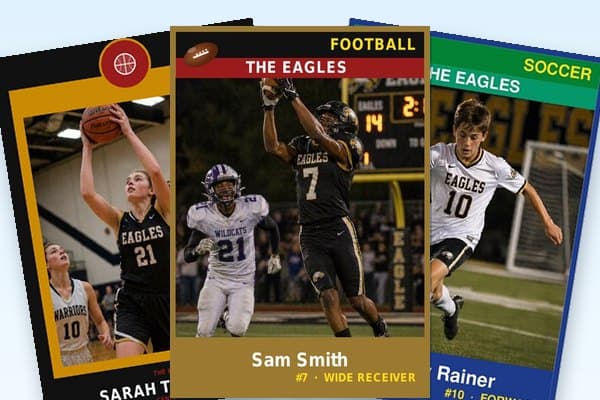
Free printable baseball card templates that look the part — the same 2.5″ × 3.5″ trading-card size you grew up flipping. T-Ball, Coach Pitch, Little League, Cal Ripken, Pony, travel ball, varsity. Drop in a photo, type the name and number, print four cards per sheet.
Baseball cards are the original sports cards — and Little League picture day is when most kids first see their face on one. The cards on this page print at true trading-card dimensions (2.5″ × 3.5″), so a stack out of your home printer goes right into a binder sleeve next to the rookies. Use them for end-of-season parent gifts, Father’s Day, the trophy banquet, the dugout door, or the kid who just hit his first home run and needs to commemorate the moment.
Every card holds the team name, player name, jersey number, and position. The Position field accepts everything from “P” / “C” / “SS” to “Utility” to “Captain”. The PDF is generated in your browser — nothing uploads, nothing watermarks, no account required. Each size comes in five designs — Classic banner-and-band, Circle Badge, Split Halves, Triple Split with three bands of team color, and a Vintage Card that ages your photo like an old print — and you switch between them right on the page, so pick a size below and try them all before you print.


Baseball card moments — beyond the binder
Baseball cards from a printer aren’t just for trading. The most popular print-day uses we hear from coaches, parents, and kids:
- End-of-season parent gift. Coach prints one Enlarged 3.5″ × 5″ per kid, hands them out at the season-end pizza party. Frame-worthy for the kitchen wall.
- Father’s Day card. Kid prints a Normal 2.5×3.5 with dad’s old photo, dad’s old number, dad’s old team. The cheapest card stock at the office-supply store still feels like the real thing.
- Travel-ball tournament swap. Travel teams print a stack at the start of summer; kids exchange cards with the opposing team between games (a tradition older than most coaches realize).
- Dugout door. Tape a 9-up team sheet to the dugout door for the season. Helps parents and grandparents in the stands match faces to numbers.
- First-home-run keepsake. Kid hits his first dinger; mom prints an Enlarged card with the date in the position field (“First HR, May 14”). Goes in the kid’s bedroom forever.
- Coach appreciation. Print one for the coach with “Manager” in the position field. The team signs the back. Baseball coaching is a thankless job; the cards make it slightly less so.
What to print for the season-end pizza party
Two cards-of-the-season patterns parents use most:
First, the team-mom gift run. End-of-season pizza party at the local pizza joint, 12 kids, 3 coaches. Print the 9-up team sheet on cardstock, cut into 9 cards, put each kid in a 5x7 frame from the dollar store with their card and a small ribbon. Hand them out as the kids leave. Total cost: ~$20 for 12 cards + frames.
Second, the coach gift. Print one Enlarged 3.5x5 card with the coach as the player (use a team photo of them in the dugout) and “Manager” or the coach’s name in the position field. Frame it. The team signs the back. Baseball coaching is largely thankless; this card sits on a shelf.