Apollo's Templates
HomeBusinessTimesheet TemplatesDaily
One day, task by task

Daily Timesheet Template

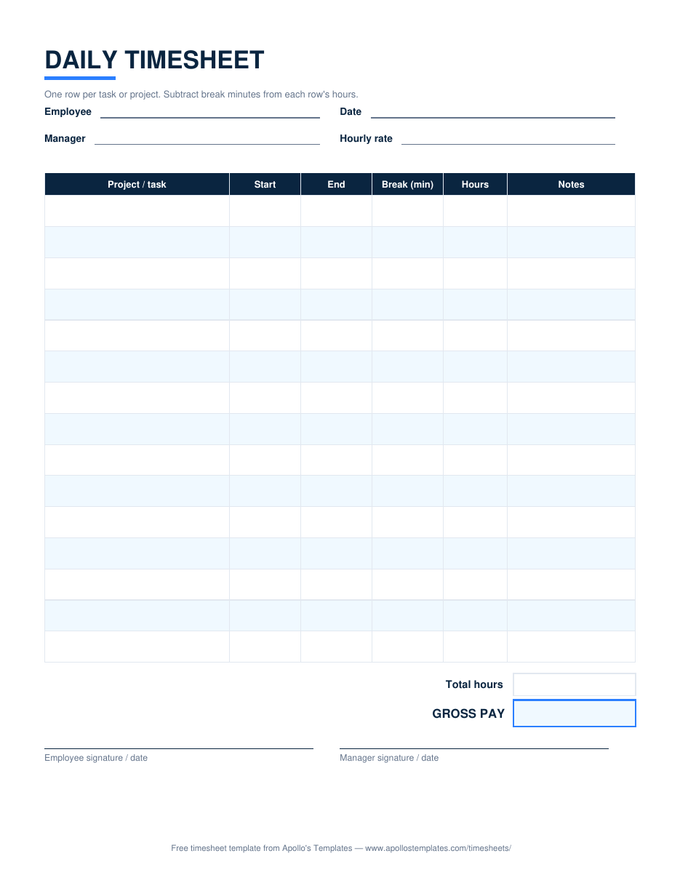
A day broken into rows: project or task, start, end, break minutes, hours, and a notes column wide enough to mean something. This is the sheet for time that has to be attributed, not just counted — freelance billing, job costing on a crew, or the honest answer to where Tuesday actually went. The Excel version does the per-row math and totals the day against your rate.

The day sheet

Fifteen rows, three formats.

For client billing

The notes column is the invoice's best friend.

An invoice line that says “8 hours — $680” invites questions. The same line backed by a day sheet reading “9:00–11:30 — kitchen demo, haul-out · 12:00–4:30 — subfloor repair, two joists sistered”doesn’t. That’s the discipline this layout encourages: log the task while it’s happening, in the words you’d want the client to read.

Payroll note: for employees, a daily sheet complements rather than replaces the weekly record — overtime still gets figured across the workweek, on the weekly sheet.

The payroll record
Weekly Timesheet
One row per day with the 40-hour overtime split — where employee hours belong.
Open
The invoice summary
Monthly Timesheet
Thirty-one dated rows — the month-level roll-up for billing.
Open
Live in your Drive
Google Sheets Timesheets
Every sheet as a make-a-copy template with formulas intact.
Browse

Frequently asked questions

How is a daily timesheet different from the weekly one?
The unit changes. A weekly sheet has one row per day and answers “how long did you work?”; this sheet has one row per task within a single day and answers “what did the hours go to?” That's the question freelancers billing multiple clients, trades doing job costing, and anyone allocating time across projects actually needs answered. Many people run both: the weekly sheet for payroll hours, a daily sheet on heavy days when the detail matters.
How do the break minutes work?
Each row has its own break column, entered in minutes rather than clock times — because task-level breaks are usually “took 15 in the middle,” not a scheduled lunch hour. The row's formula computes end minus start, then subtracts the break minutes. Leave it empty for an unbroken stretch; the formula treats blank as zero. A 9:00-to-1:30 row with 15 in the break column comes out to 4.25 hours.
Can I bill clients directly from this sheet?
It's designed for exactly that. Put the client or project in the task column, use the notes column for the deliverable detail clients like seeing, and the bottom of the sheet multiplies total hours by your rate. For a multi-day engagement, keep one sheet per day and let the monthly timesheet be the invoice-level summary. The Google Sheets copy exports a clean PDF (File → Download → PDF) to attach to the invoice.
What if a task runs past midnight?
The Excel formula handles the wrap: a row that starts at 10:00 PM and ends at 1:30 AM counts forward through midnight to 3.5 hours rather than going negative. Enter times with AM/PM and let the math work. The one convention to pick: log a cross-midnight task on the sheet for the day it started, so the day's total reflects the shift you actually worked.
Updated through August 2026