
Weekly Timesheet Template
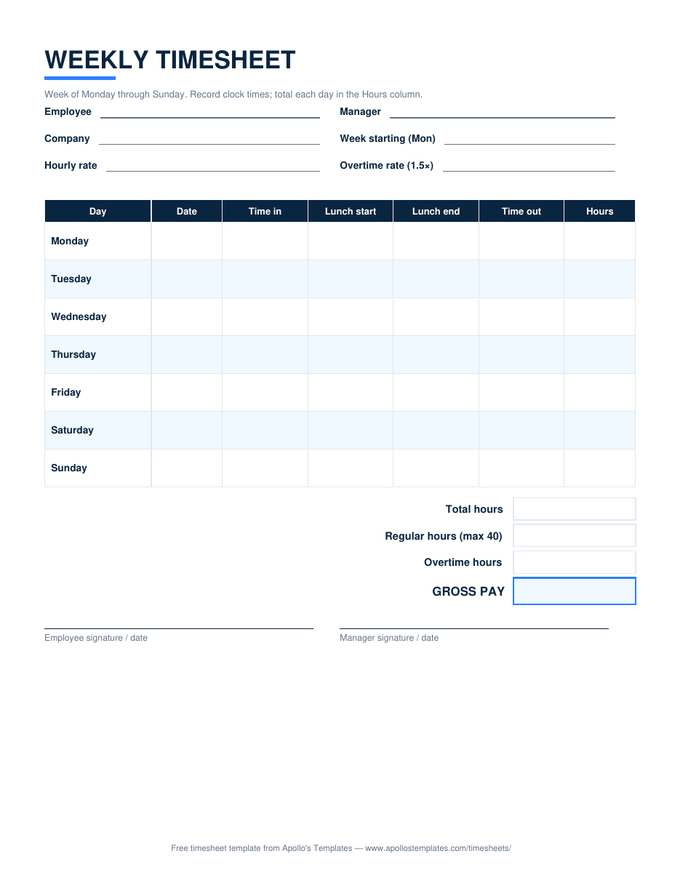
One week per page, one row per day: time in, lunch out, lunch back, time out, hours. The Excel version does all the arithmetic — daily totals, the 40-hour overtime split, gross pay from an hourly rate — while the PDF version prints big enough to fill in with a pen at the time clock. Signature lines for employee and manager close out the week.
The full weekly sheet.
Seven days with lunch-break columns — the layout that matches how most hourly days actually run.
Just in, out, and hours? Use the simple sheet.
One sheet per workweek is a legal boundary, not a preference.
Federal overtime is computed inside each fixed workweek — hours can’t average across weeks, even on a biweekly paycheck. That’s why this sheet totals exactly seven days and why the overtime row caps regular time at 40. Paid every two weeks? Use the biweekly sheet, which runs this same split twice, once per week, before totaling the period.
And a filing habit worth stealing: photograph the signed sheet every Friday. Timesheets are a federal payroll record with a two-year retention requirement — a camera roll named “timesheets” satisfies it for free.