Apollo's Templates
HomeBusinessTimesheet TemplatesSimple
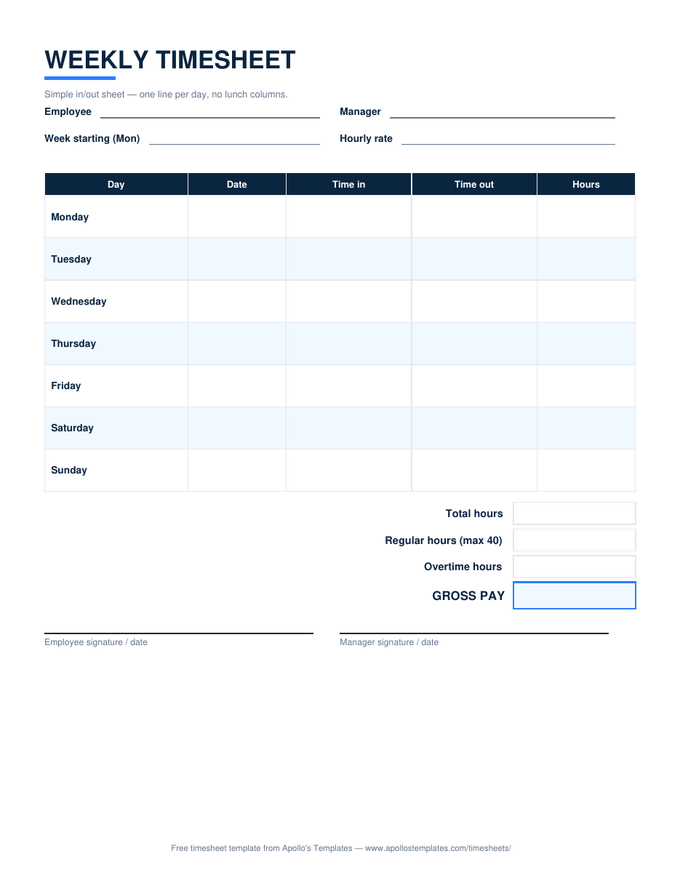
Five columns, nothing else

Simple Timesheet Template

Day, date, time in, time out, hours. No lunch columns, no departments, no codes \u2014 the timesheet for workplaces where an unpaid break isn't part of the day and nobody needs more than the week's hours on one clean page. The Excel version still totals the week, splits overtime at 40, and computes pay if you enter a rate; the PDF is the simplest sheet in the library to fill in with a pen.

Three formats

The basic sheet, three ways.

Excel — simple in and out

Clock times in, hours out; the week totals, splits at 40, and prices at your rate if you give it one.
Simple weekly timesheet with one row per day, daily hours, and a week total — no overtime or pay columns
PDF

Printable PDF

Five columns and generous rows — the fastest timesheet to fill in by hand.
Download PDF

Word (.docx)

The in/out-only layout as an editable Word table.
Worth knowing

Simple is a feature, not a compromise.

The more columns a timesheet has, the more of them come back blank or guessed, and every blank is a question at payroll. A five-column sheet that gets filled in completely beats a twelve-column sheet that gets filled in creatively. For most small workplaces, in, out, and hours is the whole truth of the day.

Post the PDF where people clock in and keep the Excel version at the desk that runs payroll. The pen sheet collects real times and signatures; the spreadsheet turns them into a paycheck without arithmetic mistakes. That two-document habit is how a lot of small businesses run payroll perfectly well without software.

Need lunch columns?
Weekly Timesheet Template
The full seven-day sheet with lunch tracking.
Open
Two weeks at a time
Biweekly Timesheet Template
Two week blocks with overtime per workweek.
Open
Just add it up
Timesheet Calculator
Type the times, get the hours — no spreadsheet needed.
Start

Frequently asked questions

When is the simple timesheet the right choice?
When every shift is one unbroken block — retail, small offices, caregivers, part-timers, students — and the lunch columns on the standard sheet would sit empty. Fewer columns mean fewer blanks to explain and a sheet that reads at a glance. If unpaid breaks are part of the day, the full weekly timesheet's lunch columns keep the hours honest.
Is a simple timesheet still a valid payroll record?
Yes — the FLSA cares that daily and weekly hours are recorded accurately, not how many columns it took. Add the employee's name, the week start, and both signatures (all on the sheet) and it meets the recordkeeping standard. Employers filing by ID and department may prefer the employee timesheet's header.
Does the simple version calculate overtime?
The Excel and Google Sheets versions do: the week's hours split into regular (up to 40) and overtime, priced at your rate and 1.5×. The PDF and Word versions are for hand-filling, with write-in boxes for the same totals. Simple describes the columns, not the math.
I need two weeks or a month — is there a simple version of those?
The biweekly and monthly timesheets are already lean, and both compute totals the same way. If you truly want nothing but dates and hours across a longer period, the monthly sheet's 31 dated rows with a single hours column is the closest fit.
Updated through September 2026