Apollo's Templates
HomeCareers & LifeResume TemplatesSimple
Simple · Clean · One column

Simple Resume Templates

A simple resume isn't a lesser resume — it's the format that survives every reader: the recruiter skimming on a phone, the hiring manager printing it in black and white, and the applicant tracking system parsing it before either of them. These twelve are the cleanest layouts in the library, one from each field, all one page in Word and Google Docs.

Twelve clean layouts

The simplest resume in each field.

Single columns, standard headings, restrained color. Each is the plainest design its category offers — and each still leads with what that field hires on.
Accountant — Ledger — Green

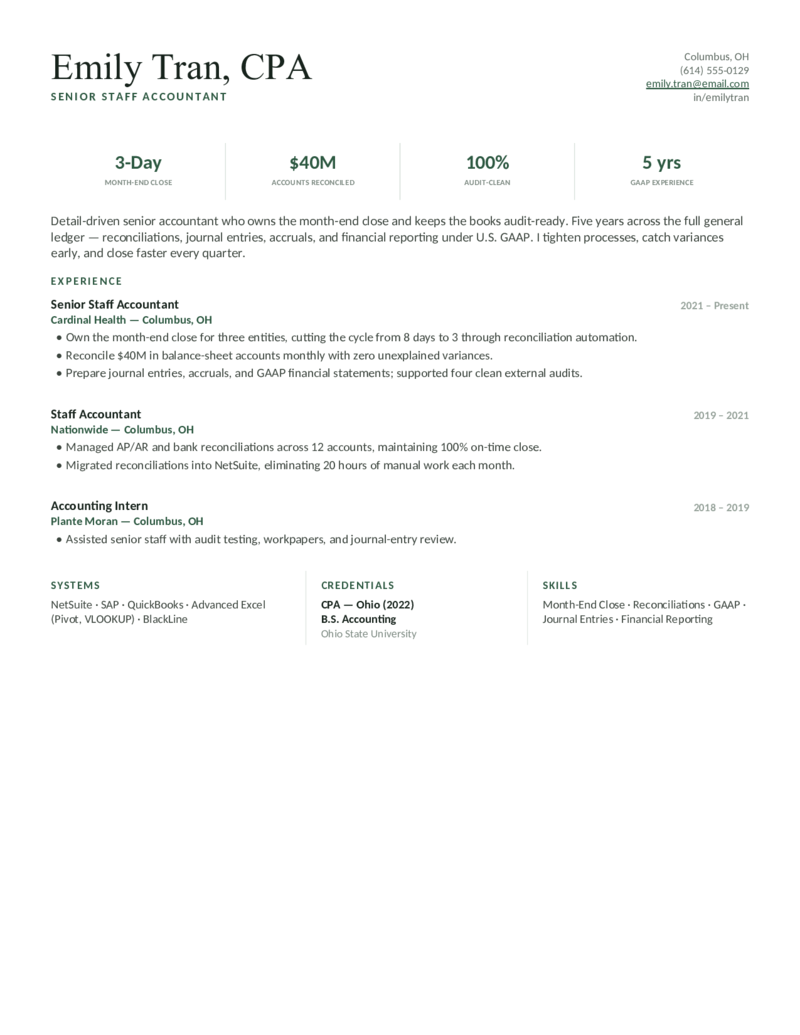
Staff & senior accountant layout — a double-rule header and a month-end-close metric bar (close days, accounts reconciled, GAAP). A clean, ATS-friendly staple.

Administrative Assistant — Remote — Teal

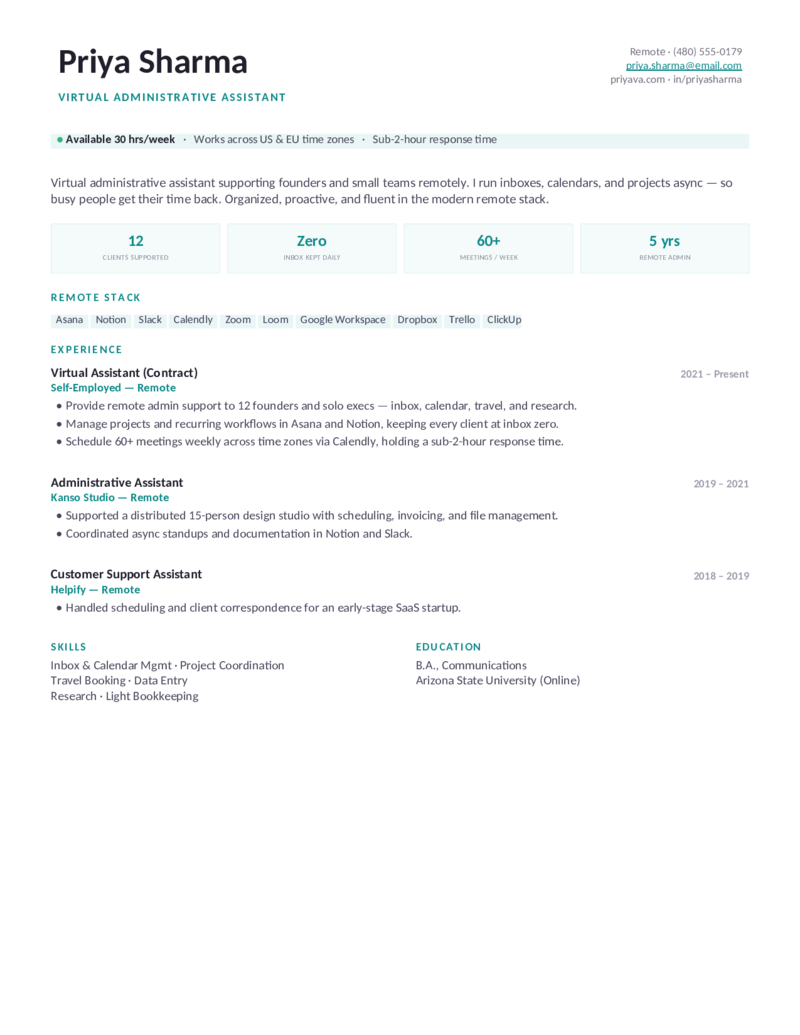
The remote / virtual-assistant design in a clean teal — async support, inbox-zero stats, and the modern remote toolset for founders.

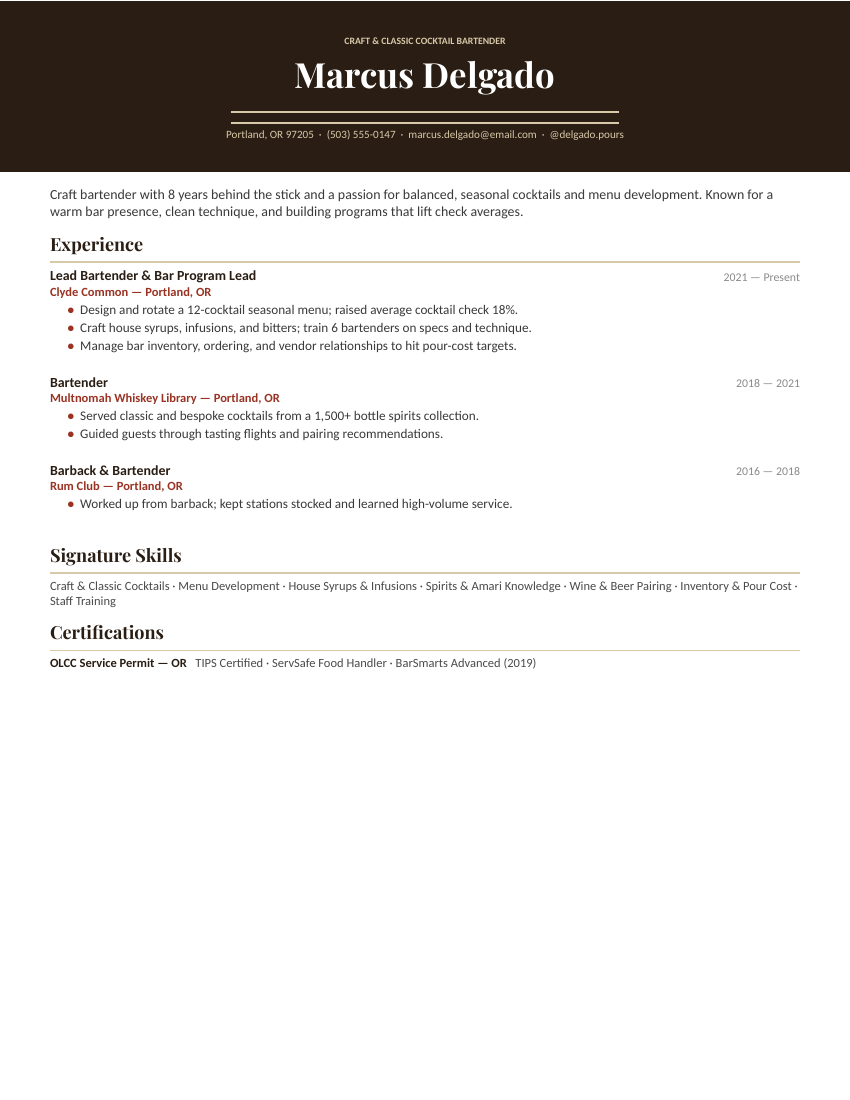
Bartender — Craft Cocktail — Rust

A craft & classic cocktail bartender layout with a dark menu-card header and double rule — menu development, house syrups & infusions, spirits knowledge, and pour-cost management. For cocktail bars and whiskey libraries.

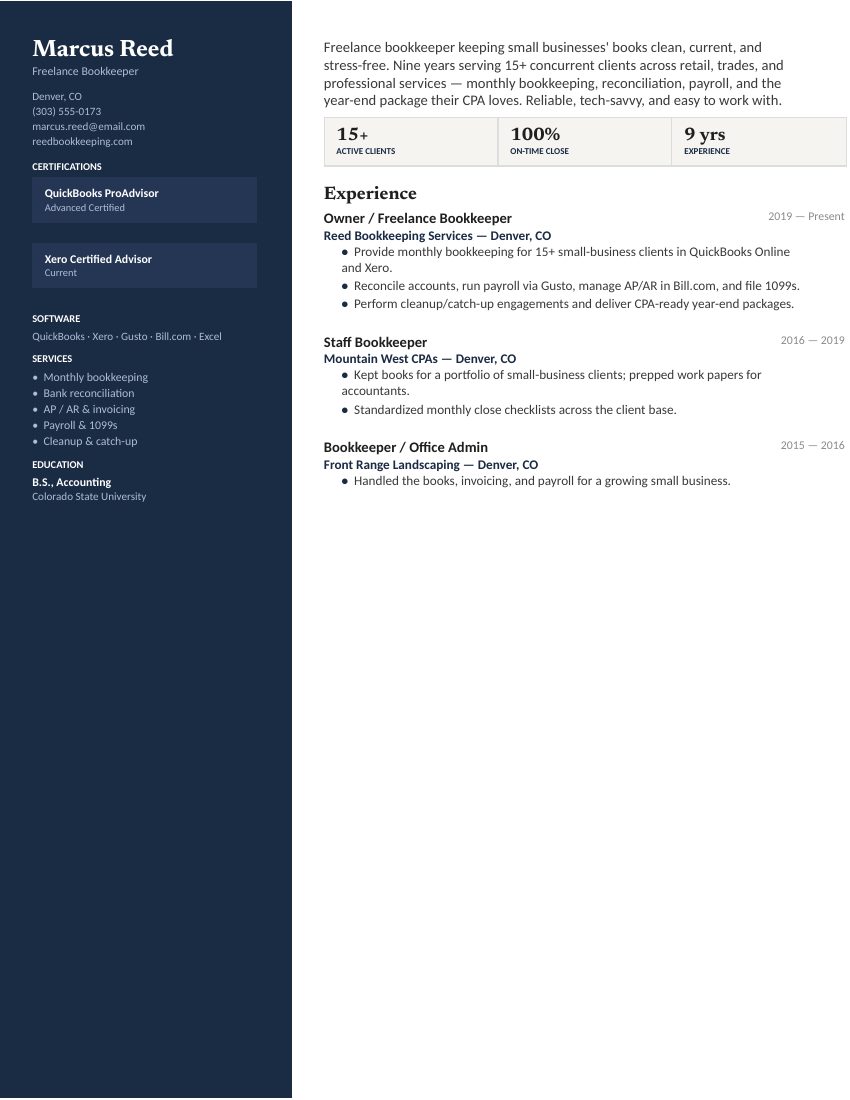
Bookkeeper — Freelance / Small Business — Navy

The freelance sidebar layout in navy — a classic, banker-blue take on the multi-client bookkeeping resume with certifications, software, and services up front.

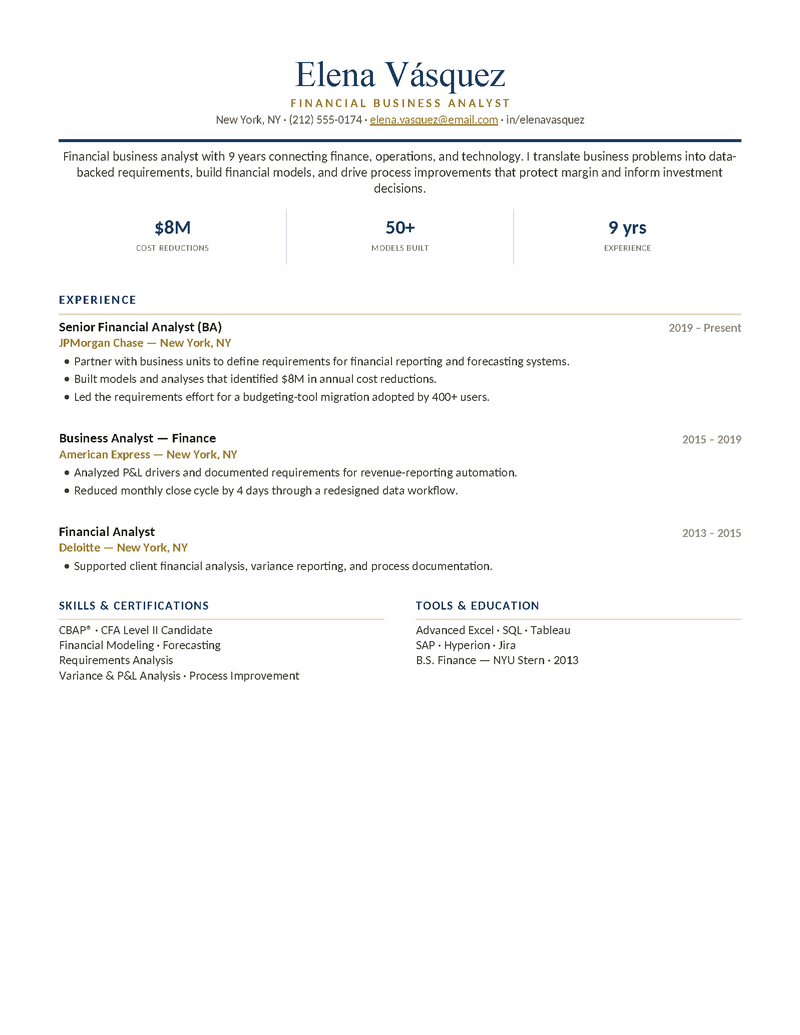
Business Analyst — Ledger — Navy

The polished financial-analyst design in classic navy — cost reductions, models built, and P&L analysis front and center.

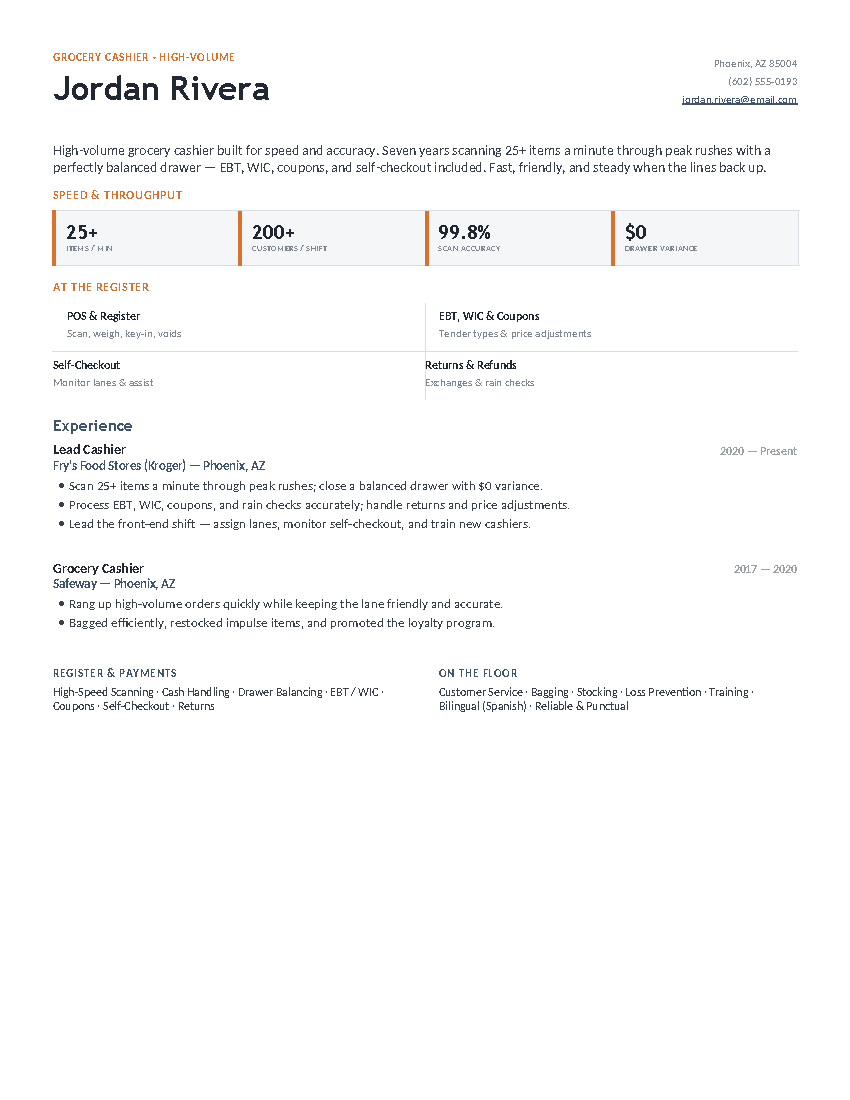
Cashier — Grocery / High-Volume — Slate

The high-volume layout in slate — a bold, clean speed-and-throughput design for fast, accurate grocery and supermarket cashiers.

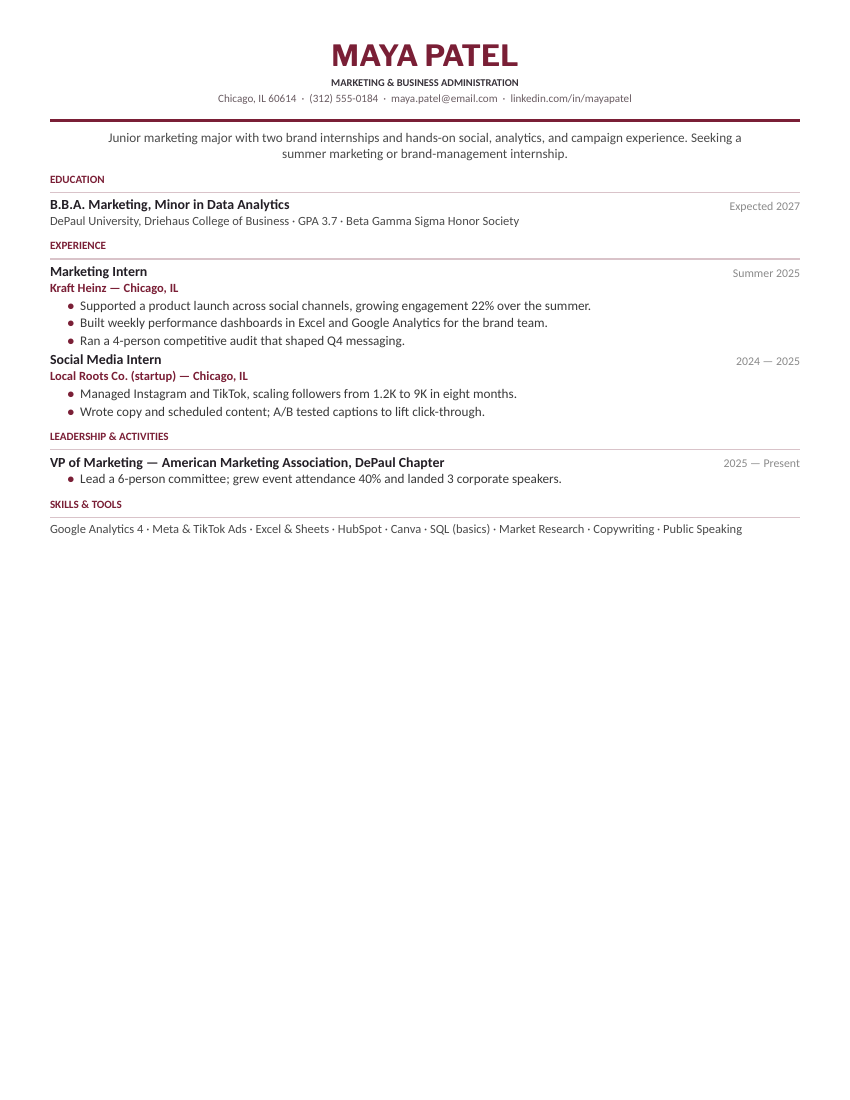
College Student — Business & Marketing — Burgundy

A centered classic for business, marketing, and communications majors — internships and leadership forward, with a skills & tools line. Clean, traditional, recruiter-friendly.

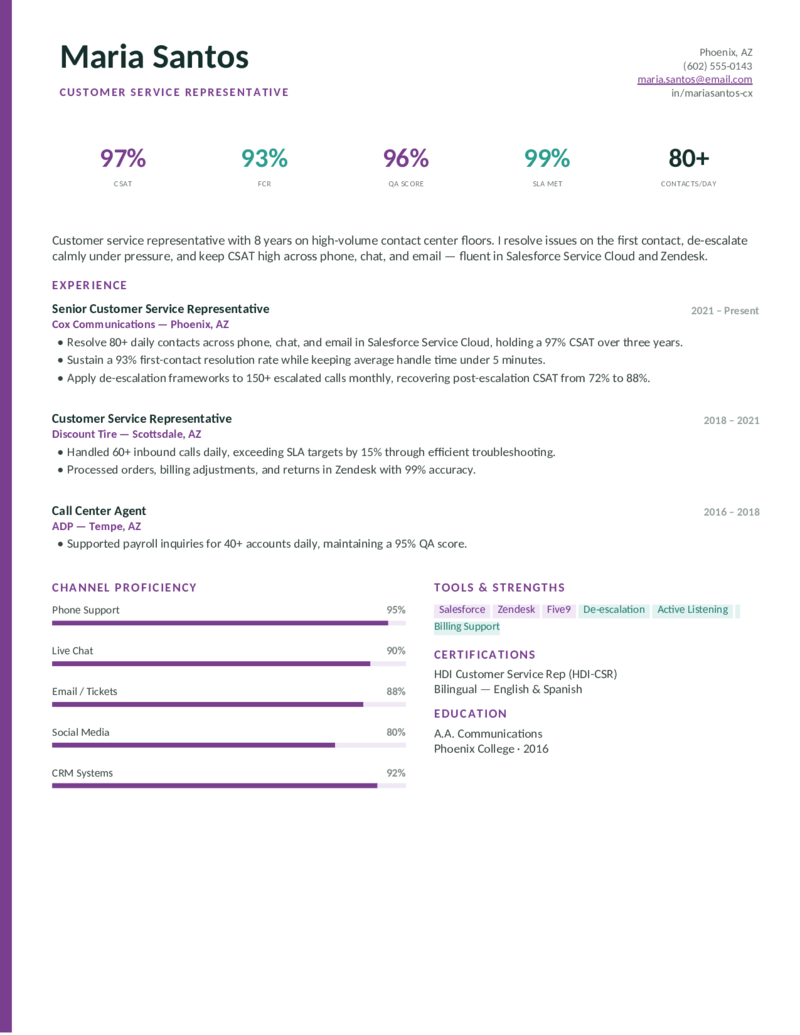
Customer Service — Frontline — Plum

The KPI-and-channel-bars call-center layout in a warm plum — distinctive but still clean and ATS-parseable.

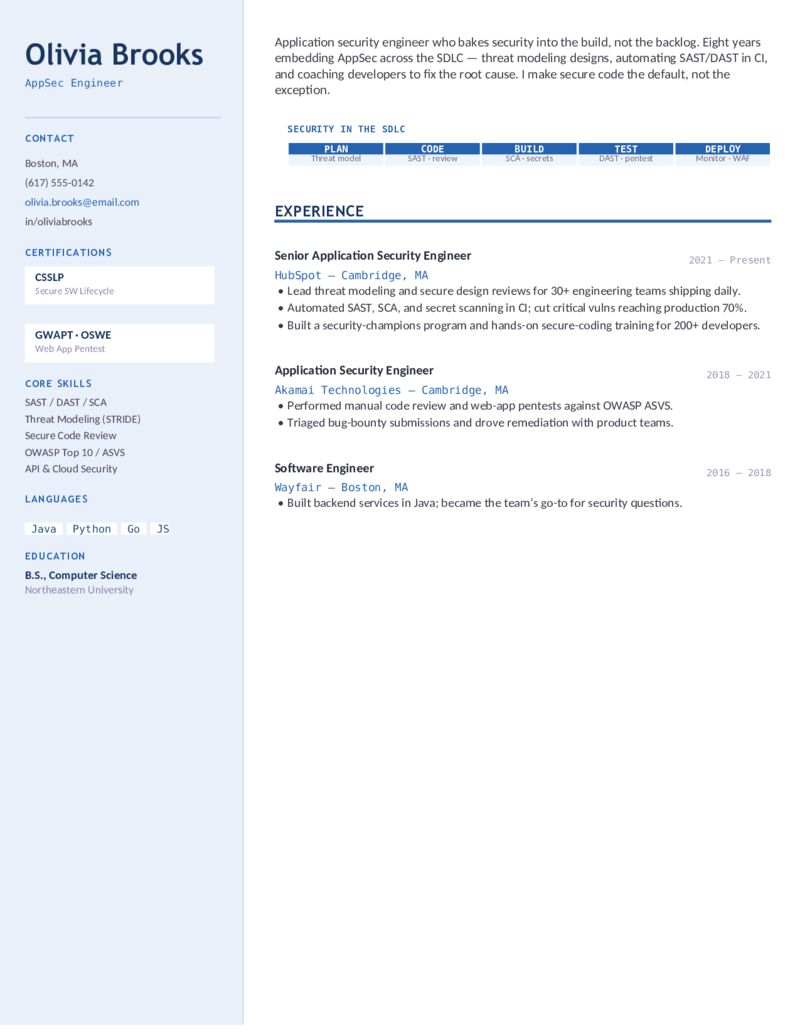
Cybersecurity — Application Security — Blue

The AppSec sidebar in blue — a clean, professional take on the secure-SDLC layout for AppSec, DevSecOps, and secure-code-review roles.

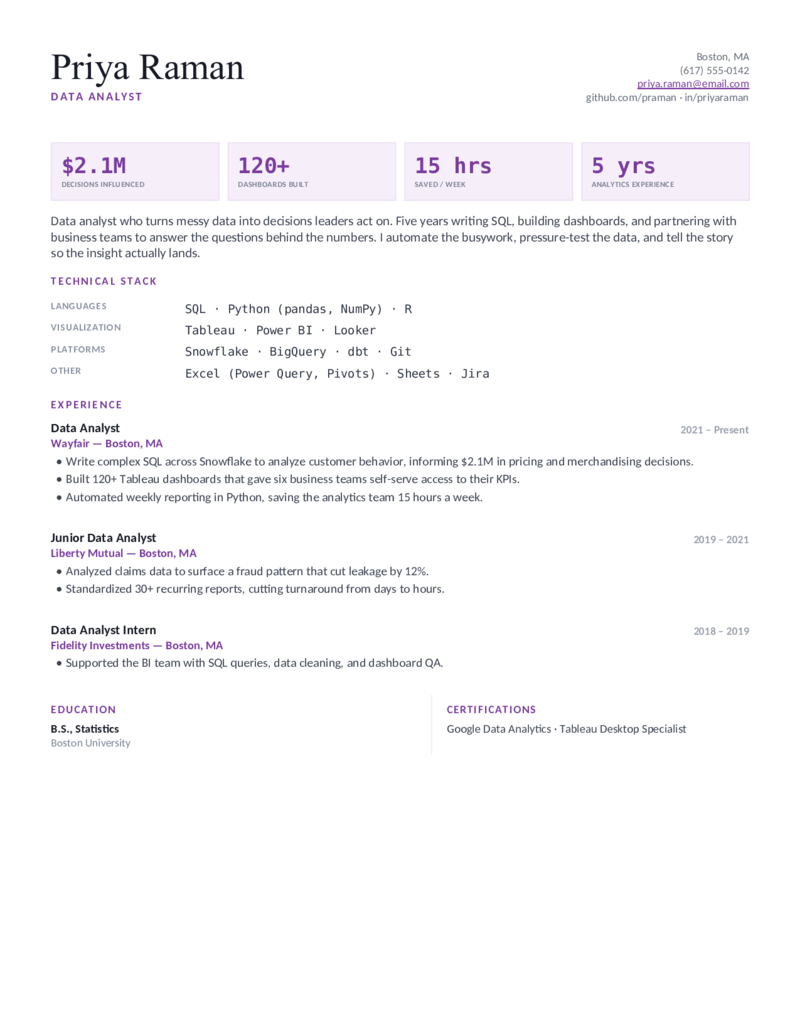
Data Analyst — Insight — Plum

The Insight layout in plum — clean KPI tiles and a readable, ATS-parsable stack; a strong first-resume pick for entry-level and self-taught analysts.

Electrician — Journeyman — Safety Yellow

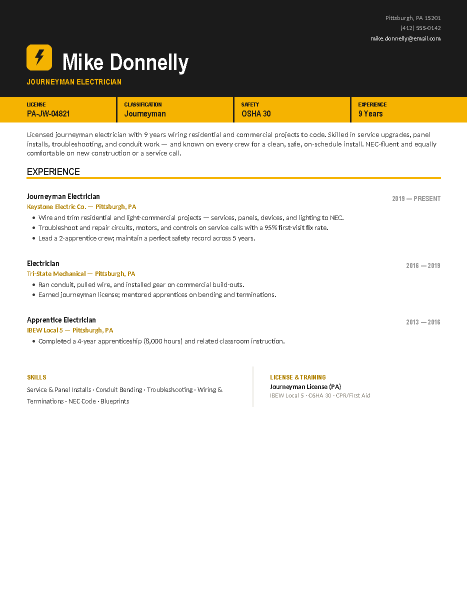
For the licensed journeyman wiring residential and commercial work — a bold layout with a hi-vis license-plate banner that puts your license number, classification, OSHA card, and years up front. The classic journeyman electrician resume.

Entry-Level — High School / First Job — Teal

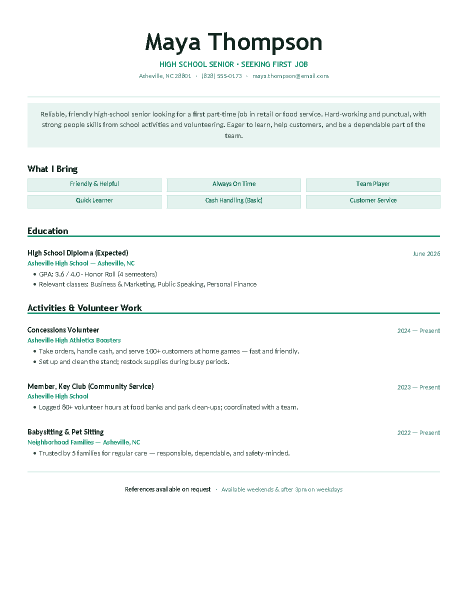
A clean, friendly layout for a first part-time job with no work experience — turns school activities, clubs, and volunteering into resume-worthy strengths with a transferable-skills strip.
What simple means

What a simple resume template gets right.

Simple is a discipline, not an absence of design. The layouts here share the same four choices, and they’re the choices that make a resume easy to read in eight seconds:

  • One column, top to bottom. The reading order is the page order — no sidebar to decide about, nothing an ATS can scramble.
  • Standard section names. Summary, Experience, Education, Skills. Recruiters and parsing software both know exactly where to look.
  • One accent, used sparingly. A single color on headings or a rule; everything else is black text on white.
  • Space instead of lines. Consistent spacing does the separating — the page stays clean when you add or remove a bullet.

Writing your very first resume? The entry-level and high school sets are simple by design. Want a little more presence without losing the clean read? The modern templates add one structural idea each.

Simple resume format

The order that works on one page.

Header — name, city and state, phone, email, LinkedIn. No street address, no photo.

Summary— two or three lines: what you do, how long, one proof point. Skip “objective” unless you’re changing fields or writing a first resume.

Experience — reverse chronological, three to five bullets each, verbs first, numbers where they exist.

Education, then Skills — flip them if you graduated in the last two years. Certifications and licenses get their own line when the field cares.

That’s the whole format. Every simple template above is this order with the field’s vocabulary already in place.

Keep it simple

Three steps.

  1. Pick the simple layout for your field — or the professional set’s Linen if you’re between fields.
  2. Replace the sample text; resist adding sections — simple means everything earns its line.
  3. Save as PDF and send. One page, every time.
Simple questions

Simple resume FAQ

What is a simple resume template?
A single-column, one-page layout with standard headings, one restrained accent color, and no graphics — built to be read fast by people and parsed cleanly by applicant tracking systems. Every template on this page fits that definition; they differ only in which field's vocabulary they lead with.
Is a simple resume better than a creative one?
For most jobs, yes. Recruiters spend seconds per resume and ATS software parses single columns most reliably. Creative layouts earn their keep only in design, marketing, and other fields where the resume is itself a work sample — and even there, the content still has to be readable.
What's the difference between a simple, basic, and minimalist resume?
Mostly vocabulary. 'Basic' usually means the bare sections with no styling at all; 'minimalist' means deliberate restraint — generous white space and one accent; 'simple' covers both. The templates here lean minimalist: clean, but designed.
Is there a simple resume template for a first job or a student?
Yes — the entry-level and high school sets are simple layouts built for thin work history, where activities, coursework, and skills carry the page. They're linked above.
Are simple resume templates ATS-friendly?
They're the most ATS-friendly layouts there are: one column, real text, standard headings. If an application portal has ever mangled your resume, a simple template is the fix.
Can I get a simple resume template in Word and Google Docs?
Every template here is both — Download Word for the .docx, Open in Google Docs for a one-click copy into your Drive. Same layout either way.

Simple Resume Templates · Updated September 2026

More ways to browse

Other formats and styles.

Same path
ATS-Friendly Resumes
The strictest parse-safe layout in each field, plus a thirty-second self-test.
Open
Career bridge
Modern Resumes
One structural idea per design — sidebars, stat bands, banners — that still parses in an ATS.
Open
Also fits
Word Resumes
Straight .docx downloads for Microsoft Word — no add-ins, no signup.
Open
One step over
Google Docs Resumes
Every template as a native Google Doc — one click copies it into your Drive.
Open
Natural move
Entry-Level Resumes
Turns coursework, internships, and transferable skills into a real first resume.
Open
The other half
Cover Letter Templates
A matching cover letter for simple applications — same free, one-page standard.
Open