Apollo's Templates
HomeCareers & LifeResume TemplatesWord
Microsoft Word · Straight .docx · No signup

Free Resume Templates for Microsoft Word

Every resume on this site is a straight .docx — open it in Microsoft Word (2010 through 365, Windows or Mac), replace the sample text, save a PDF, done. No macros, no add-ins, no template-gallery installs, no email wall. Twelve picks from twelve careers below; all 600+ templates download the same way from their own pages.

Twelve Word downloads

Popular Word resume templates across twelve fields.

Office, trades, healthcare, tech, and design — each card downloads the .docx directly and also opens in Google Docs if you'd rather work in the browser.
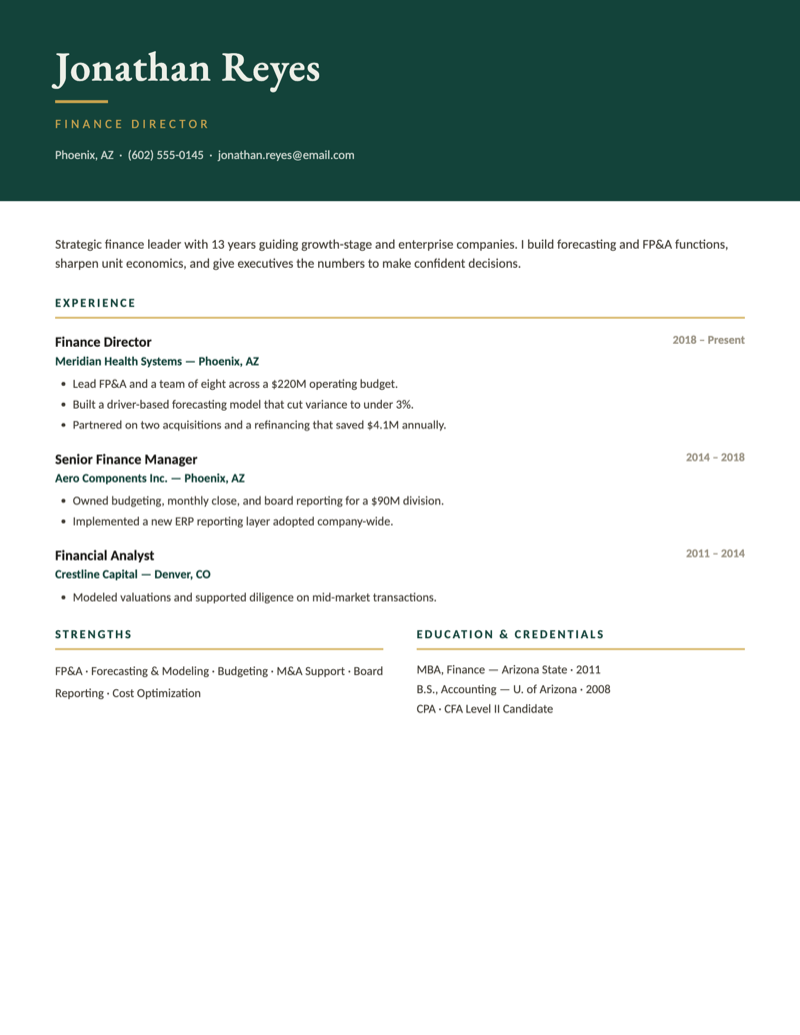
Monarch — Bold Executive professional resume template — dark emerald header band with gold accents
Microsoft Word

Professional — Monarch — Bold Executive

Dark emerald header band with gold accents. Commands attention for directors, executives, and senior leaders.
Download Word

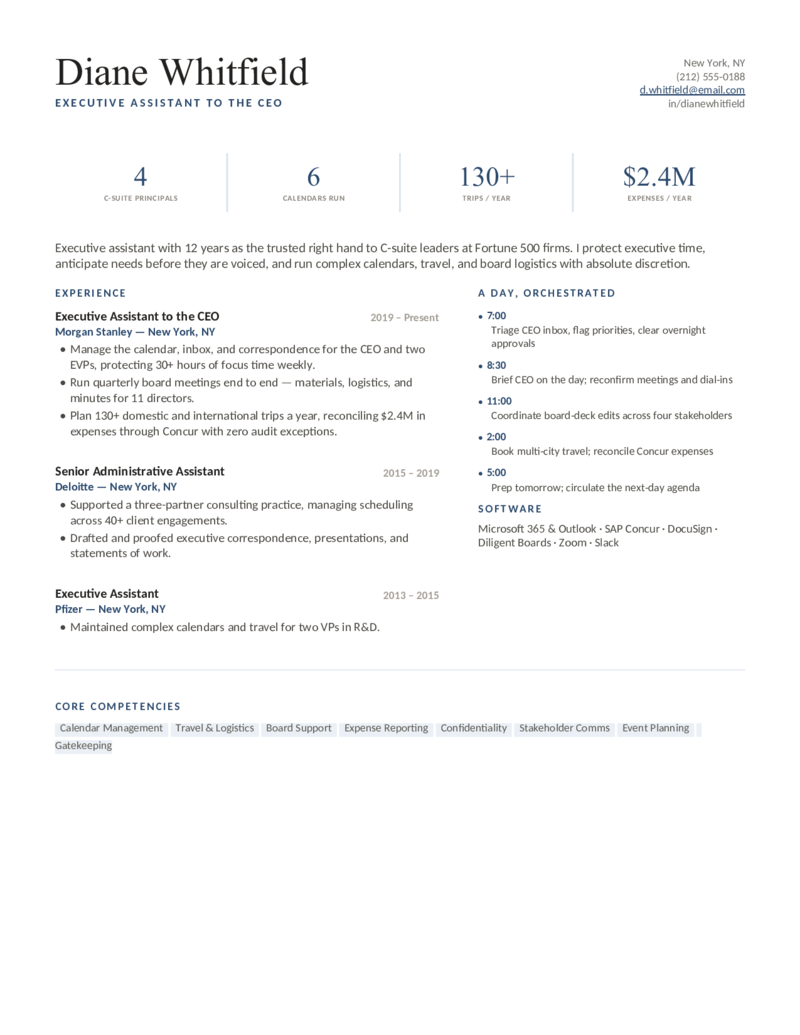
Administrative Assistant — Chief — Navy

The refined executive-assistant design in a polished navy — board support, complex calendars, and Concur travel front and center.

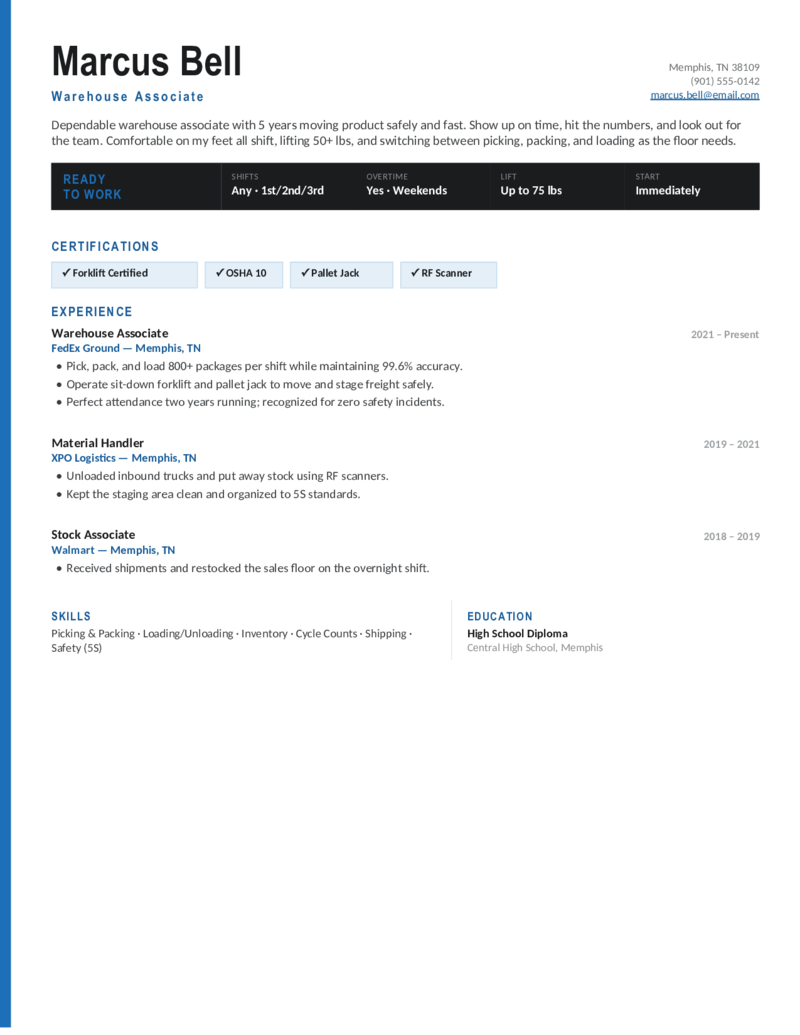
Warehouse — General — Steel

The warehouse-associate design in steel blue — shift availability, certifications, and pick/pack/load experience for general labor and fulfillment roles.

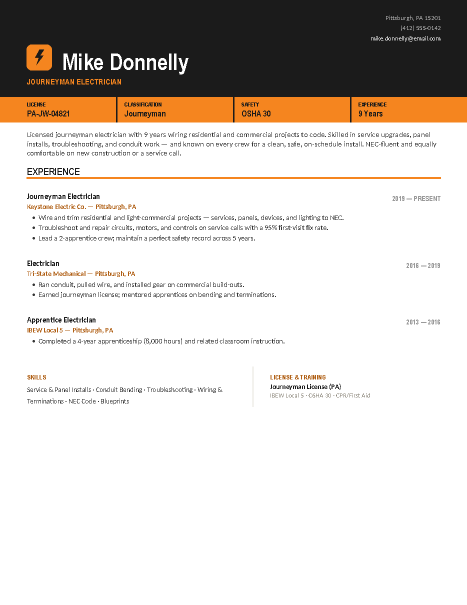
Electrician — Journeyman — Safety Orange

The journeyman design in safety orange — the same license-and-classification banner over service, panel, and conduit experience for residential and commercial electrician roles.

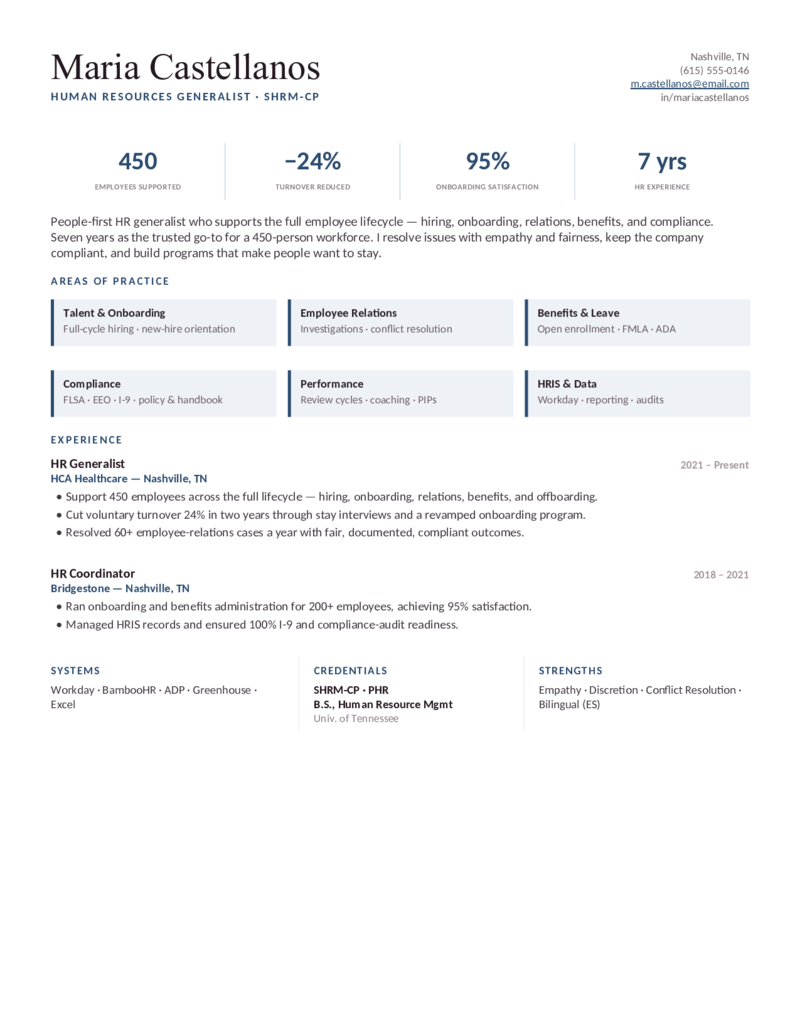
HR — Generalist — Navy

The HR generalist design in navy — employee relations, benefits, compliance (FMLA/EEO), and HRIS across the employee lifecycle.

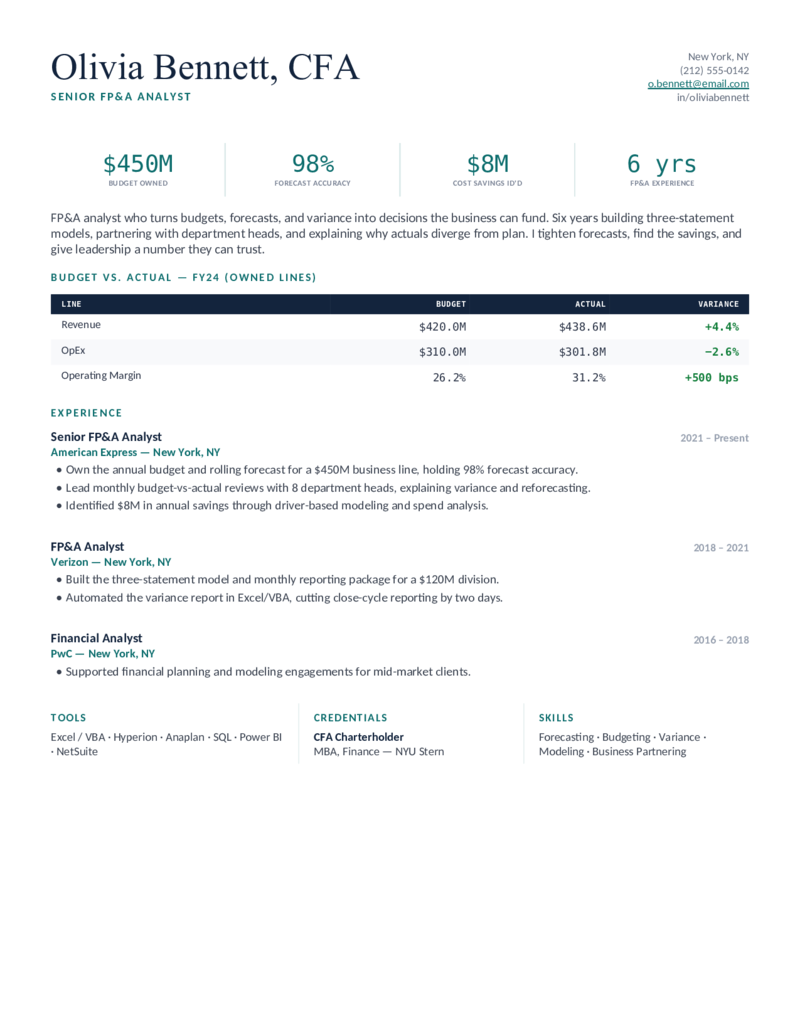
Financial Analyst — FP&A — Teal

The FP&A design in teal — built for budgeting, forecasting, and variance analysts who lead monthly budget-vs-actual reviews and own a rolling forecast.

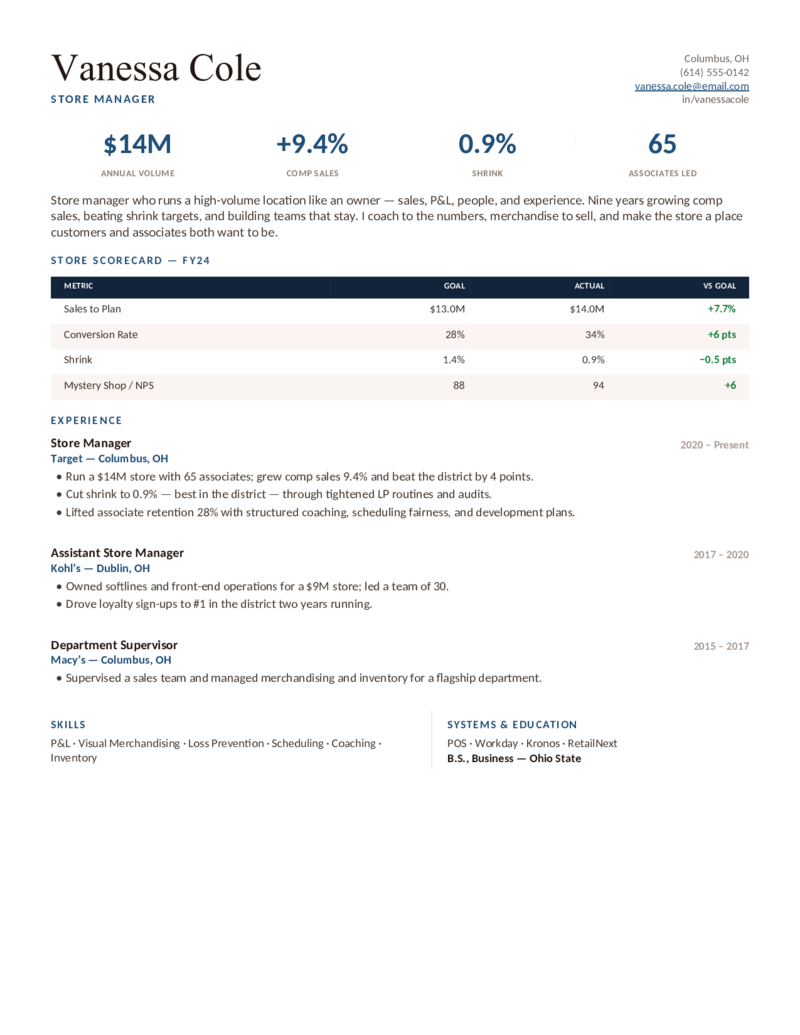
Retail Manager — Store — Navy

The store-manager design in navy — a numbers-forward scorecard for comparable-store sales, shrink, and conversion, for high-volume single-store leaders.

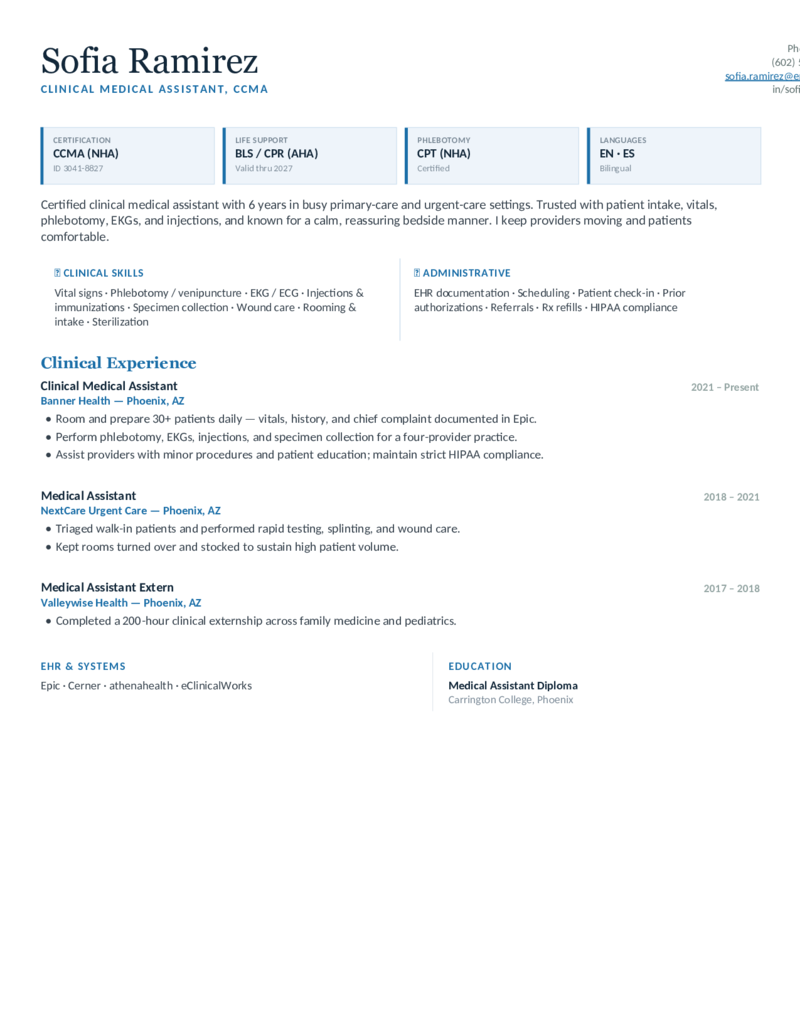
Medical Assistant — Clinical — Blue

The clinical-MA design in blue — credentials first, then a clinical-skills split (venipuncture, EKG, specimen collection) for back-office and rooming roles.

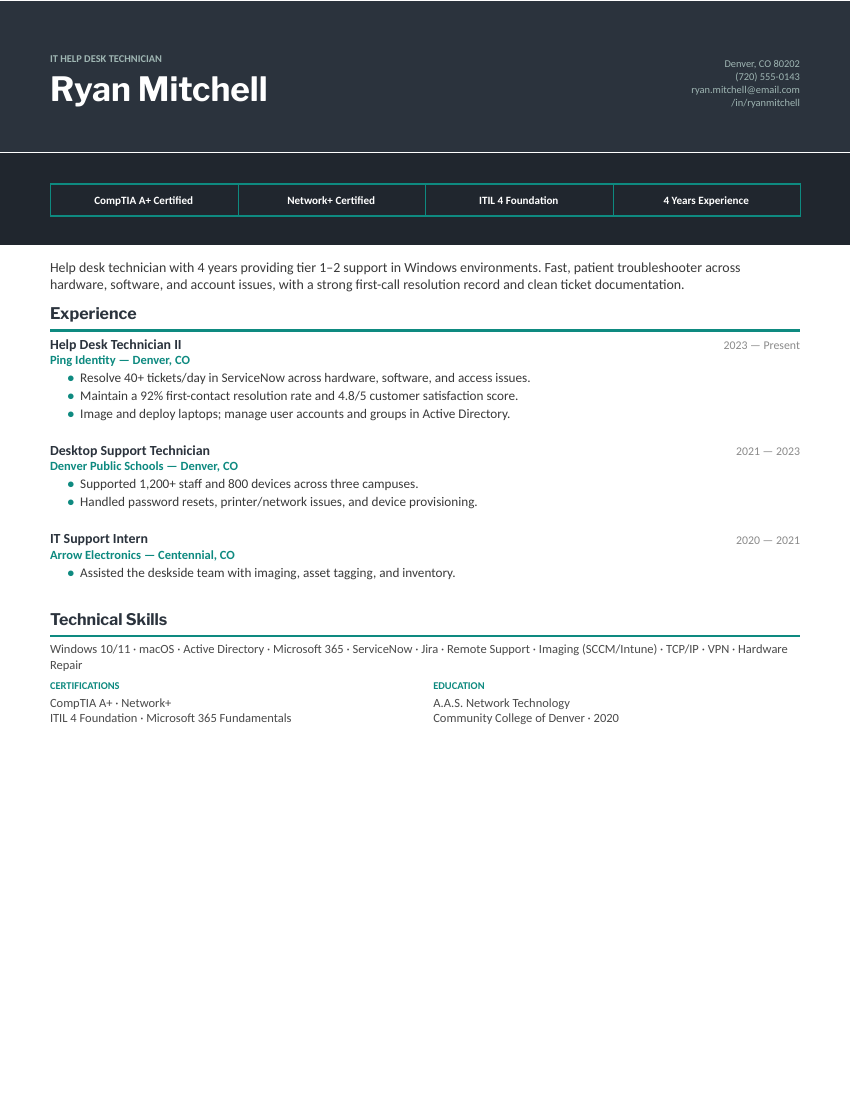
IT Support — Desktop Support — Slate & Teal

The cert-badge desktop support design in graphite slate with a teal accent — the same banner-first layout for corporate help desk applications.

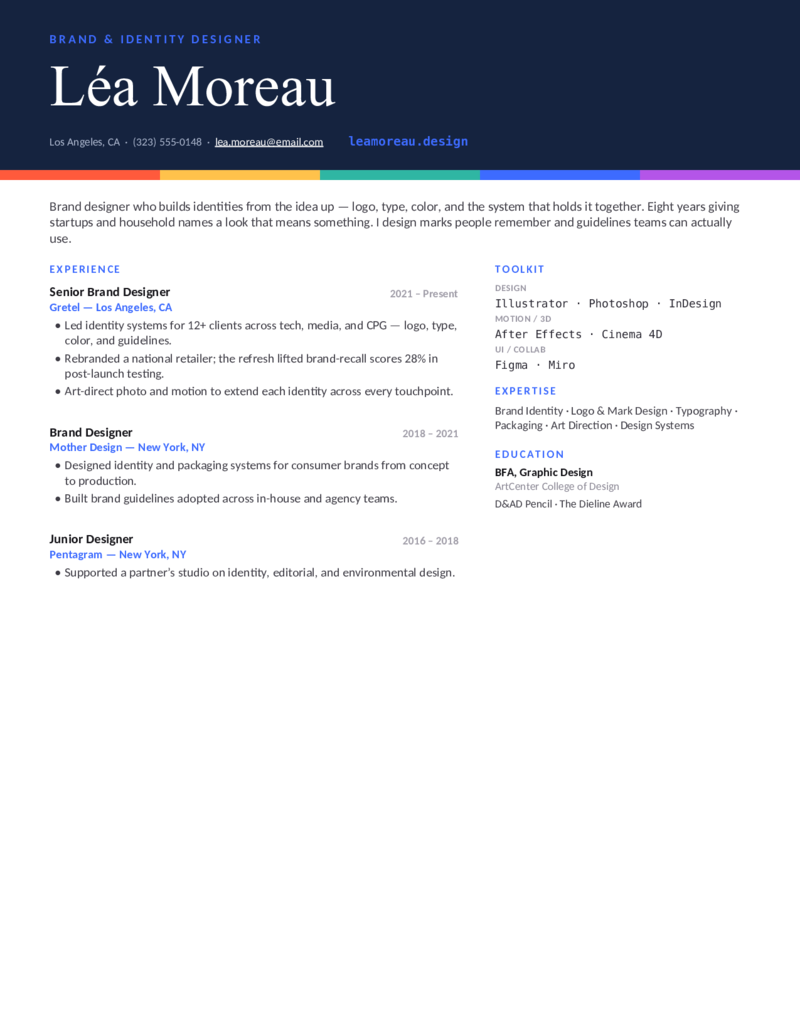
Graphic Designer — Brand — Blue

The brand-identity design with a deep-blue masthead — the same wordmark header and color-swatch device for visual identity, logo, and packaging designers who want a cooler palette.

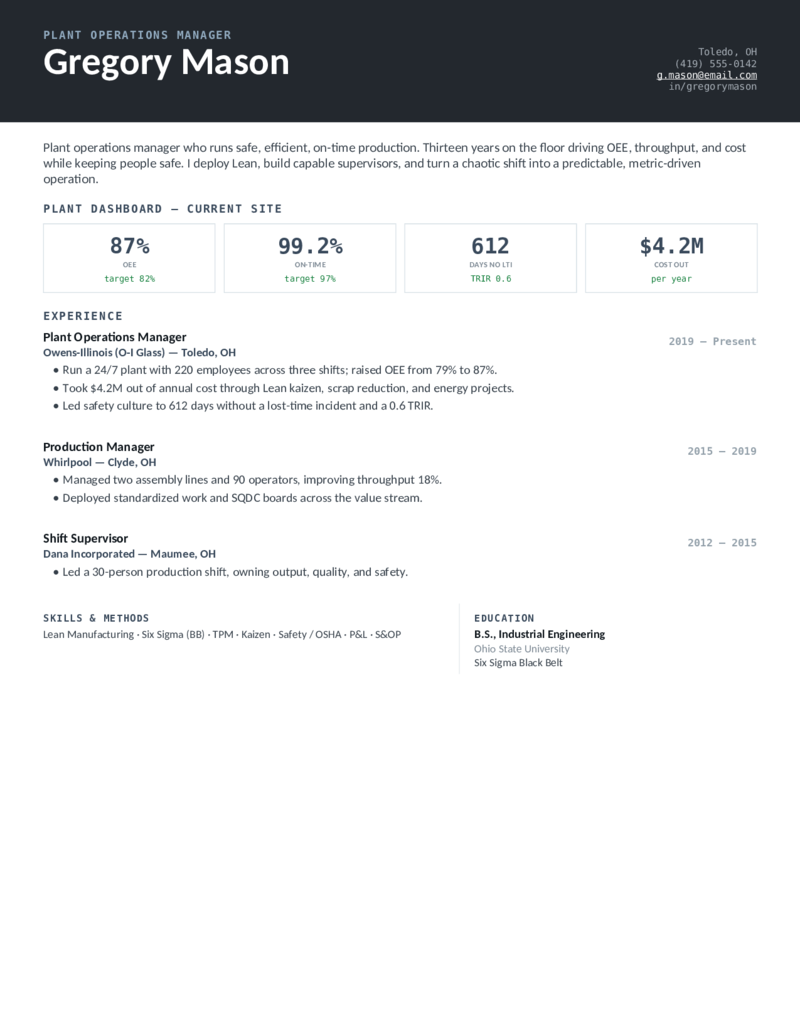
Operations Manager — Plant — Graphite

The production-operations design in graphite — OEE, throughput, and safety metrics for plant managers and manufacturing operations leaders on the floor.

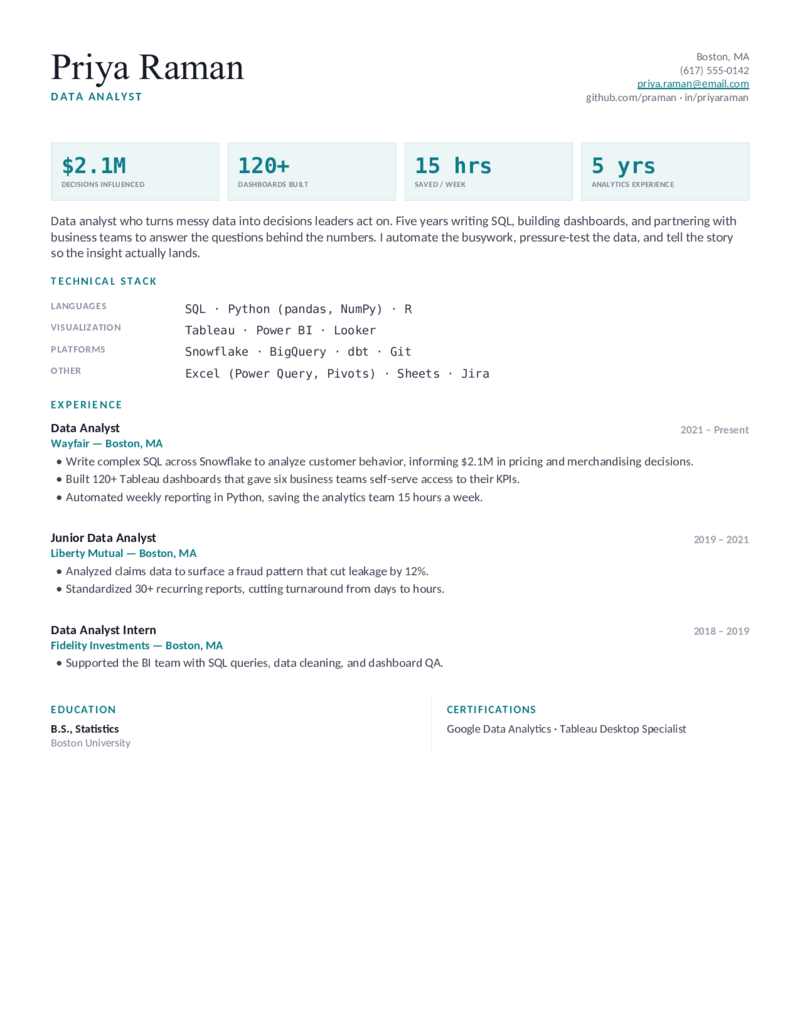
Data Analyst — Insight — Teal

The general data-analyst design in teal — a metrics-forward header and grouped stack for SQL, dashboarding, and business-facing analytics roles.
Why .docx

What a good Word resume template gets right.

Word is still the format most employers and application portals ask for by name — and the one most templates get wrong. The .docx files here are built to survive the whole journey:

  • Real text, real headings. No text boxes, no header-and-footer tricks. Everything is selectable, editable, and readable by applicant tracking systems.
  • Layouts that hold. Sidebars, color bands, and tables are built as proper Word tables, so the page doesn’t collapse when you add a line — and colored columns run full-bleed to the page edge.
  • Fonts you already have. Calibri, Georgia, Arial Narrow, Trebuchet — nothing to install, nothing that substitutes badly on a recruiter’s machine.

Working in Google Docs instead? Every one of these is also a native Google Doc. On a Mac without Word, the .docx opens in Pages, and LibreOffice reads them cleanly on any platform.

Editing in Word

The four edits that keep the layout intact.

Show formatting marks(¶ button) for a minute — you’ll see where table cells and section breaks are, and stop deleting them by accident.

Type over, don’t paste over. Pasting from another document drags its fonts along. If you must paste, use Paste → Keep Text Only.

Add bullets from the end of an existing one. Cursor after the last word, Enter — the new line inherits the bullet style. Delete extras with Backspace, not by selecting the whole line.

Save as PDF to send (File → Save As → PDF, or Export on Mac). Send the .docx only when a portal specifically asks for Word — some do.

Download to sent

Three steps.

  1. Click Download Word — the .docx opens in Word with everything editable.
  2. Replace the sample text; keep the headings and the one-page length.
  3. File → Save As → PDF for applications, and keep the .docx for updates.
Word questions

Word resume template FAQ

Do these work in my version of Microsoft Word?
Yes — they're standard .docx files with no macros, so they open identically in Word 2010 through Microsoft 365 on Windows and Mac, and in Word Online. Older .doc-only versions (2003 and earlier) need the free compatibility pack.
Are these free Word resume templates, with no signup?
Completely free — click Download Word and the file downloads. No account, no email, no watermark, no trial. Apollo's Templates is a free template library; this works like every other category on the site.
Will a Word resume template work in Google Docs or Pages?
Yes. Upload the .docx to Google Drive and open with Docs (or use the Open in Google Docs button, which skips the upload). On a Mac, Pages opens .docx directly. LibreOffice Writer and OpenOffice read these cleanly too — the formatting is deliberately conservative.
Should I send my resume as a Word document or a PDF?
PDF, unless the posting says otherwise. A PDF locks fonts and layout so the recruiter sees exactly what you see, and every modern applicant tracking system parses PDF text. Some government and staffing portals still request .docx — that's why every template ships as one.
Are Word resume templates ATS-friendly?
These are: standard headings, real text, no text boxes, and a single logical reading order even on two-column designs. If you're applying through a heavily automated pipeline, the single-column layouts on the ATS-friendly page are the safest choice.
Which Word resume template should I pick?
Match the field first — a nursing or engineering layout puts the right things first. If you're between fields, the professional set works for most office and management roles; the simple set for conservative industries; the modern set for tech, marketing, and design.

Free Resume Templates for Microsoft Word · Updated September 2026

More ways to browse

Other formats and styles.

Next door
Google Docs Resumes
Every template as a native Google Doc — one click copies it into your Drive.
Open
Same path
Simple Resumes
The cleanest single-column layout in each field — built to be read in eight seconds.
Open
Career bridge
Modern Resumes
One structural idea per design — sidebars, stat bands, banners — that still parses in an ATS.
Open
Also fits
ATS-Friendly Resumes
The strictest parse-safe layout in each field, plus a thirty-second self-test.
Open
One step over
Professional Resumes
The clean, safe, single-column standard for any corporate application.
Open
The other half
Cover Letter Templates
A matching cover letter for word applications — same free, one-page standard.
Open
By career

Find your field's Word resume.

All 55 careers
Free Resume Templates by Career
Every category with the Word download on every template.
Open
Goes with it
References Page for a Resume
The separate references page \u2014 matching designs, ready when they ask.
Open