Apollo's Templates
HomeResumesCustomer Service
Customer service & call center resumes · Word & Google Docs

Free Customer Service Resume Templates

Free, ATS-friendly customer service resume templates in Microsoft Word and Google Docs — built the way CX teams screen in 2026: proof over adjectives. Each leads with the metrics recruiters look for (CSAT, FCR, AHT, NPS), names your CRM in the bullets, and shows your volume. Layouts for customer service representative, call center, customer success, and technical support roles.

The templates

Four customer service designs, each in three colors.

Frontline for call-center reps, Concierge for customer success managers, Helpdesk for technical support, and Voice for bilingual specialists — pick a style, then the color. Every one opens in Word or Google Docs, stays on one page, and is built to be ATS-friendly.
Frontline — Teal preview
WordGoogle Docs
Frontline — Teal
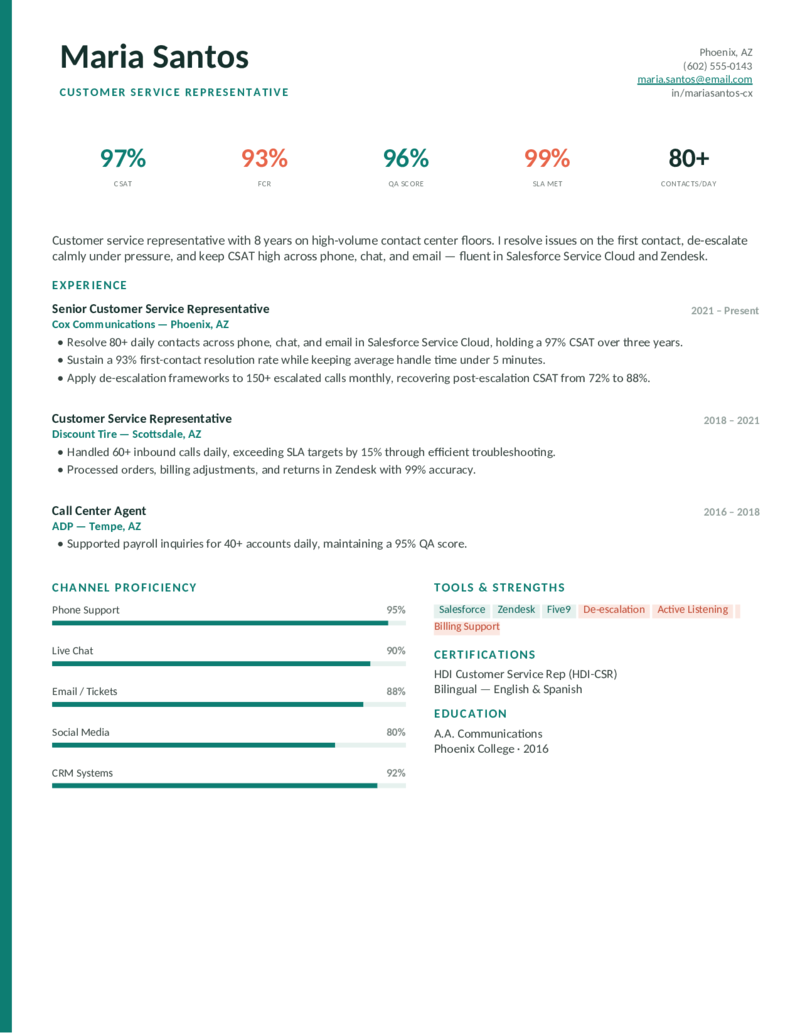
Call-center rep layout that leads with a big KPI row (CSAT, FCR, QA, SLA) and channel-proficiency bars. Teal.
Frontline — Indigo preview
WordGoogle Docs
Frontline — Indigo
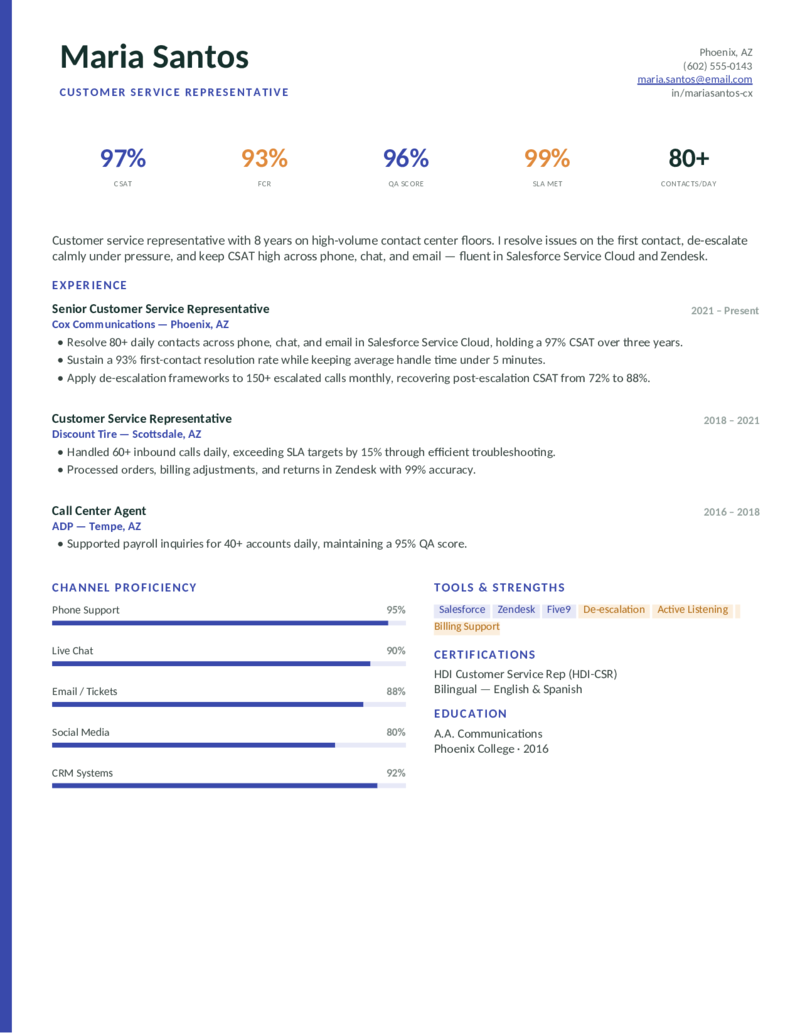
The same metrics-forward contact-center design in a confident indigo with amber accents. Phone, chat, and email proof up top.
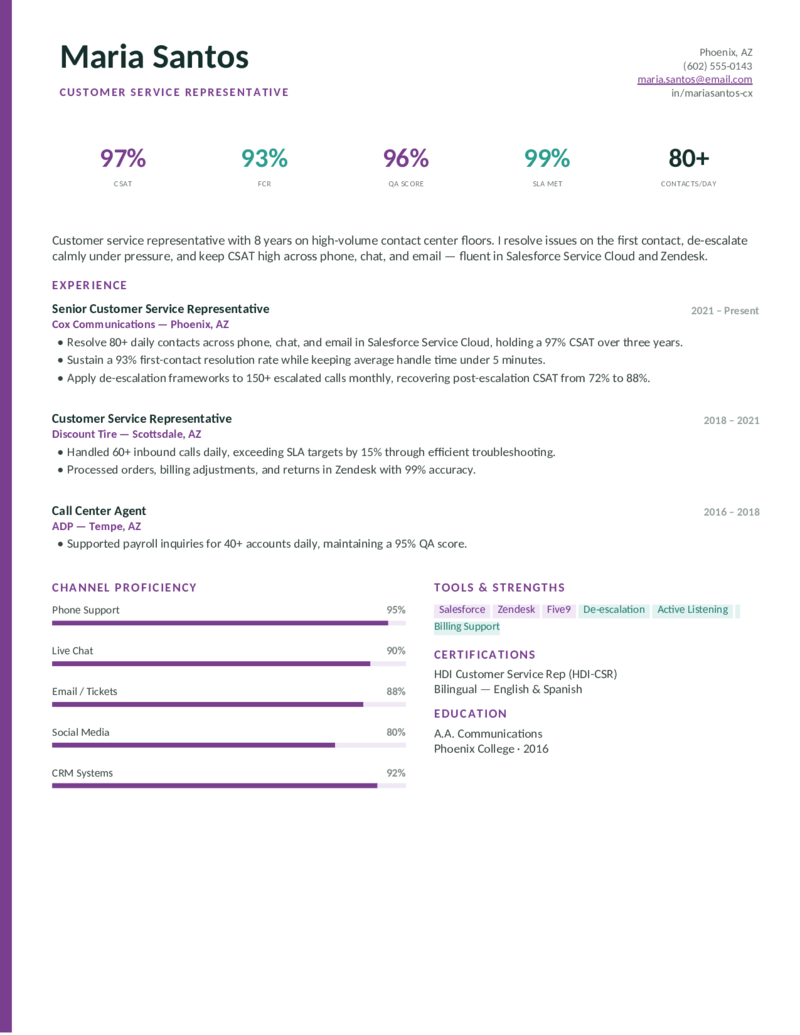
Frontline — Plum preview
WordGoogle Docs
Frontline — Plum
The KPI-and-channel-bars call-center layout in a warm plum — distinctive but still clean and ATS-parseable.
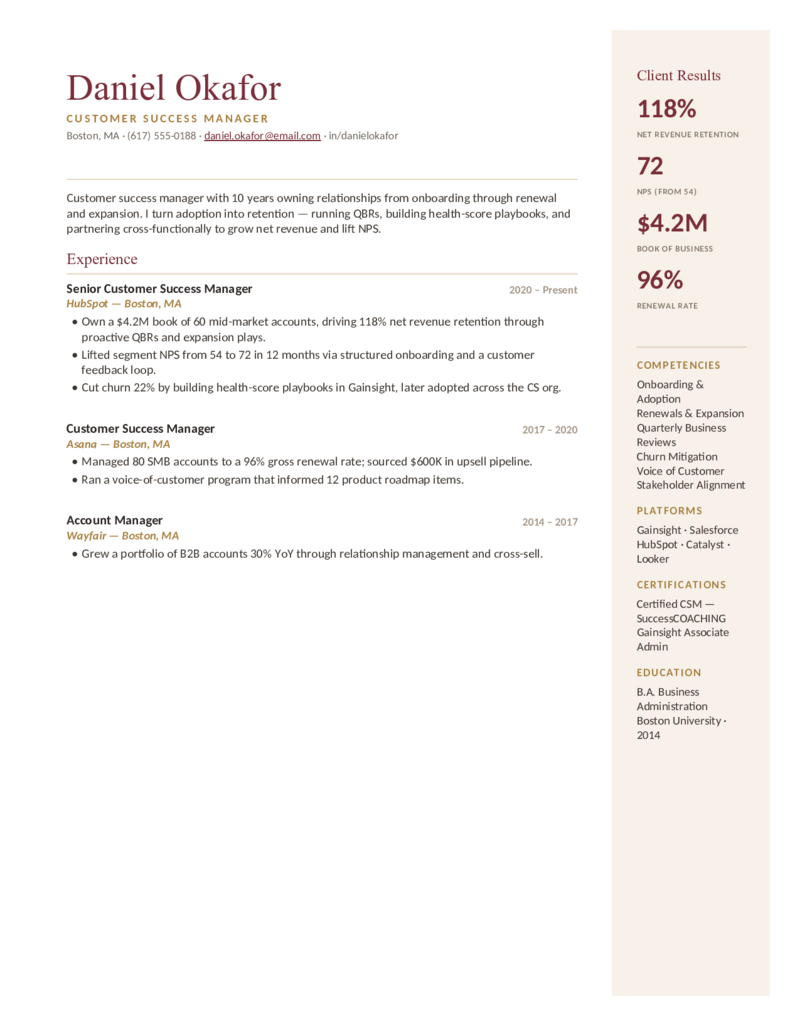
Concierge — Maroon preview
WordGoogle Docs
Concierge — Maroon
Customer success manager layout — framed stationery with a Client Results rail (NRR, NPS, book of business, renewal). Maroon & gold.
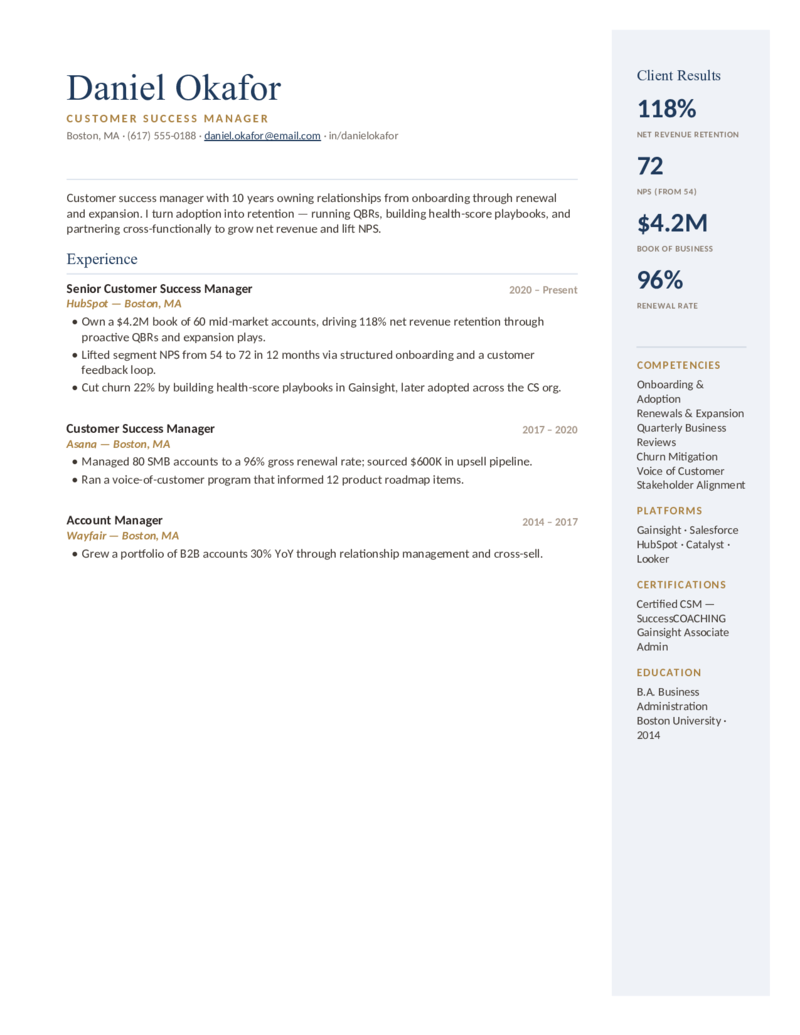
Concierge — Navy preview
WordGoogle Docs
Concierge — Navy
The elegant CSM design with a retention-metrics rail in a polished navy & gold — for renewal, expansion, and QBR-driven roles.
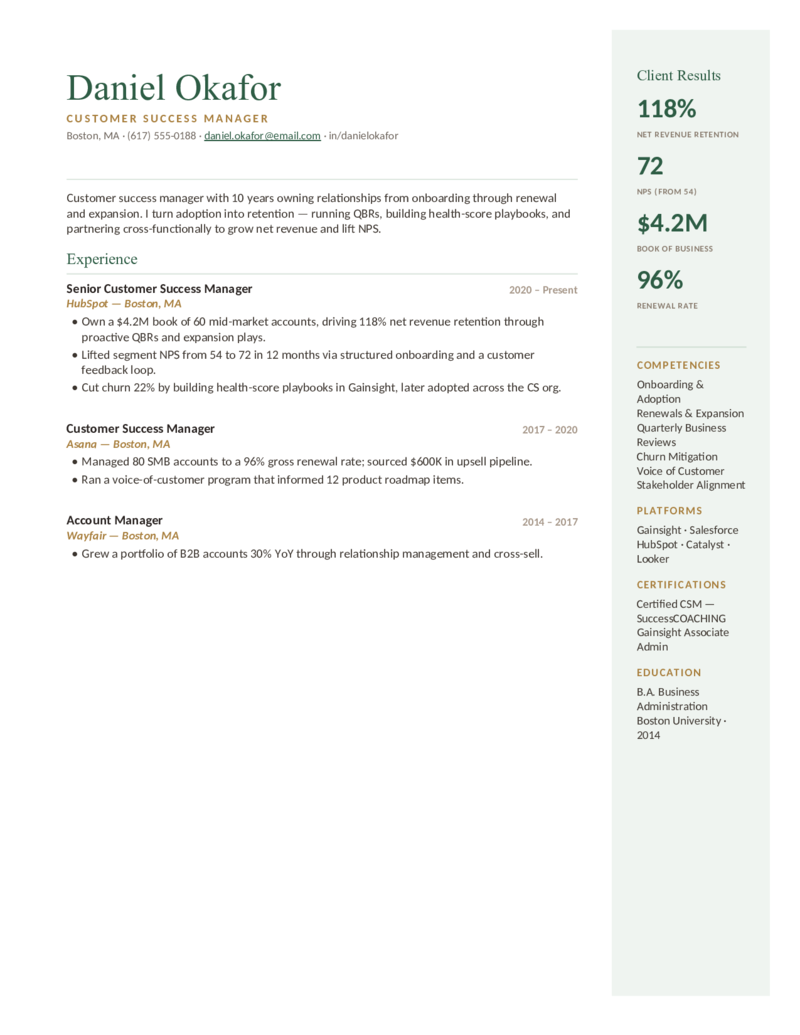
Concierge — Forest preview
WordGoogle Docs
Concierge — Forest
The framed customer-success layout in a calm forest green & gold — results rail, competencies, and platforms front and center.
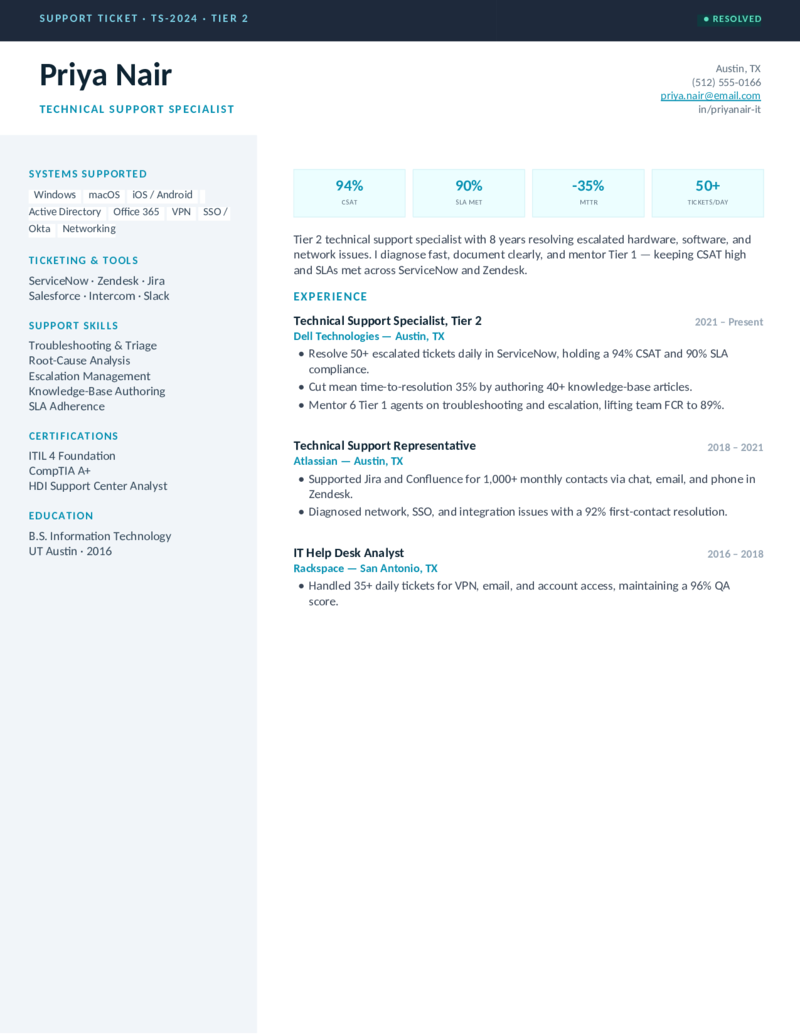
Helpdesk — Cyan preview
WordGoogle Docs
Helpdesk — Cyan
Technical-support layout with a ticket-style header, a Systems Supported sidebar, and CSAT/SLA/MTTR cards. Cyan.
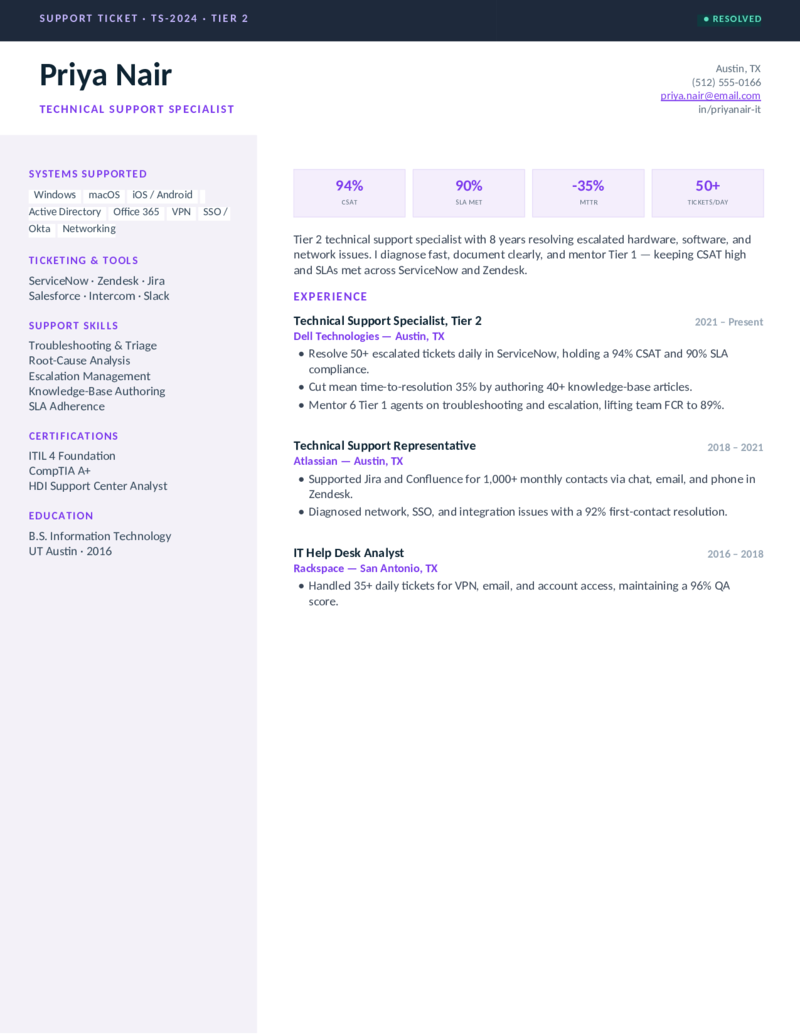
Helpdesk — Violet preview
WordGoogle Docs
Helpdesk — Violet
The help-desk / Tier 2 design — ticketing tools, ITIL, and systems sidebar — in a sharp violet. Built for IT support roles.
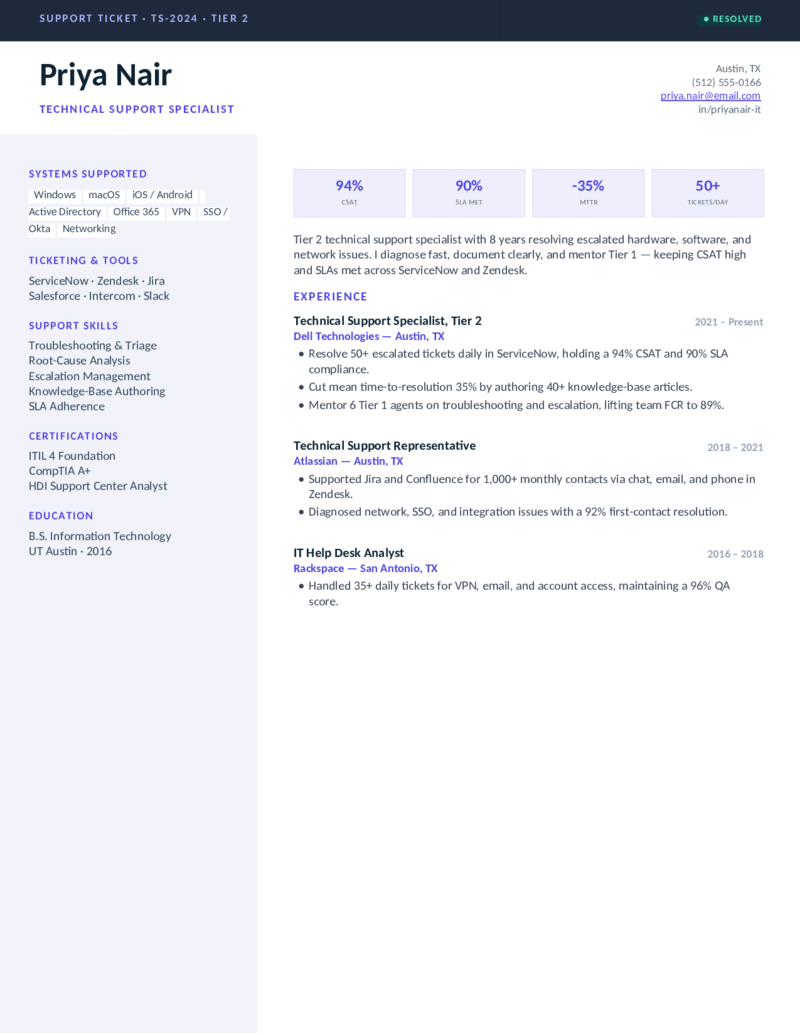
Helpdesk — Indigo preview
WordGoogle Docs
Helpdesk — Indigo
The technical-support ticket layout in an indigo accent — troubleshooting, escalation, and knowledge-base metrics up top.
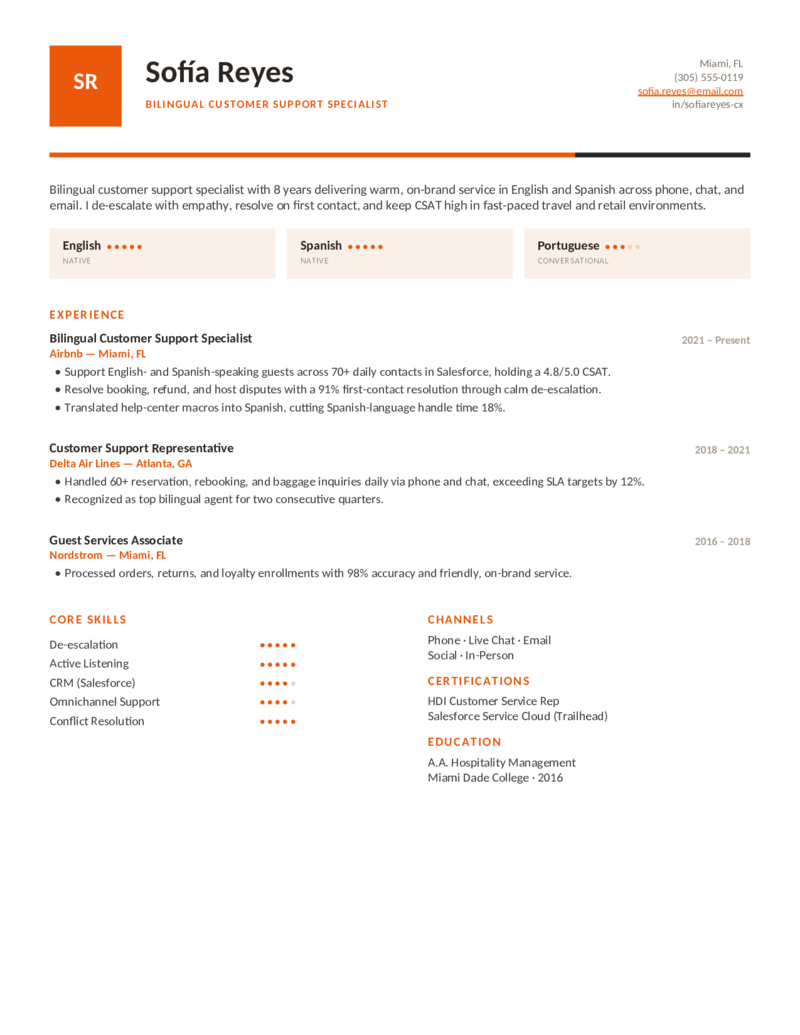
Voice — Orange preview
WordGoogle Docs
Voice — Orange
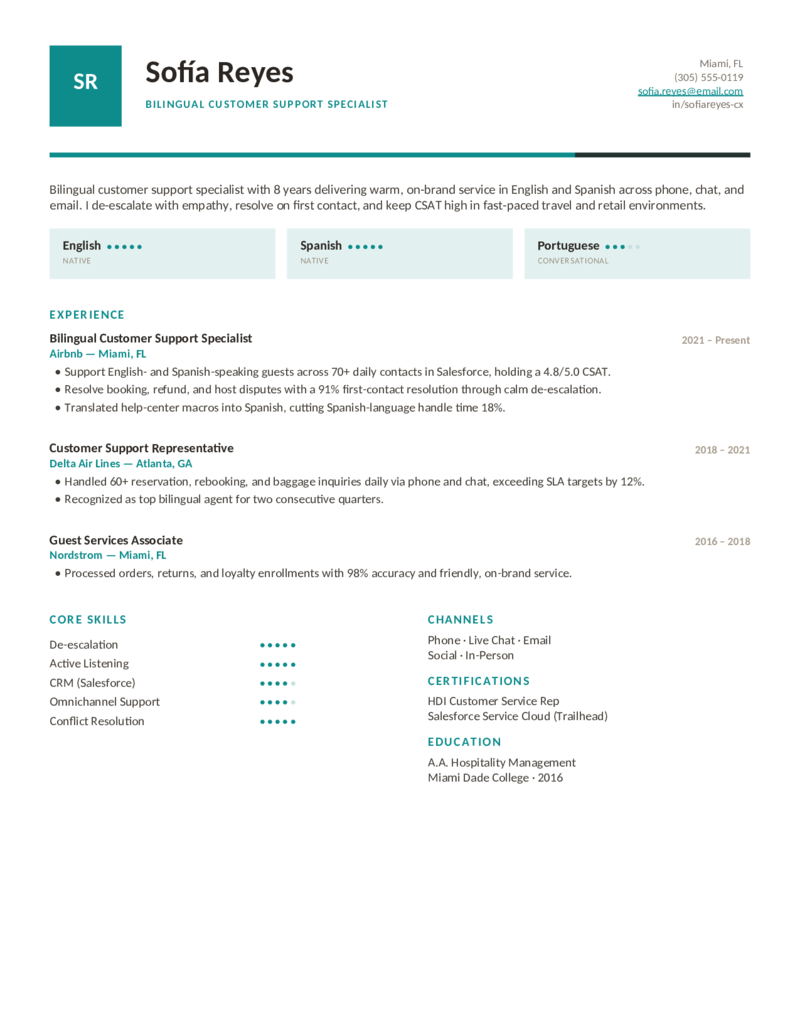
Bilingual specialist layout with a monogram, language-proficiency cards, and core-skill rating dots. Warm orange.
Voice — Teal preview
WordGoogle Docs
Voice — Teal
The bilingual / multichannel design in a fresh teal — languages, channels, and de-escalation strengths shown as proof.
Voice — Berry preview
WordGoogle Docs
Voice — Berry
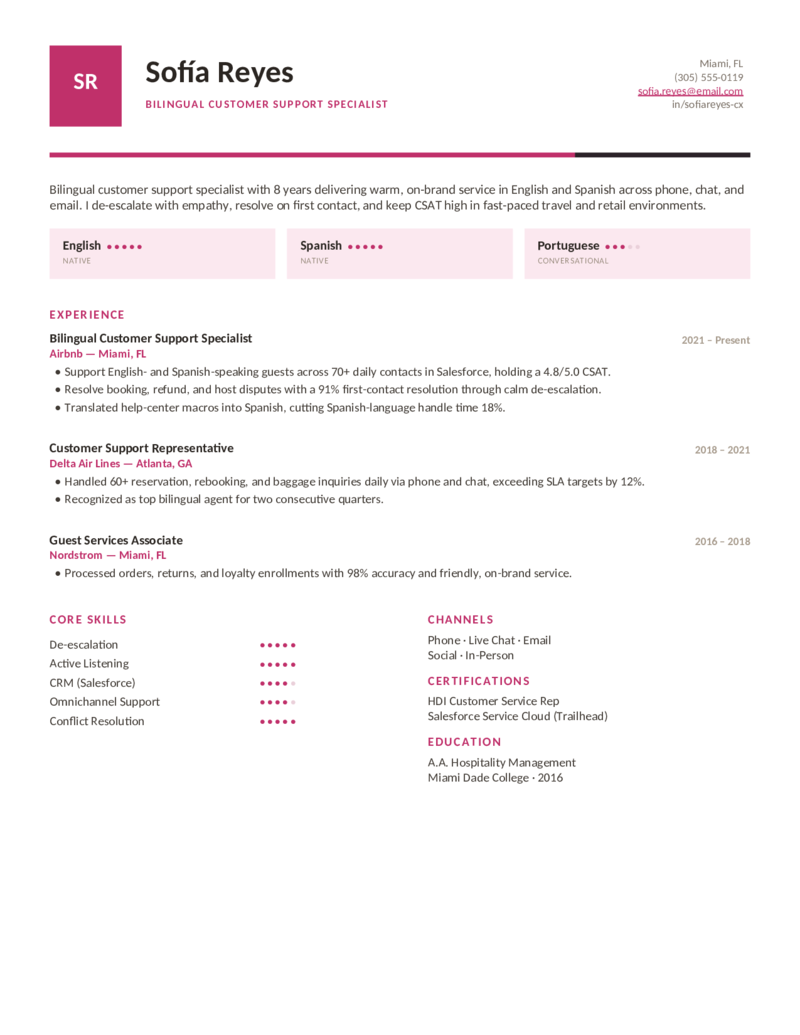
The language-forward support layout in a vivid berry — for bilingual agents in travel, retail, and hospitality.
What to include

What goes on a customer service resume.

Recruiters and 2026 ATS read a customer service resume as a measurable business function — not “being nice on the phone.” Put these where they’ll be seen — it’s exactly what these templates are built around:

  • Metrics, not adjectives. CSAT, first-contact resolution (FCR), average handle time (AHT), QA score, SLA adherence, NPS, and contact volume per day. These templates put your numbers right at the top.
  • Your CRM & helpdesk tools, by name. Salesforce Service Cloud, Zendesk, ServiceNow, Intercom, Five9, Gainsight — spelled out, because the ATS scans for exact strings.
  • Channels. Phone, live chat, email, social — omnichannel support reads as range. Show which channels you’ve owned and how well.
  • Soft skills as proof. Don’t list “great communicator.” Show it: “de-escalated 8–10 weekly complaints while sustaining 95% CSAT.”

No experience, or a manager? With no formal metrics yet, estimate from contacts handled and escalations avoided, and lean on transferable skills from retail or hospitality. For customer success and lead roles, the Concierge layout leads with retention, renewal, and revenue instead of call volume.

Make it yours

Fill it in and send it out.

  1. Click Open in Google Docs to copy it into your Drive, or Download Word for the .docx.
  2. Drop in your real metrics — CSAT, FCR, AHT, QA, NPS, contacts per day — and name the CRM and helpdesk tools you’ve actually used.
  3. Rewrite the bullets as results: resolved X contacts, lifted CSAT to Y%, cut handle time Z%. Mirror the keywords from the job posting.
  4. Keep it to one page, export a PDF for emailing recruiters and a Word copy for ATS portals, and tweak per application.
Common questions

Customer service resume FAQ

What should a customer service resume include in 2026?
A clean, single-column layout with standard headings (Professional Summary, Experience, Skills, Education), 3–5 quantified bullets per role, your named CRM and helpdesk tools (Salesforce Service Cloud, Zendesk, ServiceNow), and hard metrics like CSAT, first-contact resolution (FCR), and average handle time (AHT). Save as Word (.docx) or Google Docs for clean ATS parsing — every template here is built around that structure.
How do I quantify achievements if my job didn't track CSAT or AHT?
Estimate honestly from what you do know — contacts or tickets handled per shift, escalations avoided, repeat-contact reduction, or QA-review feedback. "Handled 60+ contacts daily with zero supervisor escalations" is a valid metric even without a formal CSAT dashboard. One or two strong numbers per role beats stuffing every bullet.
Which CRM and helpdesk tools should I list?
List every platform you've actually used by exact name — Salesforce Service Cloud, Zendesk, ServiceNow, Intercom, Freshdesk, HubSpot Service Hub, Five9, Gainsight (for customer success roles), Jira/Confluence. Applicant tracking systems scan for exact tool strings, so never write "various CRM platforms."
How do I write a customer service resume with no experience?
Open with a short objective instead of a summary, and prove transferable skills from school, volunteering, retail, or hospitality — active listening, de-escalation, handling busy periods. Add coursework, a certification (e.g., HDI or a HubSpot Academy course), and any informal phone, chat, or email support. The Frontline and Voice layouts make those strengths easy to feature.
Are these templates ATS-friendly for customer service roles?
Yes. They use single-column, standard-heading layouts with selectable text that parse reliably in Workday, Greenhouse, and Taleo — no text-in-images. Mirror the job ad's top keywords (CSAT, first-contact resolution, omnichannel, the named CRM) inside your experience bullets, not just the skills list.
What soft skills belong on a customer service resume — and how do I show them?
De-escalation, active listening, conflict resolution, empathy, and patience — but prove them, don't just list them. Turn each into evidence: "De-escalated 8–10 weekly complaints while sustaining 95% CSAT" beats a bare "great communicator."
What's the difference between a call center, technical support, and customer success resume?
Call-center / CSR resumes lead with volume and efficiency (contacts handled, AHT, FCR, omnichannel) — that's the Frontline design. Technical support / help desk skews toward ticketing, troubleshooting, and ITIL — the Helpdesk design. Customer success manager (CSM) resumes lead with retention, renewal rate, churn reduction, and revenue, plus tools like Gainsight — the Concierge design. Pick the layout that matches your target role.

Customer service & call center resume templates · Updated June 2026

Keep going

More resume templates.

Related
Hospitality & Restaurant Resumes
Front-of-house and guest-service roles share the same customer-facing strengths — a natural fit if you're coming from hospitality.
Open
Pair it
Cover Letter Templates
Add a short customer service cover letter to introduce yourself and complete your application.
Open
All categories
Browse every resume template
Professional, nursing, software engineer, project manager, and more — all free and editable in Word and Google Docs.
Open