
HomeGift Certificates
Printable gift certificates · 12 designs
Gift Certificate Templates
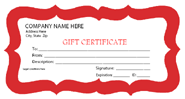
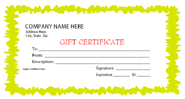
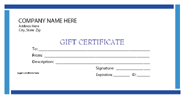
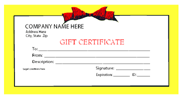
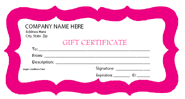
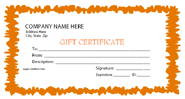
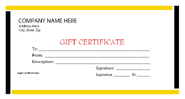
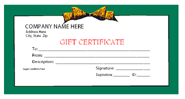
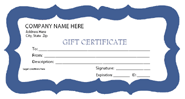
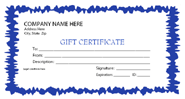
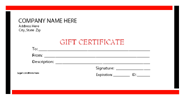
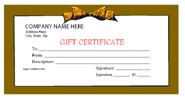
Twelve free, fillable gift certificate templates in four style families — Frame, Custom, Simple, and Bow — across seven colors. Add your business name, terms, and logo, then print.
New · designer set
Four hand-crafted designer gift certificates
Occasion-neutral — works year-round for any gift. Pick one to open its customizer, type your details live, drag and drop a logo or photo, then save as a single-page PDF.
Designer Christmas
Classic Frame
Ornate triple border with gold corners, refined serif headline.
Customize this design →
Designer Christmas
Modern Editorial
Two-tone slate + ivory blocks with an oversized serif headline.
Customize this design →
Designer Christmas
Botanical Neutral
Symmetric laurel branches in sage, italic serif center text.
Customize this design →
Designer Christmas
Geometric Mono
Architectural grid layout with a large numeral and muted clay accent.
Customize this design →
Step 1 · Pick a design
Twelve designs across four styles.
Every template is a fillable PDF — open in any browser or PDF viewer to type in the recipient, amount, and terms.
Browse by occasion
Occasion-specific gift certificates.
Twelve curated occasion pages — each surfaces designs from this set tuned for the moment, plus occasion-specific FAQs, gift-amount guidance, and ideas for what to write.
Year-round
Birthday
Kids parties, milestone birthdays, and adult celebrations.
Spring · May
Mother's Day
Soft palettes for pampering and handmade gifts.
Summer · June
Father's Day
Masculine palettes for experience gifts and homemade kid-to-dad coupons.
Winter · Feb
Valentine's Day
Romantic palettes for date nights and love-coupon books.
Year-round
Wedding
Elegant designs for honeymoon-fund and registry-alternative gifts.
Year-round
Anniversary
Designs for milestone years with traditional-by-year ideas.
Year-round
Baby Shower
Gender-neutral and color-coded service-gift certificates.
Spring · May
Graduation
High-school and college graduation gift certificates.
Fall · Nov
Thanksgiving
Host-appreciation and gratitude certificates in autumn palettes.
Fall · Oct
Halloween
Costume-contest and party-prize certificates.
Spring · April
Easter
Egg-hunt prizes and basket-alternative certificates in pastels.
Winter · Dec
Christmas
Sixteen classic Christmas designs plus four new browser-customizable designer styles.
Step 2 · Customize
Add business details and print.
- Open the PDF in Adobe Reader or any modern browser.
- Fill in the business name, address, phone, and website.
- Add any legal terms and conditions (expiration date, non-refundable, etc.).
- Add a business logo to the designated area if the template supports it.
- Print on a heavier card-stock paper for a premium feel.
Acrobat Pro tip: Acrobat Reader can’t save edits to PDF forms unless you have Acrobat Pro. Fill it in, then print (or use your OS’s “Print to PDF” to keep a filled copy).