Apollo's Templates
HomeResumesAccountant
Accountant & accounting resumes · Word & Google Docs

Free Accountant Resume Templates

Free, ATS-friendly accountant resume templates in Microsoft Word and Google Docs. Accounting hires on credentials and precision, so each design foregrounds what a controller or recruiter scans for — your CPA/CMA/EA, the close cycle, dollars reconciled, audit results, and the ERP stack. Whether you're a staff accountant, senior accountant, tax preparer, CPA, or writing an entry-level accounting resume with no experience yet, pick a layout and the color, then fill in your numbers.

The templates

Four accounting designs, each in three colors.

Ledger for staff & senior accountants, Licensed for CPAs and auditors, Controller for accounting managers and controllers, and Tax for tax accountants and EAs. Every one opens in Word or Google Docs, stays on one page, and is built to be ATS-friendly.
Ledger — Green preview
WordGoogle Docs
Ledger — Green
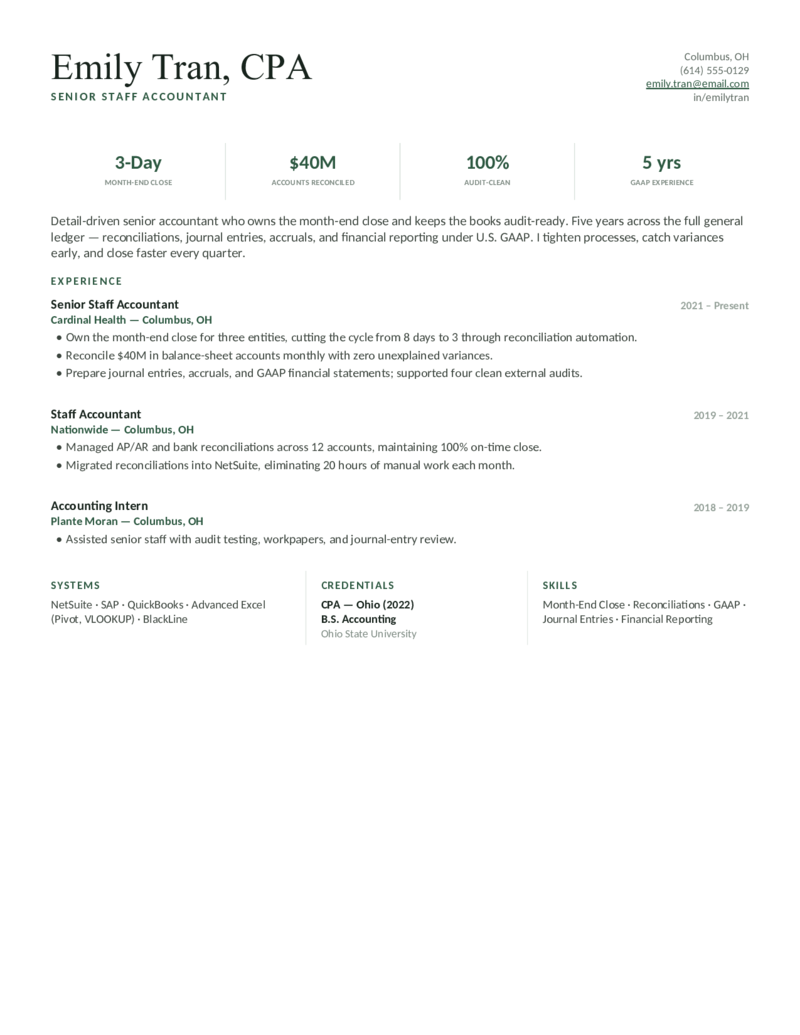
Staff & senior accountant layout — a double-rule header and a month-end-close metric bar (close days, accounts reconciled, GAAP). A clean, ATS-friendly staple.
Ledger — Navy preview
WordGoogle Docs
Ledger — Navy
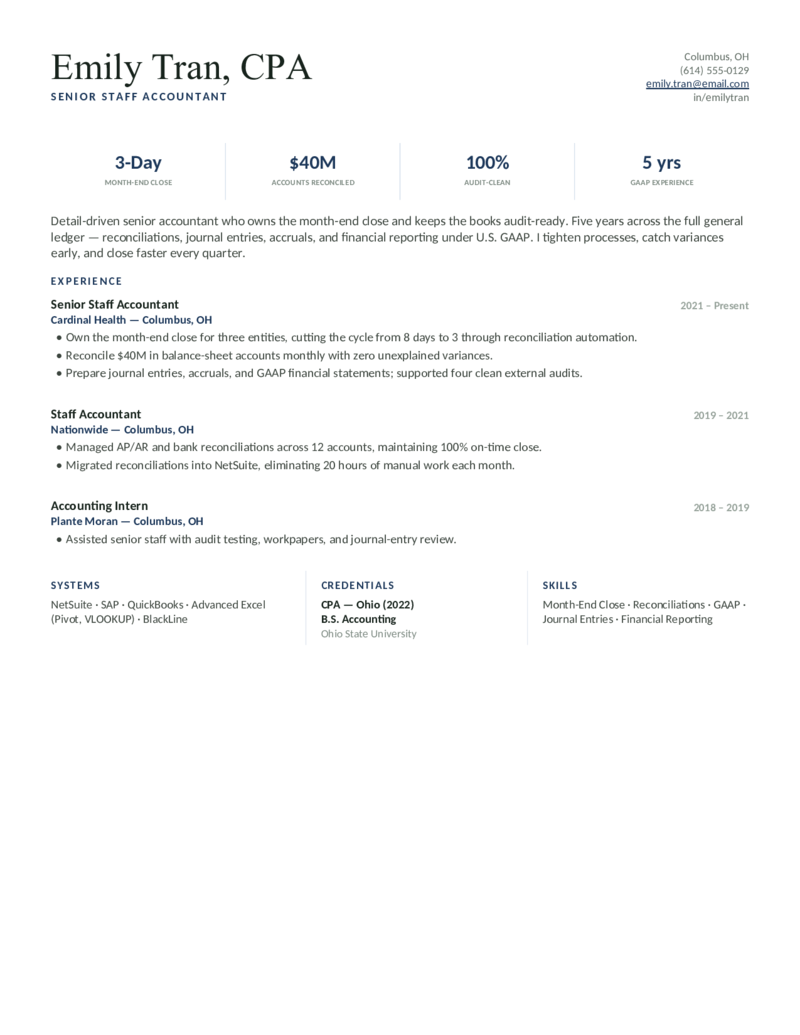
The staff/senior accountant design in navy — reconciliations, journal entries, and the GL close, with a Systems · Credentials · Skills footer.
Ledger — Burgundy preview
WordGoogle Docs
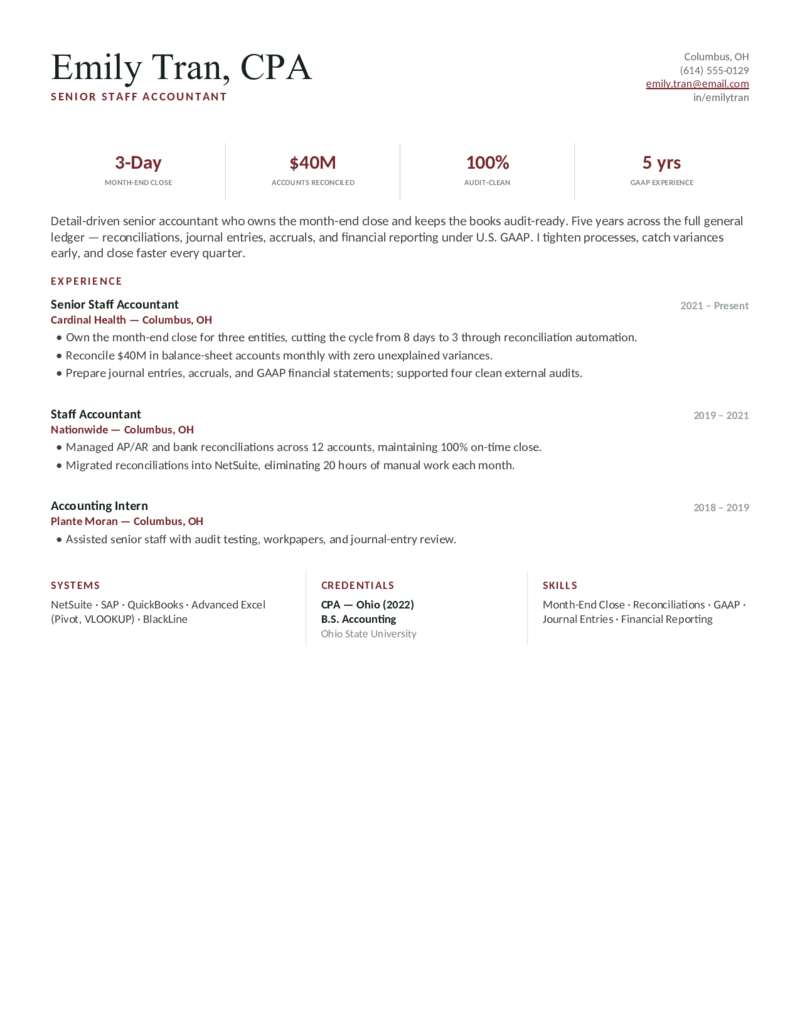
Ledger — Burgundy
The single-column accountant layout in burgundy — leads with quantified close, reconciliation, and audit-clean metrics for staff and senior roles.
Licensed — Navy preview
WordGoogle Docs
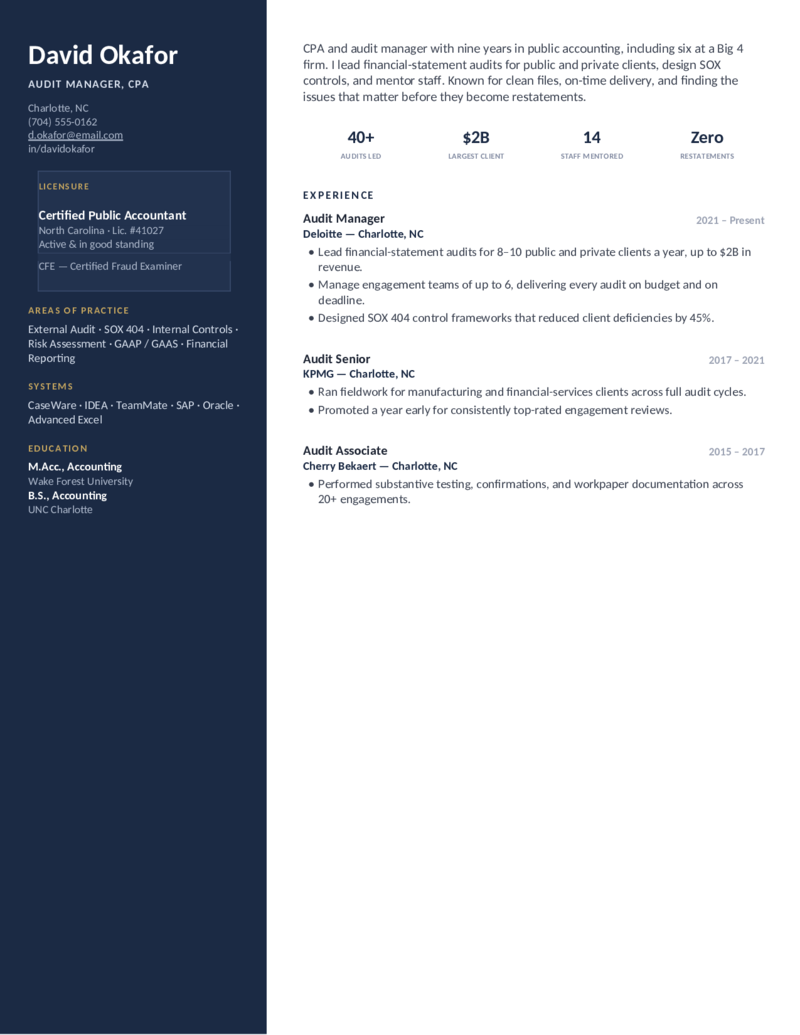
Licensed — Navy
CPA / public accounting layout — a navy sidebar with a dedicated licensure block (CPA #, state, CFE) and a Big-4 audit record. For CPAs and auditors.
Licensed — Forest preview
WordGoogle Docs
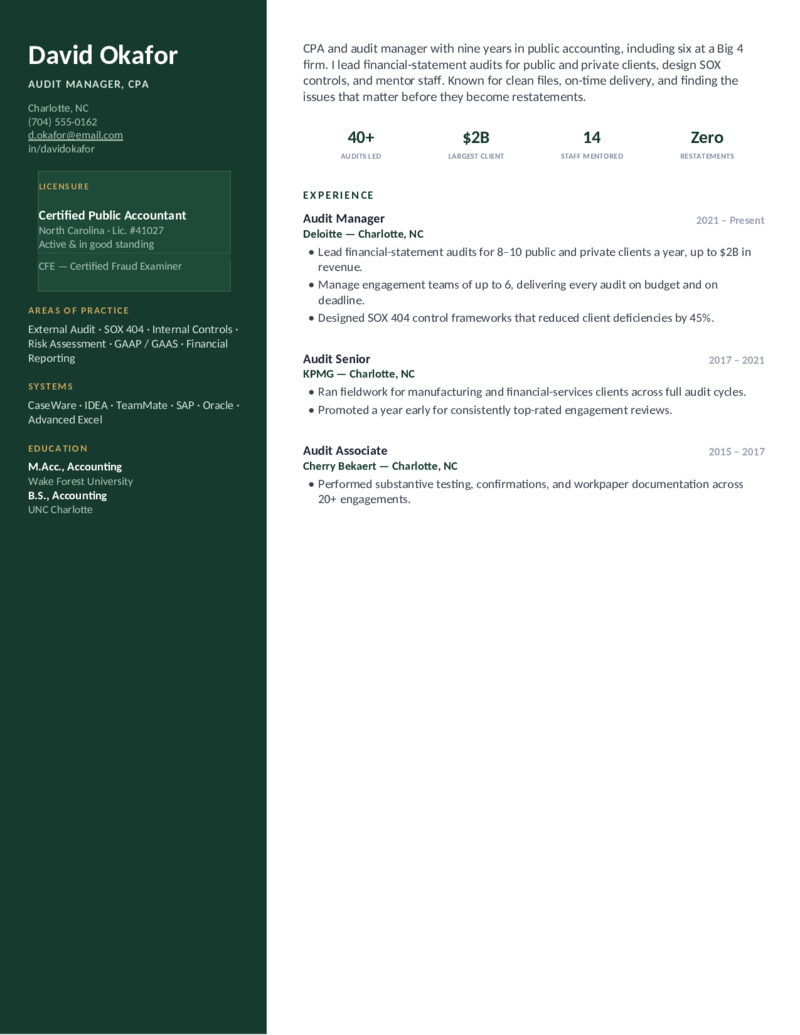
Licensed — Forest
The CPA / audit design in forest green — license front and center, SOX 404 and GAAS practice areas, and an audits-led stat band.
Licensed — Slate preview
WordGoogle Docs
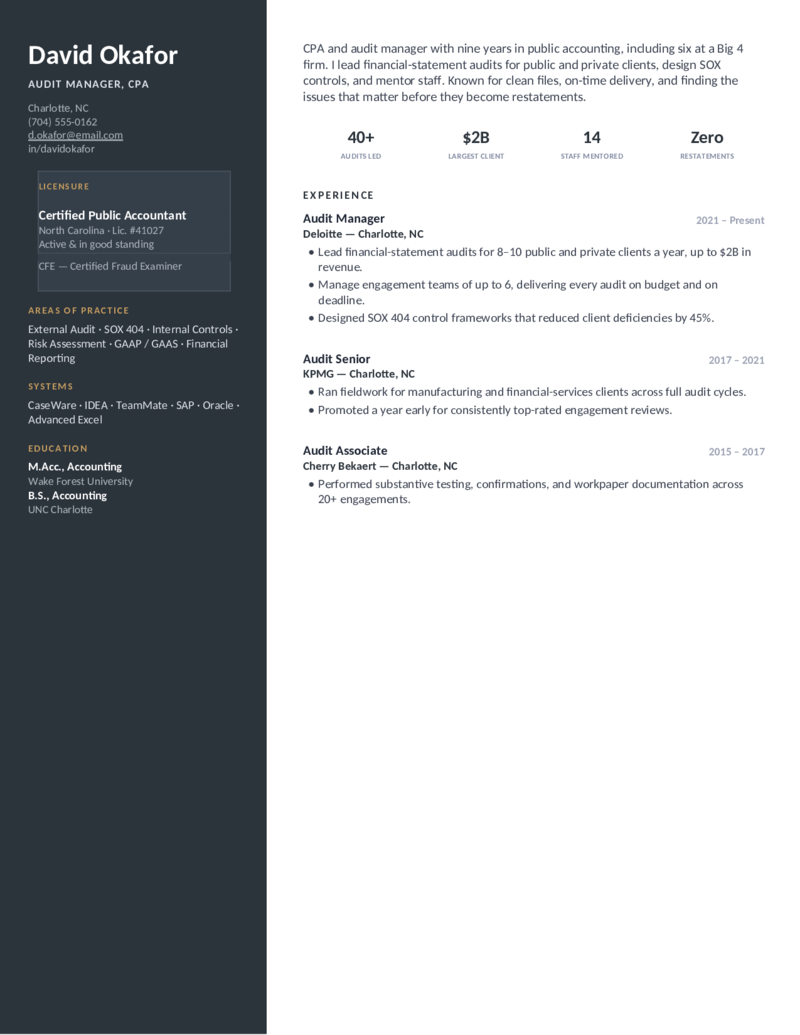
Licensed — Slate
The licensed-CPA layout in slate — a credential-forward sidebar for public accountants, audit seniors, and managers who lead engagements.
Controller — Teal preview
WordGoogle Docs
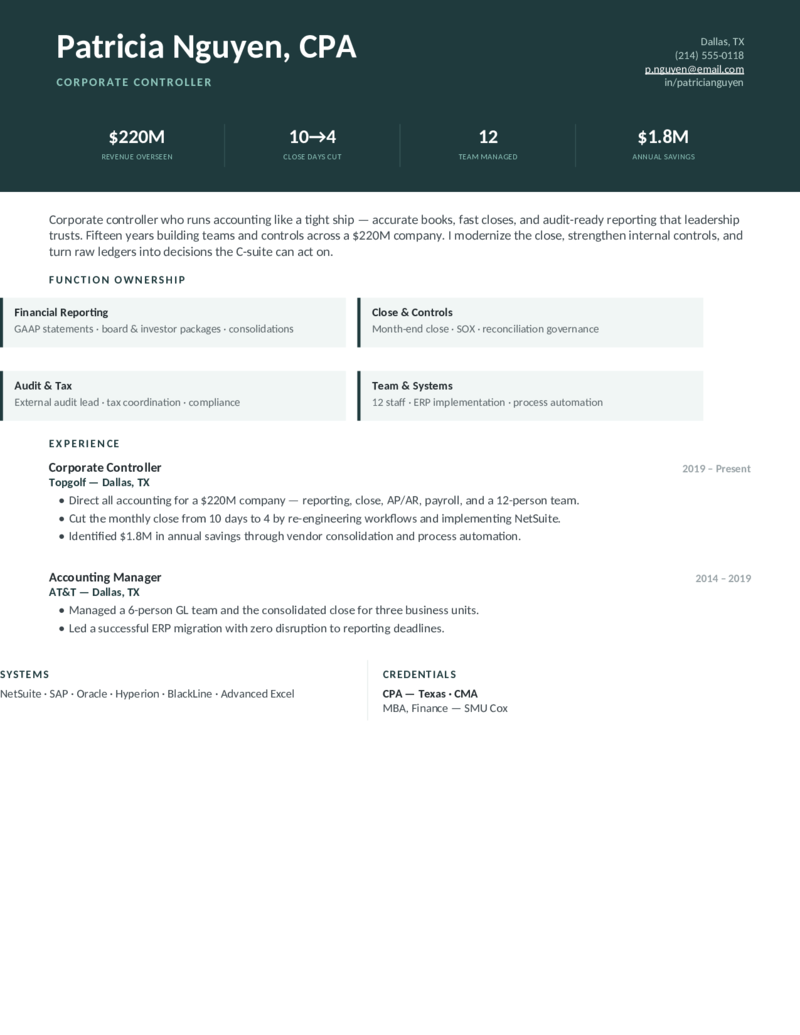
Controller — Teal
Controller / accounting manager layout — an executive header dashboard (revenue overseen, close days cut, team, savings) and a function-ownership grid.
Controller — Navy preview
WordGoogle Docs
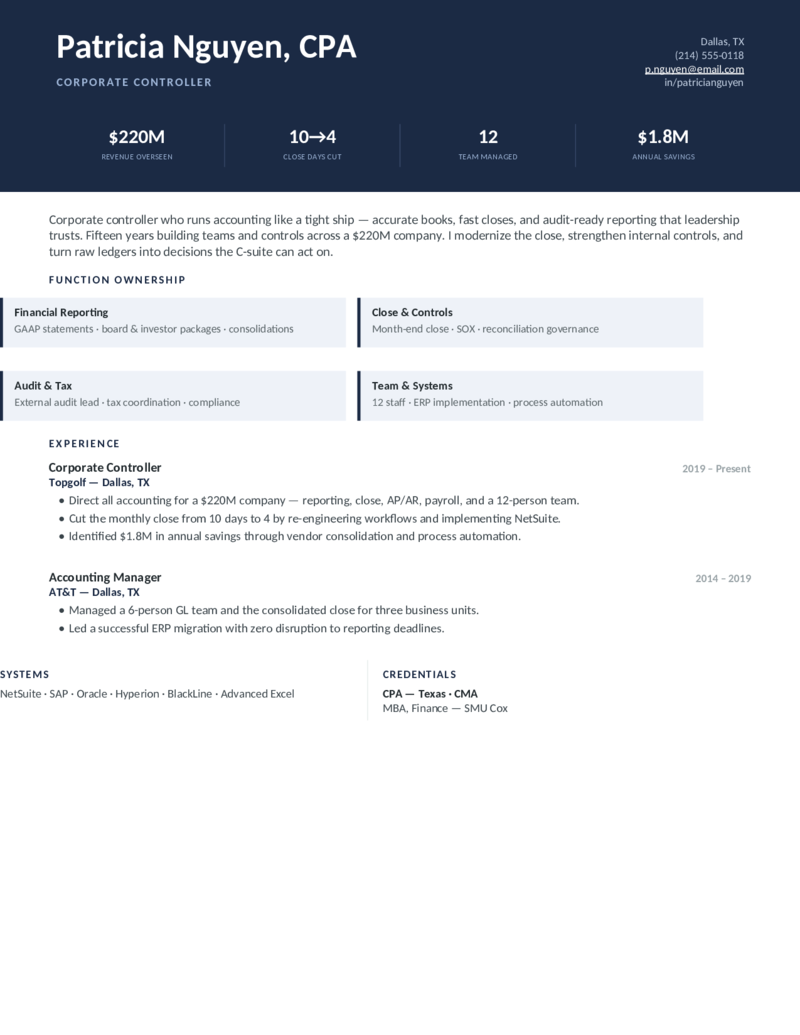
Controller — Navy
The controller / accounting-manager design in navy — close-cycle reduction, internal controls, and team leadership for senior accounting roles.
Controller — Plum preview
WordGoogle Docs
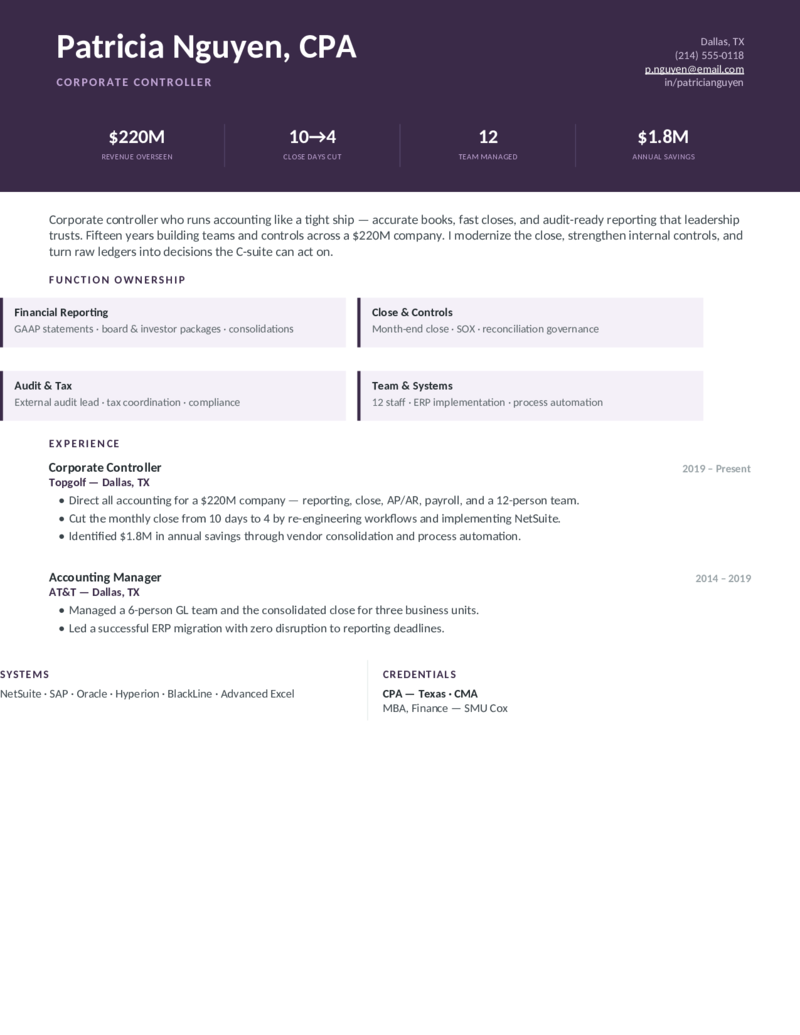
Controller — Plum
The executive controller layout in plum — a financial-reporting dashboard and function grid for accounting managers, controllers, and directors.
Tax — Burgundy preview
WordGoogle Docs
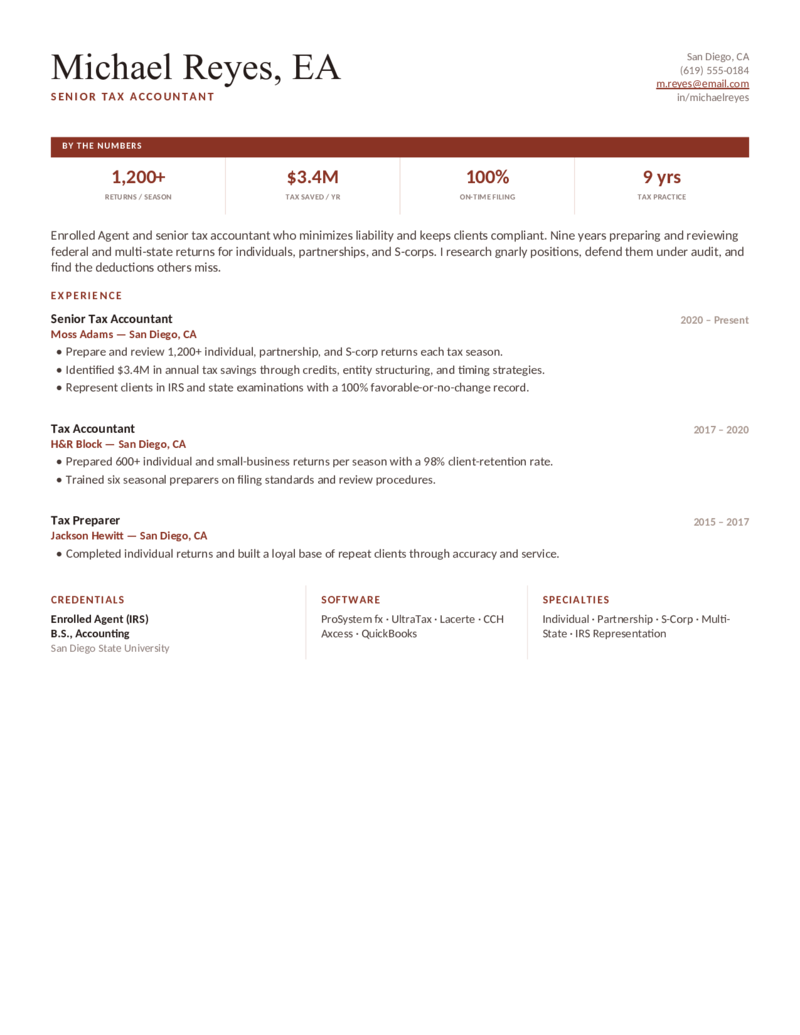
Tax — Burgundy
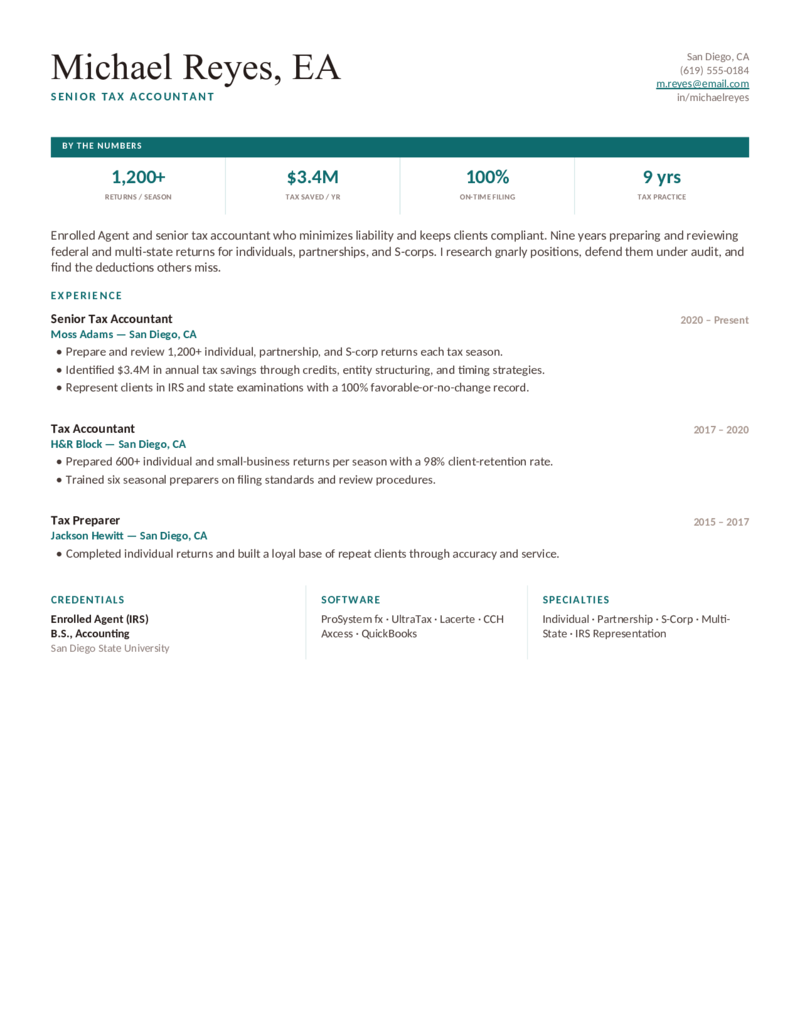
Tax accountant / EA layout — a precise "By the Numbers" box (returns per season, tax saved, on-time filing) with a software and specialties footer.
Tax — Teal preview
WordGoogle Docs
Tax — Teal
The tax-accountant design in teal — returns prepared, tax savings, and IRS representation, for tax preparers, EAs, and tax accountants.
Tax — Navy preview
WordGoogle Docs
Tax — Navy
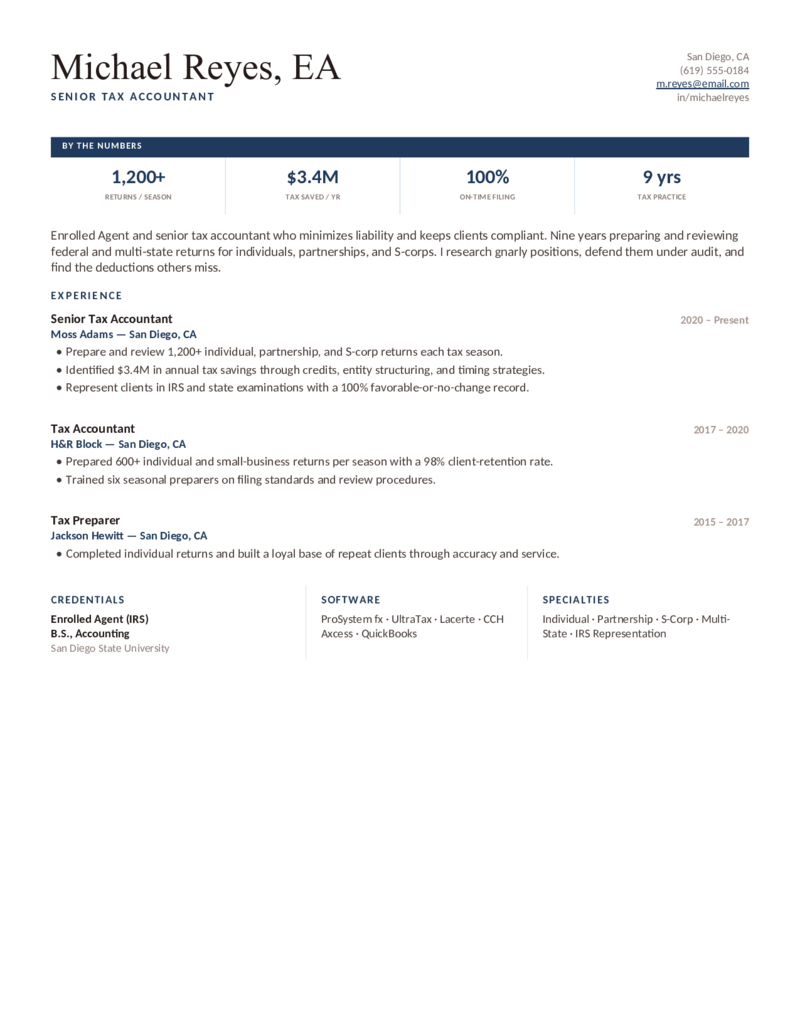
The tax layout in navy — a boxed metrics header and a Credentials · Software · Specialties footer (ProSystem fx, UltraTax, Lacerte) for tax pros.
What to include

What goes on an accountant resume.

Accountants are screened on precision and quantified financial impact more than almost any other role — and large employers run that screen through an ATS first. Surface the things recruiters and parsers look for, which is exactly what these templates put up top:

  • Credentials & license, up front. CPA, CMA, EA — next to your name and in a Certifications block. Taking the exam? Write “CPA Candidate — passed 2/4 sections.” In-progress still counts.
  • Quantified work, every bullet. Dollars of AP/AR processed, GL accounts reconciled, close days cut (8 → 5), journal-entry volume, accuracy/error-rate, and cost savings. Numbers are the whole game in accounting.
  • The ERP / software stack. NetSuite, SAP, Oracle, QuickBooks, Workday, Sage, Xero, and advanced Excel (pivot tables, VLOOKUP, macros) in a dedicated, scannable block — ATS match on the exact product names.
  • GAAP & functions. US GAAP, IFRS, SOX, internal controls — plus month-end close, reconciliations, financial reporting, AP/AR, payroll, tax, and audit. Mirror the job posting’s exact terms.

Entry-level or no experience? Lead with education, GPA, and relevant coursework, then internships, bookkeeping or AP/AR work, and academic projects framed with results — and feature QuickBooks, Excel, and any in-progress CPA. The single-column Ledger design works well for a first accounting resume.

Make it yours

Fill it in and apply.

  1. Click Open in Google Docs to copy it into your Drive, or Download Word for the .docx.
  2. Put your license (CPA/CMA/EA, or in-progress status) by your name, and your real numbers into the metric bar — close days, accounts reconciled, $ processed.
  3. Name your ERP/GL systems and Excel skills exactly — NetSuite, SAP, QuickBooks — and mirror the GAAP/SOX language from the job posting.
  4. Keep it to one page (two is fine for senior/controller/CPA roles), export a PDF to send and a Word copy for ATS portals.
Common questions

Accountant resume FAQ

What should an accountant put on a resume to pass ATS?
Mirror the job description's exact terms — GAAP, month-end close, account reconciliations, AP/AR, general ledger, journal entries — in a categorized skills section, and list software by full name and acronym (e.g., "QuickBooks Online," "NetSuite (ERP)"). Use a single-column, standard-heading layout with no text trapped in images, so the parser reads every line. These templates are built that way.
How do I quantify accounting experience on a resume?
Attach a number to every bullet: dollars processed ("$2.4M monthly AP across 300+ invoices"), accounts owned ("reconciled 45 GL accounts each close"), time saved ("reduced month-end close from 8 to 5 days"), accuracy ("cut reconciliation errors 20%"), or savings ("recovered $180K in duplicate vendor payments"). If you lack exact figures, use defensible ranges like "400–600 invoices/month."
Where do I put my CPA — and what if I'm still taking the exam?
Put an earned CPA right after your name and in the headline (e.g., "Senior Accountant, CPA"), then detail it in a Certifications section. If you're mid-exam, write "CPA Candidate — passed FAR & AUD (2/4 sections), remaining sections scheduled." In-progress status still earns ATS and recruiter credit. The Ledger and Licensed designs put credentials up front for exactly this reason.
How do I write an entry-level accounting resume with no experience?
Lead with education, GPA (if 3.5+), and relevant coursework (Intermediate Accounting, Auditing, Cost Accounting), then internships, bookkeeping or AP/AR part-time roles, and academic projects framed with results. Feature software (QuickBooks, Excel — pivot tables, VLOOKUP) and any in-progress CPA or CMA. A skills-forward, single-column layout works best when work history is thin.
What's the difference between a staff accountant and senior accountant resume?
A staff accountant resume emphasizes execution — journal entries, reconciliations, AP/AR, month-end close support, and GAAP basics. A senior accountant resume adds ownership and scope — leading the close, reviewing staff work, financial reporting, audit liaison, process improvements, and ERP implementations — quantified by team size and cycle-time gains.
Which accounting software and skills should I list?
List your ERP/GL systems (NetSuite, SAP, Oracle, Workday, QuickBooks, Sage, Xero, Microsoft Dynamics), advanced Excel (pivot tables, VLOOKUP/XLOOKUP, macros), and reporting tools (Hyperion, Power BI, Tableau). Pair them with the functions you owned — month-end close, reconciliations, FP&A, fixed assets — and the standards you applied (US GAAP, IFRS, SOX). Put them in a dedicated skills block so the ATS catches them.
Should an accountant resume be one page or two?
One page for entry-level and most staff roles; two pages are acceptable for senior accountants, managers, controllers, and CPAs with 7+ years, multiple ERP implementations, or audit/SOX scope. Keep it scannable — recruiters skim for credentials, close cycle, reconciliations, and quantified savings first. Every template here is built one page by default.

Accountant & accounting resume templates · Updated June 2026

Keep going

More resume templates.

Related
Business Analyst Resumes
A common next step for accountants moving into analysis — requirements, data, and financial-modeling layouts.
Open
Related
Administrative Assistant Resumes
Overlaps with accounting-clerk and AP/AR roles — a good bridge for bookkeeping and front-office accounting jobs.
Open
Pair it
Cover Letter Templates
Add a short accountant cover letter that restates your license, close-cycle wins, and ERP experience.
Open