






22 Free Budget Templates
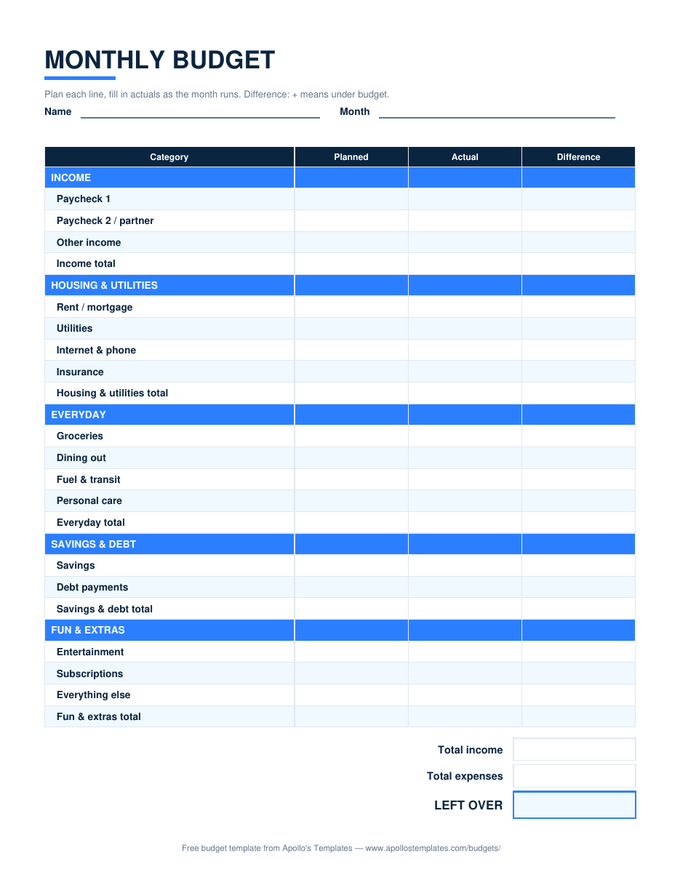
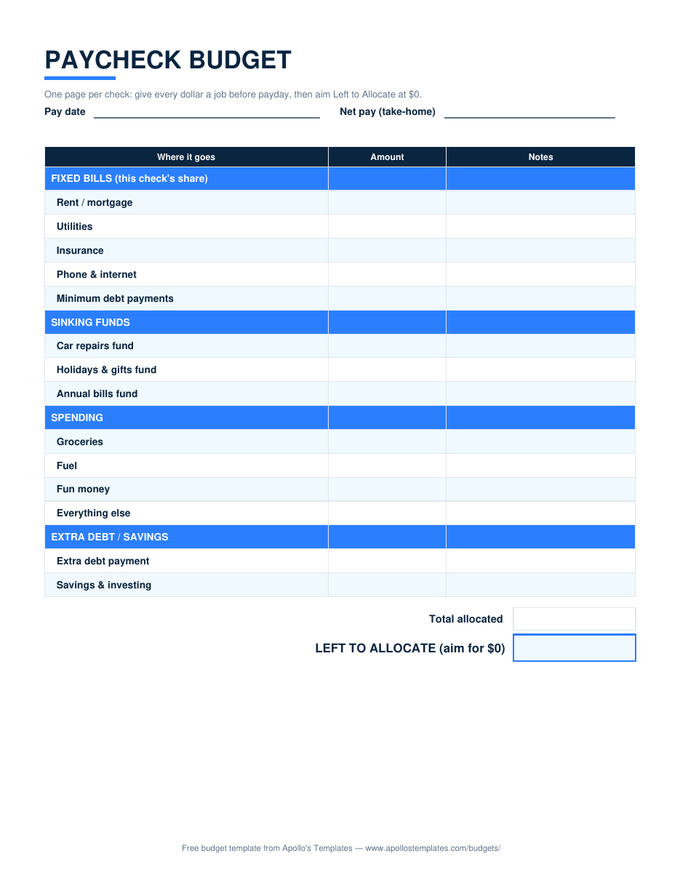
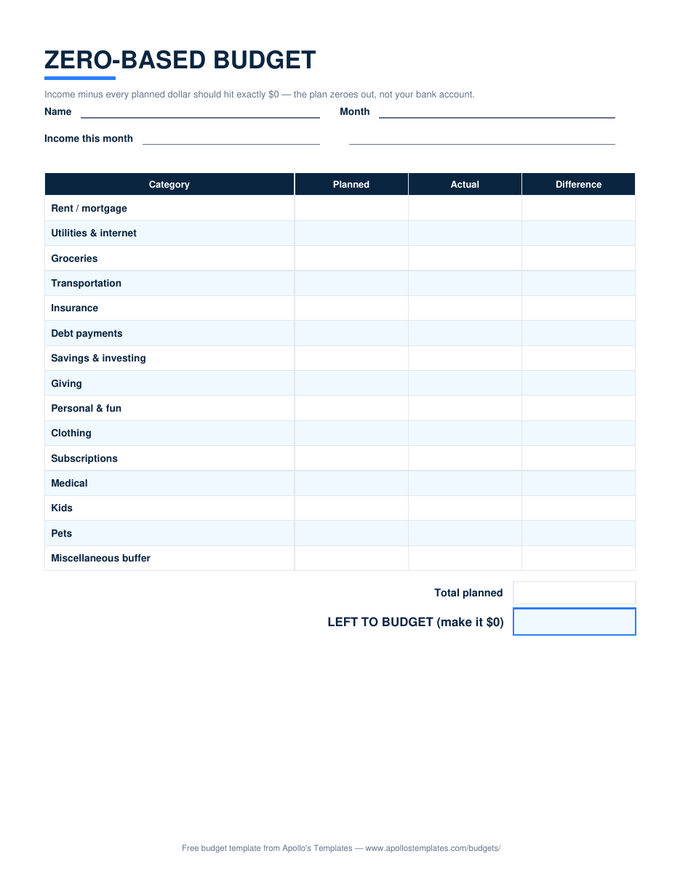
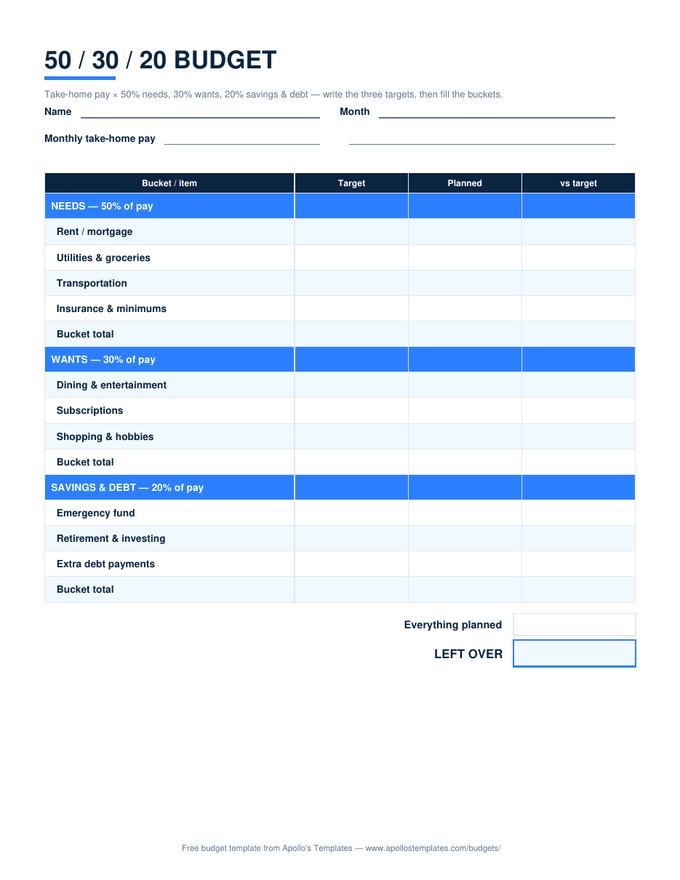
A budget is just a plan for money written down early enough to matter. These templates hold the plan in whichever shape your life actually takes — a monthly sheet with planned-versus-actual math, a paycheck planner for money that arrives every two weeks, a zero-based sheet that won't rest until every dollar has a job, the 50/30/20 rule with its targets computed for you, and life-event budgets for weddings, trips, semesters, and events. Excel and Google Sheets versions do all the arithmetic; the PDFs print blank for the fridge door.
Every budget we make.
Budget templates: pre-built money plans with the math already done.
Each card downloads the Excel version with the math working — or opens a Google Sheets copy in your own Drive. The blank printable PDF and editable Word versions live on every sheet's own page.
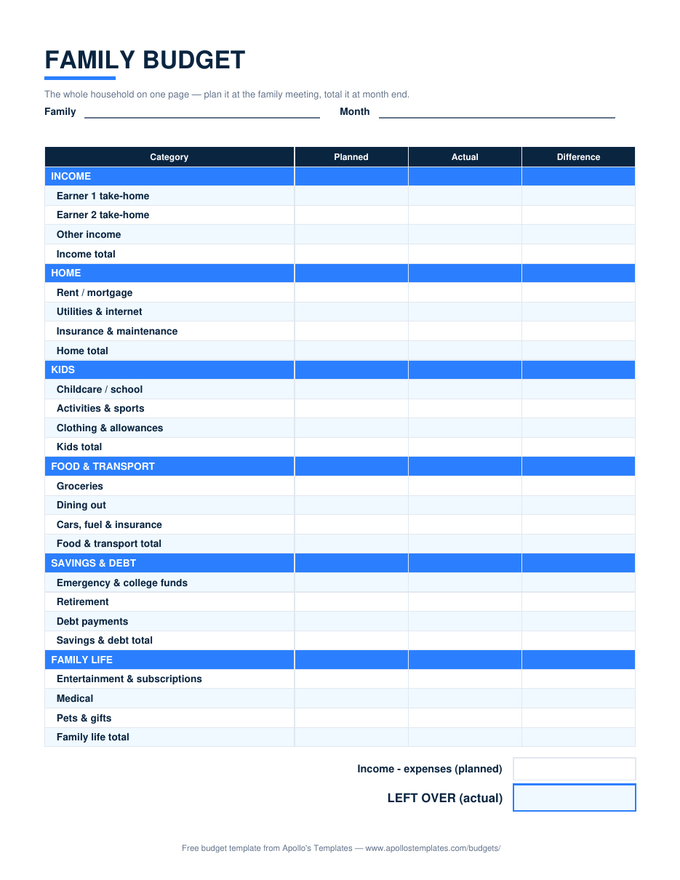
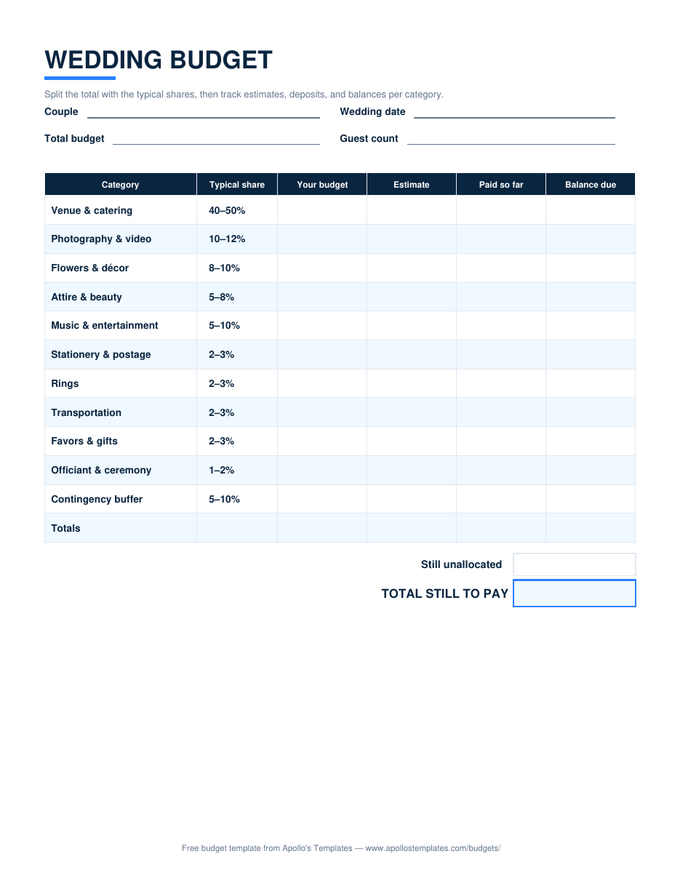
Why these sheets are built the way they are.
“Budgeting apps monetize by watching your money. A spreadsheet doesn’t — which is why every sheet here ships with its formulas working, its cells unlocked, and no account between you and the download. The house rule: the arithmetic is the template’s job, so the ten minutes you give a budget go to decisions, not addition.”— David, Apollo’s Templates
A few deliberate choices, so you don’t have to reverse-engineer them:
- Planned / Actual / Difference on every sheet. A category list without the comparison is a wish, not a budget. Positive difference means under budget — the sign convention is printed on each sheet so nobody has to guess.
- Savings is a category, not a leftover. The monthly sheet computes a savings rate, the 50/30/20 sheet reserves a bucket, and zero-based makes savings a “job” like rent — because what’s left over at month end is historically $0.
- Cells stay blank until you type — a half-filled month never shows misleading totals.
- Nothing is locked. Rename categories, add rows, change the ratios. The formulas keep working around you.
Tracking spending rather than planning it? That’s the other half of the workflow — our expense report templates record where money actually went, and feed these sheets’ Actual columns.
The four budgeting methods, in one honest paragraph each.
Planned-versus-actual (the monthly sheet) is budgeting’s default for a reason: plan each category, record reality, learn from the gap. It fails only when the plan is fiction — so plan from last month’s statements, not from hope.
Zero-based assigns every dollar of income a job until nothing is left to assign. It’s the strictest method and the best cure for money that evaporates — at the price of naming a number for everything, including fun.
Paycheck budgeting drops the month entirely and plans each check as it lands, pairing a bill calendar with sinking funds. If you’re paid biweekly and the “month” never quite lines up with your bills, this is the one that finally fits.
50/30/20 trades categories for three buckets — needs, wants, savings & debt — sized from take-home pay. Popularized by Elizabeth Warren’s All Your Worth, it’s the least paperwork that still counts as a plan; treat the ratios as a starting point, since high-rent cities routinely push needs past 50%.
Download, copy, or print.
- Excel: download the
.xlsx, fill the Planned column, and the totals, differences, and LEFT OVER line calculate as you type. - Google Sheets: click “Open in Google Sheets,” then Make a copy — the math comes with it, and two phones can share one budget.
- Paper: print the blank PDF from any sheet’s page and put it where the money decisions happen — the fridge outranks the filing cabinet.
Budget template FAQ
What makes a good budget template?
Which budget template should I start with?
Are these budget templates really free?
Excel, Google Sheets, PDF, or paper — which format actually works?
How do I budget with irregular income?
Free budget templates · Updated August 2026 · by David Nelsen — built for people who want the math done and the decisions left to them.