Apollo's Templates
HomeResumesMedical Assistant
Medical assistant resumes · Word & Google Docs

Free Medical Assistant Resume Templates

Free, ATS-friendly medical assistant resume templates in Microsoft Word and Google Docs — built for how clinics hire MAs: credentials first, then proof you can run both the back office and the front. Each one leads with a credential block (CMA, RMA, CCMA, BLS/CPR, with cert IDs) and the structure that defines the role — a Clinical | Administrative skills split (vitals, phlebotomy, EKG, injections · EHR, scheduling, insurance, ICD-10/CPT), plus the EHR systems clinics filter on (Epic, Cerner, athenahealth). Whether you're a certified clinical or administrative MA, a specialty MA, or a recent graduate writing a medical assistant resume with no experience, pick a layout and color and fill in your skills.

The templates

Four medical-assistant designs, each in three colors.

Clinical for back-office MAs, Administrative for front-office and billing-and-coding MAs, Specialty for pediatric and other focused roles, and New Grad for recent graduates and externs. Every one opens in Word or Google Docs, stays on one page, and is built to be ATS-friendly — with your certification and a Clinical | Administrative skills split front and center.
Clinical — Teal preview
WordGoogle Docs
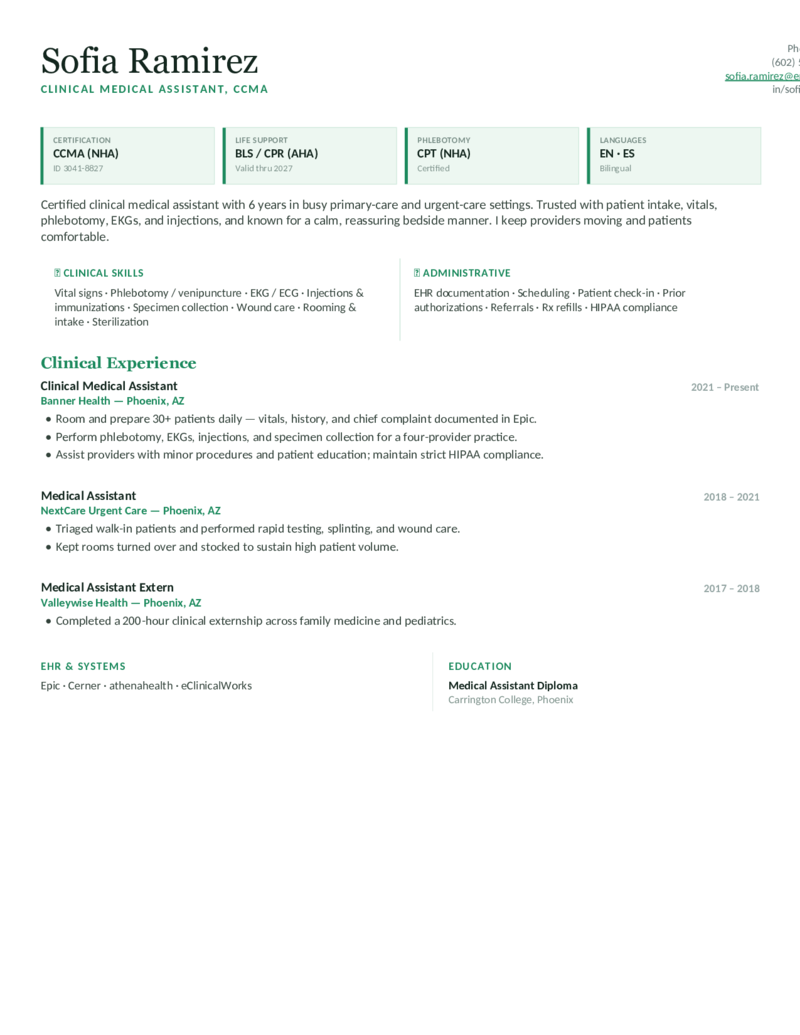
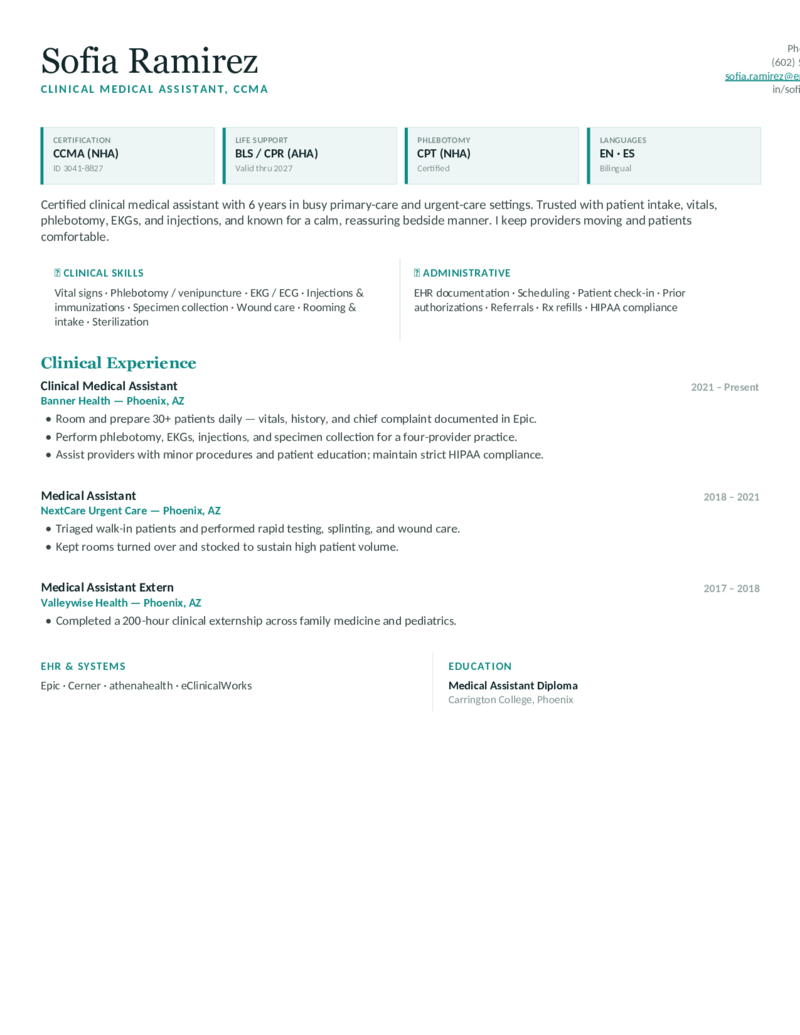
Clinical — Teal
Clinical / back-office MA layout — a credential band (CCMA, BLS/CPR, phlebotomy, with cert IDs) and a Clinical | Administrative skills split. Vitals, phlebotomy, EKG, injections; Epic.
Clinical — Blue preview
WordGoogle Docs
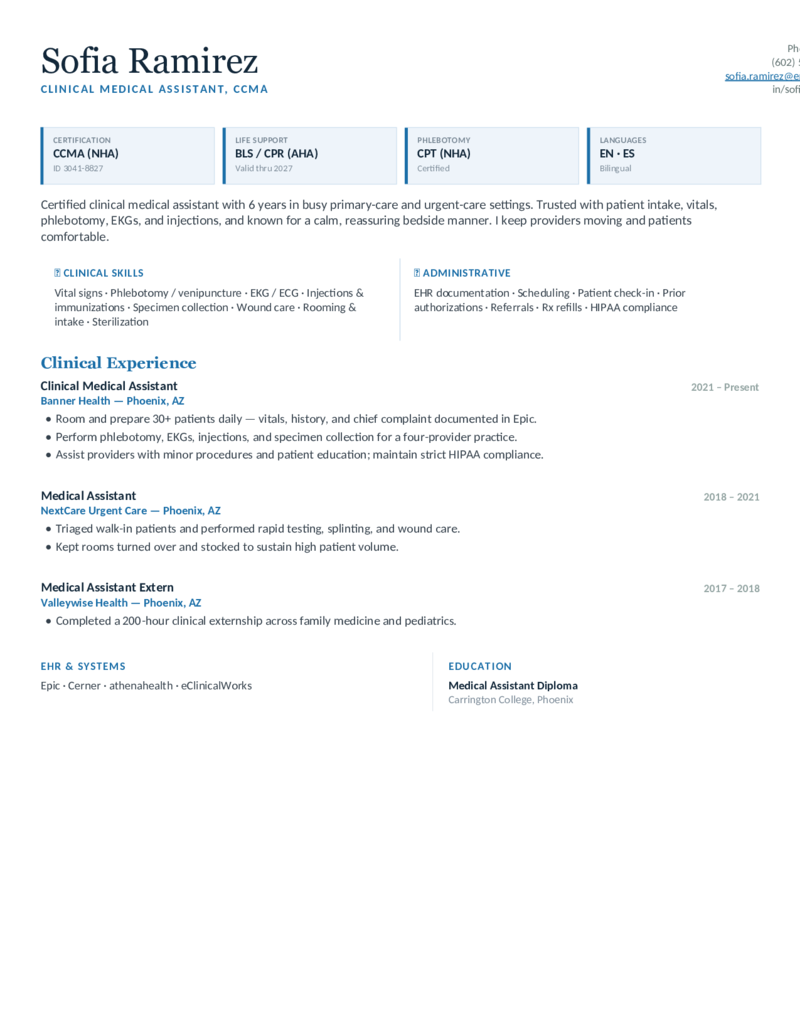
Clinical — Blue
The clinical-MA design in blue — credentials first, then a clinical-skills split (venipuncture, EKG, specimen collection) for back-office and rooming roles.
Clinical — Green preview
WordGoogle Docs
Clinical — Green
The clinical-MA layout in green — a calm, certification-forward format for certified medical assistants in primary and urgent care.
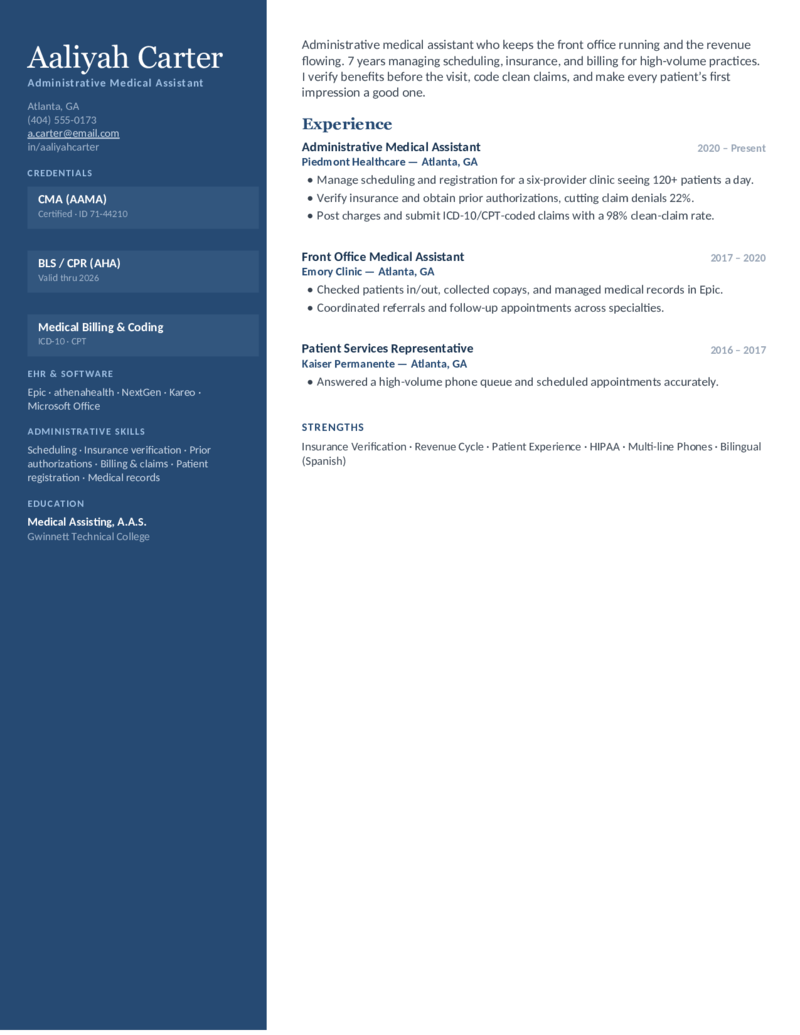
Administrative — Navy preview
WordGoogle Docs
Administrative — Navy
Administrative / front-office MA layout — a credentials sidebar (CMA, billing & coding) with EHR and admin skills. Scheduling, insurance verification, prior auth, ICD-10/CPT.
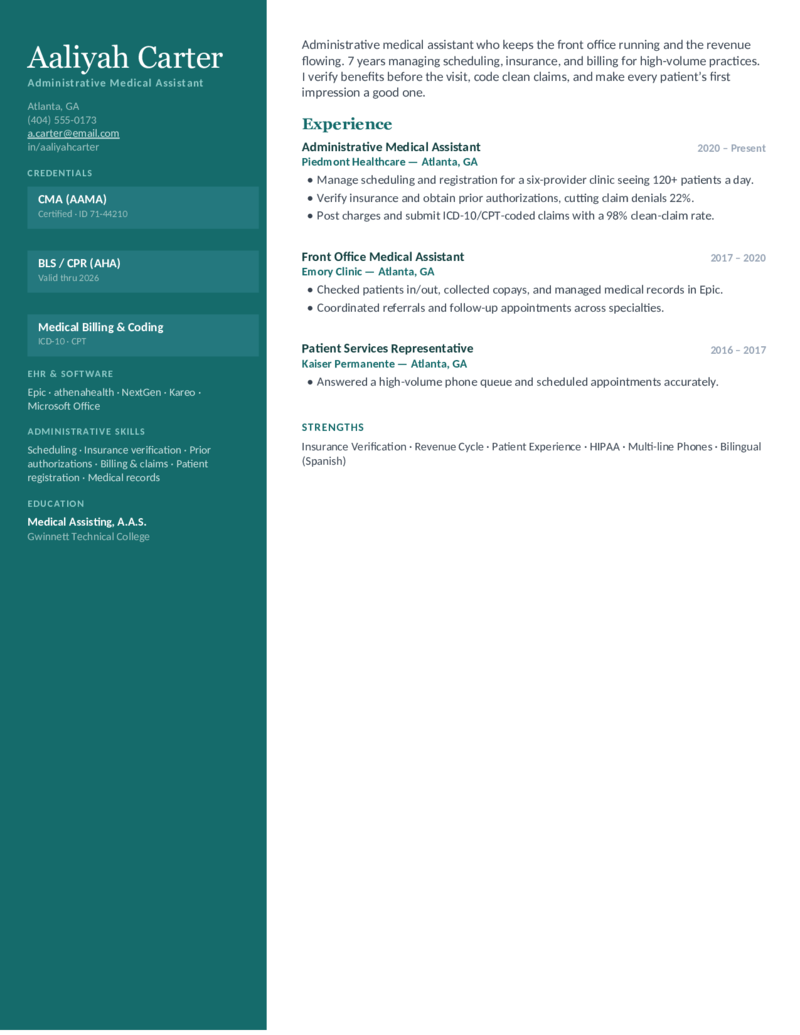
Administrative — Teal preview
WordGoogle Docs
Administrative — Teal
The front-office MA design in teal — revenue-cycle, insurance, and clean-claim framing for administrative MAs and patient-services roles.
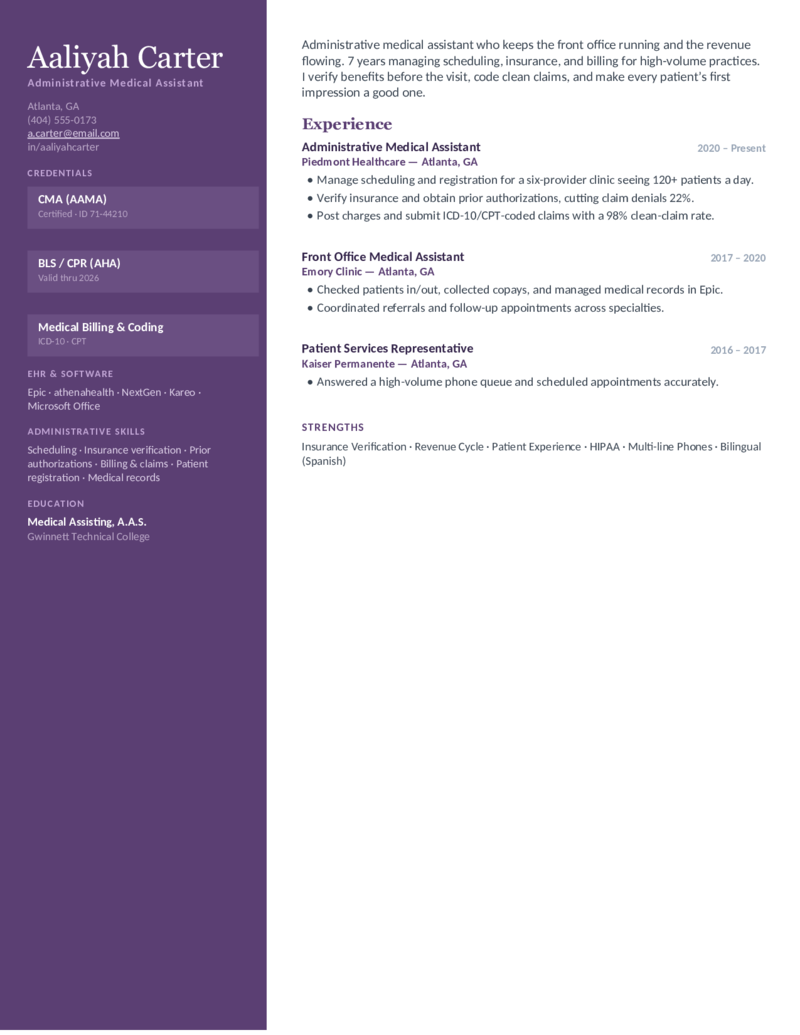
Administrative — Plum preview
WordGoogle Docs
Administrative — Plum
The administrative-MA layout in plum — a sidebar format for front-desk and billing-and-coding MAs who run scheduling, authorizations, and medical records.
Specialty — Purple preview
WordGoogle Docs
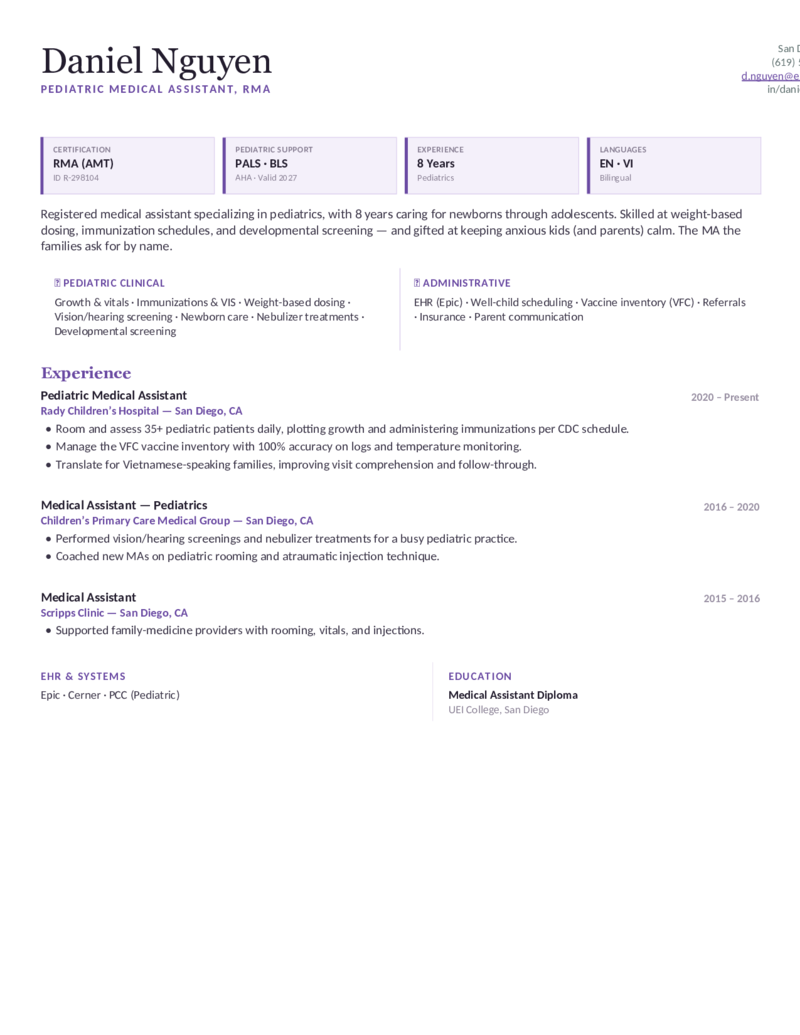
Specialty — Purple
Specialty MA layout (shown for pediatrics) — RMA and PALS credentials, weight-based dosing, immunizations, and VFC. Swap in dermatology, OB-GYN, or cardiology.
Specialty — Rose preview
WordGoogle Docs
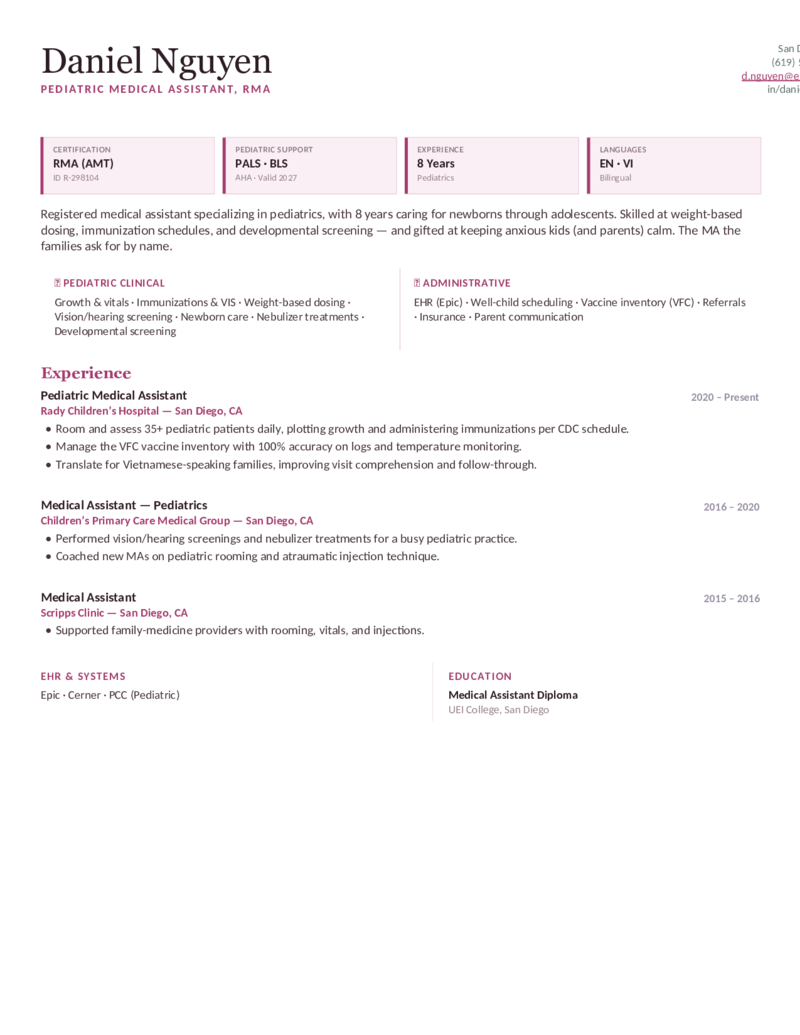
Specialty — Rose
The specialty-MA design in rose — a specialty-skills split for pediatric, OB-GYN, or dermatology MAs who lead with focused clinical depth.
Specialty — Teal preview
WordGoogle Docs
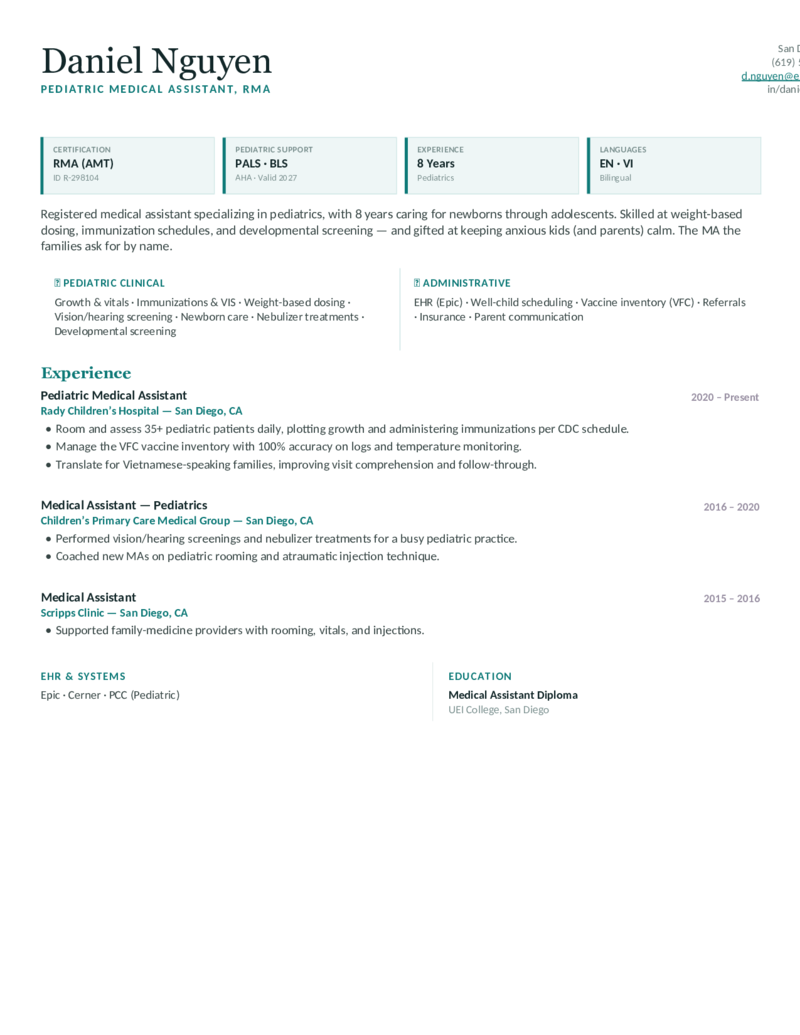
Specialty — Teal
The specialty-MA layout in teal — a credential-and-skills format for registered medical assistants who specialize in a single clinical area.
New Grad — Green preview
WordGoogle Docs
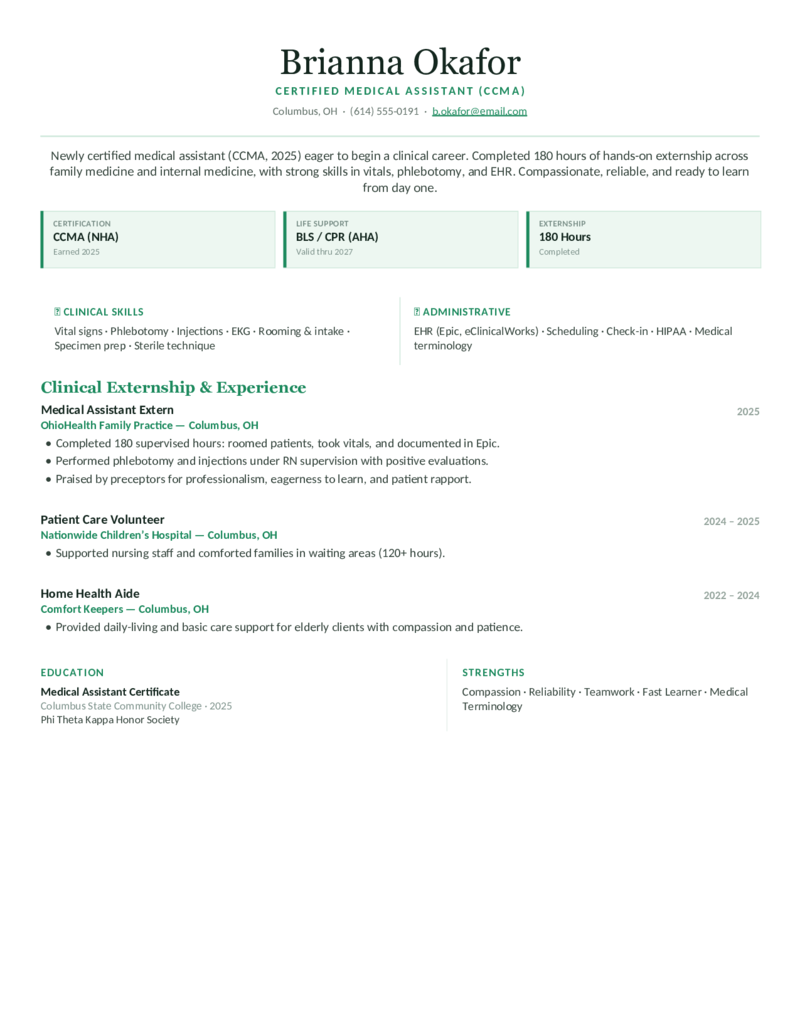
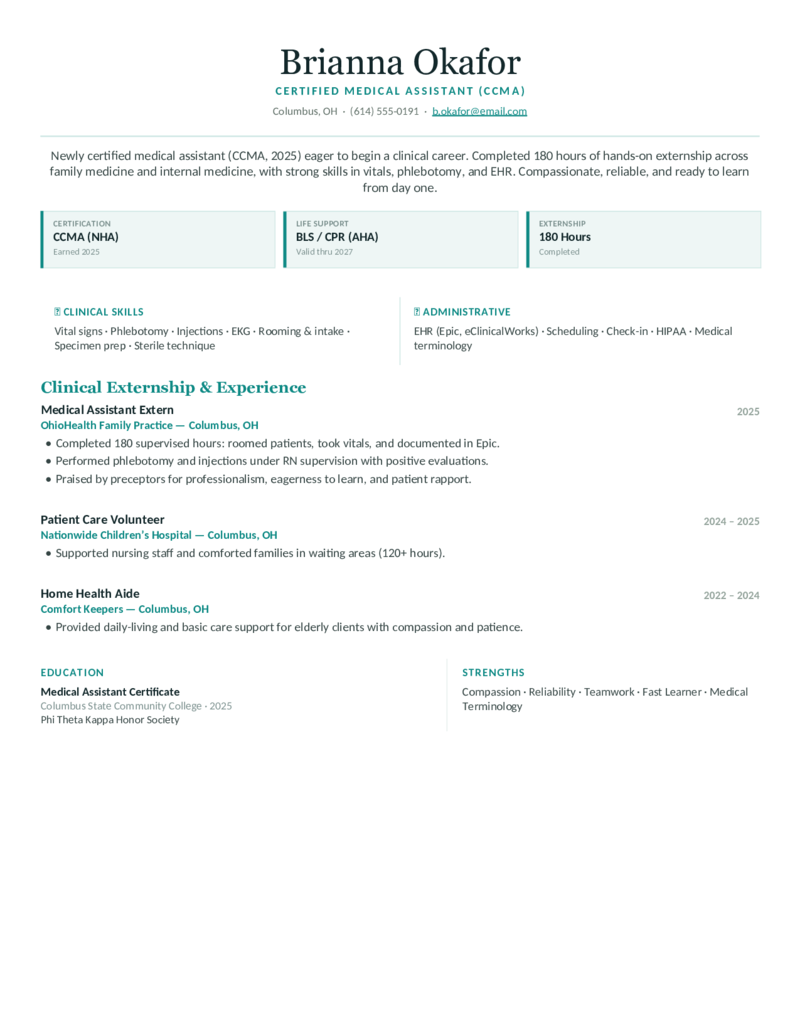
New Grad — Green
Recent-graduate / externship MA layout — a centered header that leads with new certification (CCMA), 180-hour externship, and clinical-rotation skills. For entry-level and no experience.
New Grad — Teal preview
WordGoogle Docs
New Grad — Teal
The new-grad MA design in teal — externship hours, BLS/CPR, and a clinical-skills split for first-job and recent-graduate medical assistants.
New Grad — Blue preview
WordGoogle Docs
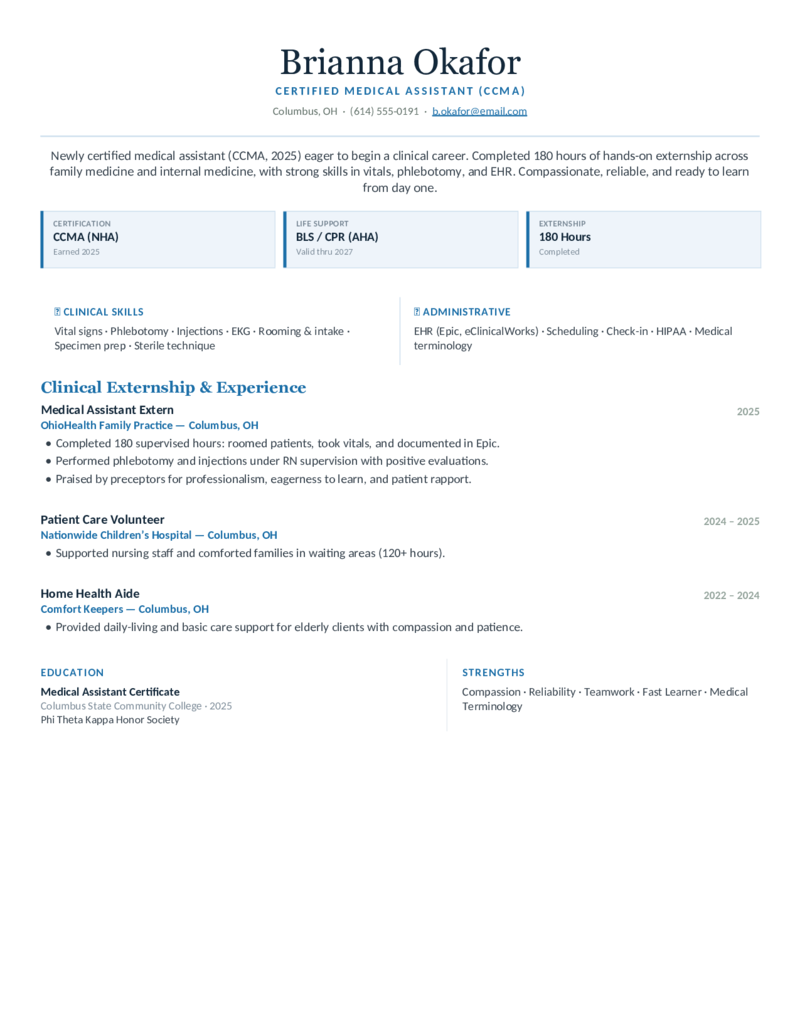
New Grad — Blue
The entry-level MA layout in blue — an education-forward, externship-first format for newly certified MAs writing a medical assistant resume with no experience.
What to include

What goes on a medical assistant resume.

Clinics screen MA resumes for credentials and dual clinical-and-administrative skill. Put the things a clinic manager and the ATS look for right up top — which is exactly what these templates do:

  • Certification, after your name and in a block. CMA (AAMA), RMA (AMT), or CCMA (NHA), with the cert ID — plus BLS/CPR (AHA) with the expiration date. Certification-in-progress? Write “CCMA (expected [date]).”
  • A Clinical | Administrative split. Clinical: vitals, phlebotomy/venipuncture, EKG, injections, specimen collection. Administrative: EHR, scheduling, insurance verification, prior authorizations, ICD-10/CPT. Lead with whichever the job wants.
  • The EHR systems, named exactly. Epic, Cerner, athenahealth, eClinicalWorks, NextGen — clinics filter on these. Plus HIPAA, medical terminology, and any bilingual ability (English/Spanish).
  • Externship and rotations — especially with no experience. No paid MA job yet? Lead with your certificate, your externship hours, and clinical rotations as experience. The New Grad design is built around exactly that.

Medical assistant vs. nurse: an MA is certified, not licensed — lead with CMA/RMA/CCMA and work performed under a provider, not nursing licensure or care plans. If you're an RN or LPN, our nursing templates (license-forward) fit better.

Make it yours

Fill it in and apply.

  1. Click Open in Google Docs to copy it into your Drive, or Download Word for the .docx.
  2. Put your certification (CMA/RMA/CCMA) by your name and in the credential block with the ID, and your BLS/CPR expiration date.
  3. Edit the Clinical | Administrative split to match the posting — phlebotomy, EKG, Epic, prior authorizations, ICD-10/CPT — spelled out for the ATS.
  4. No experience? Use the New Grad design and lead with your externship and rotations, then export a PDF to send and a Word copy for ATS portals.
Common questions

Medical assistant resume FAQ

How do I write a medical assistant resume with no experience?
Lead with a summary, then feature your externship and clinical-rotation hours (e.g., "180+ externship hours"), your medical-assisting program, and your BLS/CPR — coursework and hands-on training stand in for paid experience. List the procedures you actually practiced (vitals, phlebotomy, EKG, patient intake) so the resume reads as job-ready. The New Grad design is built for exactly this.
Where do I put my CMA, RMA, or CCMA certification on a resume?
Put the credential after your name in the header (e.g., "Sofia Ramirez, CCMA") and again in a dedicated Certifications block with the issuing body and ID — CMA (AAMA), RMA (AMT), or CCMA (NHA). Don't bury it mid-paragraph; recruiters and the ATS scan for it on its own line. Every template here puts the credential up top.
Should I list BLS/CPR certification on a medical assistant resume?
Yes — list it in your Certifications section with the issuer (usually the American Heart Association) and expiration date, since many clinics require current BLS/CPR before your first shift. Keeping it visible and current removes a screening hurdle.
Should my medical assistant resume emphasize clinical or administrative skills?
Match the job posting. Back-office/clinical roles want vitals, phlebotomy, venipuncture, EKG, injections, and specimen collection up top; front-office/administrative roles want EHR, scheduling, insurance verification, prior authorizations, and ICD-10/CPT coding. Medical assistant is a dual role, so these templates show both as a Clinical | Administrative split — just reorder which leads.
Is a medical assistant resume ATS-friendly, and how do I make it pass?
Yes — use a single-column-readable layout with standard headings and the exact keywords from the job post, spelling out skills (phlebotomy, EKG, Epic, HIPAA) and certs (CMA, RMA, CCMA, BLS) rather than relying on graphics. Every template here is built to parse cleanly in Word and Google Docs.
Should a medical assistant resume be one page?
Yes — for nearly all medical assistants, especially new grads and anyone with under about ten years of experience, one page is expected. Tighten it to the externship, certifications, and the clinical and administrative skills the posting screens for; all of these designs hold on a single page.

Medical assistant resume templates · Updated June 2026

Keep going

More resume templates.

Related
Nurse & Nursing Resumes
For RNs and LPNs — license-forward layouts built around NCLEX, specialty, and clinical scope, rather than MA certification.
Open
Related
Administrative Assistant Resumes
A fit if your role is mostly front-office and scheduling outside a clinical setting — general office and software-forward layouts.
Open
Pair it
Cover Letter Templates
Add a short cover letter that restates your certification, your externship or clinical experience, and your bedside manner.
Open