Apollo's Templates
HomeBusinessTimesheet TemplatesSemi-Monthly
Paid on the 1st and the 16th

Semi-Monthly Timesheet Template

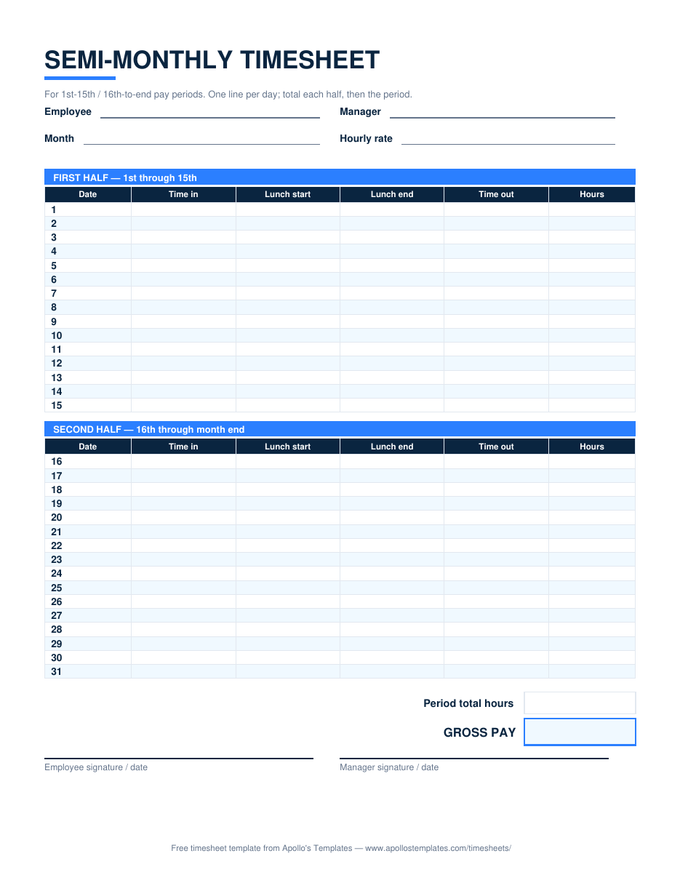
For the pay schedule the biweekly sheet can't honestly serve: two date-anchored halves — the 1st through the 15th, and the 16th through month end — each with its own block and subtotal. Enter the month's first date and every row dates itself, short months included. The Excel version totals each half, the period, and gross pay from your rate; the PDF prints with the day numbers already in place.

Two halves, one month

One download, three formats.

Worth knowing

24 paydays, and why the math is different here.

Semi-monthly pay trades even weeks for even months: every period is exactly half a month, paychecks land on predictable dates, and the year divides into a tidy 24. The cost of that tidiness is that pay periods stop lining up with workweeks — a Wednesday can be the last day of one period and Thursday the first of the next, with the workweek straddling both.

That’s why this sheet is deliberately an hours ledger rather than an overtime calculator, and why the note row on the sheet says so out loud. Payroll systems handle the allocation by looking across period boundaries; a paper or spreadsheet record just needs to capture the days accurately — which is the part this template automates.

Every-other-Friday paydays
Biweekly Timesheet
The weekday-anchored cousin — two whole workweeks with a proper per-week overtime split.
Open
The whole month at once
Monthly Timesheet
Thirty-one self-dating rows when one sheet per month is the simpler record.
Open
All formats
Excel Timesheet Templates
Every sheet in the library as an .xlsx with working formulas.
Browse

Frequently asked questions

What's the difference between semi-monthly and biweekly?
Semi-monthly means twice a calendar month — typically the 1st–15th and the 16th–end — for 24 pay periods a year, always anchored to dates. Biweekly means every second week — 26 periods a year, always anchored to a weekday. The distinction matters for a timesheet because a biweekly period always contains two whole workweeks, while a semi-monthly period slices through the middle of them. This sheet is built for the date-anchored kind; if your payday lands every other Friday, you want the biweekly sheet instead.
Why doesn't this sheet split overtime like the weekly one does?
Because it can't do so honestly. Federal overtime is computed per fixed workweek, and semi-monthly periods start and end mid-week — the hours that decide whether the first week of the period crossed 40 are partly on last period's sheet. Splitting overtime inside a half-month block would produce confidently wrong numbers, so this sheet totals hours and leaves the overtime allocation to payroll, which sees the whole workweek. If overtime is routine for you, track the week on the weekly or biweekly sheet and report it semi-monthly.
How does the second half handle short months?
Automatically. The second block runs from the 16th up to day 31, and each row checks whether that date still belongs to the month you entered — in February the rows after the 28th (or 29th) simply blank themselves, in April the 31st does. Nothing to delete, nothing to cross out. Enter the month's first date once and the sheet renders exactly the days the month actually has.
Who actually gets paid semi-monthly?
Roughly one employer in five, skewing toward salaried and office roles — accounting departments like that 24 periods align cleanly with monthly books, and benefits deductions divide evenly. It's rarer for hourly crews precisely because of the workweek-slicing problem this sheet's note row describes. If you're hourly on a semi-monthly payday, this sheet plus a habit of noting your weekly totals covers both what payroll needs and what the FLSA cares about.
Updated through August 2026