Apollo's Templates
HomeResumesAdministrative Assistant
Administrative & executive assistant resumes · Word & Google Docs

Free Administrative Assistant Resume Templates

Free, ATS-friendly administrative assistant resume templates in Microsoft Word and Google Docs — also great as an executive assistant, office assistant, or office manager resume. Each names the software recruiters scan for (Microsoft 365, Google Workspace, QuickBooks, Concur), quantifies the support you provide, and signals discretion and ownership.

The templates

Four admin designs, each in three colors.

Chief for executive assistants, Front Office for general admins, Operations for office managers, and Remote for virtual assistants — pick a style, then the color. Every one opens in Word or Google Docs, stays on one page, and is built to be ATS-friendly.
Chief — Gold preview
WordGoogle Docs
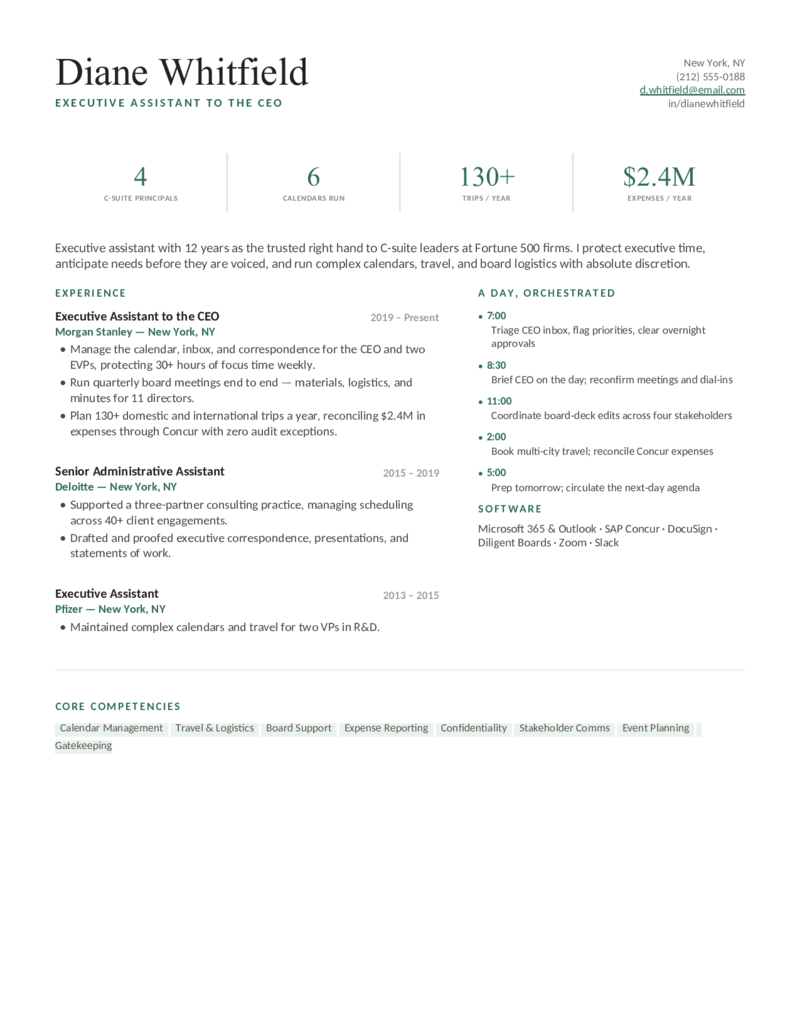
Chief — Gold
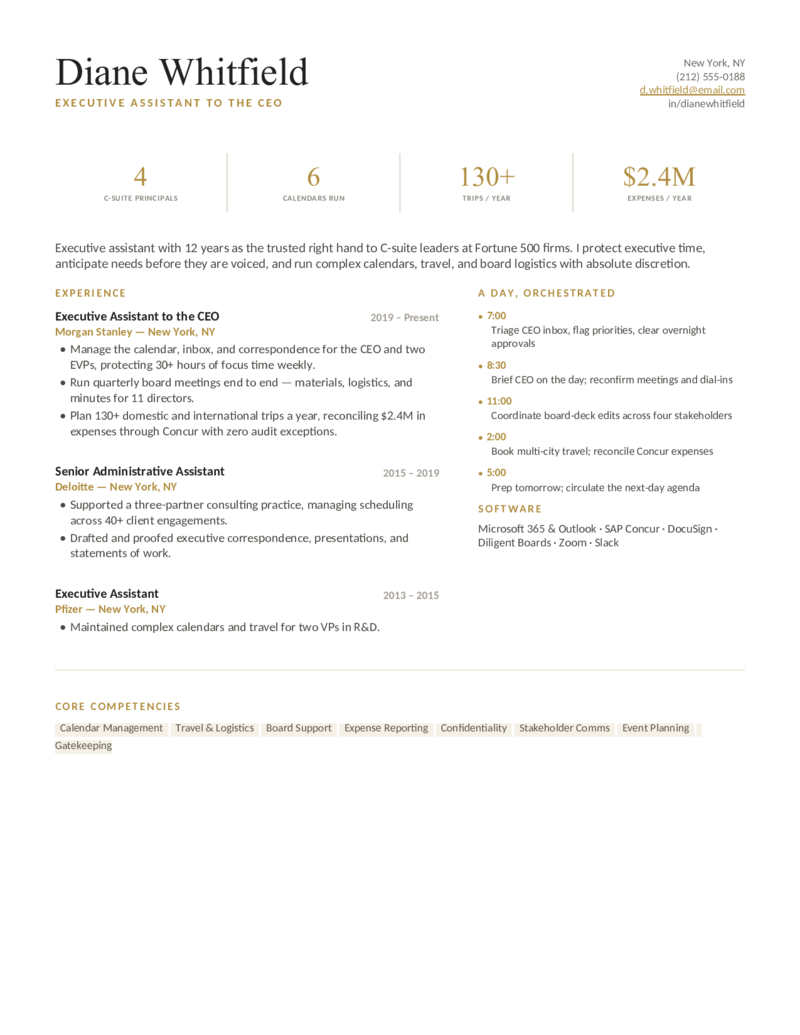
Executive assistant layout — a support-snapshot stat row and an "A Day, Orchestrated" timeline, in an elegant gold & charcoal serif. For C-suite EAs.
Chief — Navy preview
WordGoogle Docs
Chief — Navy
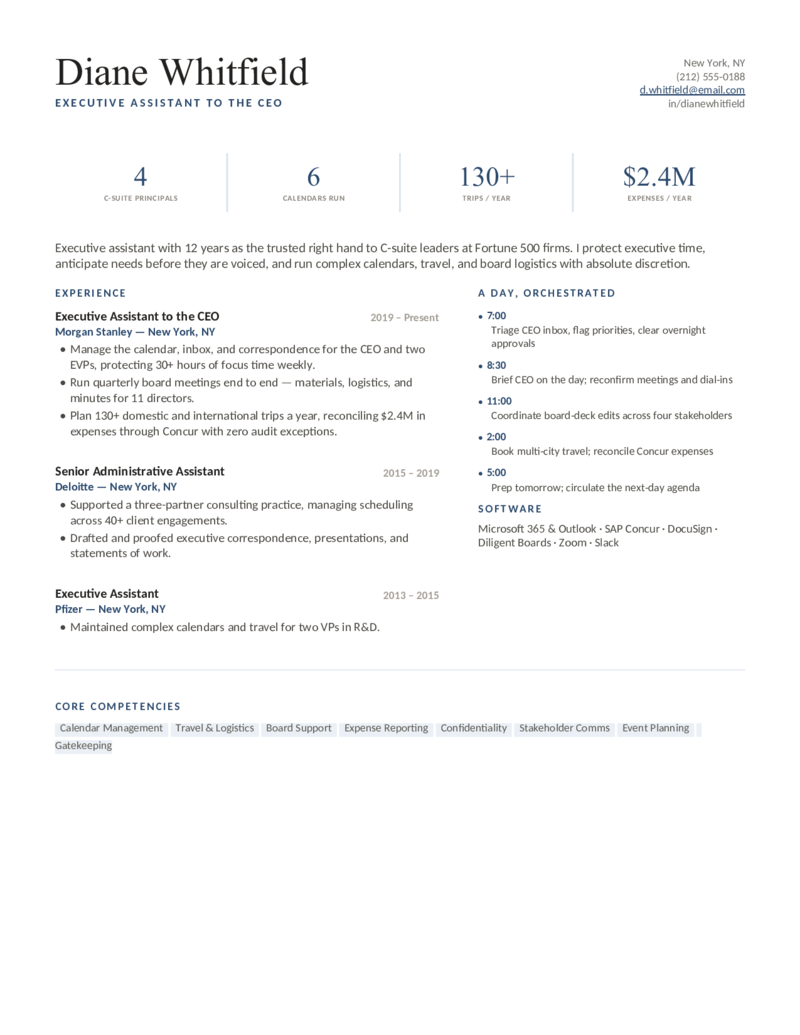
The refined executive-assistant design in a polished navy — board support, complex calendars, and Concur travel front and center.
Chief — Emerald preview
WordGoogle Docs
Chief — Emerald
The EA layout with its support snapshot and day-timeline in a calm emerald — discretion, gatekeeping, and stakeholder comms up top.
Front Office — Coral preview
WordGoogle Docs
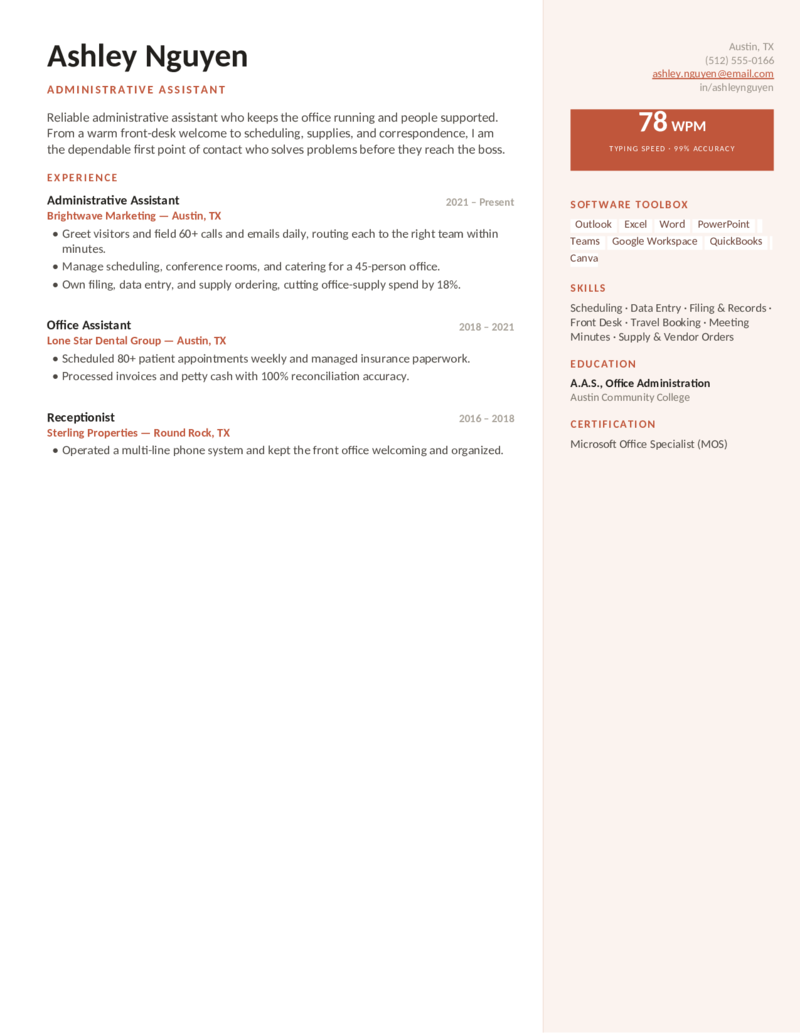
Front Office — Coral
General administrative assistant layout — a friendly two-column with a typing-WPM badge and a Microsoft 365 software toolbox. Coral.
Front Office — Teal preview
WordGoogle Docs
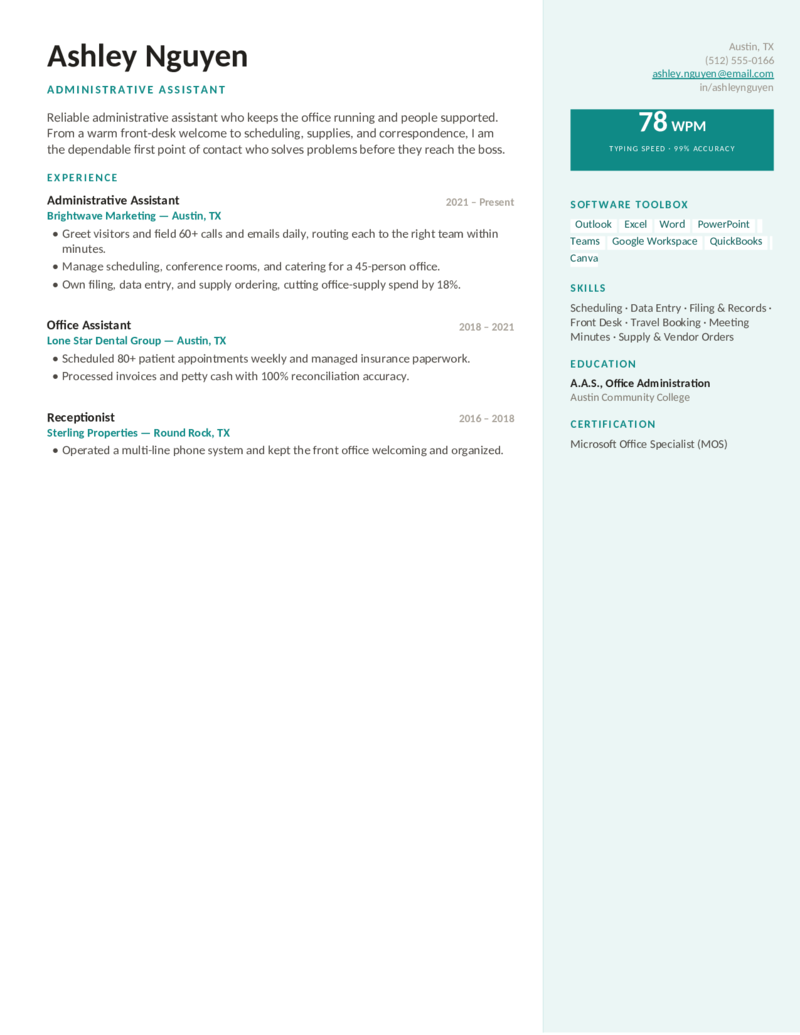
Front Office — Teal
The approachable admin-assistant design in a fresh teal — front desk, scheduling, and the software toolbox recruiters scan for.
Front Office — Indigo preview
WordGoogle Docs
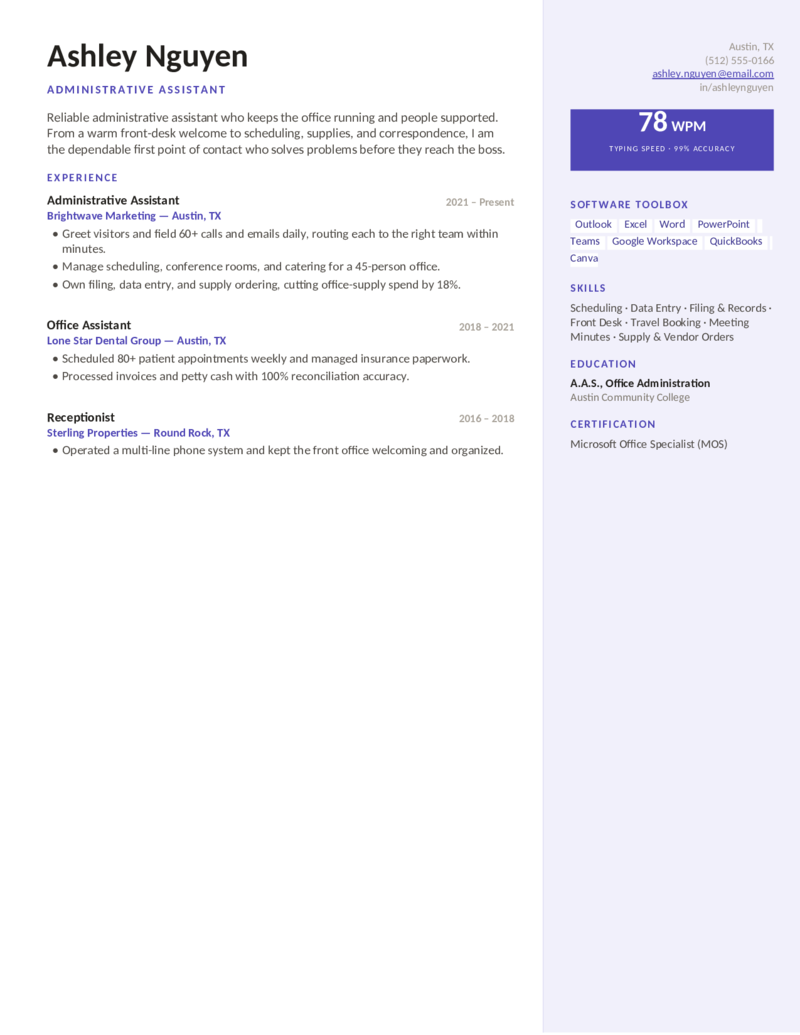
Front Office — Indigo
The two-column office-assistant layout in an indigo accent — WPM badge, MS Office toolbox, and a tidy skills list. Great entry to mid-level.
Operations — Slate preview
WordGoogle Docs
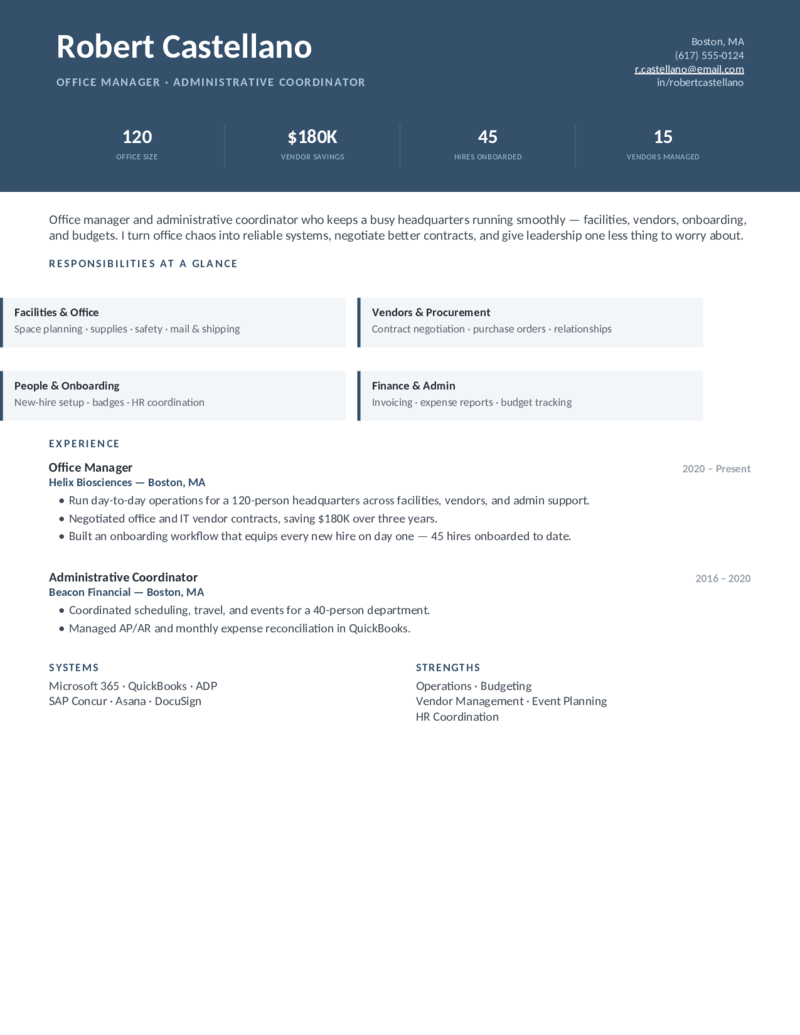
Operations — Slate
Office manager / coordinator layout — a slate header band with an ops stat strip and a "Responsibilities at a Glance" grid. Slate.
Operations — Forest preview
WordGoogle Docs
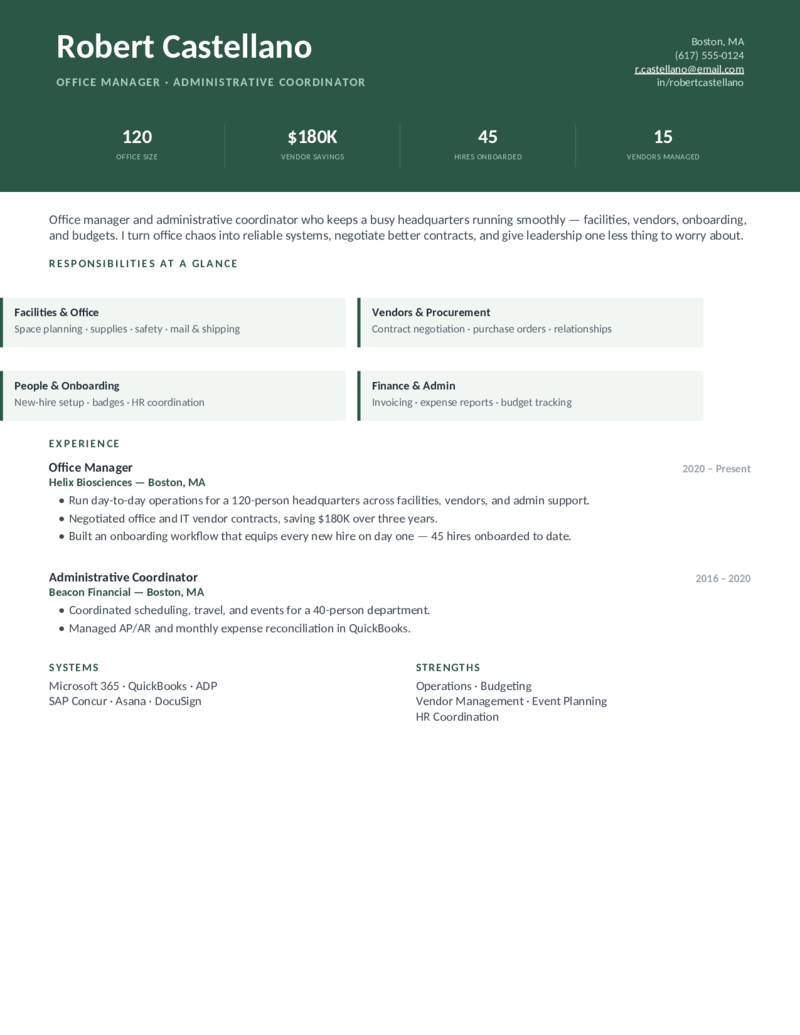
Operations — Forest
The office-manager design in a forest green — facilities, vendors, onboarding, and budgets, with vendor-savings and headcount stats.
Operations — Plum preview
WordGoogle Docs
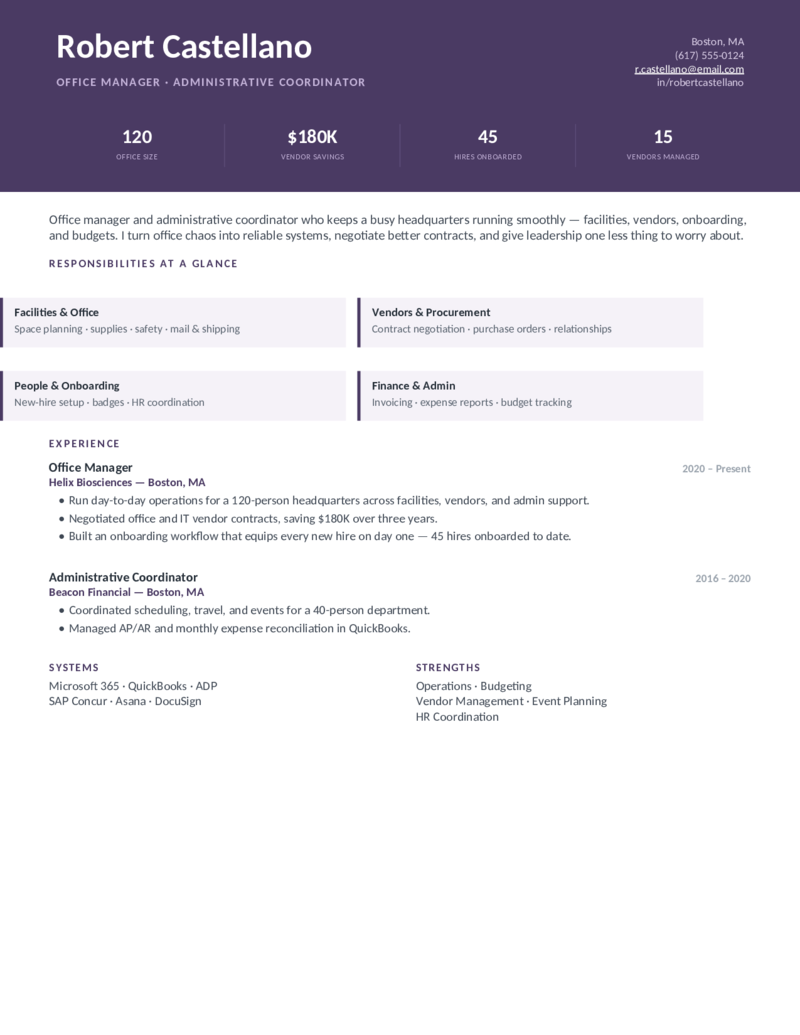
Operations — Plum
The operations / coordinator layout in a rich plum — built for office managers who run systems, contracts, and onboarding at scale.
Remote — Indigo preview
WordGoogle Docs
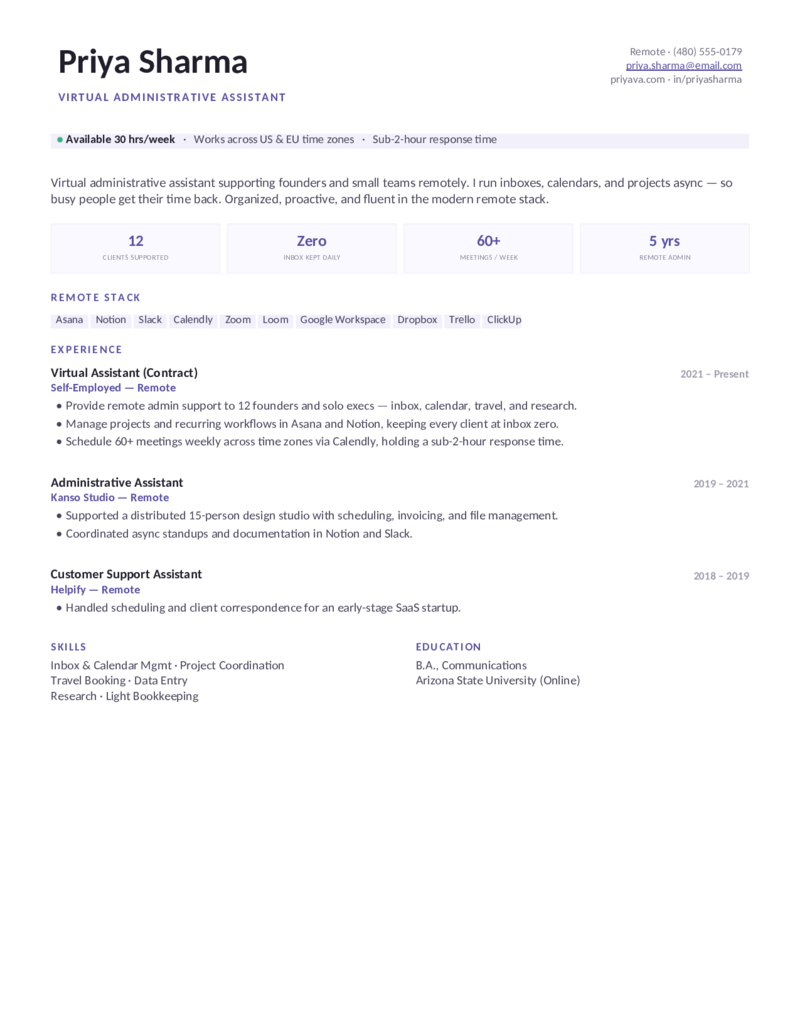
Remote — Indigo
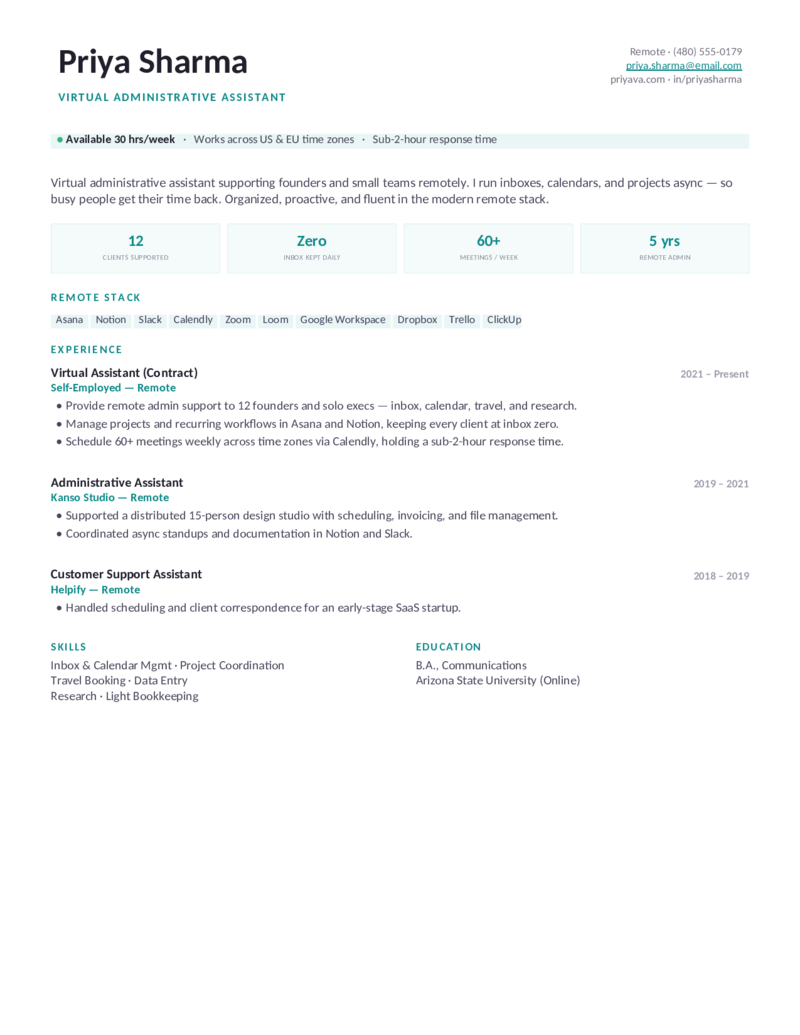
Virtual assistant layout — a modern indigo with an availability / time-zone bar and a remote stack (Asana, Notion, Slack, Calendly).
Remote — Teal preview
WordGoogle Docs
Remote — Teal
The remote / virtual-assistant design in a clean teal — async support, inbox-zero stats, and the modern remote toolset for founders.
Remote — Rose preview
WordGoogle Docs
Remote — Rose
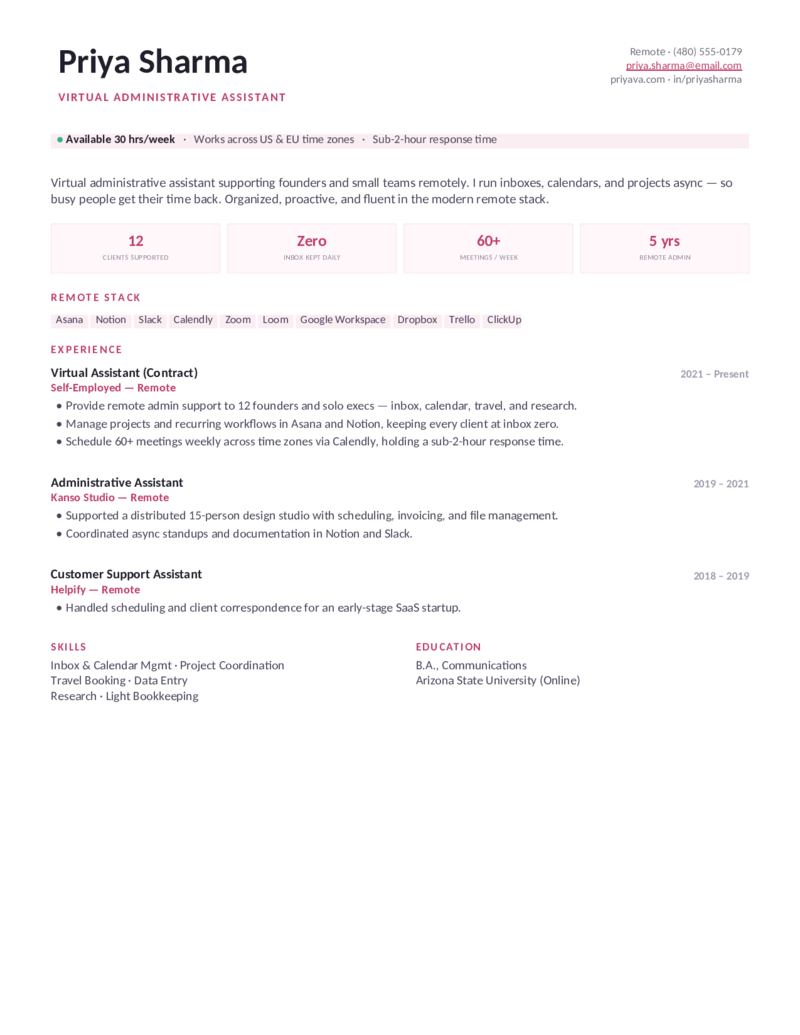
The virtual-assistant layout with a warm rose accent — availability bar, remote stack, and project-coordination metrics for remote admins.
What to include

What goes on an administrative assistant resume.

Administrative assistant is one of the most-screened roles there is — the ATS filters hard on software and organization keywords. Put these where they’ll be seen, which is exactly what these templates are built around:

  • Software, named specifically. Not “Microsoft Office” — spell it out: Microsoft 365 (advanced Excel, Outlook calendar, PowerPoint), Google Workspace, QuickBooks, Concur. ATS and recruiters match on exact tool names.
  • A strong summary. Two or three lines: title, years, a couple of hard skills, and one quantified win. Entry-level? Use an objective that leads with potential and transferable skills.
  • Quantified support. Calendars managed, executives supported, travel budget booked, expense reports processed, call volume, accuracy %, cost savings. Numbers turn “support” into proof.
  • Core admin skills. Calendar management, travel coordination, meeting minutes, data entry, records, front desk, event planning — the keyword cluster every admin posting screens for.

Executive assistant or office manager? The Chieflayout steps up to C-suite and board support — complex calendars, executive travel, and discretion — while Operations leads with facilities, vendors, onboarding, and budgets for office managers and coordinators.

Make it yours

Fill it in and send it out.

  1. Click Open in Google Docs to copy it into your Drive, or Download Word for the .docx.
  2. List your software by exact name — Microsoft 365, Outlook, Excel, QuickBooks, Concur — and drop in your real numbers (calendars, executives, travel, accuracy).
  3. Rewrite the bullets as results: managed X calendars, booked $Y in travel, cut Z% of supply spend. Mirror the keywords from the job posting.
  4. Keep it to one page, export a PDF for emailing and a Word copy for ATS portals, and tweak per application.
Common questions

Administrative assistant resume FAQ

Are these administrative assistant resume templates ATS-friendly?
Yes. Each template uses a clean, parseable layout with standard section headings and selectable text — no text-in-images — so applicant tracking systems read it cleanly. Download as Word (.docx) or copy the Google Doc, then weave in keywords from the job posting (calendar management, Microsoft Office, data entry, scheduling) so your resume clears the screen.
What skills should I put on an administrative assistant resume?
Lead with software, specifically: Microsoft 365 (Excel — pivot tables, VLOOKUP, mail merge; Word; PowerPoint; Outlook calendar), Google Workspace, and any QuickBooks, Concur, or CRM experience. Then core duties: calendar management, travel coordination, meeting scheduling, expense reports, data entry, and records management. Pair soft skills — communication, discretion, attention to detail — with a quick example rather than a bare list.
How do I write an administrative assistant resume with no experience?
Open with a brief objective instead of a summary, move education near the top, and highlight transferable skills — customer service, scheduling, MS Office, attention to detail — from any prior job, internship, or coursework. Rename your work section "Relevant Experience" and frame retail or service roles around the admin-style tasks you handled, like answering calls, organizing schedules, and data entry.
What's the difference between an administrative assistant and an executive assistant resume?
An administrative assistant resume centers on general office support — scheduling, data entry, correspondence, reception, and supporting multiple teams. An executive assistant resume steps up to C-suite and board support: complex multi-time-zone calendars, executive travel, board-meeting prep, confidentiality, and acting as a strategic partner. EA resumes should emphasize impact and discretion, not just a task list — the Chief design is built for exactly that.
How do I quantify administrative assistant work on a resume?
Add numbers to your support work: calendars managed ("scheduled 80+ meetings/month for 5 executives with zero conflicts"), travel booked ("coordinated a $50K annual travel budget"), volume handled ("processed 50+ expense reports monthly," "managed 200+ calls/day"), and accuracy or savings ("99% data-entry accuracy," "cut office-supply spend 18%"). Use the formula action verb + duty + metric.
Where should I list Microsoft Office and software skills?
Put them in a dedicated skills section near the top and reinforce them inside your bullet points. Be specific — "Microsoft 365: advanced Excel (pivot tables, VLOOKUP, mail merge), Outlook calendar management, PowerPoint" beats a generic "Microsoft Office," because both recruiters and ATS match on the exact tool names. These templates give software its own visible block.
Can I edit these in both Word and Google Docs?
Yes. Each template downloads as a Microsoft Word (.docx) file and opens as a Google Doc — click "Open in Google Docs," choose File → Make a copy, and edit in your browser. Both versions keep the same ATS-safe formatting, so you can switch formats without breaking the layout.

Administrative & executive assistant resume templates · Updated June 2026

Keep going

More resume templates.

Related
Customer Service Resumes
Front-desk, reception, and support roles share the same skills — a strong bridge for career-changers and entry-level admins.
Open
Pair it
Cover Letter Templates
Add a short administrative assistant cover letter to introduce yourself and complete your application.
Open
All categories
Browse every resume template
Professional, nursing, customer service, project manager, and more — all free and editable in Word and Google Docs.
Open