Apollo's Templates
HomeResumesElectrical Engineer
Electrical engineer resumes · Word & Google Docs

Free Electrical Engineer Resume Templates

Free, ATS-friendly electrical engineer resume templates in Microsoft Word and Google Docs — a distinct technical system with an instrument-panel header, monospace data, and engineering spec tables. Each one is built around what EE hiring screens for: the FE/EIT and PE license, the discipline toolchain spelled out exactly (ETAP, SKM, Altium Designer, Cadence Allegro, C/C++, RTOS, Verilog/VHDL, Allen-Bradley, Siemens TIA Portal, SCADA, ADS, HFSS, MATLAB/Simulink), and IEEE / NEC standards. Whether you're a new grad with only capstone and lab projects, or a power, PCB/hardware, embedded/firmware, controls/PLC, or RF engineer — pick the layout for your discipline, choose a color, then drop in your numbers.

The templates

Five electrical-engineering designs, each in three colors.

Power for power systems and utility PEs, Hardware/PCB for electronics and board designers, Embedded for firmware engineers, Controls/PLC for automation engineers, and RF for communications engineers. Every one opens in Word or Google Docs, stays on one page, and is built to be ATS-friendly — with the toolchain for your discipline named exactly.
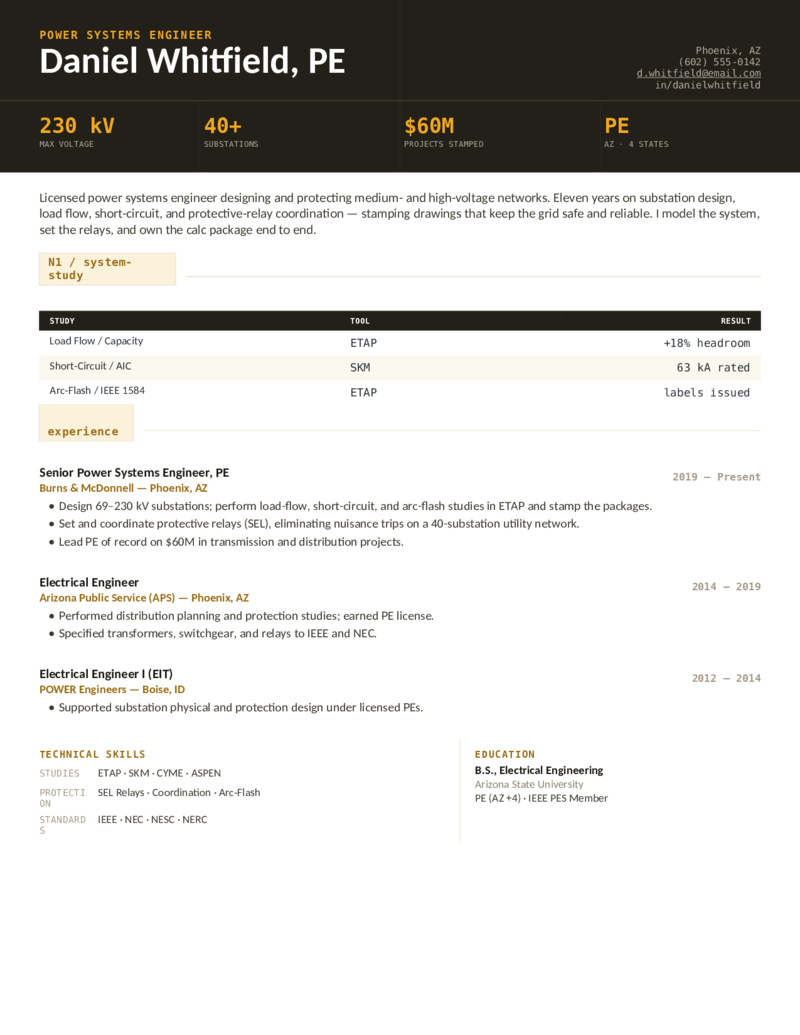
Power — Amber preview
WordGoogle Docs
Power — Amber
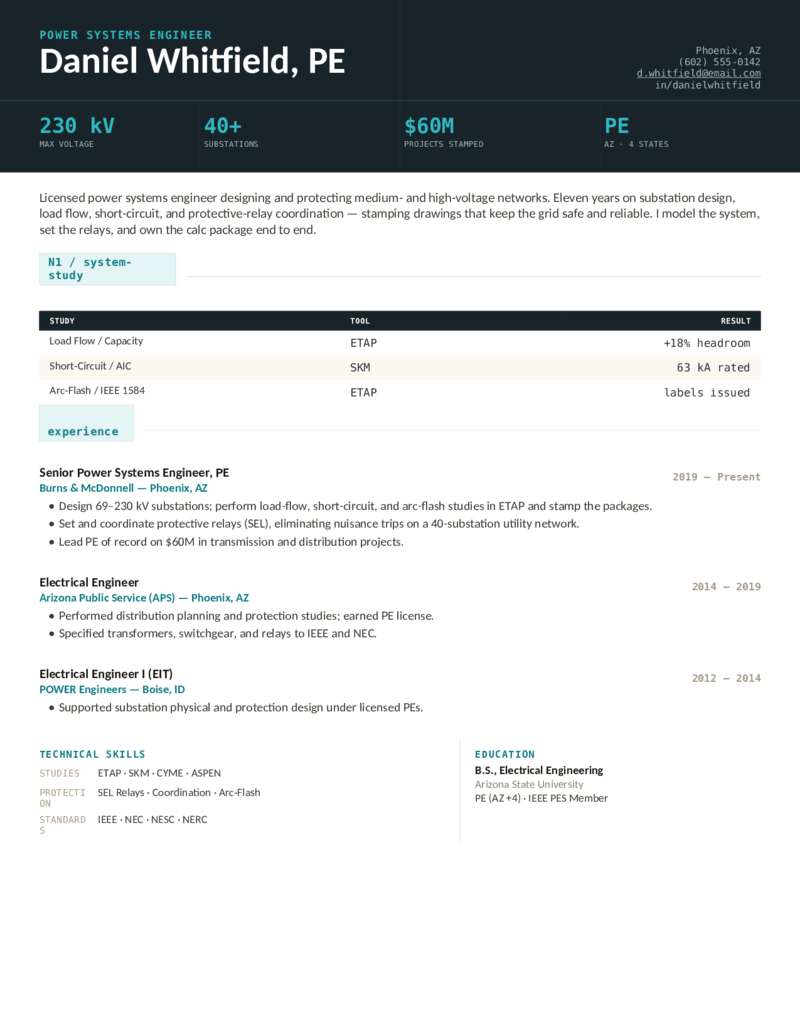
Power systems / utility engineer layout — a dark instrument-panel header and a system-study table for ETAP and SKM load-flow, short-circuit, and arc-flash. PE, protective relaying, IEEE/NEC.
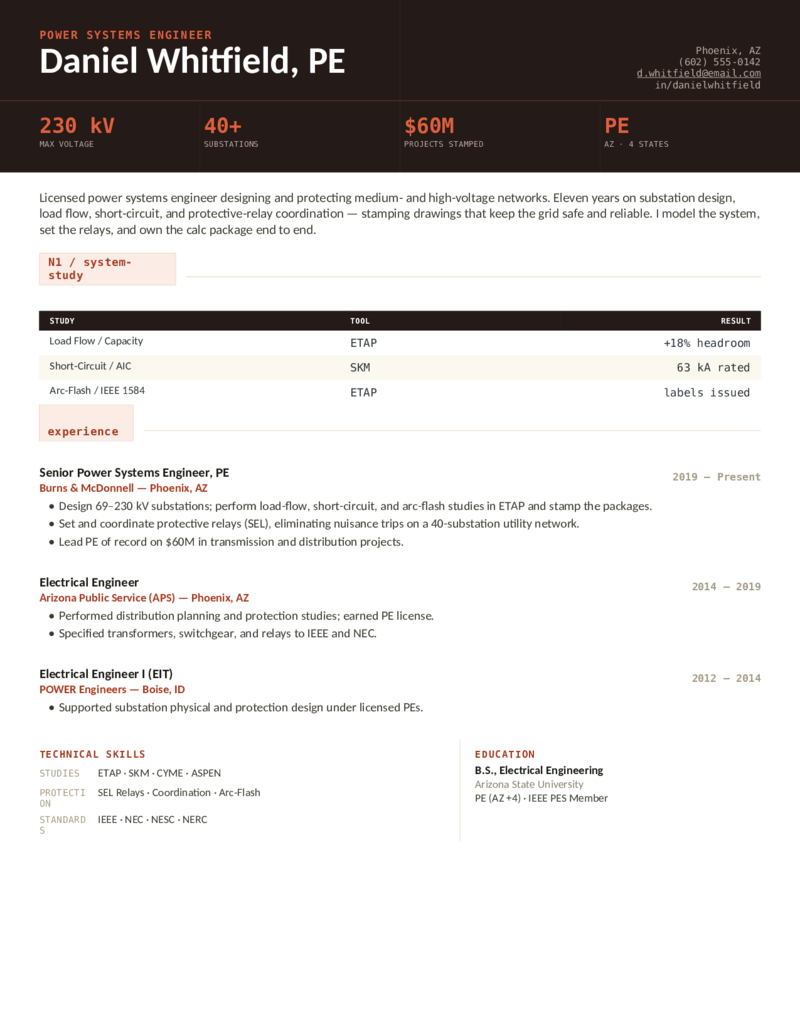
Power — Crimson preview
WordGoogle Docs
Power — Crimson
The power-engineer design in crimson — substation design, load-flow, and NEC/NFPA 70E arc-flash framing for utility and consulting power PEs.
Power — Teal preview
WordGoogle Docs
Power — Teal
The power-systems layout in teal — a relaying-and-studies format for transmission, distribution, and substation engineers who stamp the calc package.
Hardware/PCB — Green preview
WordGoogle Docs
Hardware/PCB — Green
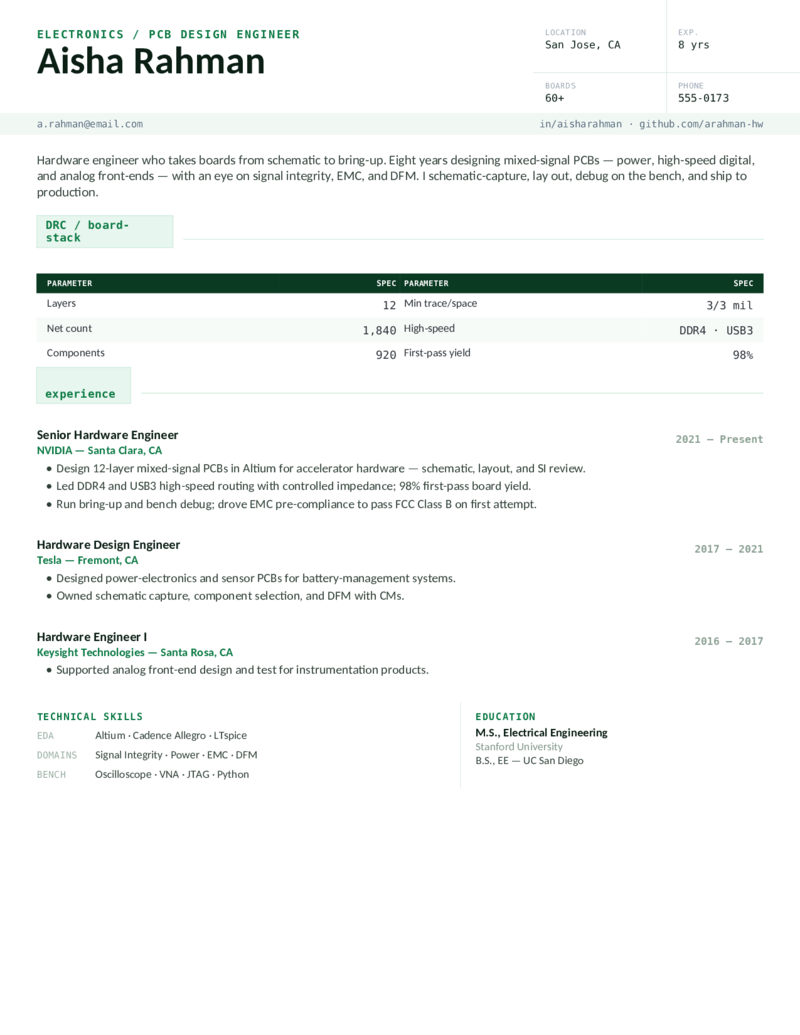
Electronics / PCB design engineer layout — a drafting title-block and a board-stack spec table. Altium Designer, Cadence Allegro, LTspice; signal integrity, EMC, DFM, high-speed routing.
Hardware/PCB — Navy preview
WordGoogle Docs
Hardware/PCB — Navy
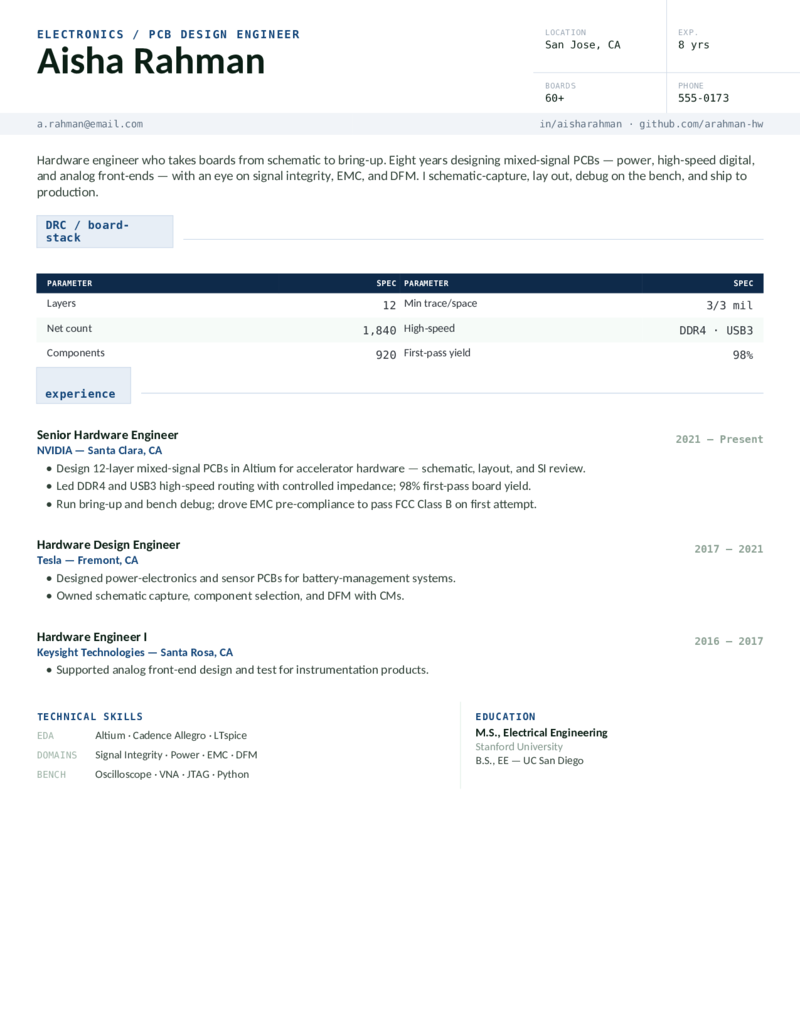
The hardware-engineer design in navy — schematic capture, PCB layout, and bring-up for mixed-signal and power-electronics board designers.
Hardware/PCB — Violet preview
WordGoogle Docs
Hardware/PCB — Violet
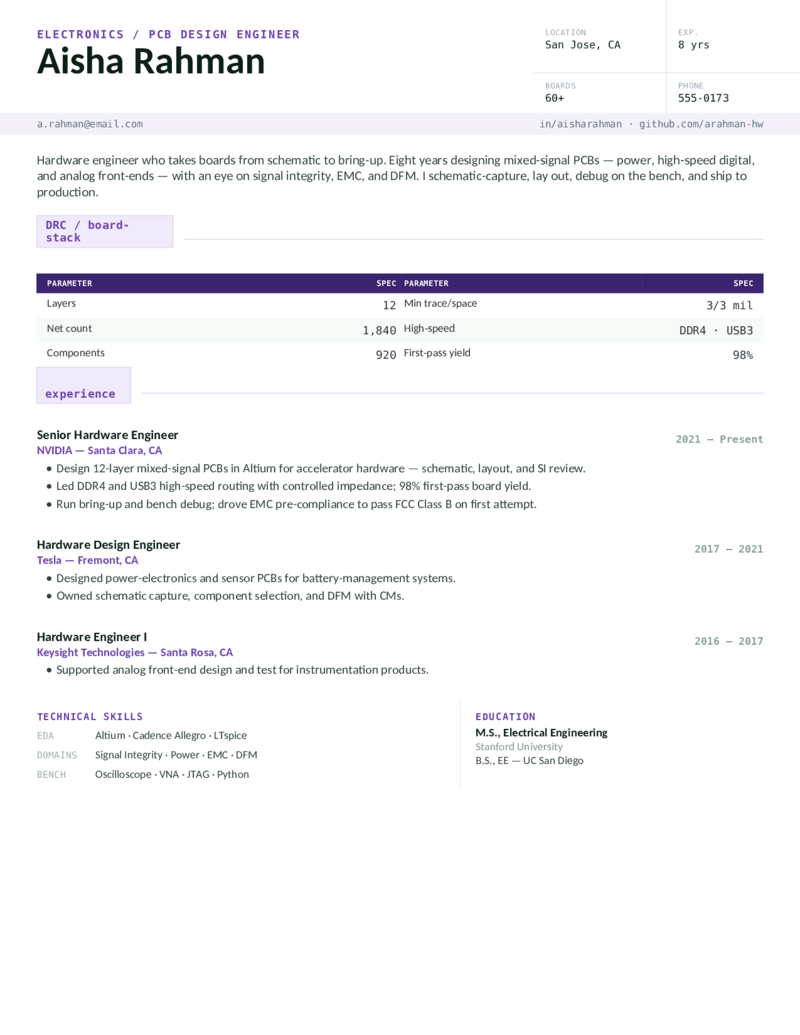
The PCB-design layout in violet — a board-spec-forward format for electronics and hardware engineers who lead with Altium, signal integrity, and first-pass yield.
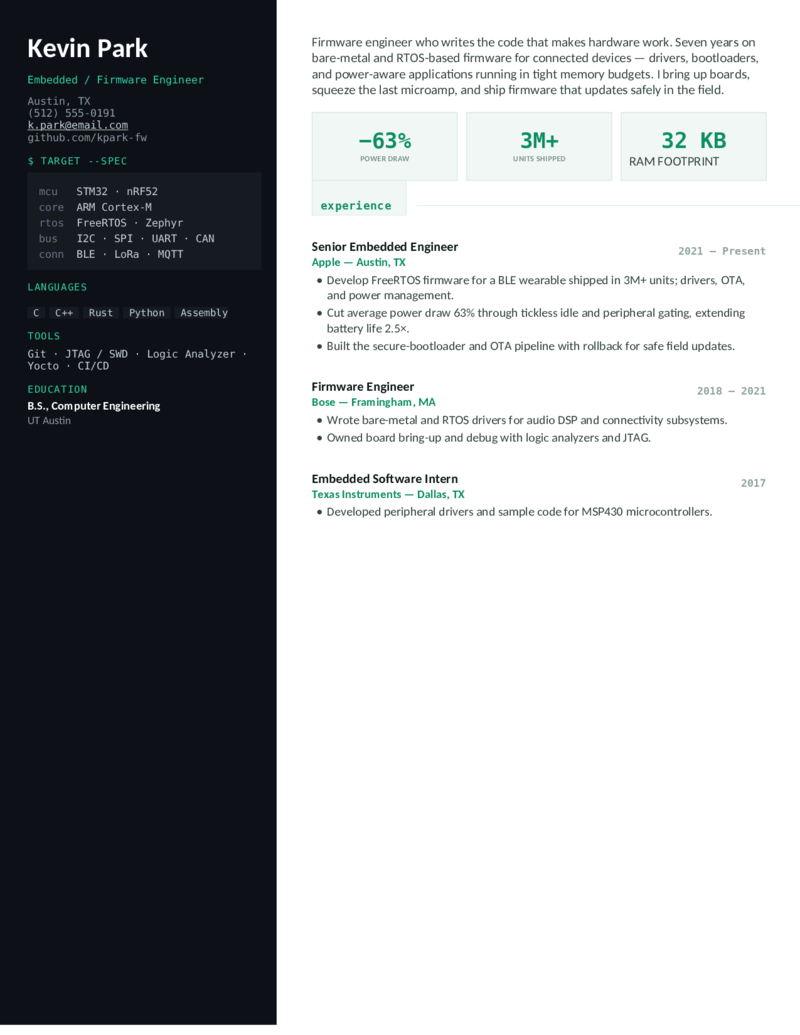
Embedded — Terminal preview
WordGoogle Docs
Embedded — Terminal
Embedded / firmware engineer layout — a terminal-style dark sidebar with an MCU spec panel and a C/C++/RTOS stack. STM32, FreeRTOS/Zephyr, ARM Cortex-M; drivers, bootloaders, OTA.
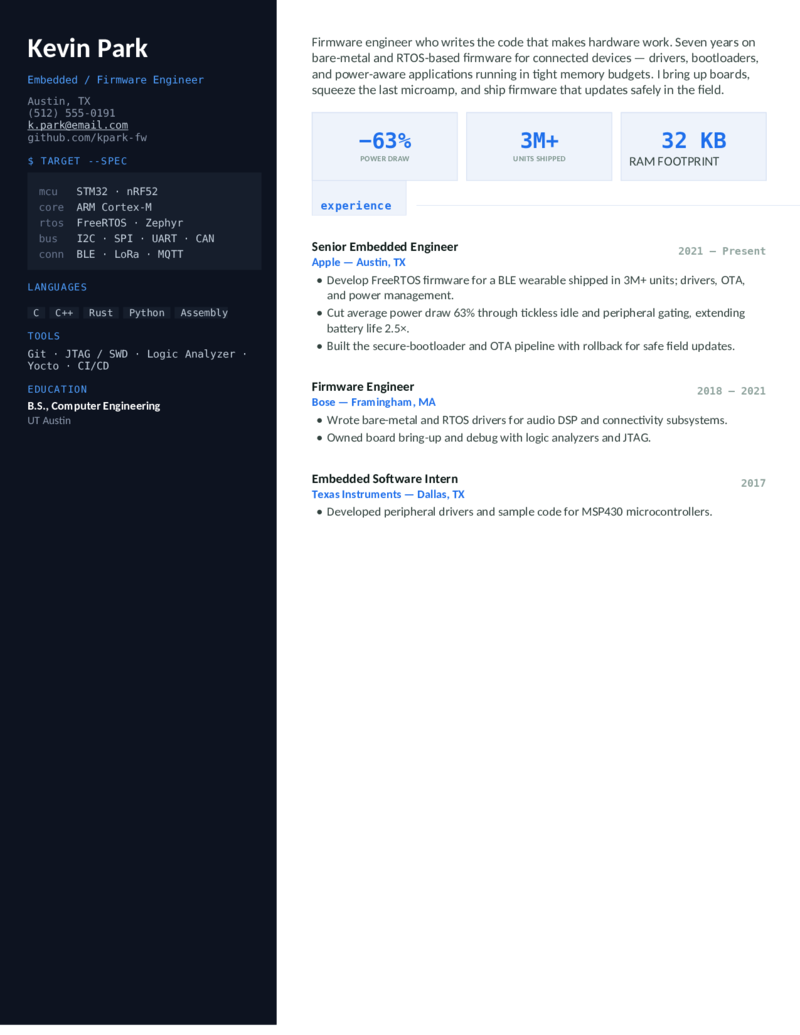
Embedded — Blue preview
WordGoogle Docs
Embedded — Blue
The firmware-engineer design in blue — bare-metal and RTOS firmware, board bring-up, and power-aware C for connected-device and IoT engineers.
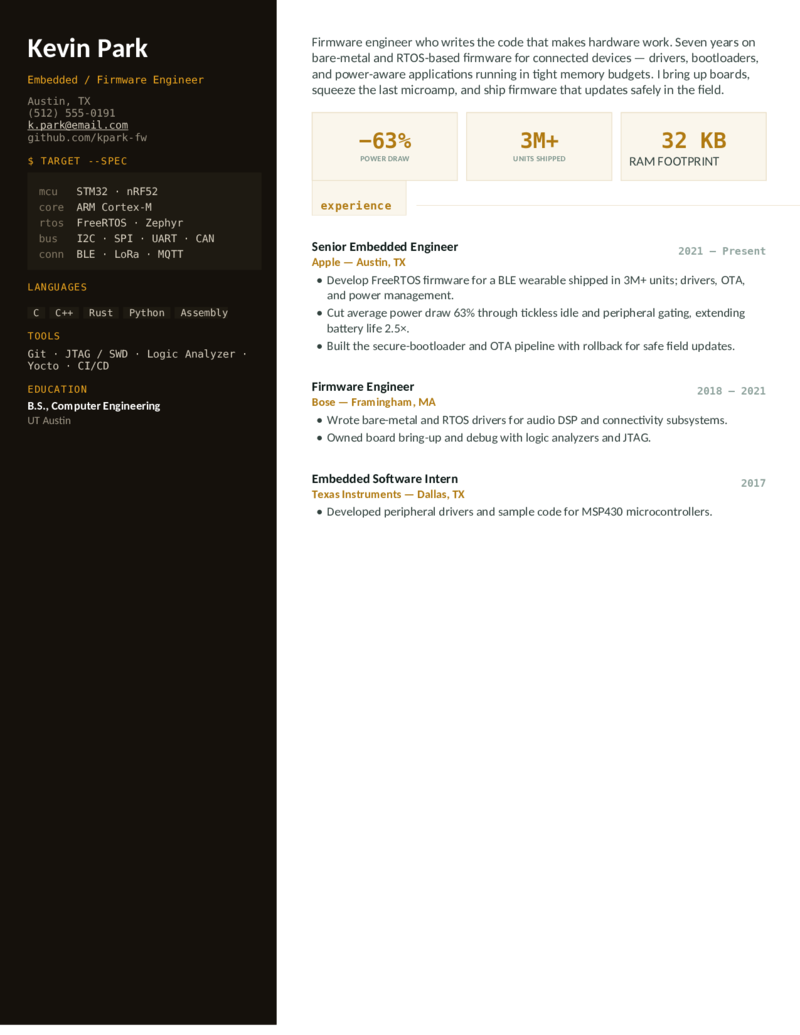
Embedded — Amber preview
WordGoogle Docs
Embedded — Amber
The embedded layout in amber — a terminal-panel format for firmware and FPGA-adjacent engineers who lead with C/C++, RTOS, and microcontroller bring-up.
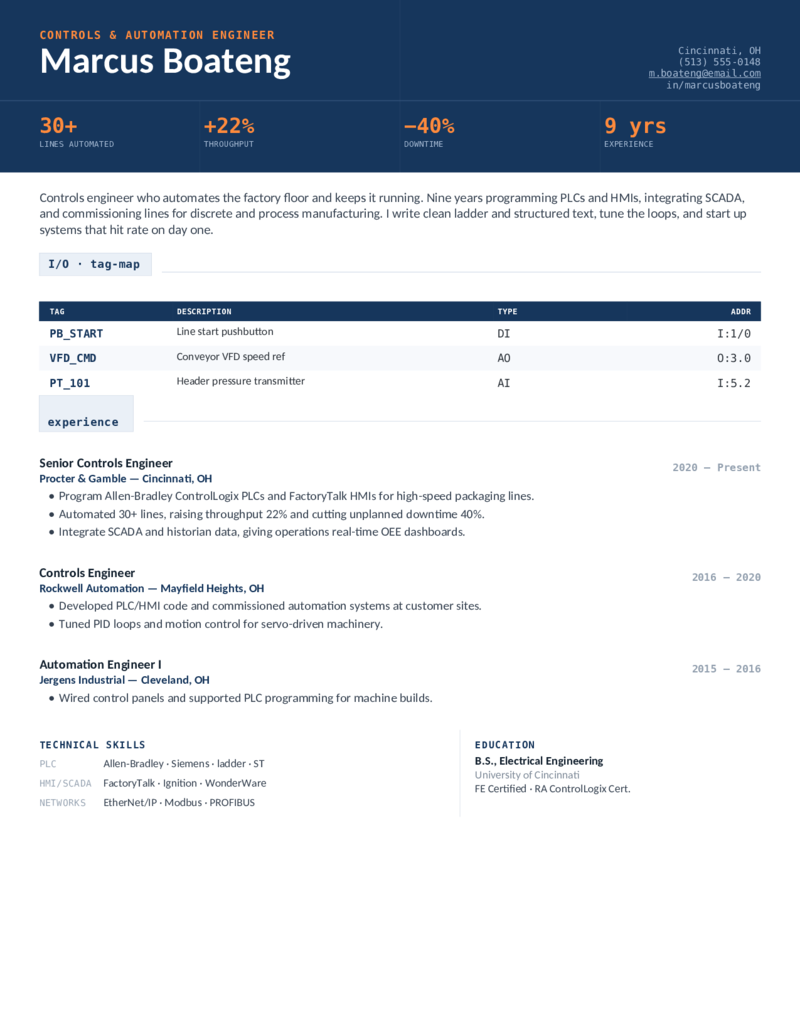
Controls/PLC — Navy preview
WordGoogle Docs
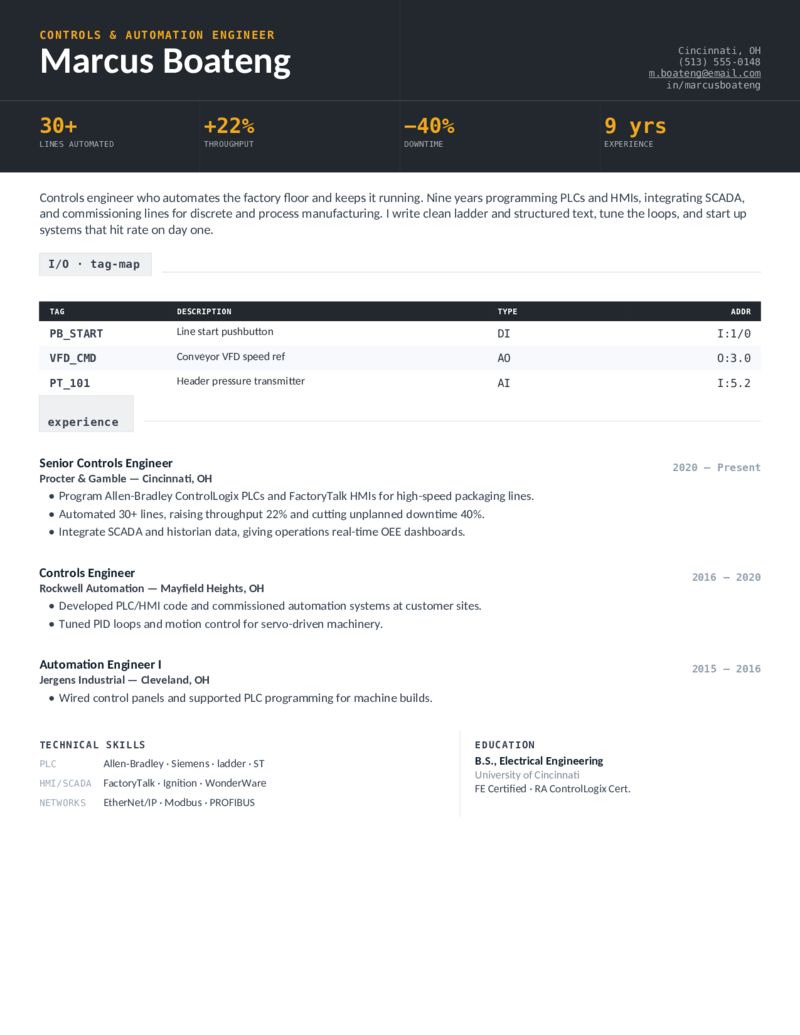
Controls/PLC — Navy
Controls / automation engineer layout — a dark header and a PLC I/O tag table. Allen-Bradley RSLogix/Studio 5000, Siemens TIA Portal, SCADA, FactoryTalk; ladder, structured text, PID.
Controls/PLC — Graphite preview
WordGoogle Docs
Controls/PLC — Graphite
The controls-engineer design in graphite — PLC/HMI programming, SCADA integration, and line-commissioning metrics for automation engineers and PLC programmers.
Controls/PLC — Teal preview
WordGoogle Docs
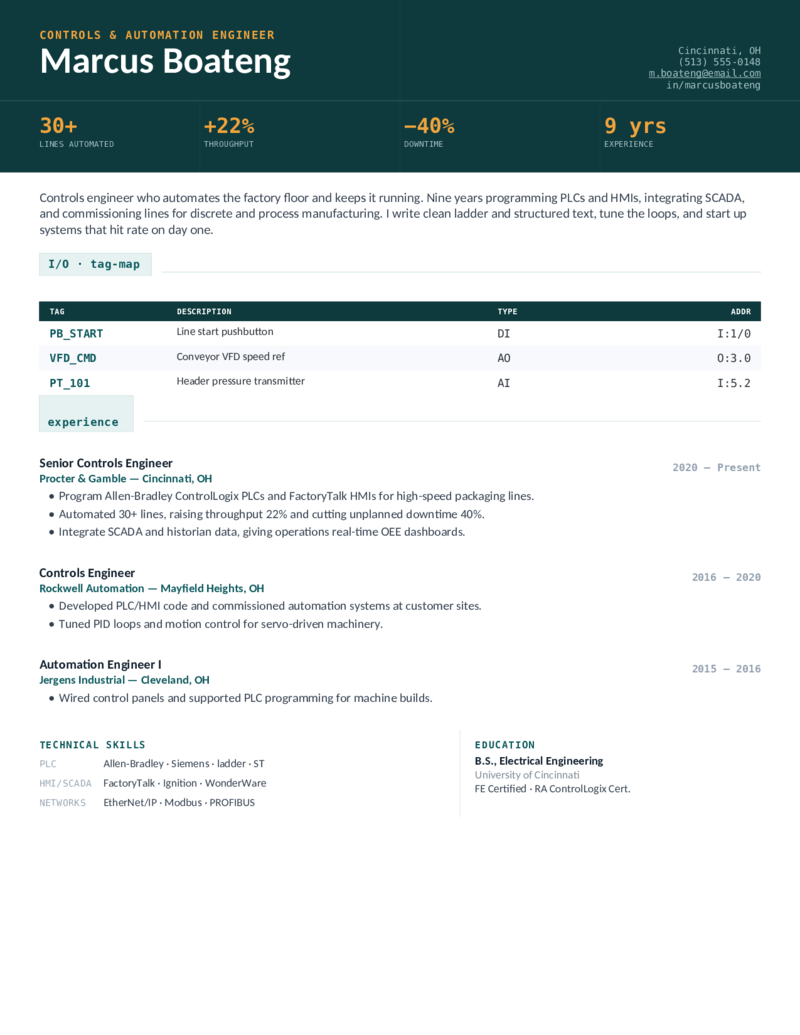
Controls/PLC — Teal
The automation layout in teal — an I/O-and-throughput format for controls engineers integrating Allen-Bradley, Siemens, and SCADA on the factory floor.
RF/Comms — Violet preview
WordGoogle Docs
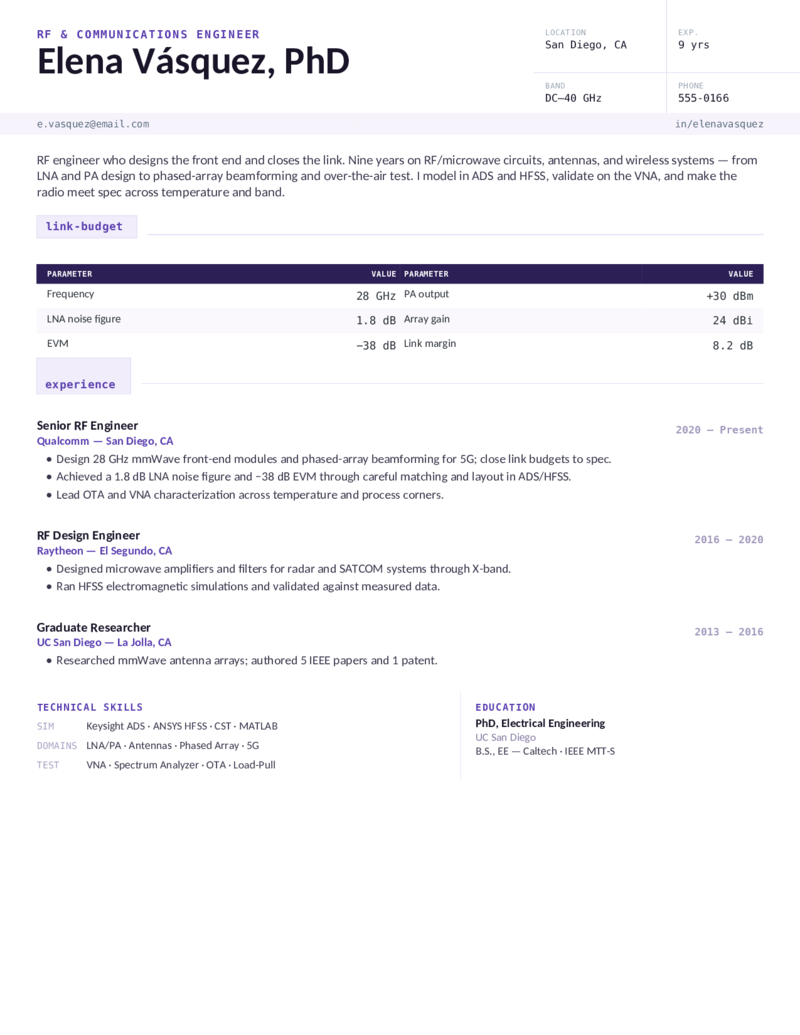
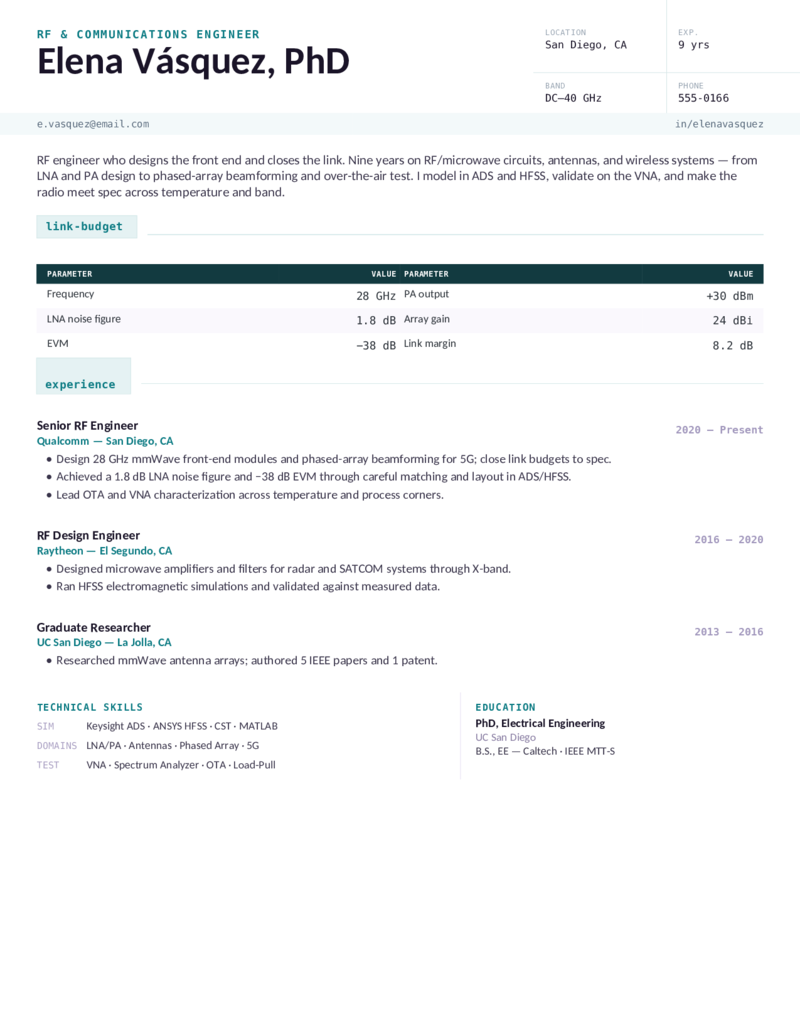
RF/Comms — Violet
RF / communications engineer layout — a title-block and a link-budget table. Keysight ADS, ANSYS HFSS, MATLAB; LNA/PA, antennas, phased array, 5G mmWave, VNA and OTA test.
RF/Comms — Blue preview
WordGoogle Docs
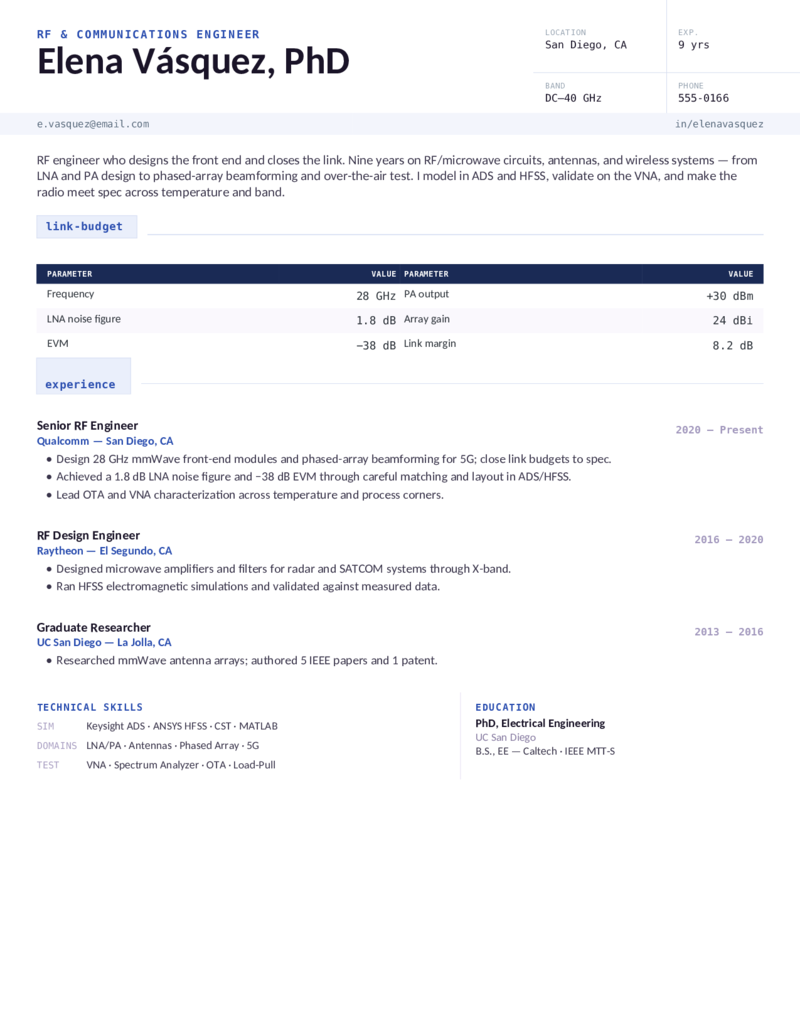
RF/Comms — Blue
The RF-engineer design in blue — RF/microwave circuits, antennas, and wireless-systems framing for communications and radar engineers through mmWave.
RF/Comms — Teal preview
WordGoogle Docs
RF/Comms — Teal
The RF/communications layout in teal — a link-budget-led format for engineers who design the front end and close the link in ADS and HFSS.
What to include

What goes on an electrical engineer resume.

Electrical-engineering resumes are screened by discipline — a power recruiter and an embedded recruiter look for different keywords. Put the things both the ATS and a hiring manager scan for where they’ll be seen, in the vocabulary of your specialty:

  • Your license, up front. FE/EIT or PE — in the header and a Certifications block. PE goes after your name; write “EIT (pending)” if you’ve passed the FE but it isn’t issued yet. Power and utility roles screen on the PE hardest.
  • The toolchain for your discipline, named exactly. Power: ETAP, SKM, AutoCAD Electrical. Hardware: Altium, Cadence Allegro. Embedded: C/C++, RTOS, Verilog/VHDL. Controls: RSLogix/Studio 5000, TIA Portal, SCADA. RF: ADS, HFSS.
  • Quantified, measured outcomes. kV and arc-flash labels, board yield and net count, power draw and units shipped, lines automated and downtime, noise figure and link margin. Tie each project to a number.
  • Projects — especially with no experience. No work history yet? Treat your capstone, lab, and FPGA or PCB projects as experience: the problem, the tools, the result. Add an internship and keep it to one page.

Different from a mechanical or software resume: the discriminating vocabulary is electrical — protective relaying, signal integrity, firmware bring-up, PLC/SCADA, RF link budgets — not SolidWorks/GD&T or web/cloud stacks. For adjacent roles, see our mechanical engineer and software engineer templates.

Make it yours

Fill it in and apply.

  1. Click Open in Google Docs to copy it into your Drive, or Download Word for the .docx.
  2. Put your license in the header (FE/EIT or PE), and your real numbers into the stats and spec tables — kV and yields, power draw, throughput, link margin.
  3. Edit the technical-skills block to match the posting exactly — ETAP, Altium, RSLogix 5000, TIA Portal, Verilog, ADS, HFSS — spelled in full for the ATS.
  4. No experience yet? Swap an experience block for a capstone/projects section, then export a PDF to send and a Word copy for ATS portals.
Common questions

Electrical engineer resume FAQ

How do I write an electrical engineer resume with no experience?
Lead with a projects section: your senior capstone plus one lab or coursework project, each with a quantified outcome and the tools you used (MATLAB, PSpice, LTspice, LabVIEW, Altium). Then list relevant coursework, internships, and a skills section so the ATS still finds your keywords even without full-time roles. For a new grad, keep it to one page — the Hardware or Embedded design works well for a first electrical engineering resume.
Where do I put FE, EIT, or PE on an electrical engineer resume?
Put a passed FE/EIT in your Education or a dedicated Certifications section — write "EIT (pending)" or "FE passed [date], [state] EIT application pending" if it isn't issued yet. A full PE license goes after your name and in Certifications, since it's the credential most utility and power-systems roles screen for. The Power template puts the license right in the header panel.
What tools and software should an electrical engineer list on a resume?
Spell them out exactly so the ATS matches: power → ETAP, SKM PowerTools, AutoCAD Electrical, NEC/NFPA 70E; PCB/hardware → Altium Designer, Cadence Allegro, OrCAD, KiCad; embedded/FPGA → C/C++, Verilog, VHDL, Xilinx Vivado; controls → Allen-Bradley RSLogix/Studio 5000, Siemens TIA Portal, SCADA; analysis → MATLAB/Simulink, LTspice, PSpice, Multisim. List the ones for your discipline and weave the key ones into your experience bullets.
Is this electrical engineer resume template ATS-friendly?
Yes — every design uses a single-column-readable, parseable layout with standard section headings and real selectable text, in both Word and Google Docs. Mirror the exact keywords from the job posting (tools, standards like IEEE 1584 or IPC, the role title) into both your skills row and your experience bullets so the scanner and the recruiter both find them.
Should an electrical engineer resume be one page or two pages?
One page is the standard for students, new grads, and anyone with under about ten years of experience; go to two pages only once you have a deep project and leadership history (typically senior or PE-level). These templates are built to hold on one page across every discipline.
What's the difference between a power, electronics, and embedded electrical engineer resume?
Power/utility resumes emphasize ETAP/SKM load-flow, protective relaying, arc flash, and NEC/IEEE codes; electronics/hardware resumes emphasize schematic capture, PCB layout, signal integrity, and Altium/Cadence; embedded/firmware resumes emphasize C/C++, RTOS, Verilog/VHDL, and microcontroller bring-up; controls resumes emphasize PLC/SCADA; RF resumes emphasize ADS/HFSS and link budgets. Pick the template whose skills section already matches your discipline so you're not deleting half of it.

Electrical engineer resume templates · Updated June 2026

Keep going

More resume templates.

Related
Mechanical Engineer Resumes
The same technical, spec-table system for the mechanical disciplines — design/CAD, manufacturing, HVAC, aerospace, and project engineering.
Open
Related
Software Engineer Resumes
For embedded and FPGA engineers crossing into software, or EEs leaning into firmware and tooling — a grouped tech stack and projects.
Open
Pair it
Cover Letter Templates
Add a short cover letter that restates your license, your headline project, and the discipline toolchain you own.
Open