Apollo's Templates
HomeResumesMarketing
Marketing resumes · Word & Google Docs

Free Marketing Resume Templates

Free, ATS-friendly marketing resume templates in Microsoft Word and Google Docs. Marketing is many jobs, so these are six — each built for a specialty and leading with the numbers that role is measured on: digital / performance, brand, content & SEO, social media, product marketing, and growth / demand gen. Whether you're a marketing manager, coordinator, social media manager, or director, pick a layout and the color, then fill in your campaigns, metrics, and martech stack.

The templates

Six marketing designs, each in three colors.

Performance for digital & paid, Brand for brand managers, Content for content & SEO, Social for social media managers, Product for PMMs, and Growth for demand gen. Every one opens in Word or Google Docs, stays on one page, and is built to be ATS-friendly.
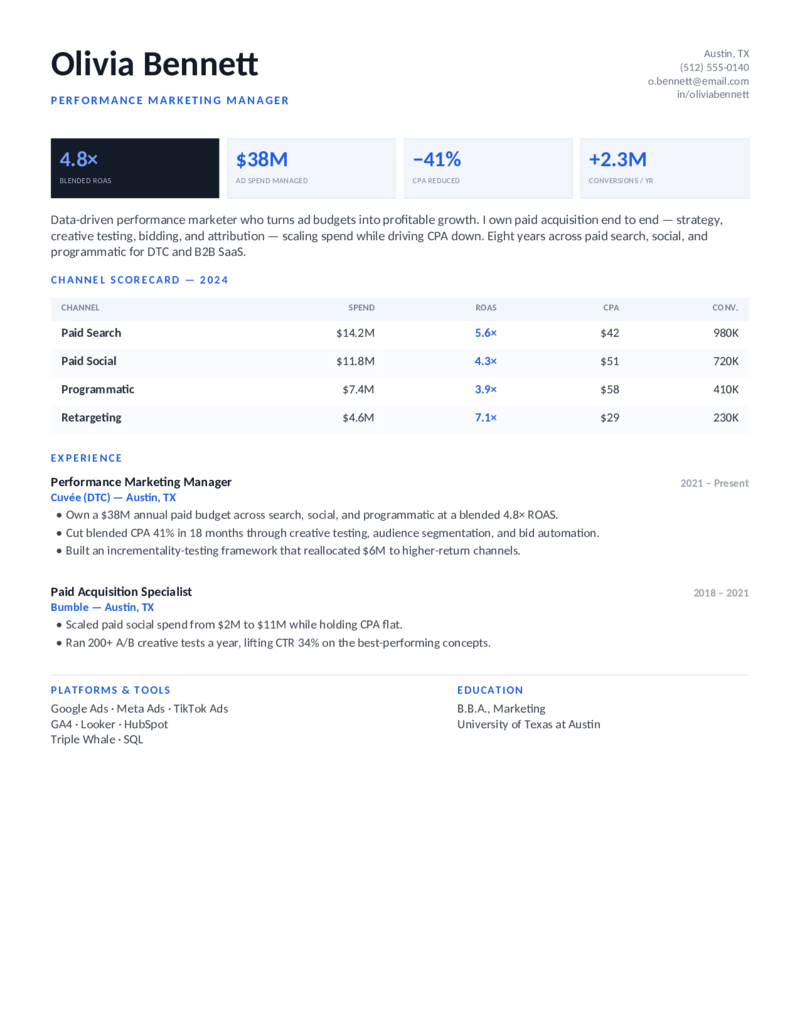
Performance — Blue preview
WordGoogle Docs
Performance — Blue
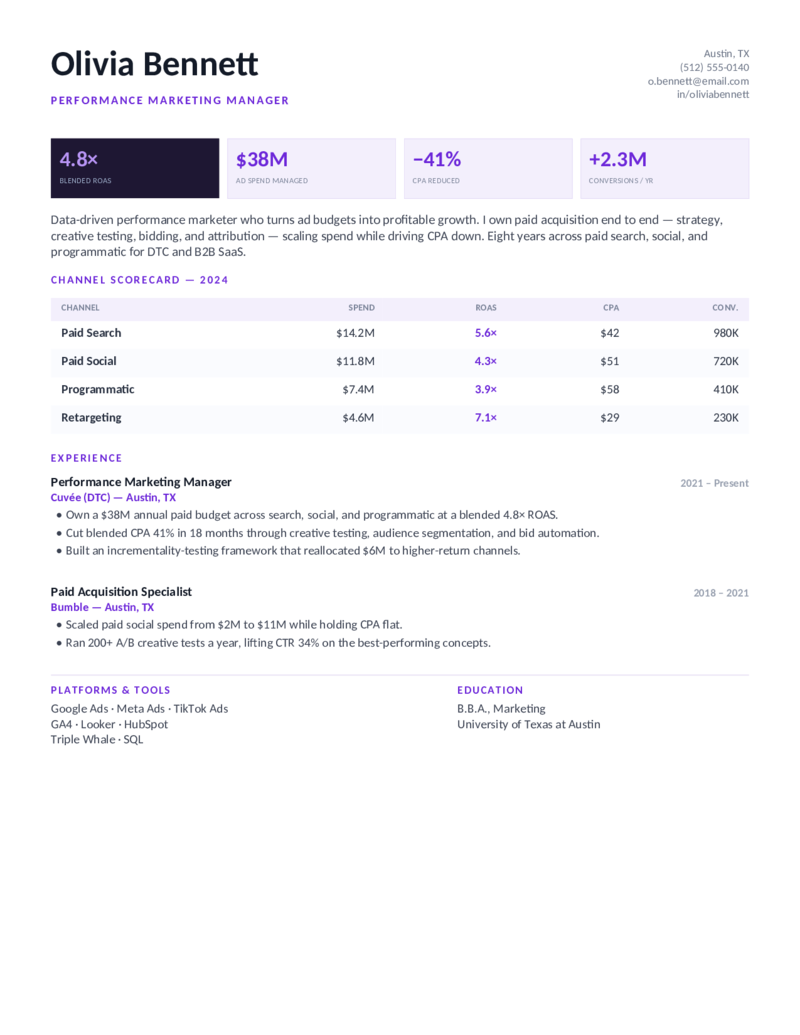
Digital / performance marketing layout — a ROAS-led KPI strip and a paid-channel scorecard (spend, ROAS, CPA, conversions). For paid acquisition and PPC marketers.
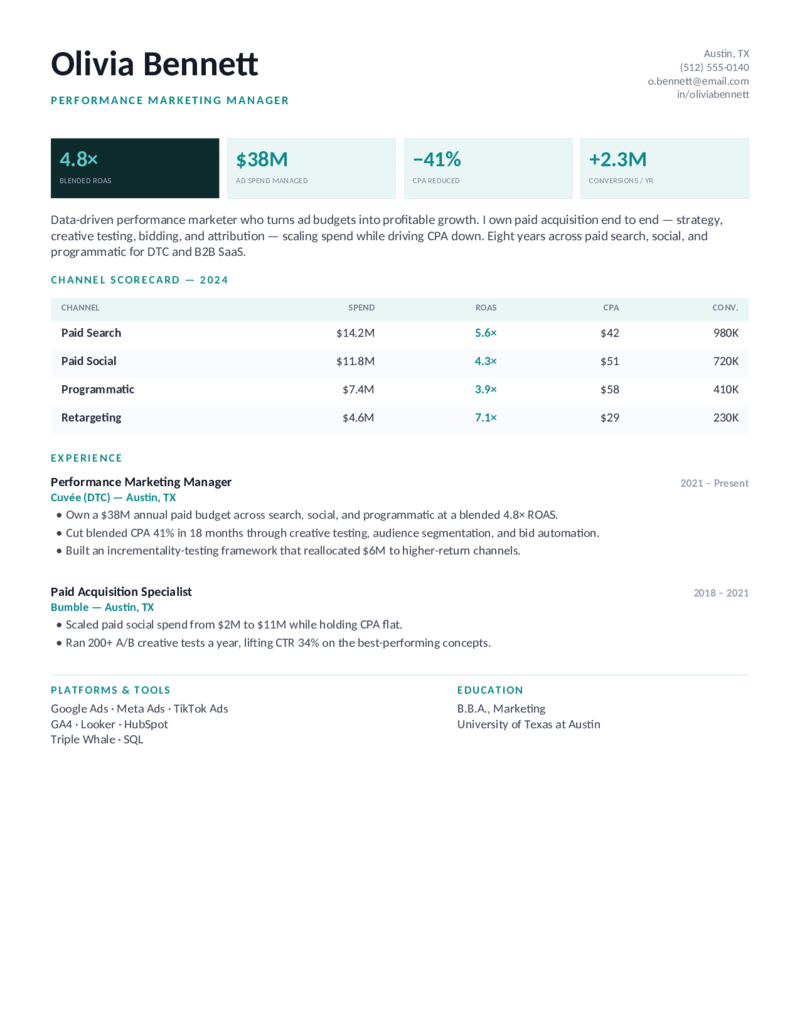
Performance — Teal preview
WordGoogle Docs
Performance — Teal
The performance-marketing design in teal — built to lead with ad spend managed, CPA reduced, and a channel-by-channel results table for paid search and social.
Performance — Violet preview
WordGoogle Docs
Performance — Violet
The paid-acquisition layout in violet — KPI strip plus scorecard, for growth-minded digital marketers who live in Google Ads, Meta, and GA4.
Brand — Terracotta preview
WordGoogle Docs
Brand — Terracotta
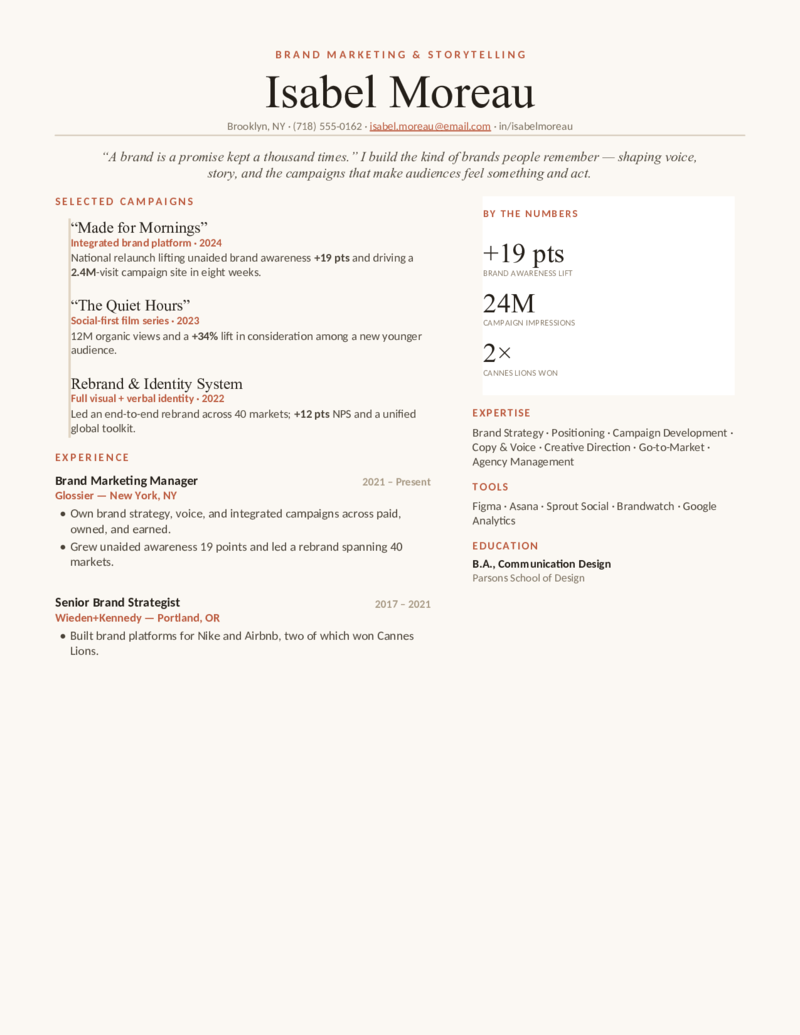
Brand marketing manager layout — an editorial magazine feel with a named-campaign portfolio and a brand-lift stat card. For brand and creative marketers.
Brand — Plum preview
WordGoogle Docs
Brand — Plum
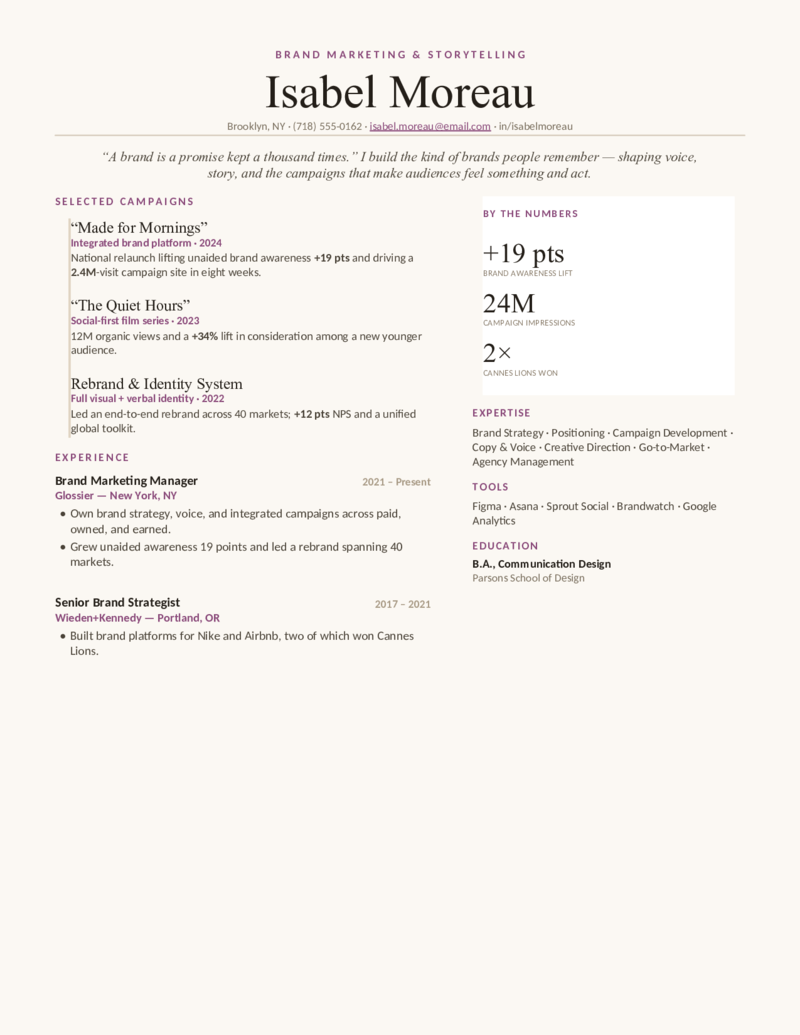
The brand-marketing design in plum — a serif editorial layout that showcases campaigns, brand awareness lift, and creative direction over a cream page.
Brand — Forest preview
WordGoogle Docs
Brand — Forest
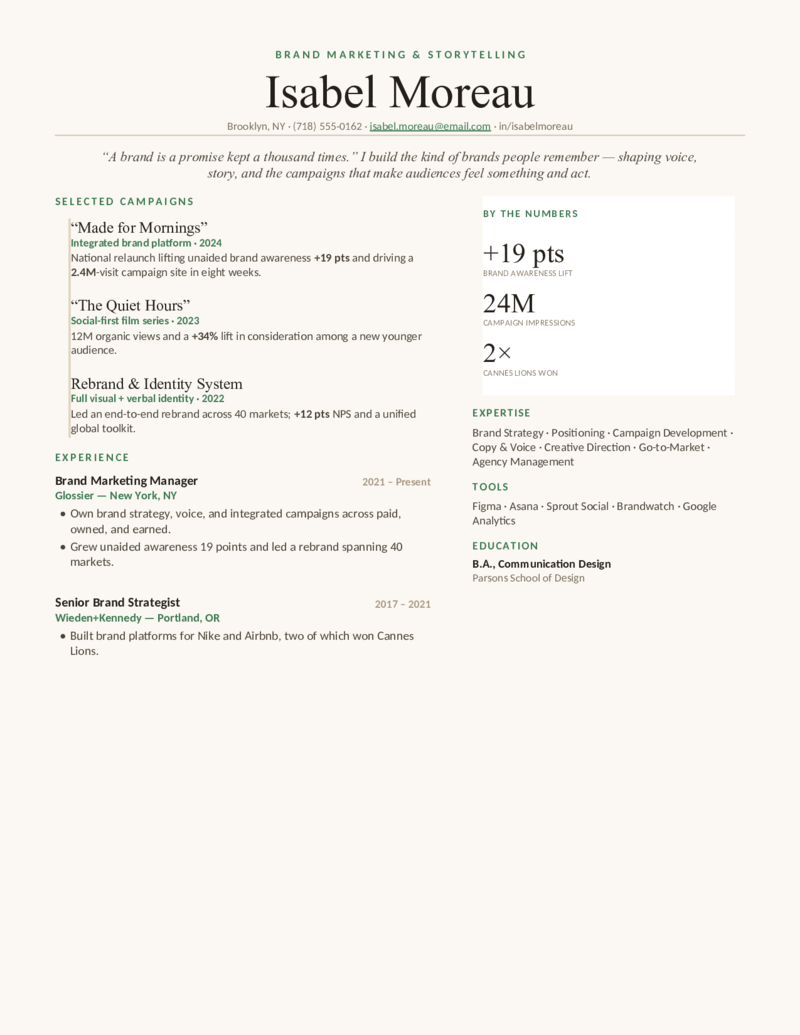
The editorial brand layout in forest green — named campaigns, by-the-numbers card, and an expertise block for brand managers and brand strategists.
Content — Green preview
WordGoogle Docs
Content — Green
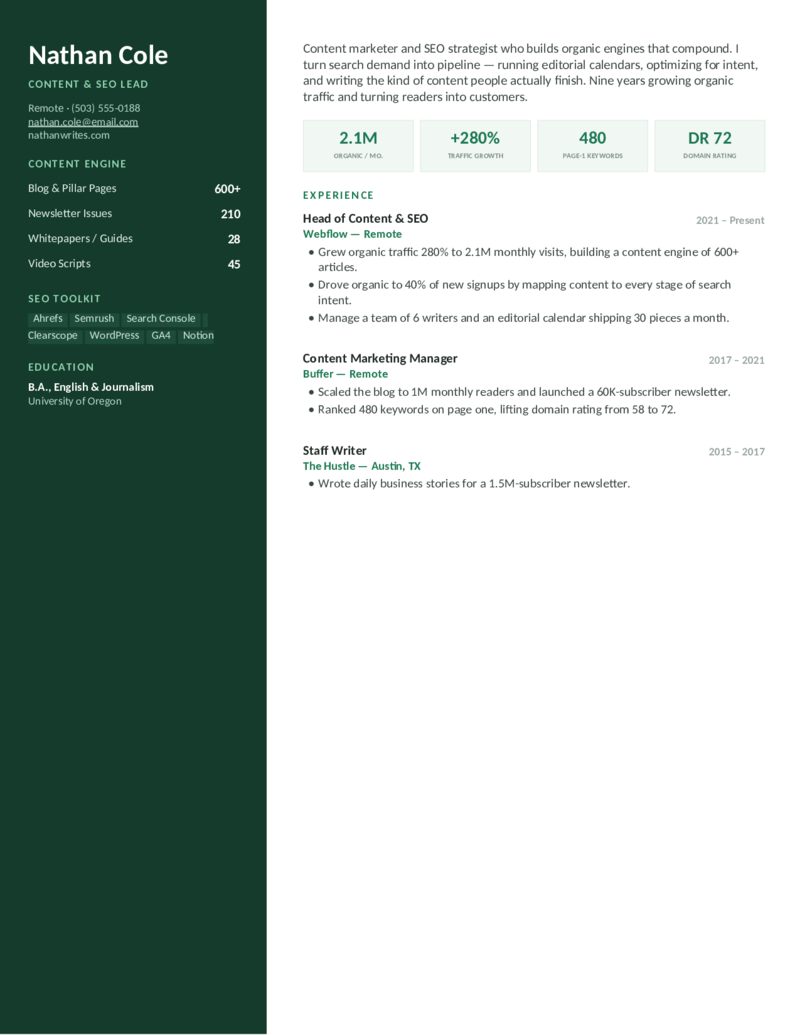
Content & SEO layout — a “content engine” sidebar with organic-traffic and domain-rating stats plus an SEO toolkit. For content marketers and SEO specialists.
Content — Navy preview
WordGoogle Docs
Content — Navy
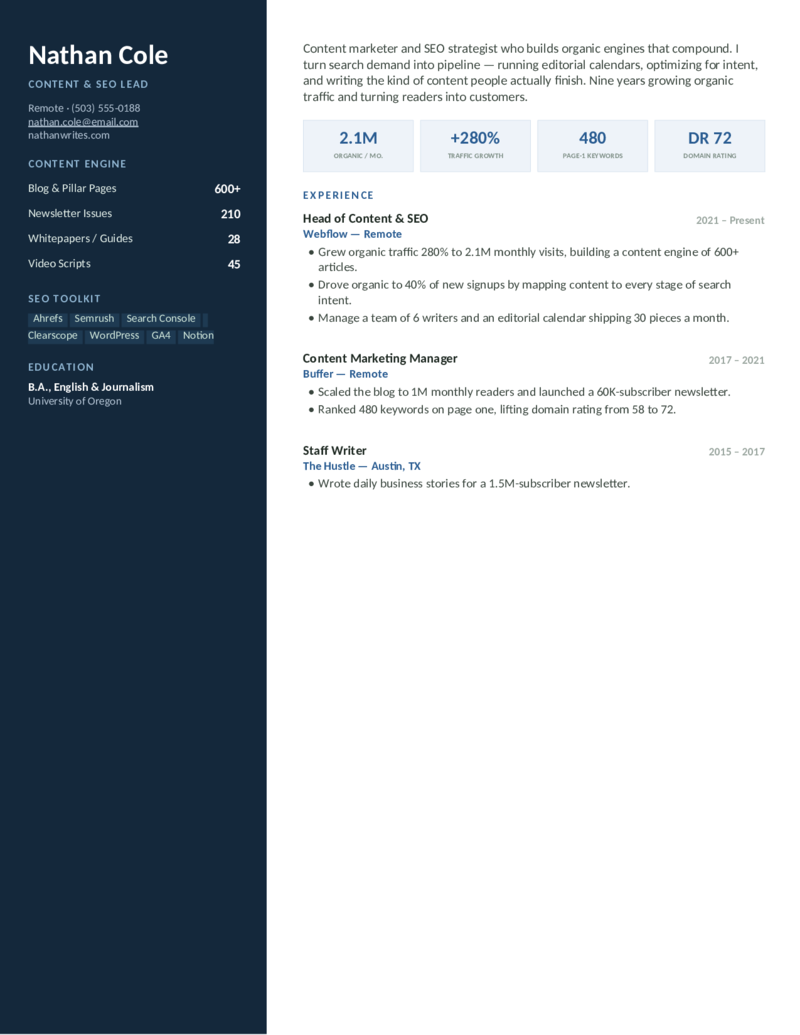
The content-and-SEO design in navy — organic traffic growth, page-1 keywords, and an Ahrefs/Semrush toolkit, for content strategists and SEO managers.
Content — Plum preview
WordGoogle Docs
Content — Plum
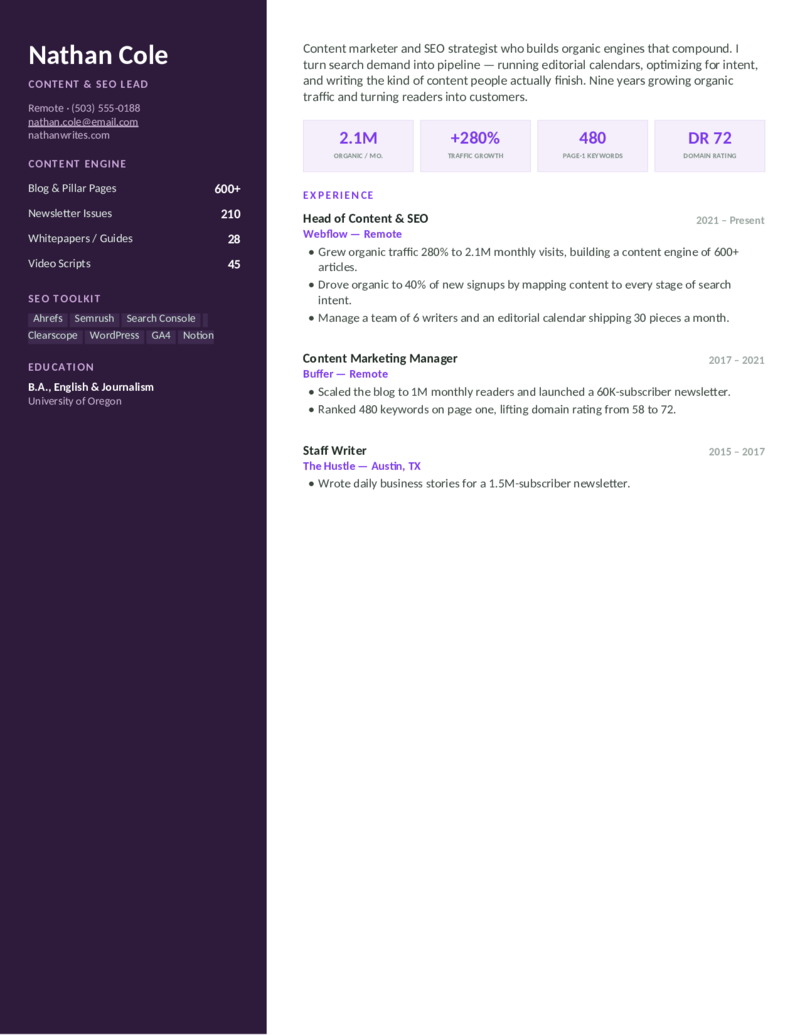
The content-marketing layout in plum — built around an editorial calendar, search-intent strategy, and the organic-growth metrics SEO recruiters scan for.
Social — Magenta preview
WordGoogle Docs
Social — Magenta
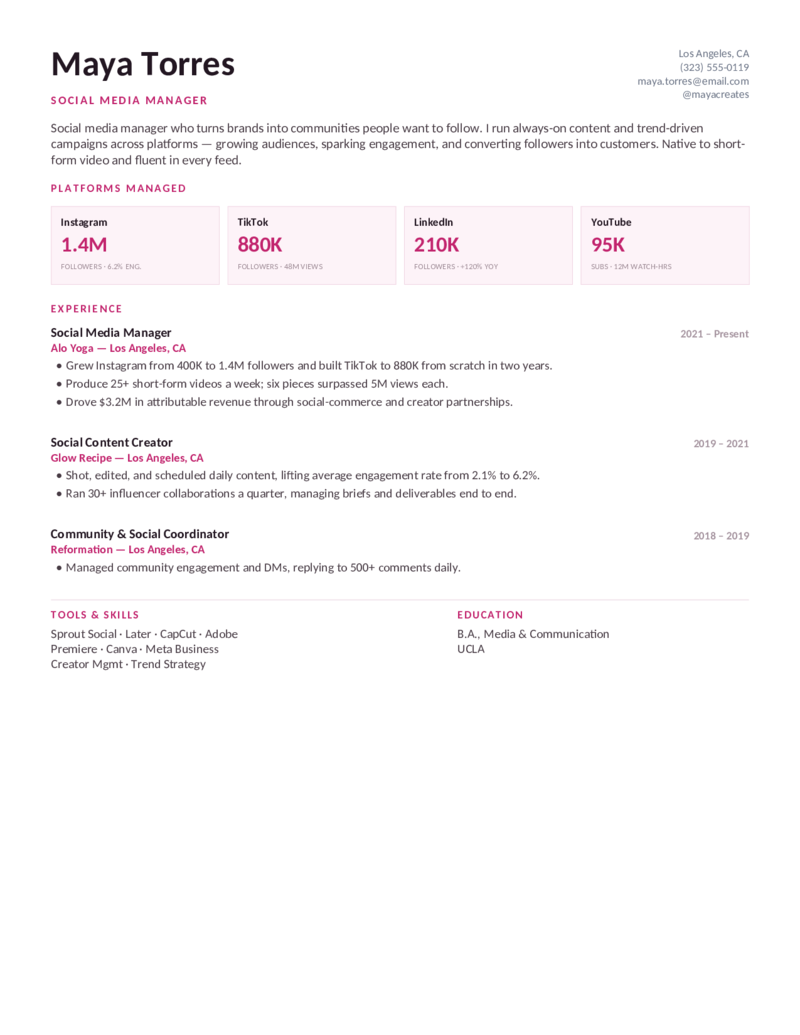
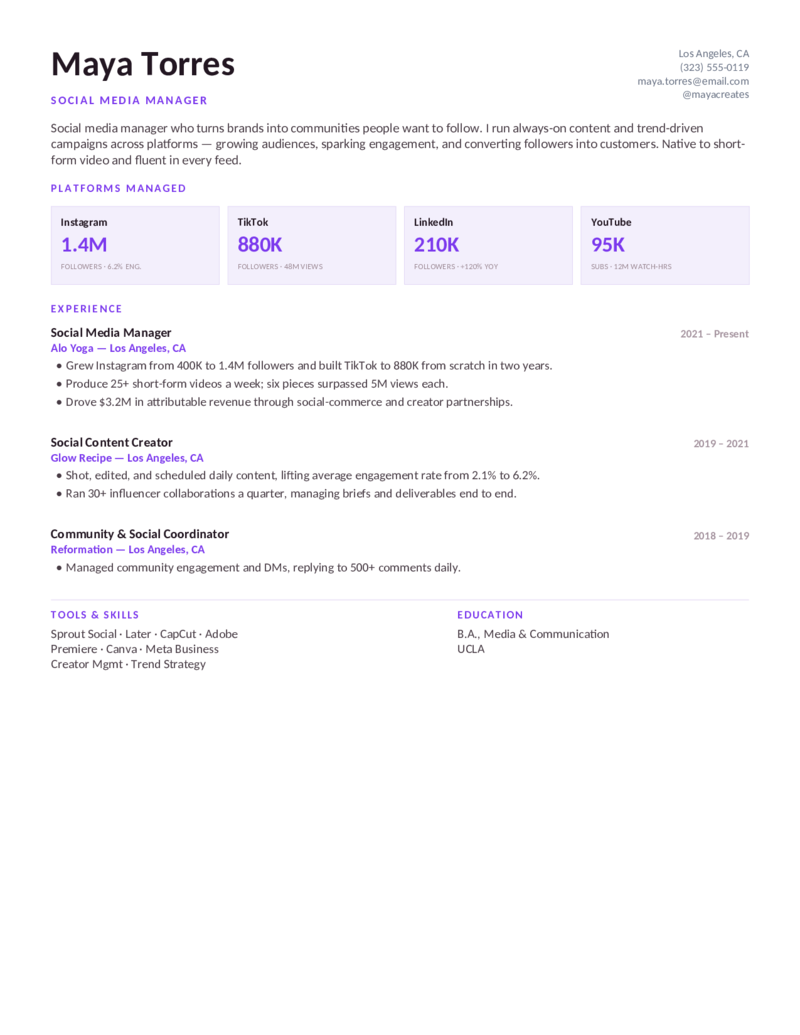
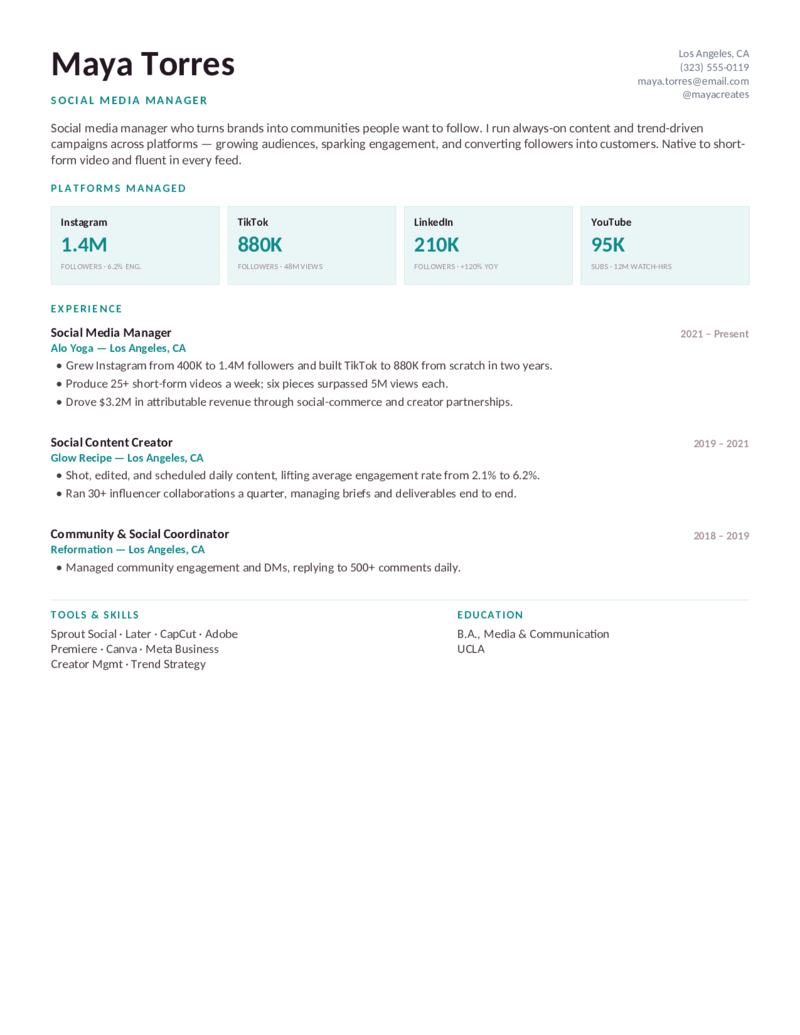
Social media manager layout — a platform tile grid (Instagram, TikTok, LinkedIn, YouTube) with followers and engagement. For social and community marketers.
Social — Purple preview
WordGoogle Docs
Social — Purple
The social-media design in purple — platform tiles, engagement-rate growth, and a short-form-video toolkit for social media managers and content creators.
Social — Teal preview
WordGoogle Docs
Social — Teal
The social-media-manager layout in teal — followers, views, and engagement front and center, plus a creator and trend-strategy skill set.
Product — Purple preview
WordGoogle Docs
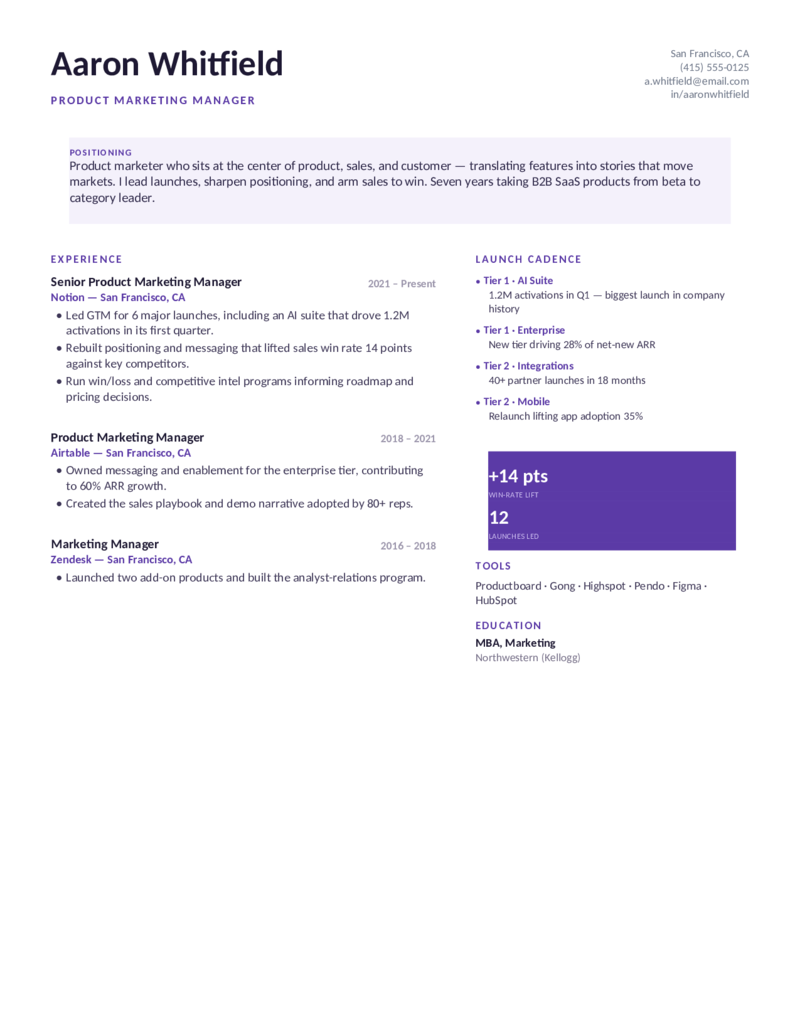
Product — Purple
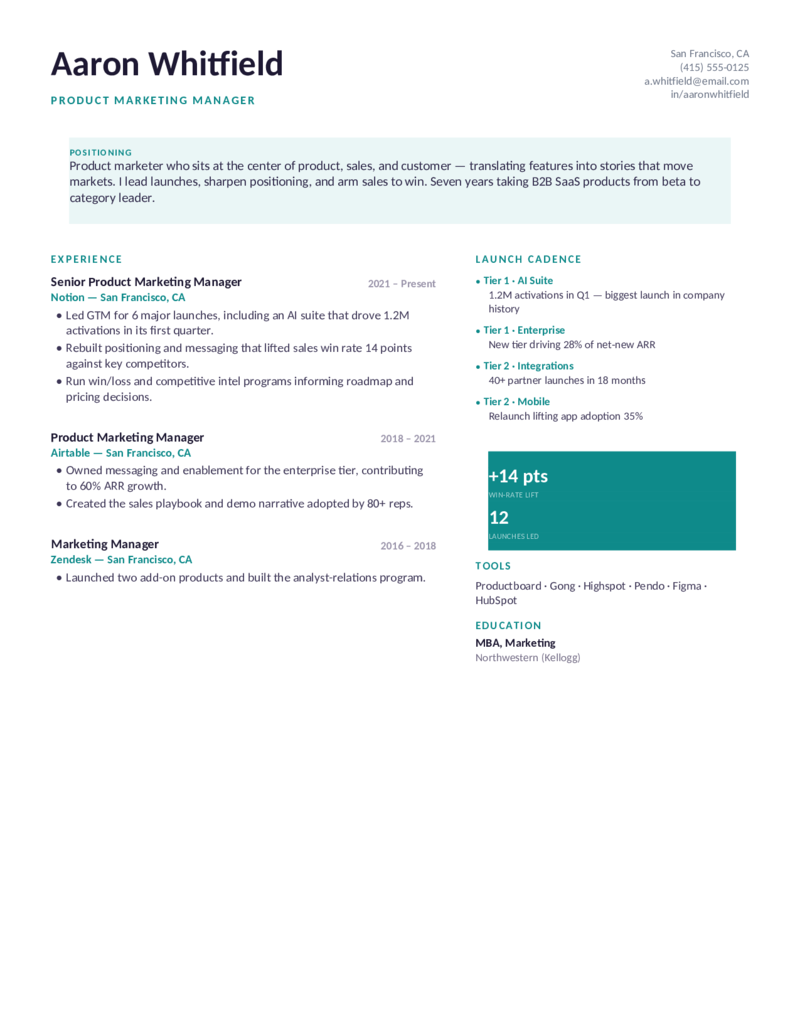
Product marketing manager (PMM) layout — a positioning callout and a launch-cadence timeline with win-rate lift. For GTM, messaging, and enablement marketers.
Product — Blue preview
WordGoogle Docs
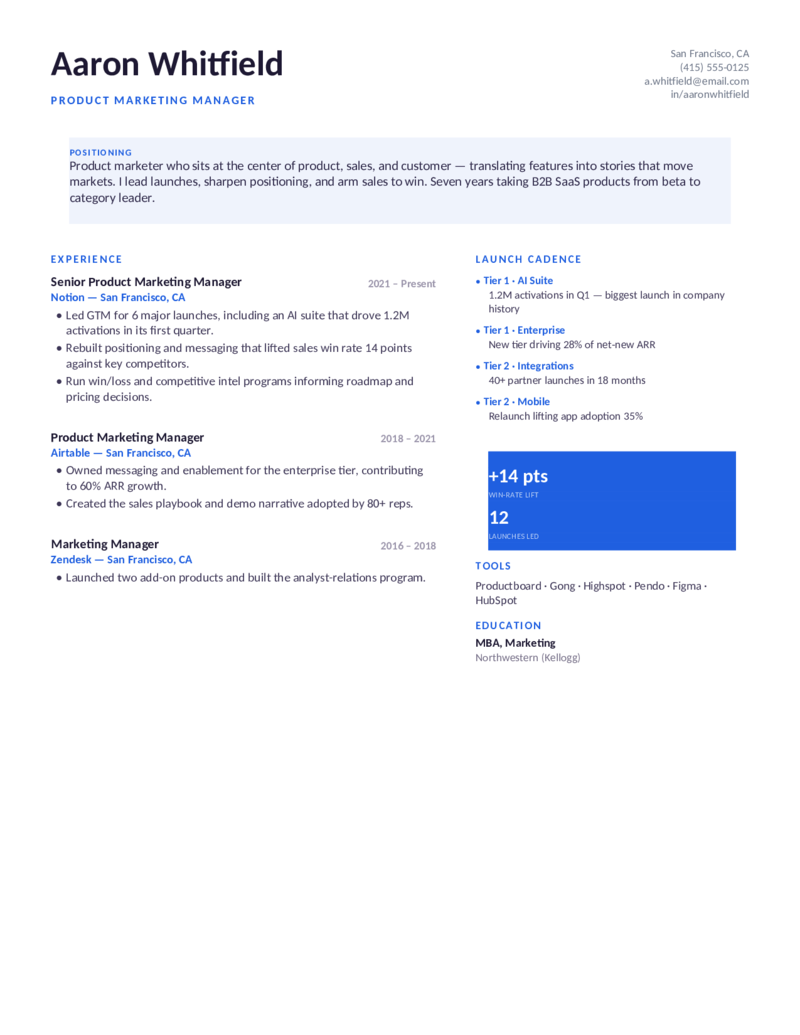
Product — Blue
The product-marketing design in blue — positioning, GTM launches, and competitive win rate, for PMMs taking B2B SaaS products to market.
Product — Teal preview
WordGoogle Docs
Product — Teal
The PMM layout in teal — launch cadence, ARR contribution, and a messaging-and-enablement toolset for senior product marketing managers.
Growth — Teal preview
WordGoogle Docs
Growth — Teal
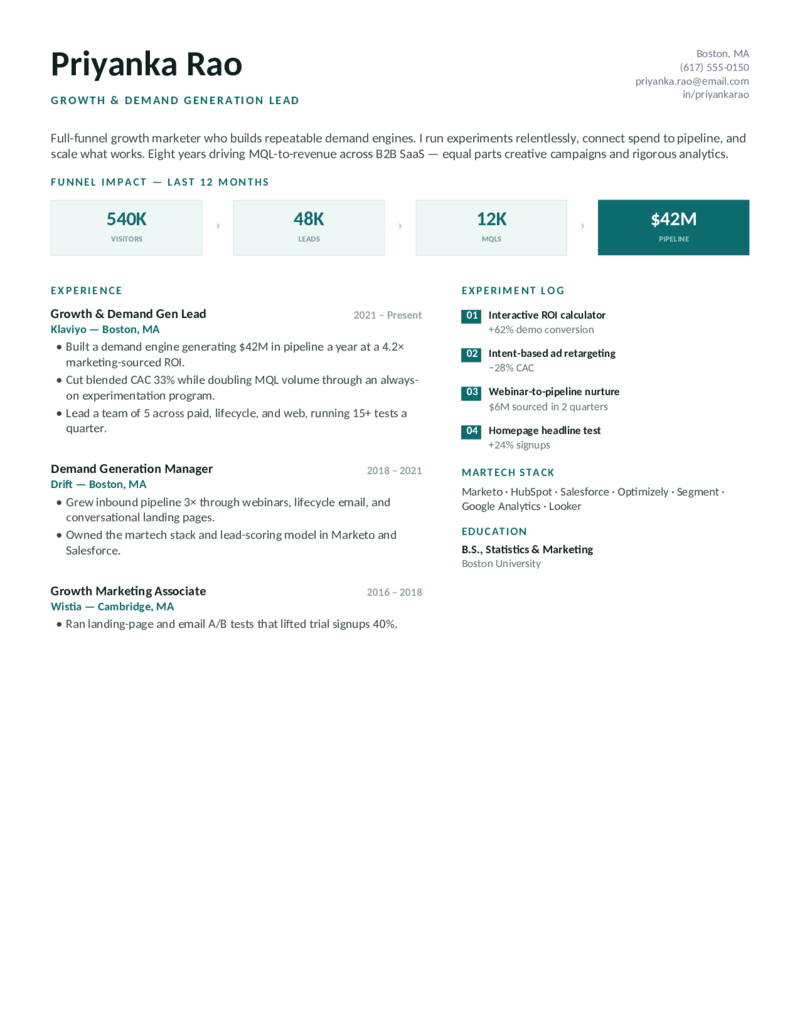
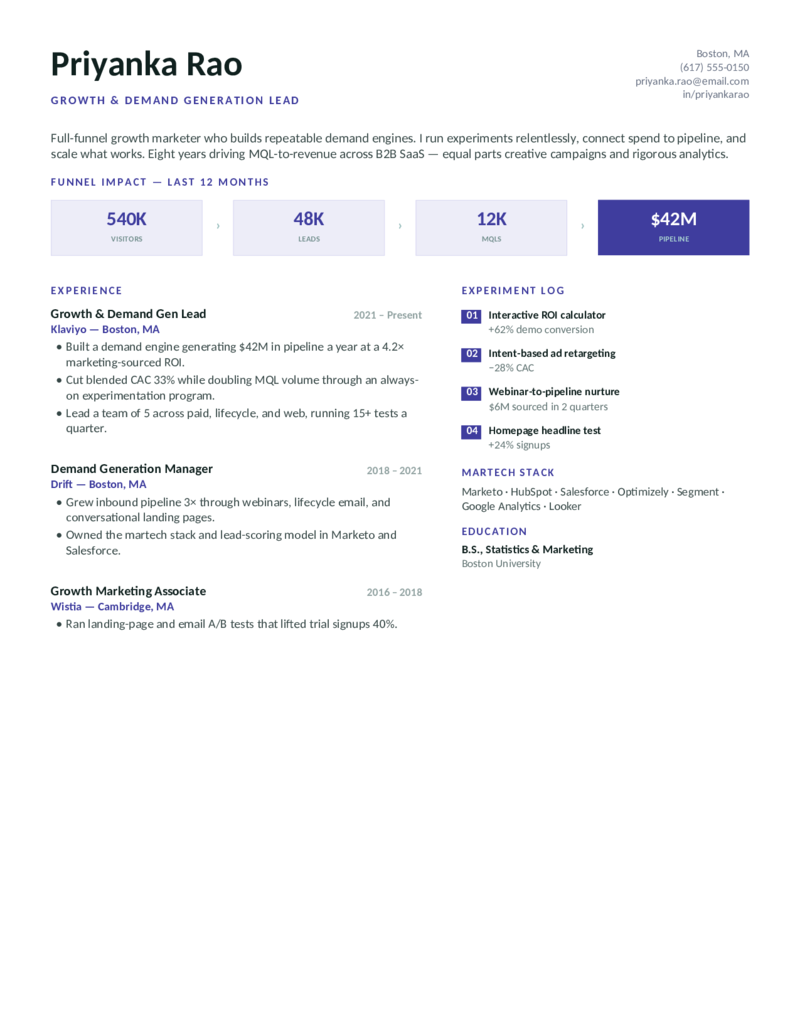
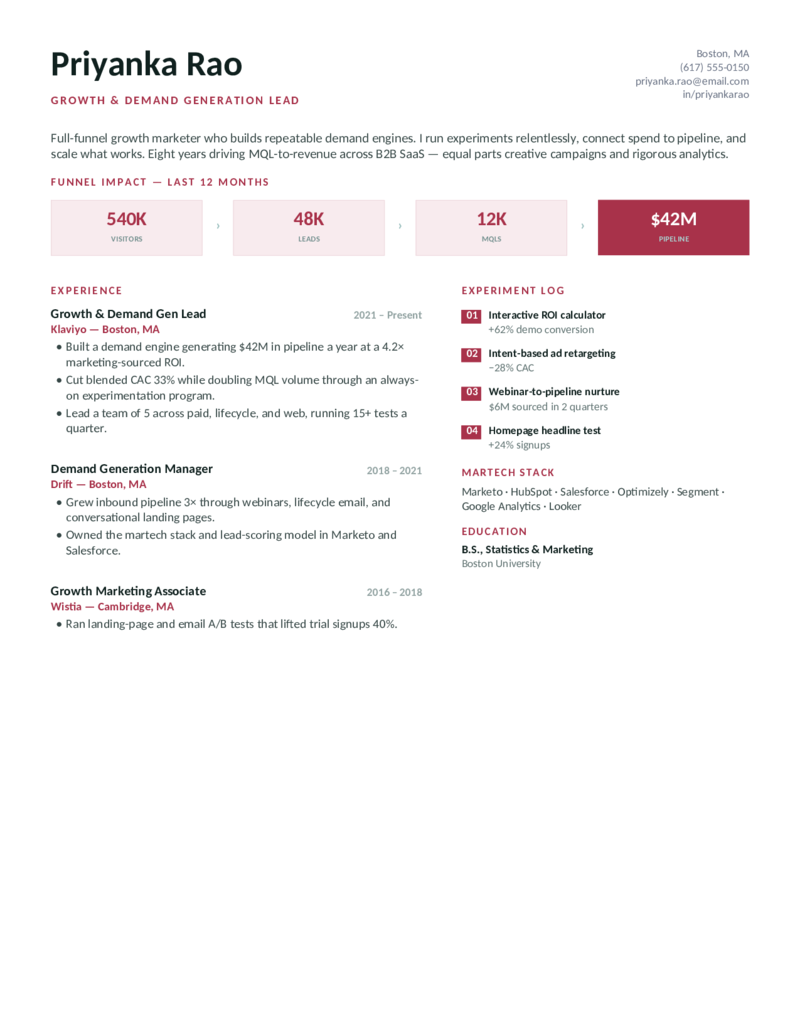
Growth & demand-gen layout — the funnel as big numbers (visitors → leads → MQLs → pipeline) and a numbered experiment log. For growth and demand marketers.
Growth — Indigo preview
WordGoogle Docs
Growth — Indigo
The growth-marketing design in indigo — pipeline sourced, CAC reduction, and an A/B-test experiment log, for demand generation and growth leads.
Growth — Crimson preview
WordGoogle Docs
Growth — Crimson
The demand-gen layout in crimson — full-funnel metrics and a martech stack (Marketo, HubSpot, Salesforce), for full-funnel and lifecycle marketers.
What to include

What goes on a marketing resume.

A marketing resume is judged on proof of impact, not a list of duties — and large teams run that proof through an ATS first. Build every bullet around a number, and surface the things recruiters and parsers scan for. That’s what these templates are built to do:

  • A metrics-loaded summary. Lead with quota-style numbers for your channel: ROAS, CAC, conversion rate, MQL growth, organic traffic %, or follower/engagement growth — and your specialty.
  • Quantified results, every bullet. “Grew organic traffic 280% to 2.1M monthly visits” beats “drove significant growth.” Revenue/pipeline influenced, ROI, CTR, open rates, brand lift — put a figure on it.
  • Martech stack, named specifically. GA4, Google Ads, Meta Ads Manager, HubSpot, Marketo, Salesforce, Semrush/Ahrefs, Klaviyo, Sprout Social — ATS match on exact product names, so each design gives tools their own block.
  • Channels & certifications. SEO/SEM, paid social, content, email/lifecycle, brand, PR — plus Google Analytics/Ads, HubSpot, and Meta Blueprint certs, which carry real weight (especially entry-level).

A note on the “creative vs. ATS” trap. Marketers love a heavily designed, multi-column resume — and those routinely break ATS parsing. These templates keep a clean, parsable structure with real text underneath the polish, so they read well in an ATS and look like a marketer made them.

Make it yours

Fill it in and start applying.

  1. Click Open in Google Docs to copy it into your Drive, or Download Word for the .docx.
  2. Front-load your summary with your headline metrics (ROAS, traffic growth, pipeline) and drop your real numbers into the stat strip and bullets.
  3. Name your martech stack and certifications exactly — GA4, Google Ads, HubSpot, Meta Blueprint — and mirror the tools in the job posting.
  4. Keep it to one page, export a PDF to send and a Word copy for ATS portals, and link a clean portfolio URL in the header.
Common questions

Marketing resume FAQ

What should a marketing resume include?
A metrics-led summary, then experience bullets that each quantify impact — ROI, ROAS, conversion rate, MQLs, organic traffic growth. Add a skills/tools block listing your martech stack (GA4, Google Ads, HubSpot, Meta Ads Manager, Semrush), the channels you own (SEO/SEM, paid social, content, email/lifecycle), certifications, and education. End every bullet with a number wherever you can.
Are these marketing resume templates ATS-friendly?
Yes. Every template uses a clean, parseable layout, standard fonts, and real text — your metrics aren't trapped in images — so applicant tracking systems read it top to bottom without scrambling your experience. Roughly three-quarters of resumes are filtered by ATS before a human sees them, so we prioritize clean parsing while keeping each design polished.
How do I quantify marketing results on my resume?
Tie every achievement to a metric: revenue or pipeline influenced, ROAS/ROI, CAC reduction, conversion-rate lift, MQL/SQL growth, organic traffic %, email open/click rates, or follower and engagement growth. Example: "Scaled paid social to 4.2× ROAS while cutting CAC 31% across Meta and Google Ads." Use A/B-test results to show rigor.
What if my marketing results are confidential (NDA)?
Use relative figures instead of raw numbers: percentages ("grew MQLs 60% QoQ"), multiples ("3.1× ROAS"), ranges, or rankings ("top-performing campaign of FY25"). This proves impact without disclosing protected revenue or spend. Never invent a number you can't defend in an interview.
How do I write a marketing resume with no experience?
Lead with a skills-forward layout and pull quantifiable results from internships, freelance or client work, course and capstone projects, student-org campaigns, and your own social or content channels ("grew a personal Instagram to 12K followers, 7% engagement"). List relevant certifications — Google Analytics, Google Ads, HubSpot, Meta Blueprint — which signal job-ready skills when work history is thin.
Which marketing tools and certifications should I put on my resume?
List the exact product names an ATS scans for: GA4, Google Ads, Meta Ads Manager, HubSpot, Marketo, Salesforce, Mailchimp or Klaviyo, Semrush or Ahrefs, Hootsuite or Sprout Social, and analytics tools like Looker or Tableau. For certifications, the high-signal ones are Google Analytics (GA4), Google Ads, HubSpot, and Meta Blueprint. Mirror the exact tools named in the job description.
Should I use a Word or Google Docs marketing resume template?
Both are provided. Choose Word (.docx) for offline editing and the format most ATS handle natively; choose Google Docs to edit in-browser, collaborate, and export to PDF or Word. The content and ATS-safe structure are identical across both — click "Open in Google Docs," then File → Make a copy.

Marketing resume templates · Updated June 2026

Keep going

More resume templates.

Related
Sales Resumes
Marketing and sales hire on the same metrics-first logic — a natural sibling for revenue-team roles and career-changers.
Open
Pair it
Cover Letter Templates
Add a short, metrics-led marketing cover letter to introduce yourself and reinforce your campaign wins.
Open
All categories
Browse every resume template
Professional, sales, customer service, project manager, business analyst, and more — all free and editable in Word and Google Docs.
Open