






Apollo's Templates
HomeSportsSports CardsSkiTeam Ski Cards
Ski

Team Ski Cards

Loading the editor…
Did you know?
We make sport card templates for every sport — all 26 of them
Softball, soccer, hockey, swimming, dance, karate, pickleball, and more — same five designs, same free maker, no signup.
Open

This page builds the 9-up team sheet — every player on the roster on one US Letter page. Each card has its own photo, name, jersey number, and position; share team color and design across the whole sheet. The Classic design is the most printer-friendly of the three — sharp banner colors, no large dark fills.

Race teams running slalom, GS, and downhill print cards for the end of the winter season. The 'Discipline' field captures which event the athlete competes in.

The five Ski card designs

Each one takes the same photo and details — you can switch between them in the maker above without retyping anything. Every design prints nine cards to one US Letter sheet, each at the standard 2.5 × 3.5 inches, with a thin gutter to cut along.
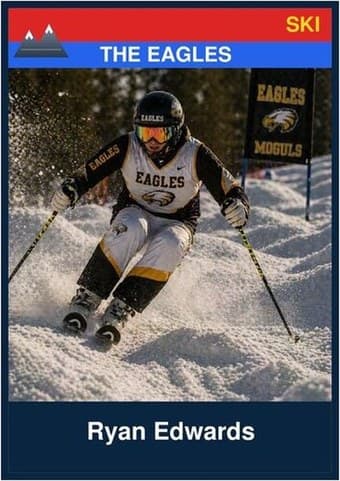
Ski card in the Classic design — a color banner across the top, the photo below it, and the name and details on a dark footer bar

Classic

Repeated nine-up, the matching banners turn the roster into a set — every player in the same frame on one sheet, ready to cut apart or hand out at the season party.
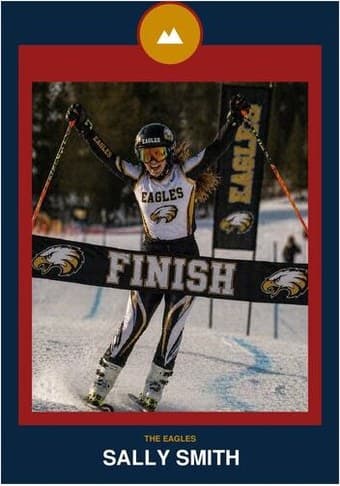
Ski card in the Circle Badge design — a round sport badge centered at the top, the photo in a bordered frame below, and the name and position centered underneath

Circle Badge

Nine matching crests on one page read like a club honor board. The formal pick for an end-of-season team set where every player gets the same treatment.
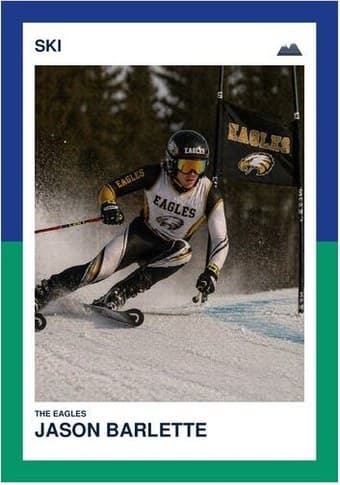
Ski card in the Split Halves design — a border split into two colors top and bottom, the photo centered between them, and the name and details on a white footer

Split Halves

Nine two-color frames make the team colors the pattern of the whole sheet. Strongest when the full roster shares the same pair — the page itself starts to look like the uniform.
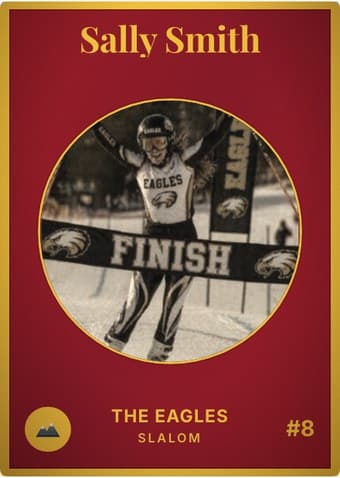
Ski card in the Vintage Card design — an aged photo in a gold-ringed circular window on a deep crimson card, with the name in a serif face arched across the top

Vintage Card

Aged nine-up, the sheet reads like a page from an old team album. Sepia the whole roster for the full vintage effect, or switch the aging off card by card.
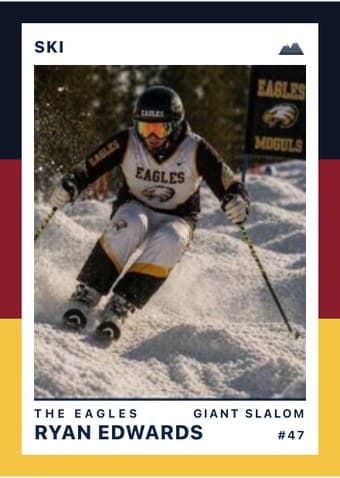
Ski card in the Triple Split design — three stacked color bands down the left edge, the photo on a white field, and the name and details across the footer

Triple Split

The bands tile cleanly nine-up, giving the team sheet a striped rhythm the other designs don't have. The easiest sheet to spot on a crowded team-mom table.

The download is a print-ready PDF. There is no account to create, no watermark, and no design software to install — no Photoshop, no Word template, no Canva login.

What works on the printer

  • Use a high-quality photo. Photos in race gear with the bib visible read cleanly. Snow-bright photos can be over-exposed; check the face exposure.
  • Up to 9 players. Add only as many as your roster has — empty slots stay blank. Every card uses the same team name and color scheme.
  • Cut into 9 separate cards or hand out the whole sheet. Some coaches print one sheet per parent and let them cut at home; others cut at the banquet.
  • Use the same photo crop ratio across all 9. If every player’s photo uses the same shoulders-up framing, the team sheet looks like a coordinated set rather than nine random snapshots.
  • Drag and zoom to crop. The photo frame shows exactly what ends up on the card. Center the face in the middle third — that’s the area readers’ eyes land on first.

Common questions

Why 9 cards instead of 12?
9 cards (3×3) at trading-card size fit cleanly on a US Letter sheet with comfortable cutting margins. 12 cards would either shrink each card below 2 × 3 inches (too small to read) or extend off the page.
What if my roster is more than 9 players?
Print two sheets — fill the first 9 slots, then come back and print a second sheet with the remaining players. Use the same team name and color scheme on both sheets so they read as one set.
What if my roster is fewer than 9 players?
Add only the players you have — empty card slots stay blank on the sheet. The sheet still prints correctly with just the cards that have data.
Do I need an account or login to use this?
No. The generator runs entirely in your browser — nothing gets uploaded to a server. You can use it anonymously, no signup, no Adobe Acrobat, no watermark.
What paper should I use?
60–100 lb cardstock for cards you'll handle a lot (binders, pockets). Standard printer paper bends and curls within a day. Glossy photo paper works for keepsake prints if your printer supports it.
Can I edit the PDF after I download it?
The PDF is flat — re-edit by coming back to this page and regenerating with new inputs. Re-uploading the photo and re-typing names is faster than fighting an Acrobat editor.
Can I print the race calendar and roster on the back?
Yes — the 9-up card-back format shares this sheet's grid, so re-feeding the printed page keeps both sides in register. Race programs usually run one shared back behind all nine: the roster grouped by discipline and age class, the season race calendar with host mountains, or a thank-you to the ski shop and the families who drive to every 6 a.m. inspection. Open the card-back builder