
This page builds the 9-up team sheet — every player on the roster on one US Letter page. Each card has its own photo, name, jersey number, and position; share team color and design across the whole sheet. The Classic design is the most printer-friendly of the three — sharp banner colors, no large dark fills.
Weight classes are how wrestling rosters get organized; the jersey field doubles as the weight class. Singlet portraits photograph cleanly with the team logo in the background.
The five Wrestling card designs
Each one takes the same photo and details — you can switch between them in the maker above without retyping anything. Every design prints nine cards to one US Letter sheet, each at the standard 2.5 × 3.5 inches, with a thin gutter to cut along.
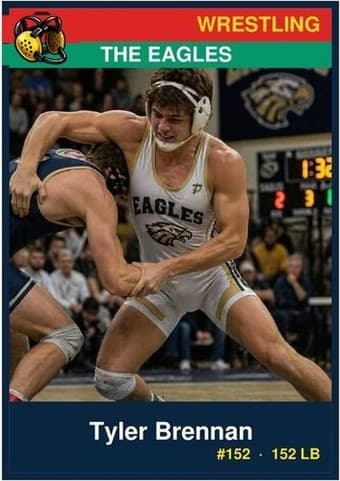
Classic
Repeated nine-up, the matching banners turn the roster into a set — every player in the same frame on one sheet, ready to cut apart or hand out at the season party.
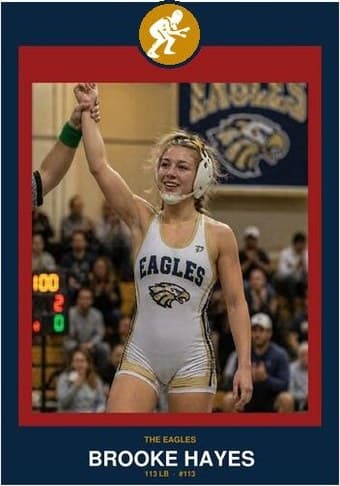
Circle Badge
Nine matching crests on one page read like a club honor board. The formal pick for an end-of-season team set where every player gets the same treatment.
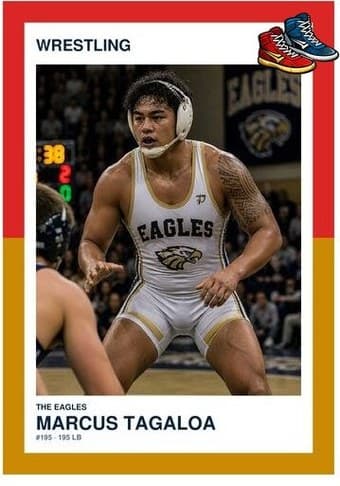
Split Halves
Nine two-color frames make the team colors the pattern of the whole sheet. Strongest when the full roster shares the same pair — the page itself starts to look like the uniform.
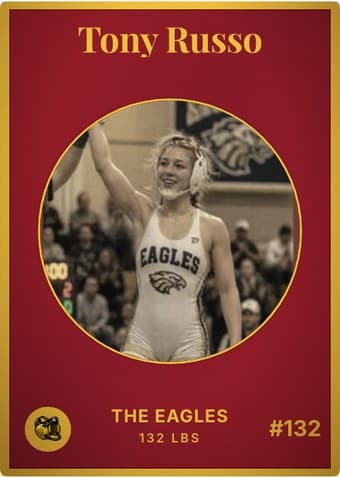
Vintage Card
Aged nine-up, the sheet reads like a page from an old team album. Sepia the whole roster for the full vintage effect, or switch the aging off card by card.
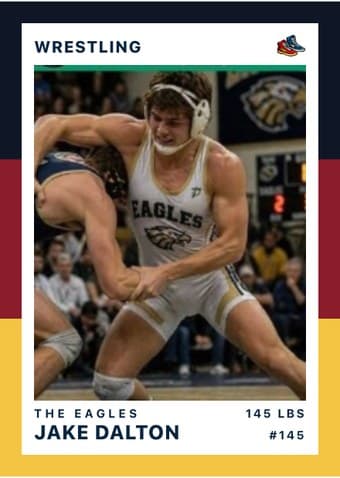
Triple Split
The bands tile cleanly nine-up, giving the team sheet a striped rhythm the other designs don't have. The easiest sheet to spot on a crowded team-mom table.
The download is a print-ready PDF. There is no account to create, no watermark, and no design software to install — no Photoshop, no Word template, no Canva login.
From experience
- Use a high-quality photo. Singlet portrait against the team logo or wrestling mat works cleanly. Mid-match action shots read powerful but can be blurry.
- Up to 9 players. Add only as many as your roster has — empty slots stay blank. Every card uses the same team name and color scheme.
- Cut into 9 separate cards or hand out the whole sheet. Some coaches print one sheet per parent and let them cut at home; others cut at the banquet.
- Use the same photo crop ratio across all 9. If every player’s photo uses the same shoulders-up framing, the team sheet looks like a coordinated set rather than nine random snapshots.
- Drag and zoom to crop. The photo frame shows exactly what ends up on the card. Center the face in the middle third — that’s the area readers’ eyes land on first.