





Weekly Lesson Plan Templates
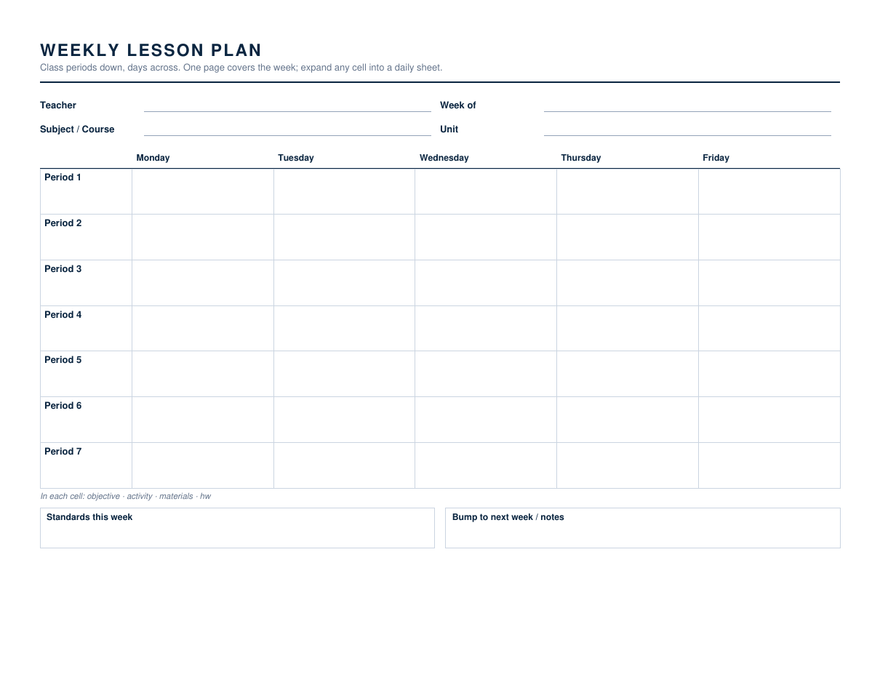
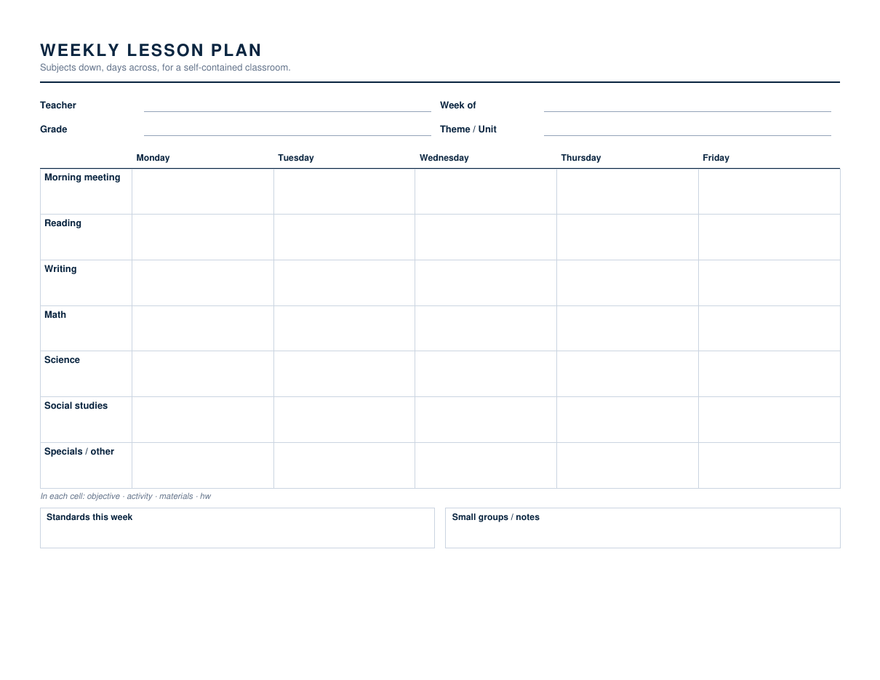
Two landscape grids, one for teachers who run the same course across several periods and one for a self-contained classroom that moves through subjects. Both put the five days across the top and leave a box for the week's standards and a box for what gets bumped to next week.
2 weekly lesson plan templates
Specifications: US Letter, 8.5 × 11 inches. Word files are editable .docx that open in Word 2007 through Microsoft 365, including Word for Mac; the Google Docs link makes a copy in your own Drive; the PDF has real form fields and prints as plain hairline boxes when blank. Free to use in as many classes as you like, no account, no watermark.
About the weekly lesson plan templates
Experienced teachers plan about a week ahead and no further. The weekly grid is the master: each cell holds the objective, the activity, the materials and the homework for one period or one subject on one day, in a phrase or two. When a day needs more than a phrase — an observation, a sub, something new — that cell expands into one of the daily sheets, which use the same field names so nothing has to be re-thought.
The periods version has seven rows, which covers most middle and high school schedules; block schedules leave rows empty, which is fine. The subjects version runs morning meeting to specials. In both, the standards box at the foot is where the week's codes go once, instead of being retyped in every cell.
If you would rather have the grid as a fillable PDF you build in the browser, the weekly lesson planner maker on the calendars side produces the periods-by-days sheet with your own period names typed in.
Weekly Lesson Plan lesson plans, answered
Should I plan weekly or daily?
Why landscape?
Can I change the period or subject names?
Drawn and measured in November 2026.