






Apollo's Templates
HomeBusinessExpense Report TemplatesExpense Tracker
Every dollar, as it happens

Expense Tracker Template

A running log for spending as it happens: date, what it was, a category, how you paid, how much. The sheet does the part people quit over — a category summary and a month-by-month summary that keep themselves, so the answer to “where does it all go?” is just sitting there at the bottom. No signup, no app, no account linking your bank — a spreadsheet you own, or a PDF and a pen.

Three formats

The tracker, on your phone or on the fridge.
Excel — totals keep themselves

Sixty log rows with category and payment dropdowns. The category summary runs on SUMIF, the monthly summary windows on real dates — both update the moment you log an expense.
Expense tracker with a running spending log, payment-method column, and self-keeping category and monthly summary blocks
PDF

Printable PDF — one per month

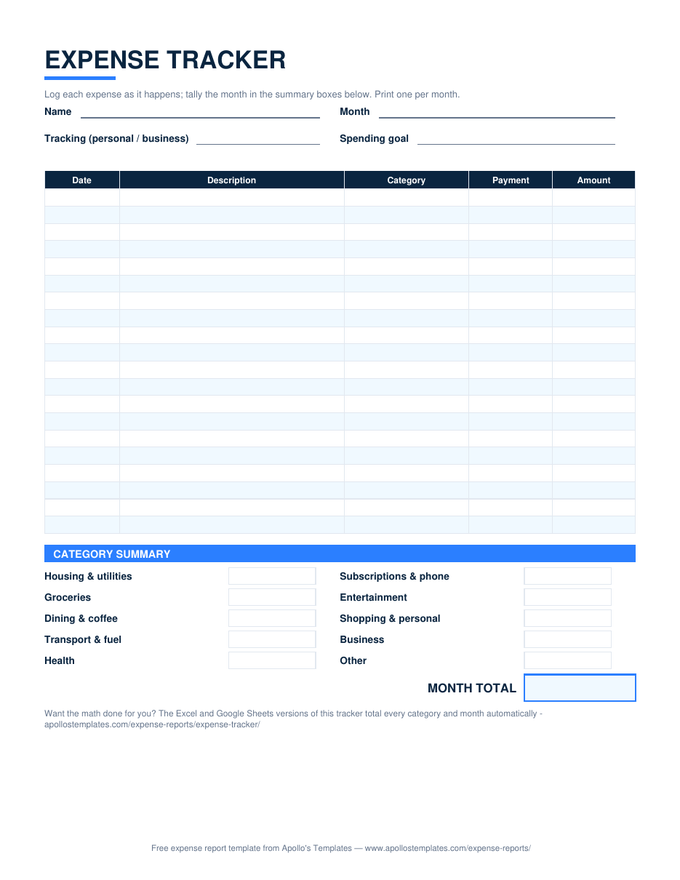
The hand-write version: twenty log rows, category tally boxes, and a month total. Print twelve in January and the year's system is done.
Download PDF

Word (.docx)

The tracker as an editable Word table — retype the categories, add rows, print. Word doesn't calculate; the Excel and Sheets versions do.
Worth knowing

A tracker is a habit with a spreadsheet attached.

Tracking apps fail for a predictable reason: they automate the logging and skip the noticing. When a bank feed categorizes everything for you, you never touch the numbers, and spending you never touch doesn’t change. Writing the $6 coffee into a row — ten seconds — is the intervention. The spreadsheet’s job is everything after that: the category totals, the month totals, the quiet accumulation of evidence.

The payment-method column earns its space at review time. Sorting a month by Credit card against the statement catches the subscription you forgot; a fat Cashtotal is spending that left no other trail anywhere. Ten default categories cover a normal life — Housing & utilities through Business — and retyping them takes a minute if yours differ. Track first, judge later: a month of honest rows beats a year of estimates.

For submitting, not tracking
Monthly Expense Report
The month's spending as a document someone signs — self-dating rows and a category summary for the bookkeeper.
Open
Plan it, then track it
Budget Templates
Twenty-two planning sheets — monthly, paycheck, 50/30/20 — for deciding next month's numbers before you log them.
Open
Zero installs
Google Sheets Expense Templates
Make-a-copy versions of every sheet in the library, math verified after conversion.
Browse

Frequently asked questions

What's the difference between an expense tracker and an expense report?
Direction. An expense report is a document you submit — it gathers a trip's or a month's receipts, gets a signature, and ends with someone paying you back. A tracker is a log you keep — it's never handed to an approver, which is why this sheet has no signature block. If you need money back from an employer, use the expense report or reimbursement form; if you want to know where your own money goes, this is the sheet. And if you want to plan next month's spending rather than record this month's, that's a budget — we build those too.
How do the summaries stay correct without me doing anything?
Two mechanisms. The category summary runs a SUMIF for each category against the log's dropdown column, so a logged expense lands in its bucket instantly and a misspelled category can't orphan itself. The monthly summary is windowed on actual dates — each month's formula sums only rows whose date falls inside that calendar month of the Year cell at the top. Change the Year cell each January and the same sheet starts a fresh year. Blank rows can never leak into a month total.
Does the Google Sheets version work for logging from my phone?
That's the version we'd point most people at. Click "Open in Google Sheets," make your copy, and it lives in your Drive — then the Google Sheets app on your phone becomes the capture tool: log the coffee while you're still holding it. The dropdowns, the SUMIF category totals, and the date-windowed monthly summary all survive the conversion — we verify the computed cells after import, not just the layout. Thirty seconds at the register beats an hour of statement archaeology at month end.
Should I track daily, or is that overkill?
Track per transaction, which mostly means daily — but the entry is ten seconds, not a sitting. The habit that works: log it when it happens or that evening, never "on the weekend." Reconstruction from memory is where trackers die. The printable version leans into this: one page per month on a clipboard or the fridge, twenty rows, a pen. If a month fills past sixty rows in the spreadsheet, insert more anywhere above the summary blocks — the totals reference the whole log and keep working.
Updated through September 2026