






Apollo's Templates
HomeSportsSports CardsBowlingEnlarged Bowling Card
Bowling

Enlarged Bowling Card

Loading the editor…
Did you know?
We make sport card templates for every sport — all 26 of them
Softball, soccer, hockey, swimming, dance, karate, pickleball, and more — same five designs, same free maker, no signup.
Open

League bowling, tournament rosters, varsity bowling teams — the 'Average / score' field captures the season high or league average. Team sheets print well for league-night handouts. This page builds the enlarged 3.5″ × 5″ size — frame-worthy keepsake dimensions. One card per sheet, centered, ready to slip into a 5×7 picture frame for a bedroom dresser or coach gift.

The Classic design is the most printer-friendly of the three — sharp banner colors, no large dark fills.

The five Bowling card designs

Each one takes the same photo and details — you can switch between them in the maker above without retyping anything. Every design prints at 3.5 × 5 inches, one card per US Letter sheet, which fits a 4 × 6 frame with a little trimming.
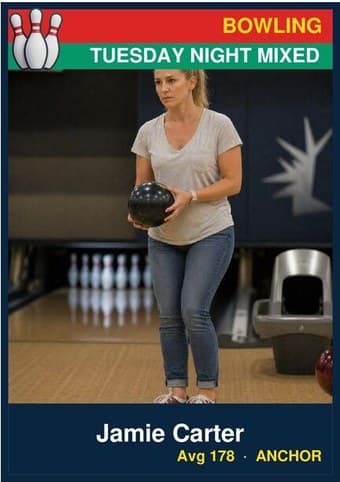
Bowling card in the Classic design — a color banner across the top, the photo below it, and the name and details on a dark footer bar

Classic

At photo-card size the banner-and-bar frame reads like a little magazine cover. This is the version most families pick when the card is headed for a frame on a shelf rather than a binder.
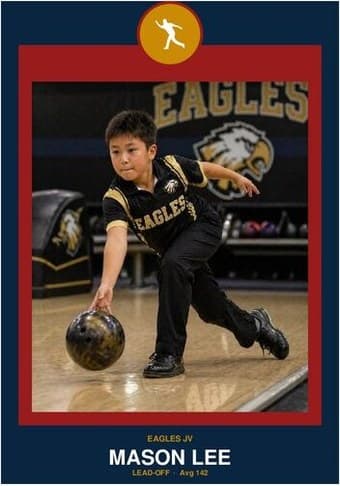
Bowling card in the Circle Badge design — a round sport badge centered at the top, the photo in a bordered frame below, and the name and position centered underneath

Circle Badge

The crest-and-frame layout turns into a small plaque at keepsake size — the natural choice when the card is a gift for a grandparent, a coach, or a senior-night table.
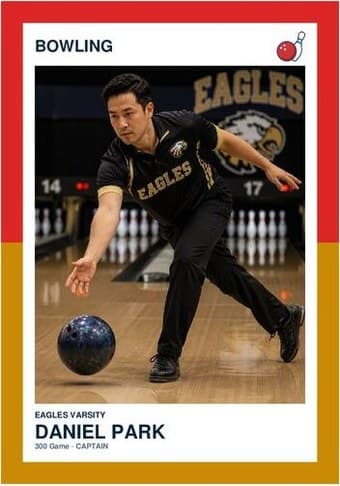
Bowling card in the Split Halves design — a border split into two colors top and bottom, the photo centered between them, and the name and details on a white footer

Split Halves

The bigger canvas gives the two-color border room to breathe — at 3.5 × 5 the split reads clearly from across a room, which is exactly what a framed photo card needs.
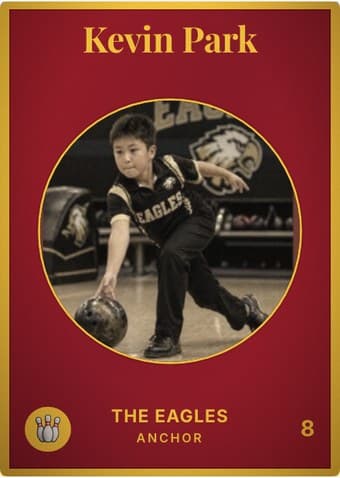
Bowling card in the Vintage Card design — an aged photo in a gold-ringed circular window on a deep crimson card, with the name in a serif face arched across the top

Vintage Card

The design the photo-card size was made for — a sepia keepsake at 3.5 × 5 already looks like something found in an attic, and it frames accordingly. The aging toggle sits right under the photo.
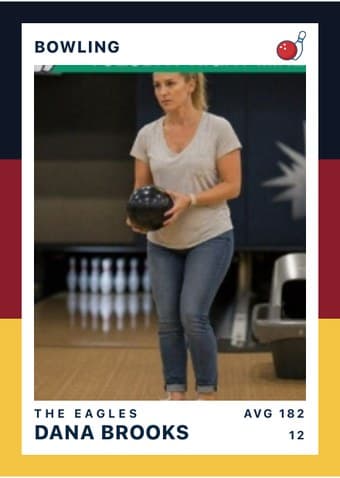
Bowling card in the Triple Split design — three stacked color bands down the left edge, the photo on a white field, and the name and details across the footer

Triple Split

At 3.5 × 5 the bands become the design. Bold enough to hold a bedroom wall or a locker door from a distance, which is what an enlarged photo card is usually for.

The download is a print-ready PDF. There is no account to create, no watermark, and no design software to install — no Photoshop, no Word template, no Canva login.

Small things that matter

  • Use a high-quality photo. On the approach with the ball at chest height, or post-release with the lane behind — both read as bowling.
  • Frame it. 3.5″ × 5″ is the standard photo-print size — slip the card into a 5×7 picture frame with a small mat, or put it in a clear acrylic stand for a desk or shelf.
  • Card stock or photo paper. 100 lb cardstock works; a glossy 4×6 photo paper sheet (cut down) reads even sharper if your printer supports it.
  • One per sheet. The Enlarged size centers a single card on the sheet — no cutting required if you frame from corner to corner.
  • Drag and zoom to crop. The photo frame shows exactly what ends up on the card. Center the face in the middle third — that’s the area readers’ eyes land on first.

Common questions

Will this fit a standard picture frame?
Yes — 3.5 × 5″ slips into a 5×7 picture frame with a small mat, or directly into a 4×6 acrylic stand for a desk or shelf.
How is this different from the Normal size?
Same layout, larger format. The Enlarged size is intended as a keepsake or gift (frame it, hang it, give it) rather than a stack of trading cards. One card per sheet, centered on US Letter.
Can I print multiple Enlarged cards on one sheet?
No — the Enlarged size is one-per-sheet by design (centered, frame-ready). For multiple cards per sheet, use the Normal (4-up) or Team (9-up) variant.
Do I need an account or login to use this?
No. The generator runs entirely in your browser — nothing gets uploaded to a server. You can use it anonymously, no signup, no Adobe Acrobat, no watermark.
What paper should I use?
60–100 lb cardstock for cards you'll handle a lot (binders, pockets). Standard printer paper bends and curls within a day. Glossy photo paper works for keepsake prints if your printer supports it.
Can I edit the PDF after I download it?
The PDF is flat — re-edit by coming back to this page and regenerating with new inputs. Re-uploading the photo and re-typing names is faster than fighting an Acrobat editor.
What goes on the back of a 300-game or banquet bowling card?
The average, first — in bowling the average is the identity, and "a 180 bowler" says more than any single score. Then the high game and high series with dates, the league and house, and for the big night: the frame-by-frame of the 300 or the 800 series. The quick-facts rows are yours to name — ball, weight, coverstock, house — labels no other sport's template would offer. Open the card-back builder