
League bowling, tournament rosters, varsity bowling teams — the 'Average / score' field captures the season high or league average. Team sheets print well for league-night handouts. This page builds the 9-up team sheet — every player on the roster on one US Letter page. Each card has its own photo, name, jersey number, and position; share team color and design across the whole sheet. The Classic design is the most printer-friendly of the three — sharp banner colors, no large dark fills.
The five Bowling card designs
Each one takes the same photo and details — you can switch between them in the maker above without retyping anything. Every design prints nine cards to one US Letter sheet, each at the standard 2.5 × 3.5 inches, with a thin gutter to cut along.
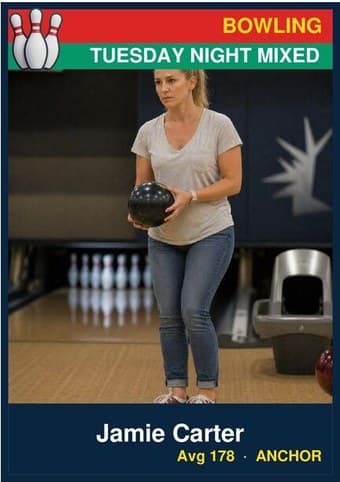
Classic
Repeated nine-up, the matching banners turn the roster into a set — every player in the same frame on one sheet, ready to cut apart or hand out at the season party.
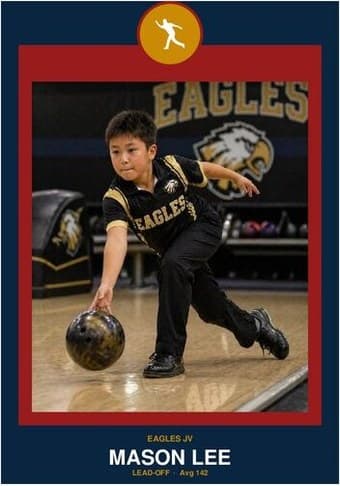
Circle Badge
Nine matching crests on one page read like a club honor board. The formal pick for an end-of-season team set where every player gets the same treatment.
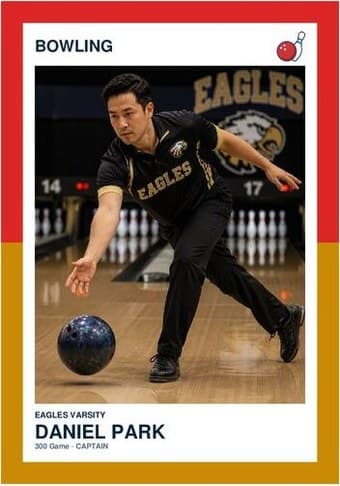
Split Halves
Nine two-color frames make the team colors the pattern of the whole sheet. Strongest when the full roster shares the same pair — the page itself starts to look like the uniform.
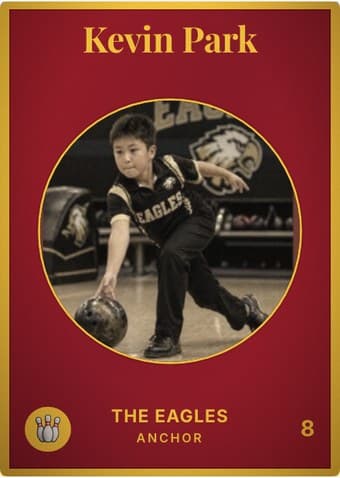
Vintage Card
Aged nine-up, the sheet reads like a page from an old team album. Sepia the whole roster for the full vintage effect, or switch the aging off card by card.
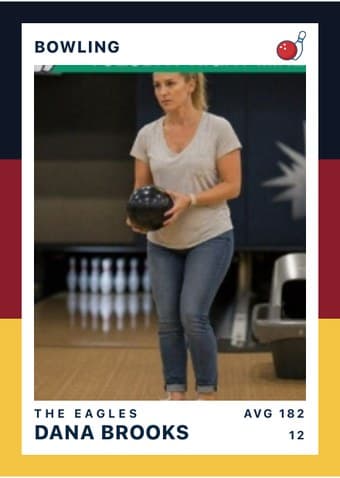
Triple Split
The bands tile cleanly nine-up, giving the team sheet a striped rhythm the other designs don't have. The easiest sheet to spot on a crowded team-mom table.
The download is a print-ready PDF. There is no account to create, no watermark, and no design software to install — no Photoshop, no Word template, no Canva login.
Practical pointers
- Use a high-quality photo. On the approach with the ball at chest height, or post-release with the lane behind — both read as bowling.
- Up to 9 players. Add only as many as your roster has — empty slots stay blank. Every card uses the same team name and color scheme.
- Cut into 9 separate cards or hand out the whole sheet. Some coaches print one sheet per parent and let them cut at home; others cut at the banquet.
- Use the same photo crop ratio across all 9. If every player’s photo uses the same shoulders-up framing, the team sheet looks like a coordinated set rather than nine random snapshots.
- Drag and zoom to crop. The photo frame shows exactly what ends up on the card. Center the face in the middle third — that’s the area readers’ eyes land on first.