Apollo's Templates
HomeBusinessTimesheet TemplatesEmployee
The payroll record

Employee Timesheet Template

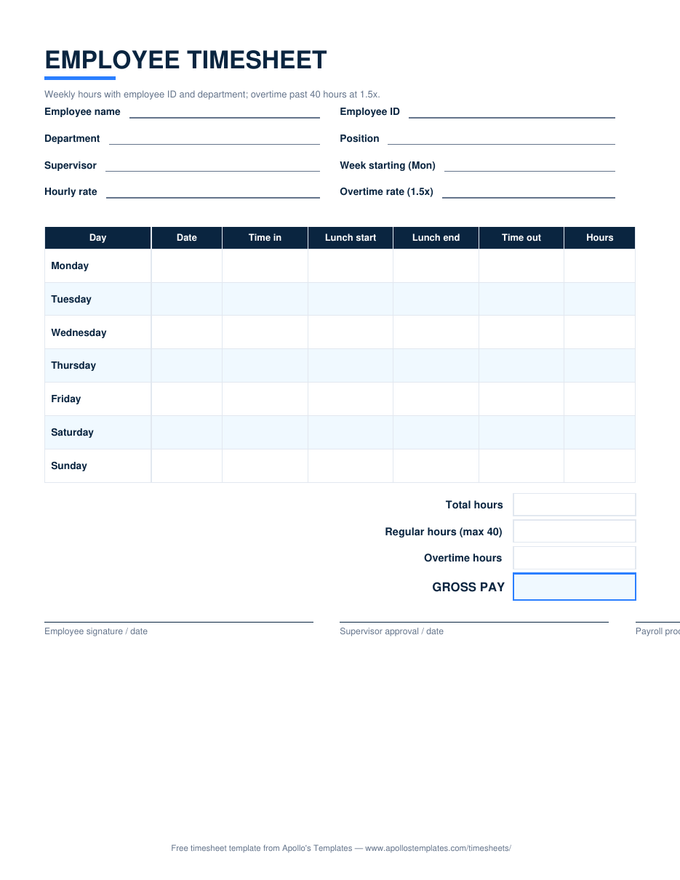
The employer's version of the weekly timesheet: the same clock-time rows and 40-hour overtime split, plus the fields payroll actually files by \u2014 employee ID, department, position, supervisor \u2014 and a three-line approval block for the employee, the supervisor, and whoever processes payroll. The Excel version calculates hours, overtime, and gross pay as times are entered; the PDF is the sheet you hand to hourly staff on Monday.

Three formats

The employee sheet, three ways.

Excel — the timesheet calculator

Enter clock times with AM/PM and the sheet totals each day, splits regular from overtime at 40 hours, and computes gross pay from the rate — with ID and department carried in the header.
Employee timesheet with ID and department fields, daily in, lunch, and out columns, a 40-hour overtime split, and a three-signature approval block
PDF

Printable PDF

The clipboard version: identity block, seven days with lunch columns, and the three signature lines payroll wants to see.
Download PDF

Word (.docx)

An editable Word version for HR — add the company name and logo, save it as the standard issue form.
Worth knowing

A timesheet is a payroll record for two years, minimum.

The FLSA requires employers to keep the records that wage computations rest on — timesheets included — for at least two years, and payroll records for three. Small employers rarely lose disputes on the merits; they lose them on missing paper. A signed, dated, ID-stamped sheet filed by pay period is the whole defense, and this template is designed to be that file.

Issue the sheet, don’t just offer it. Employees who receive a pre-filled timesheet on Monday with their name, ID, and the week’s dates already in the header return it complete far more often than staff handed a blank grid. The Word version exists so HR can save a per-employee master and print the stack in one go.

Total the week in seconds
Timesheet Calculator
Enter clock times, get hours, overtime, and gross pay — download the result as a PDF.
Start
The whole crew on one page
Multiple Employee Timesheet
One weekly row per employee with per-row overtime and pay.
Open
Daily-overtime states
California Overtime Timesheet
Per-day 1.5× and 2× splits plus the weekly cap.
Open

Frequently asked questions

What should an employee timesheet include to satisfy the FLSA?
The recordkeeping rule wants the employee's identity, the workweek's start, hours worked each day and each week, the pay basis and rate, regular and overtime earnings, and the pay date — which is why this sheet carries an ID and department block that the plain weekly sheet doesn't. Sign-off isn't federally required, but the supervisor and payroll lines are what make the record defensible later.
Do salaried or exempt employees need to fill this out?
Not for overtime — exempt employees don't earn it, so the 40-hour split is irrelevant for them. Many employers still have salaried staff record hours for project allocation, PTO tracking, or client billing; use the project timesheet for that and leave the pay columns blank. Hourly non-exempt staff are who this sheet is legally for.
Can I use this as an employee timesheet calculator instead of buying software?
For a small team, yes — that's exactly what the Excel and Google Sheets versions are. Times go in, hours and pay come out, and the file is the record. Our in-browser timesheet calculator does the same math for a quick one-off week. Time-tracking software earns its subscription at the point where you need clock-in enforcement, schedules, or payroll integration — not for the arithmetic.
Who signs, and in what order?
The employee first, attesting the hours are true; the supervisor second, approving them; payroll last, confirming they were processed. That order turns a disputed paycheck into a paper trail with three dated handoffs instead of a memory contest. The Excel version prints the same three lines below the totals.
Updated through September 2026