Apollo's Templates
HomeTo-Do List TemplatesHourly
A slot for every task

Hourly To-Do List Template

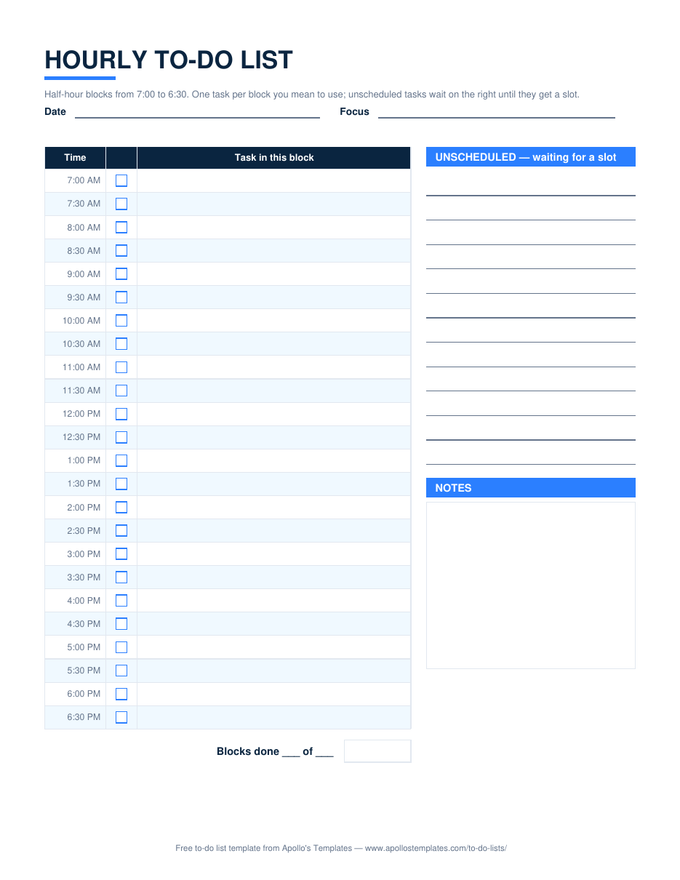
Time blocking on one sheet: twenty-four half-hour rows from 7:00 AM to 6:30 PM, each with a checkbox and room for the one task that owns that block, an unscheduled list on the right for tasks still waiting for a slot, and a notes box. The rule is simple \u2014 a task without a block is not planned, it is hoped \u2014 and the sheet makes the gap visible. Excel and Google Sheets count the blocks done; the PDF is the desk pad.

Three formats

The hourly list, three ways.

Excel — blocks counted

Twenty-four half-hour rows with a ✓ dropdown; Blocks done reads 2 of 5; the unscheduled lines and notes box beside it.
Hourly to-do list with half-hour rows from 7:00 AM to 6:30 PM, a checkbox and task cell per block, an unscheduled list, and a notes box
PDF

Printable PDF

The printable desk page: the time column, boxes, task cells, and the side lists on one sheet.
Download PDF

Word (.docx)

The same layout as a two-column Word table for people who type the day the night before.
Worth knowing

Block the deep work first, then the meetings.

If the meetings go on the page first, the deep work gets the fragments between them, which is where it goes to die. Write the two-hour block for the real work before anything else, then place the meetings around it; if they will not fit, that is information about the week, not about your discipline.

Leave two blocks empty on purpose. Every day produces something unplanned, and a sheet with no slack turns the first interruption into a rewrite of the whole afternoon.

The lighter version
Daily To-Do List
Top 3, a task list, and an hourly column beside it.
Open
Hours across a week
Weekly Planner
The time-blocked week with a to-do sidebar.
Open
Decide what deserves a block
Priority To-Do List
Urgent? Important? The quadrant computes.
Open

Frequently asked questions

What is time blocking?
Giving each task a specific slot in the day instead of a place on a list. It works because it forces the arithmetic — five two-hour tasks do not fit in an eight-hour day, and a list will never tell you that, while a page of half-hour rows will. This sheet is the paper version; the hourly to-do list name is what most people search for.
Why half hours instead of hours?
Hours hide the small tasks. A thirty-minute block is short enough to hold a single call or a review and long enough to be worth scheduling. Two consecutive blocks make an hour; four make the deep-work morning. The Excel version counts blocks, so you can see how many of the day's slots you actually used.
What goes in the unscheduled list?
Everything that needs doing today but does not have a slot yet. During the day, when a block frees up, take the top item. At the end of the day, anything still there either moves into tomorrow's blocks or was never going to happen — the list makes that decision honest.
Can I change the hours?
In Excel and Word, type over the time column — a shift worker's 2 PM to 1 AM works the same way. The PDF is fixed at 7:00 to 6:30; the daily to-do list has a lighter hourly column if you only want a few reserved slots beside a plain list.
Updated through September 2026