Apollo's Templates
HomeTo-Do List TemplatesPriority
Two questions, four boxes

Priority To-Do List Template

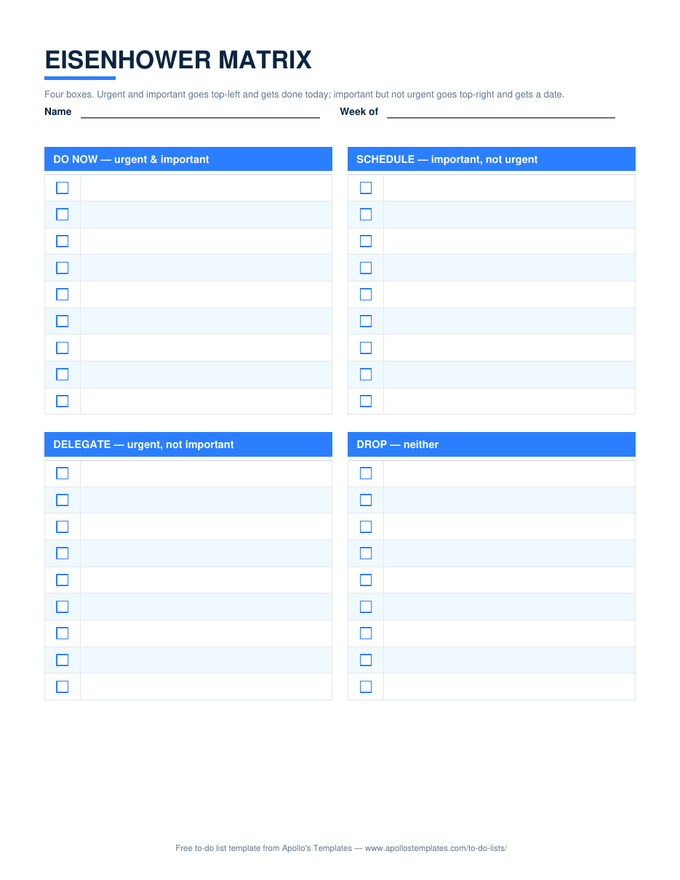
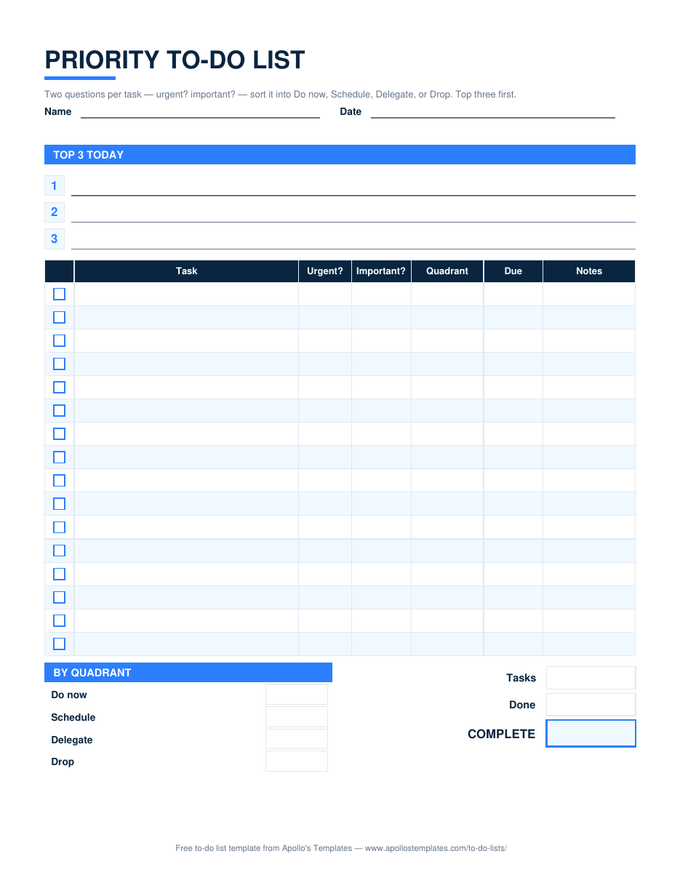
Two templates for the same problem. The priority to-do list asks two questions per task \u2014 urgent? important? \u2014 and the Excel and Google Sheets versions compute the answer into a quadrant column: Do now, Schedule, Delegate, or Drop, with a count of each and a Top 3 block at the top. The Eisenhower matrix is the same idea as a page: four boxes, nine lines each, for people who would rather sort by hand. Both print; both come in Word and Google Docs.

Two templates, six downloads

The list that sorts itself, and the matrix.
Priority list — Excel

Urgent? and Important? dropdowns; the Quadrant column computes Do now / Schedule / Delegate / Drop; counts by quadrant, Do now in red, a done percent.
Priority to-do list with three top-3 lines and a task table with urgent and important columns, a computed quadrant column, due and notes, plus by-quadrant counts
PDF

Priority list — printable PDF

Top 3 lines, the task table with the two question columns and a quadrant column to write in, by-quadrant boxes.
Download PDF

Priority list — Word

The same table as an editable document with the quadrant note underneath.

Eisenhower matrix — Excel

Four quadrant blocks with ✓ columns and a done count under each. Type tasks straight into the box they belong in.
Eisenhower matrix as four quadrant boxes headed Do now, Schedule, Delegate, and Drop, each with nine checkbox lines
PDF

Eisenhower matrix — printable PDF

The classic four boxes on one page: Do now, Schedule, Delegate, Drop, nine checkbox lines each.
Download PDF

Eisenhower matrix — Word

The four boxes as Word tables for the weekly review document.
Worth knowing

Urgent is a feeling; important is a decision.

The reason the two questions work is that they separate what the task is doing to you from what it does for you. Almost everything feels urgent when it arrives. Asking is it important? out loud, per task, is the small act that stops a week from being consumed by things that were merely loud.

Look at the Delegate count with suspicion. A high number there usually means either you have people to delegate to and are not, or you are calling things urgent that are simply other people’s preferences.

Three things, then stop
ADHD To-Do List
Three tasks with a first tiny step and a brain dump.
Open
Put the Do-now tasks in time
Hourly To-Do List
Half-hour blocks for the day.
Open
The full list with status
To-Do List in Excel
Priority, due date, status, overdue red.
Browse

Frequently asked questions

How does the quadrant column work in Excel?
Each row has two dropdowns, Urgent? and Important?, with Yes or No. The Quadrant cell reads them: Yes and Yes is Do now, No and Yes is Schedule, Yes and No is Delegate, No and No is Drop. The by-quadrant block counts each, so a glance shows whether the week is all firefighting (Do now) or has room for the work that matters (Schedule).
Priority list or Eisenhower matrix — which should I use?
The list if you already have the tasks written somewhere and want them sorted with the counts kept for you; the matrix if you think spatially and want to move things between boxes by hand. Many people do the matrix on paper on Monday and run the list in Excel for the rest of the week.
What does Schedule mean here?
Important but not urgent — the planning, the learning, the relationship calls, the maintenance. It is the quadrant that never shouts and therefore never gets done, which is why the sheet counts it separately. A week where Schedule stays at zero is a week spent entirely on other people's emergencies.
Is there a 1-3-5 or top-three version?
The Top 3 block on the priority list is the top-three method; fill it from the Do now quadrant each morning. A dedicated 1-3-5 sheet (one big, three medium, five small) is a natural addition and is on the list for a later pass.
Updated through September 2026