Apollo's Templates
HomeTo-Do List TemplatesMonthly
The month, on one page

Monthly To-Do List Template

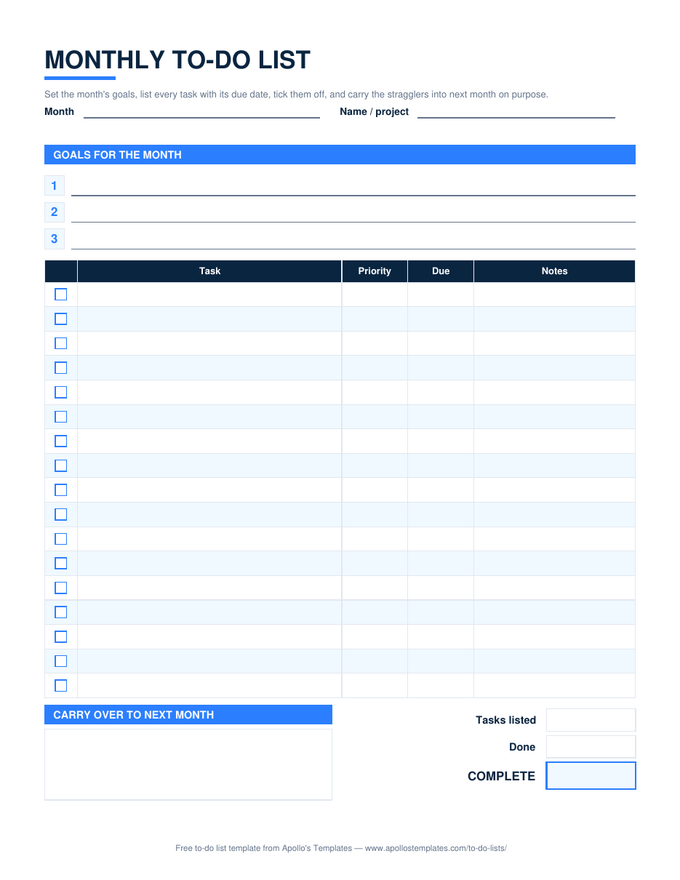
Months are where to-do lists usually break down: too long for a single list, too short to plan like a project. This sheet splits the difference. Four numbered goal lines at the top say what the month is for; the task table underneath gives each item a box, a priority, and a due date; a carry-over box at the bottom catches what moves to next month on purpose. The second template on this page \u2014 Today \u00b7 This Week \u00b7 This Month \u2014 is for people who would rather keep three horizons on one landscape sheet.

Two templates, four downloads

The monthly list and the three-horizon sheet.
Monthly — Excel

Tick the box and the row greys out; a task past its due date turns red; the progress box reads 40% without a formula from you. A week-of-month column fills itself from the due date.
Monthly to-do list with numbered goal lines, a task table with checkbox, priority, due, and notes columns, a carry-over box, and progress boxes
PDF

Monthly — printable PDF

Goals, seventeen dated task rows, the carry-over box, and the progress boxes on one portrait page.
Download PDF

Monthly — Word (.docx)

The month as an editable document: type the goals, add rows, print it for the fridge.

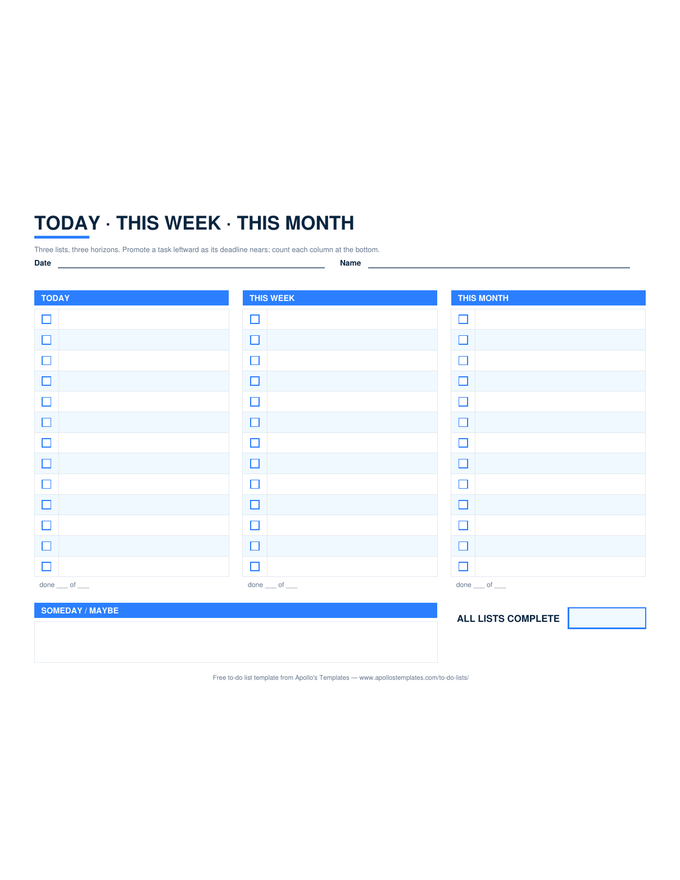
Today · This Week · This Month — Excel

Three checkbox columns on a landscape sheet, each with its own done count and an overall percent. Also as PDF and Word on the printable and Word pages.
Worth knowing

Four goals is a month; forty tasks is a wish.

The goal lines are capped at four on purpose. A month has roughly twenty working days and a life attached to them, and four outcomes that actually land beat twelve that half-happen. Put the tasks that serve those four goals at the top of the table with a High priority, and let the rest be honest Medium and Low.

Use the due-date column sparingly. A date on every task makes every task overdue by the fifteenth and teaches you to ignore the red. A date on the six that truly have one makes the red mean something.

Seven days at a glance
Weekly To-Do List
One column per day with a box per task and a goals band.
Open
Month grid with a to-do column
Monthly Calendar Templates
When the month needs dates first and tasks second.
Open
The spreadsheet version
Excel To-Do Lists
Status dropdowns, overdue highlighting, live progress.
Browse

Frequently asked questions

Monthly to-do list or monthly calendar?
A calendar answers when; a to-do list answers what and whether it got done. Use the calendar for appointments and deadlines that belong to a date, and this list for the tasks that just need to happen sometime this month. The Due column links the two: put a date on a task only when a date is real.
What is the Today · This Week · This Month sheet for?
For the person whose tasks live on three clocks at once. The far column holds the month's items; as one gets close it moves to This Week, then to Today. Each column counts its own boxes, so you can see at a glance whether today is realistic. It is the paper version of what most task apps call a horizon view.
Why a carry-over box instead of just copying tasks forward?
Because copying silently hides the pattern. Writing a task in the carry-over box is a small deliberate act, and a task that lands there twice usually needs to be broken up, delegated, or dropped. The box turns month-end into a two-minute review instead of a guilty scroll.
Does the Excel month list work in Google Sheets?
Yes — the Open in Google Sheets button copies it to your Drive with the ✓ dropdown, the overdue highlight, the week-of-month helper, and the progress percent all working. We verify the computed cells after import on every rebuild.
Updated through September 2026