Apollo's Templates
HomeTo-Do List TemplatesWeekly
Seven columns, one week

Weekly To-Do List Template

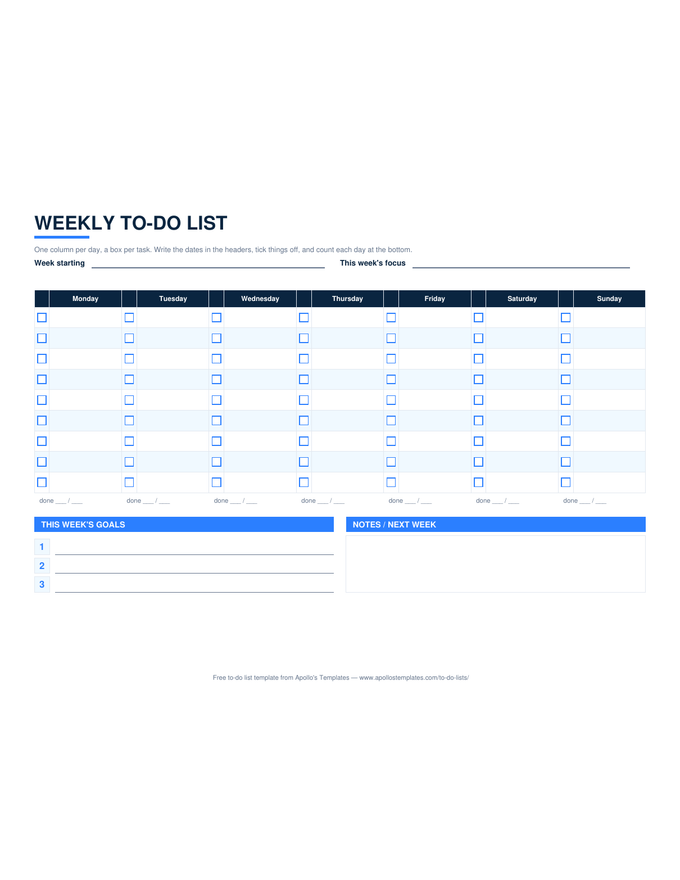
The week on one landscape page: a column for each day with a box beside every task line, a done count under each column, three lines for the week's goals, and a notes box for whatever spills into next week. Type the week's first date into the Excel or Google Sheets version and the seven headers date themselves; print the PDF and write the dates in by hand.

Three formats

The weekly grid, three ways.

Excel — self-dating headers

Enter Monday's date once; every header updates. Per-day done counts and a week total keep themselves.
Weekly to-do list in landscape with seven day columns, a checkbox beside each task line, a per-day done count, a goals block, and a notes box
PDF

Printable PDF (landscape)

Seven columns, nine boxes each, goals and notes underneath. Fits one sheet.
Download PDF

Word (.docx)

The same landscape grid as an editable table with ☐ boxes — the weekly task list for people who type.
Worth knowing

The goals band is the whole point.

A weekly list without goals is just seven daily lists stapled together. The three lines at the bottom are where the week gets a shape: the two or three outcomes that would make it a good week regardless of how many boxes get ticked. Write them Sunday night or Monday morning, then place the tasks that serve them first in each column.

Anything still unticked on Sunday goes into the notes box, not silently onto next week’s grid. Copying a task forward three weeks running is the sheet asking whether it belongs on a list at all.

One day, one page
Daily To-Do List
Top 3 priorities, the task list, and an hourly schedule.
Open
Three horizons on one page
Monthly To-Do List
Month goals, dated tasks, and the Today · This Week · This Month sheet.
Open
The hour-by-hour week
Weekly Planner
Time blocks across the week, with a to-do sidebar.
Open

Frequently asked questions

Which day should the week start on?
Whichever your week actually starts on. The Excel and Sheets headers compute from the date you type, so a Sunday start simply shows Sunday first; the PDF and Word versions are labeled Monday through Sunday, which matches most work weeks. Change the labels in Word if your week runs differently.
How many tasks per day is realistic?
The grid gives nine lines a day because that is the honest ceiling for most people; three to five is what usually gets finished. If a day fills all nine, that is the sheet telling you to move some to the goals band or to next week's notes box rather than to try harder.
Is there a version for a team?
This sheet is for one person's week. A team needs an owner column and a status column, which is a different object — the task list and task tracker templates carry those, and they are the right tool when several people share the list.
Can I print it for a whole month at once?
Yes: the PDF is a single page, so print four and write the dates in, or open the Excel version, type each Monday into a copy of the tab, and print the workbook. The monthly to-do list is the better fit if you want the month's tasks on one page rather than four weekly grids.
Updated through September 2026