Apollo's Templates
HomeTo-Do List TemplatesSimple
Checkbox, task, notes

Simple To-Do List Template

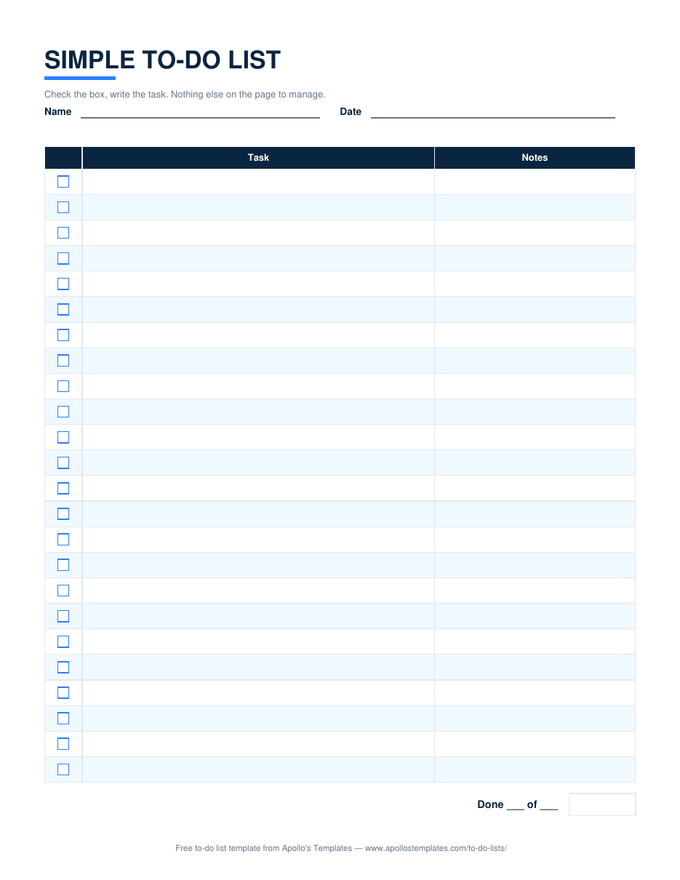
Three columns and twenty-four lines. No priorities, no statuses, no schedule \u2014 a box to tick, room to write the task, and a notes column for the phone number or the aisle. This is the list for people who searched for a simple or blank to-do list and meant it. The Excel and Google Sheets versions add exactly one thing: a line at the bottom that reads 3 of 5 done, kept by the sheet.

Three formats

The simple list, three ways.

Excel — one count, that's all

Pick ✓ from the dropdown; the task greys out and the done count updates. Twenty-four rows, three columns, no other formulas.
Simple to-do list with a checkbox column, a wide task column, a notes column, and a done-count line
PDF

Blank printable PDF

The pad version. Print ten, keep them by the phone, the fridge, the desk.
Download PDF

Word (.docx)

A three-column table with ☐ boxes you can type into or print blank.
Worth knowing

Simple is a feature, not a lack of one.

Most abandoned to-do systems died of columns. Every added field is a small tax on writing a task down, and the tax is paid at exactly the moment the task is on your mind and the pen is not. A three-column list gets written; a nine-column list gets postponed until the weekend and then forgotten.

If you need more structure later, it is one page away — the daily list adds priorities and a schedule, the checklist adds sections, the standard list adds status and due dates. Start here and graduate only when the plain list stops being enough.

The same list, three looks
Printable To-Do Lists
Blank PDFs in plain, cute, and bold.
Browse
When one list needs sections
To-Do Checklist
Grouped sections with a progress percent for each.
Open
Twenty numbered lines
Things To Do List
The notepad version with a don't-forget box.
Open

Frequently asked questions

What makes this the simple one?
What it leaves out. The standard to-do list on the Excel page has priority, due date, and status columns and a progress block; this one has a box, a task, and a note. People searching for a simple or basic to-do list are rejecting the extra columns, so this template is built without them rather than being the full sheet under a new name.
Is it the same as the blank printable list?
Nearly. The printable page ships this layout as a blank PDF in three visual looks — plain, cute, and bold — for people who only want paper. This page is the same list in every format, including the Excel and Sheets versions with the done count.
Can I add a priority or a due date?
In Word or Google Docs, add a column to the table. In Excel, insert a column and the done-count formula still works because it only looks at the ✓ column and the task column. If you find yourself adding both, the standard list already has them, with overdue highlighting built in.
How many tasks should go on a simple list?
As many as belong to the same errand or day, and no more. The value of a short list is that it ends; a twenty-four-line list that never empties becomes a backlog. Start a new page when the context changes — one for the hardware store, one for the day — and throw the finished ones away.
Updated through September 2026