Apollo's Templates
HomeTo-Do List TemplatesChecklist
Grouped, in order

To-Do Checklist Template

A checklist is a to-do list with a shape: items grouped into sections and worked in order, so nothing in the During pile gets started before the Before pile is finished. This template gives you three sections with editable headings \u2014 Before, During, After; Morning, Afternoon, Evening; Kitchen, Bath, Bedroom \u2014 each with a box, an item, a notes column, and a due date. The Excel and Google Sheets versions show a progress percent beside every section heading and an items-done total at the bottom.

Three formats

The checklist, three ways.

Excel — a percent per section

Type over the section bars, tick the boxes, and each section shows 67% or 33% on its own; the total reads 4 of 8 at the bottom.
To-do checklist with three section bars, each over a table of checkbox, item, notes, and due columns, and an items-done total
PDF

Printable PDF

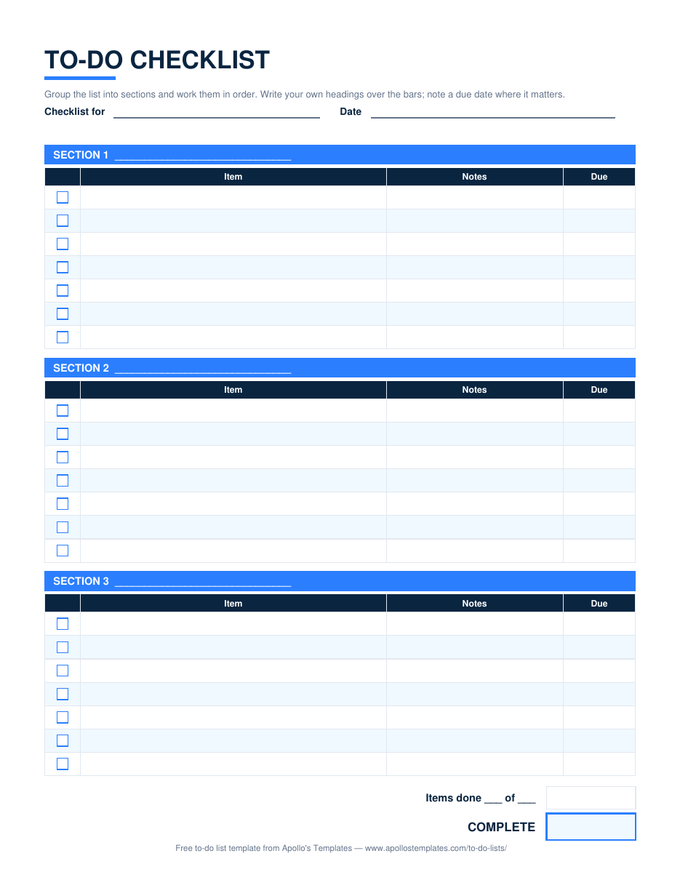
Three section bars with a blank heading line, seven boxed rows each, and the done boxes at the end.
Download PDF

Word (.docx)

The checklist most people want in Word: section tables with ☐ boxes, ready to rename and reuse for the next event.
Worth knowing

Checklists work because they are boring.

The reason surgeons, pilots, and good restaurant managers use checklists is not that they forget things; it is that under pressure everyone forgets things, and a list written calmly on a quiet day does not. The sections are the important part — a flat list of thirty items gets skimmed, three lists of ten get read.

Write the checklist right after the first time you do the job, while the mistakes are fresh. Then resist improving it until you have used it three times; most items that look unnecessary on paper turn out to be the ones you added for a reason.

The plain list
Simple To-Do List
Checkbox, task, notes — no sections.
Open
A checklist for the month
Monthly To-Do List
Goals, dated tasks, a carry-over box.
Open
All ten in Word
Word To-Do Lists
Every list as an editable .docx with ☐ boxes.
Browse

Frequently asked questions

What is the difference between a checklist and a to-do list?
Order and reuse. A to-do list is written fresh and emptied; a checklist is a set of steps that recur — packing, opening a shop, closing a month — grouped so they are done in sequence and reused every time. This template is built for that: rename the sections, fill the items once, and print or copy it each time the job comes round.
Can I make a morning and evening, or AM and PM, checklist with it?
Yes — that is one of the most common uses. Name the first two sections AM and PM (or Morning, Afternoon, Evening across all three) and list the routine under each. The per-section percent in the Excel version then shows how the morning went before the evening starts.
How do I add a fourth section?
In Word or Google Docs, copy a section table and paste it below. In Excel, copy the three rows of a section — bar, header, items — and paste them under the last; the total at the bottom counts every ✓ column in the sheet, so add its range to the formula if you paste below it. Most checklists fit in three; the packing list and the wedding-day list are the usual exceptions.
Is there a Word version with real checkboxes?
The Word file uses the ☐ character in a narrow first column, which prints as a box and can be replaced with ☑ or an X when typing. If you want clickable form-control checkboxes, Word's Developer tab can insert them into the same column; we ship the plain character version because it opens identically in Word, Google Docs, and LibreOffice.
Updated through September 2026