Apollo's Templates
HomeTo-Do List TemplatesEmployee
Who has what

Employee Task List Template

A manager's list, not a worker's: every task assigned to a named employee from a dropdown, with a due date, a priority, and a status \u2014 and a summary at the bottom that shows how many tasks each person has and how many they have finished. Type the team's names once in the team row; they feed both the dropdown and the summary. Excel and Google Sheets do the counting; Word and PDF are the printed versions for the shift board.

Three formats

The employee task list, three ways.

Excel — by-employee summary

Six editable team names feed the Employee dropdown; the summary counts each person's assigned and done tasks; overdue rows turn red.
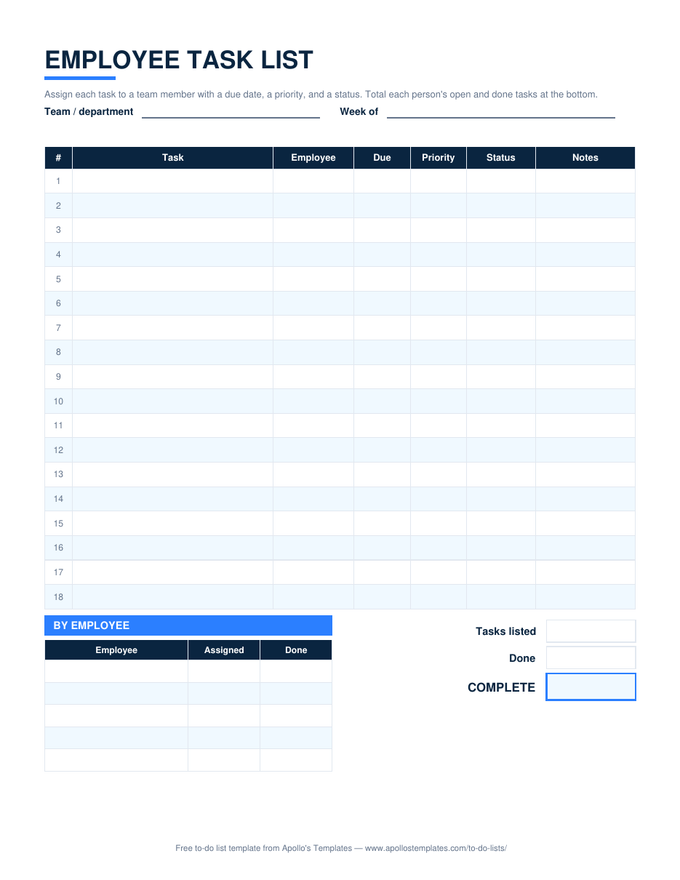
Employee task list with a team name row, task rows with employee, due, priority, and status columns, and a by-employee summary of assigned and done counts
PDF

Printable PDF

Eighteen task rows with employee, due, priority, and status, and a by-employee table to fill by hand.
Download PDF

Word (.docx)

The list as a Word table for the break room — retype names, print weekly.
Worth knowing

Balance the list before you hand it out.

The by-employee summary exists for the moment before the week starts, not after it ends. Read it top to bottom: if one name has nine tasks and another has two, the week is already decided. Rebalancing takes a minute on the sheet and a month of friction if you don’t.

Keep Waiting honest. A task marked Waiting should say in Notes what it is waiting on; if the answer is you, the manager, it is your task now.

Hand out and acknowledge
Task Assignment Sheet
Assign for a period, tick acceptance, both sign.
Open
The one-person version
Task List
Owner, due, priority, status.
Open
Hours worked, not tasks
Multiple Employee Timesheet
When you need the time, not the list.
Open

Frequently asked questions

How do I change the team names?
Type over the six cells in the Team row above the table. The Employee dropdown reads from those cells and the by-employee summary lists whatever is in them, so a new hire is one edit. Leave a cell blank and its summary row stays blank.
Can I use this for a daily task list for employees?
Yes — set Week of to the day and print, or keep one tab per day. For a per-person daily sheet that the employee fills in themselves, the daily task list is the better shape: three must-dos, times, and a carry-to-tomorrow box. This sheet is the manager's view across people.
What does the summary count?
Assigned is every row with that employee's name; Done is those rows with Status set to Done. Open tasks are the difference. It is built with COUNTIF and COUNTIFS on the table, so filtering or sorting the table does not break it.
Is there an employee task checklist version?
Use the Word or Google Docs copy: the ☐ boxes in the Status column area print as a checklist, and you can delete the Priority column if the list is a fixed routine. For recurring checklists with sections — opening, closing, weekly — the to-do checklist template is built for that.
Updated through September 2026