Apollo's Templates
HomeTo-Do List TemplatesTask list
The work list

Task List Template

The task list is the work version of a to-do list: every row has an owner, a due date, a priority, and a status, because at work the question is not just what but who and by when. This one keeps the bookkeeping itself in Excel and Google Sheets \u2014 overdue rows turn red, done rows grey out, a block counts tasks by status, and the percent complete updates as statuses change. The Word and PDF versions are the same columns for meetings and clipboards.

Three formats

The task list, three ways.

Excel — counts by status

Priority and status dropdowns, red overdue rows, a by-status block, and a percent complete that keeps itself. Opens as a Google Sheet too.
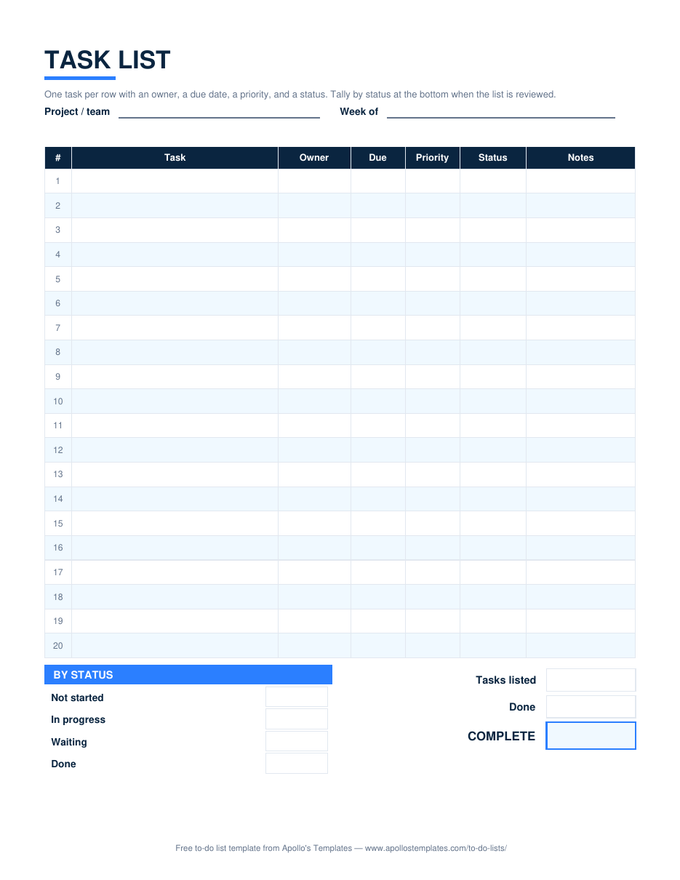
Task list with numbered rows for task, owner, due date, priority, status, and notes, a by-status count block, and tasks-listed, done, and complete boxes
PDF

Printable PDF

Twenty rows with owner, due, priority, status, and notes; by-status and total boxes to fill in a meeting.
Download PDF

Word (.docx)

The task list as an editable table — paste it into a status report or print it for the wall.
Worth knowing

A task without an owner is a wish.

The single most useful column on this sheet is Owner, and the single most common failure of team task lists is leaving it blank because everyone knows. Nobody knows. Put one name in every row — not a team, not two names — and the list becomes something a meeting can run through in five minutes.

Review the list by status, not by row. Waiting is the column that hides problems: a task waiting more than a week is usually waiting on a decision nobody has been asked for.

Break big tasks down
Task List with Subtasks
Bold task rows with indented pieces; progress counts the pieces.
Open
One row per person's work
Employee Task List
Team dropdown and a by-employee summary.
Open
All the Excel task sheets
Task List Templates for Excel
Nine work-side sheets with owners, status, and dashboards.
Browse

Frequently asked questions

What is the difference between a task list and a to-do list?
Ownership. A to-do list is one person's; a task list belongs to a piece of work and says who is doing each part and by when. That is why this sheet has Owner, Due, and Status columns and the to-do lists mostly don't. If you are the only person on it and nothing has a deadline, the simple to-do list is lighter.
How do the counts work?
The Status column is a dropdown — Not started, In progress, Waiting, Done. The by-status block counts each value with COUNTIF, the progress block divides Done by the number of task rows, and blank rows never count. Change a status and everything updates; there is nothing to recalculate by hand.
Can I sort or filter by owner?
Yes — in Excel, select the header row and turn on Filter; in Google Sheets, Data → Create a filter. The counts still work after sorting because they look at the whole column, not a fixed row order. For a per-person view built in, the employee task list has a by-employee summary.
Is there a task list template for Word?
The Word card is the same seven columns as an editable .docx table with the by-status and total boxes underneath. Word does not count anything, which the page says plainly; it is for the printed list and the report attachment. The Google Docs copy is the same file in your Drive.
Updated through September 2026