Apollo's Templates
HomeTo-Do List TemplatesProject
Numbered, dated, measured

Project Task List Template

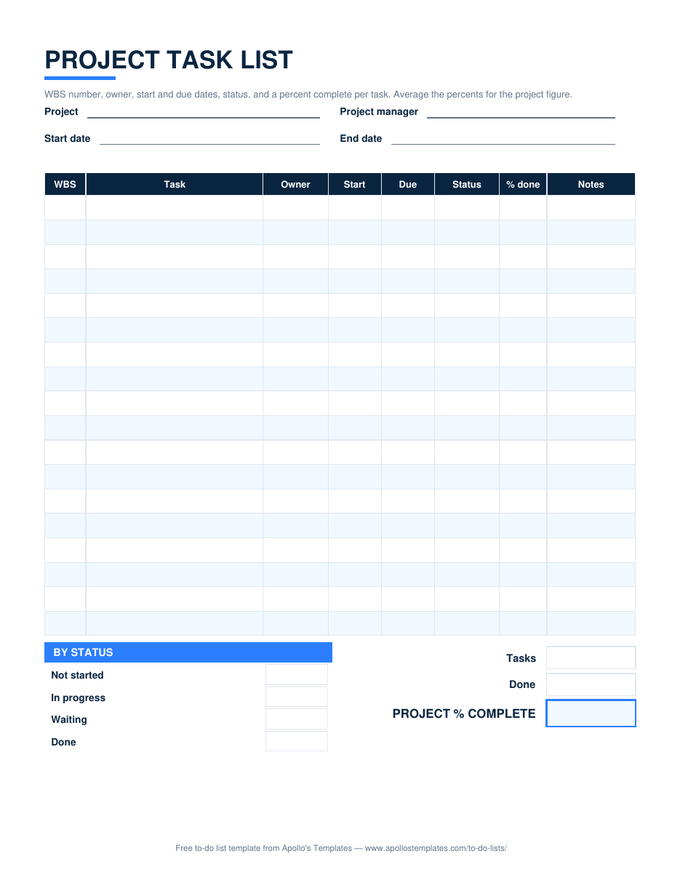
A project needs three things a plain list doesn't have: numbers that show which tasks belong together, start dates as well as due dates, and a way to say a task is half done. This sheet has all three \u2014 a WBS column (1.1, 1.2, 2.1), Start and Due, and a % done cell per task that averages into a project percent complete at the bottom. Status counts and overdue highlighting come along, as on every sheet in the library.

Three formats

The project task list, three ways.

Excel — project % complete

Type 0–100% per task and the project percent averages them; by-status counts, red overdue rows, and a status dropdown.
Project task list with WBS numbers, owner, start and due dates, status, and a percent-done column, plus by-status counts and a project percent complete box
PDF

Printable PDF

Eighteen numbered rows with owner, start, due, status, and % done; project boxes underneath.
Download PDF

Word (.docx)

The WBS table in Word for the project charter or the status report.
Worth knowing

Percent complete is a promise, not a measurement.

A task at 90% for three weeks is the oldest joke in project management, and this sheet cannot fix it — but the rule that keeps the number honest is simple: percent done means percent of the deliverable that exists, not percent of the time that has passed. If you cannot point at the finished part, the number is lower than you think.

Update the sheet on a fixed day. A project list touched every Friday is a record; one touched when someone asks is a reconstruction.

Draw the bars
Project Timeline
Simple Gantt-style timeline — tasks × dates.
Open
Two levels without numbers
Task List with Subtasks
Bold tasks, indented pieces, subtask progress.
Open
Track it week to week
Task Tracker
Days left, dashboard by status and priority.
Open

Frequently asked questions

How is the project percent calculated?
It is the plain average of the % done cells that have a value, so a project with tasks at 100, 100, 50, 0, and 0 reads 50%. Blank cells are ignored, not counted as zero. If tasks differ a lot in size, add an Hours column and change the formula to a SUMPRODUCT weighted by hours — the note on the sheet says how.
What is the WBS column for?
Work breakdown structure numbering: 1.1 and 1.2 are pieces of 1, 2.1 belongs to 2. It lets a flat list carry the shape of the project without indenting or grouping, and it gives every task a short name people can say in a meeting. Use whole numbers for phases and one decimal for tasks; you rarely need more.
Is this a Gantt chart?
No — it is the list a Gantt chart is drawn from. Start and Due give each task its span; if you want the bars, the project timeline template in the calendars section is the simple Gantt-style grid, and this sheet's rows paste straight into it.
Should tasks have both a start date and a due date?
Tasks that take more than a day should. Start dates make dependencies visible — 2.2 cannot start until 2.1 ends — and they let you see a task that is late to begin, which is the earliest warning a project gives. Same-day tasks can leave Start blank.
Updated through September 2026