Apollo's Templates
HomeTo-Do List TemplatesTask tracker
Counts down, adds up

Task Tracker Template

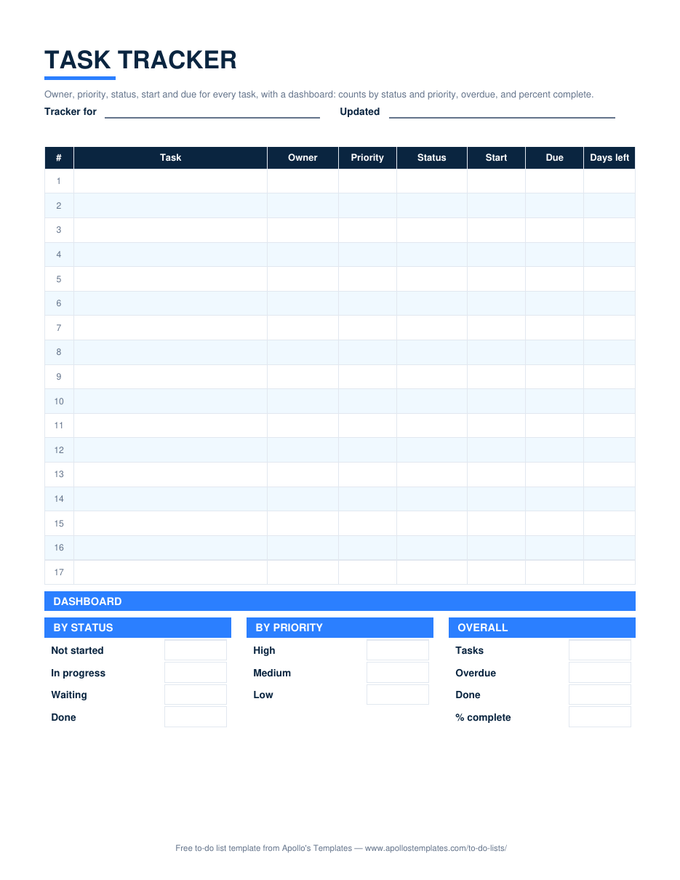
A tracker is a task list that watches the calendar. Every row carries owner, priority, status, start, and due, and a Days left column counts down from the due date \u2014 negative and red once a task is late. Below the table, a dashboard totals the list by status and by priority, counts the overdue tasks, and shows percent complete, all live in Excel and Google Sheets. It is the sheet to keep open on the second monitor.

Three formats

The task tracker, three ways.

Excel — with dashboard

Days left computes from the due date and TODAY(); the dashboard counts by status and priority, overdue tasks, and percent complete. Copies to Google Sheets with everything working.
Task tracker with owner, priority, status, start, due, and days-left columns above a dashboard of counts by status, by priority, overdue, and percent complete
PDF

Printable PDF

The tracker table and a blank dashboard — by status, by priority, overall — for the printed weekly review.
Download PDF

Word (.docx)

The tracker columns as a Word table for a report; the dashboard boxes to fill by hand.
Worth knowing

Sort by Days left and the meeting runs itself.

The tracker’s one trick is that it turns due dates into a single sortable number. Sort ascending and the overdue tasks float to the top in red, the due-this-week tasks follow, and the meeting has its agenda. The dashboard is for the person who does not want to read rows — the overdue count and the percent complete are the two numbers a manager actually asks for.

Retire Done rows monthly. Cut them to a Done tab so the dashboard reflects the live work, not the archive; the percent complete is more useful when it can still move.

Several tabs, one dashboard
Task Management Sheet
Owners, categories, and a dashboard tab for a small team.
Open
Numbered project version
Project Task List
WBS, start and due, project percent.
Open
Which days each task lands
Weekly Task Planner
Tasks by day with an X and a done box.
Open

Frequently asked questions

How does Days left work?
Each row subtracts today's date from the Due date, so the number falls by one every day you open the sheet and goes negative when the task is late; negative values turn red. Rows marked Done show nothing, so a finished task stops counting down. In Google Sheets the same TODAY() formula runs when the sheet opens.
What does the dashboard count?
Four things from the table: how many tasks are in each status, how many at each priority, how many are overdue (a due date before today and not Done), and percent complete (Done over all tasks). It is COUNTIF and SUMPRODUCT on the table columns — no pivot table, nothing to refresh.
Can I use it as a daily or weekly task tracker?
Yes. For a daily tracker, keep it as one running list and sort by Days left each morning. For a weekly one, copy the tab each Monday so the dashboard shows one week at a time. The weekly task planner is the alternative when what you want to see is which days each task lands on.
Is there a task tracker template for Word?
The Word card is the same columns as an editable table with the dashboard boxes underneath; Word does not count or count down, so it is the printed report of what the Excel tracker shows. Most people keep the Excel or Sheets version and paste a screenshot of the dashboard into the report.
Updated through September 2026