Apollo's Templates
HomeTo-Do List TemplatesTeacher
Before, during, after

Teacher To-Do List Template

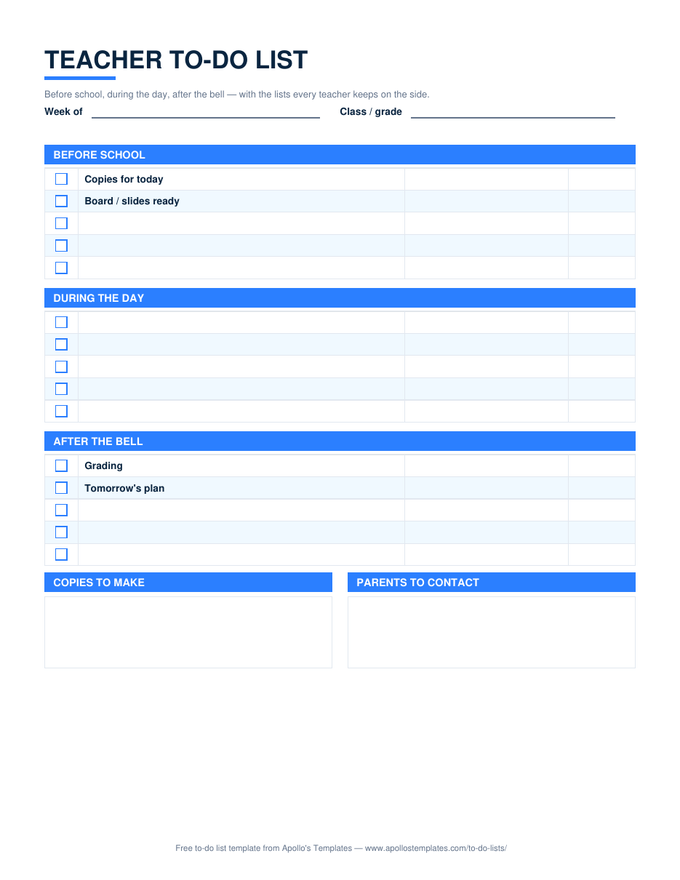
A teacher's day has three shapes \u2014 the twenty minutes before the first bell, the six hours you cannot leave the room, and the hour after \u2014 and a flat list ignores that. This sheet has a section for each, with Copies for today and Board ready pre-filled at the top and Grading and Tomorrow's plan at the bottom, plus the two side lists every teacher keeps somewhere: copies to make and parents to contact. Each section shows its own progress in Excel and Google Sheets.

Three formats

The teacher's list, three ways.

Excel — a percent per section

Three sections, each with its own progress percent; the standing items pre-filled; a Done overall count at the bottom.
Teacher to-do list with Before School, During the Day, and After the Bell sections, each with checkbox task rows, plus copies-to-make and parents-to-contact boxes
PDF

Printable PDF

The planner-page version: three sections of five, the copies and parents boxes underneath. Print a week at a time.
Download PDF

Word (.docx)

The sections as Word tables — rename them for a specialist or a block schedule and reuse all year.
Worth knowing

Fill in Tomorrow's plan before you grade.

The after-the-bell hour disappears into grading if you let it, and the next morning starts with nothing planned. Write tomorrow’s plan first — five minutes, while today is still fresh — and then grade with whatever is left. It is the one ordering trick on this page that changes the next day.

Keep the parents-to-contact box honest: a name goes in when you think of it, and a line goes through it when the call is made. The box is a memory, not a judgment.

For the students
Student To-Do List
Assignments by class with due dates and hours.
Open
Plan the week's lessons
Lesson Planner
The teaching-side weekly page.
Open
Sections you name yourself
To-Do Checklist
Three sections with a percent each.
Open

Frequently asked questions

Why three sections instead of one list?
Because the question a teacher asks is not what do I have to do but what can I do right now. Before-school tasks need the building empty; during-the-day tasks happen between classes; after-the-bell tasks need quiet. Sorting by when you can do it is what makes the list usable in a job where the day is scheduled for you.
What are the pre-filled items?
The four that recur every day — copies and board before school, grading and tomorrow's plan after. Overwrite them if your routine differs; they are there so the sheet is never blank on a Monday morning.
Can I use it for the whole week?
Print five, or keep one Excel tab per day; the Week of field is there for either. For the term-level list — back-to-school setup, report cards, conferences — the checklist template with your own section headings is the bigger container.
Is there a Google Docs version?
Yes: the Word card's Open in Google Docs button copies the same sectioned layout to your Drive, which is what most schools' accounts are built on. Word and Docs don't count anything; the percent per section lives in the Excel and Sheets versions.
Updated through September 2026