Apollo's Templates
HomeTo-Do List TemplatesWork
The office list

Work To-Do List Template

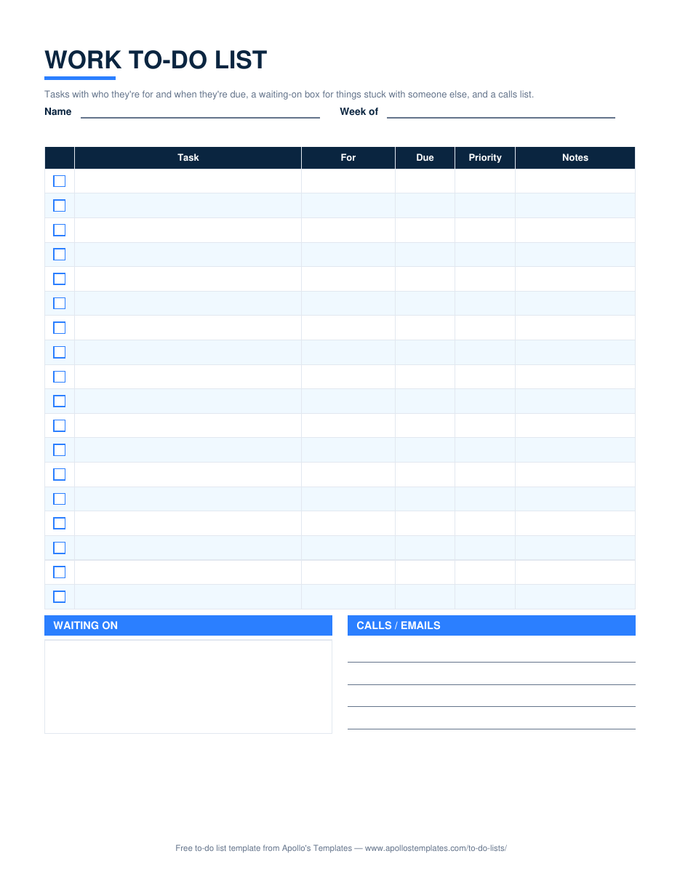
A to-do list for a job, as opposed to a to-do list for a life: every task carries who it is for, because at work that decides its priority, plus a due date and a High / Medium / Low tag. Two boxes underneath hold what the plain list cannot \u2014 Waiting on, for the tasks stuck with someone else, and Calls / emails, for the five-minute items that otherwise clutter the main list. It is the sheet an administrative assistant, an office manager, or anyone with a boss keeps by the keyboard.

Three formats

The work list, three ways.

Excel — overdue in red

✓ column, a For column, priority dropdown, red overdue rows, and a done count; the waiting-on and calls boxes below.
Work to-do list with checkbox task rows showing who each task is for, due, and priority, a waiting-on box, and a calls and emails list
PDF

Printable PDF

The printable version for the desk pad: eighteen rows with For, Due, and Priority, and the two boxes.
Download PDF

Word (.docx)

The same layout as a Word table for people who keep a document per week.
Worth knowing

The For column is a priority column in disguise.

At work, who asked usually decides what gets done first, and pretending otherwise makes a list unrealistic. Writing the name down is not cynical; it lets you see when three people’s urgent requests are competing for the same afternoon and go back to one of them before the deadline instead of after.

Empty the calls box before lunch. Small items left until the end of the day are the ones that roll to tomorrow forever.

The day, hour by hour
Daily Task List for Work
Must-dos, time and client per task, carry to tomorrow.
Open
A shared list with owners
Task List
Owner, due, priority, status — counts by status.
Open
Sort by urgency and importance
Priority To-Do List
Two questions per task; the quadrant computes.
Open

Frequently asked questions

How is this different from the task list template?
Scale. The task list has an Owner column because several people share it; this list is yours alone, and the For column records who asked instead. If a team needs to see the list, use the task list or the employee task list; if it is the list you keep for yourself at work, this is the one.
What goes in the Waiting on box?
Anything you cannot move until someone else acts — the approval, the file, the callback. Write the task and the person. Reviewing that box once a day is what turns waiting into a follow-up instead of a surprise a week later.
Is there a printable work to-do list?
The PDF card: one page, eighteen rows, both boxes, with margins that print on Letter or A4. Print a pad and keep it by the keyboard; the Excel version is the same sheet for people who prefer to type and sort.
Can I make it a weekly work to-do list?
Set Week of and let the Due column carry the day. For a grid of days, the weekly to-do list is the shape you want; for tasks planned across days, the weekly task planner marks each task's days with an X.
Updated through September 2026