Apollo's Templates
HomeFuneral TemplatesFuneral ProgramsOne Page
No fold, no second side

4 One-Page Funeral Program Templates

Not every service needs a folded program. A one-page funeral program puts the photo, the name and dates, the order of service and a line of thanks on a single side of one sheet. It suits a graveside service, a small family gathering, or any time the program has to be ready within the hour.

Four designs

Single-sheet funeral programs in Word, Google Docs and PDF

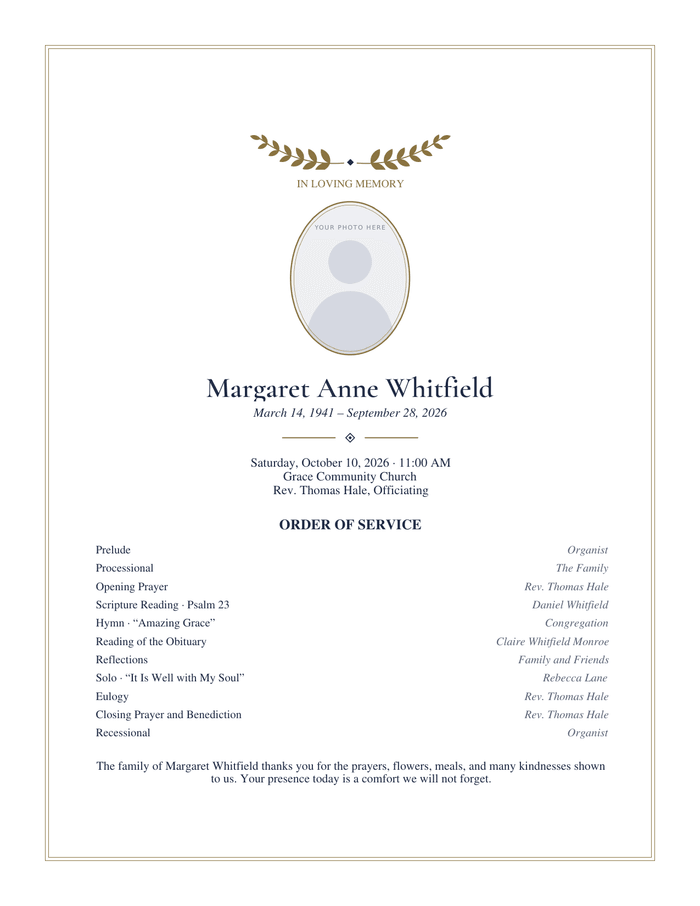
One-page funeral program with a gold laurel sprig above an oval photo frame, the name in a serif face, and a thin double gold border

Classic Funeral Program — One Page

Navy and gold with a laurel sprig. Suits almost any service.

1 sheet, one side, no fold · US Letter

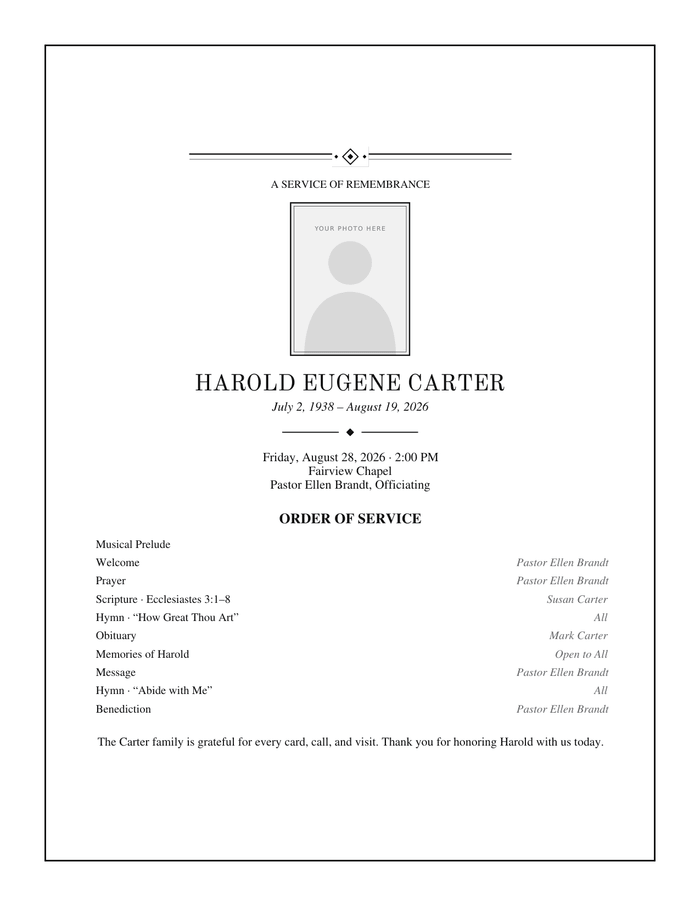
One-page funeral program with double rule lines with a diamond ornament above and below a square-cornered photo frame and the name in capitals, all in black ink

Black & White Funeral Program — One Page

No colour ink needed. Prints cleanly on any home or office printer.

1 sheet, one side, no fold · US Letter
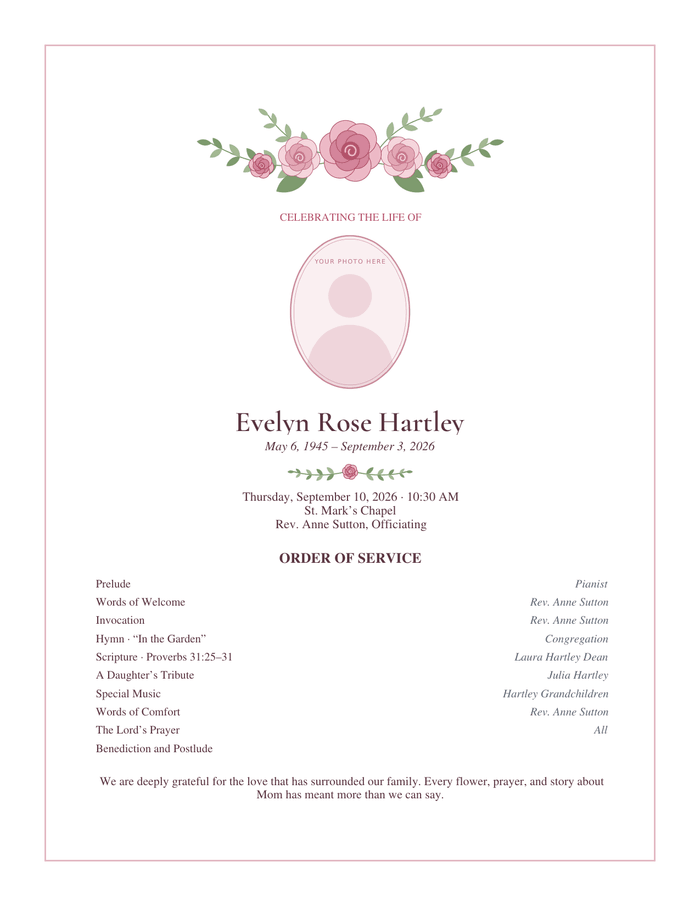
One-page funeral program with a spray of pink roses and green leaves above an oval photo frame, with a smaller rose garland at the foot

Roses Funeral Program — One Page

Pink roses and soft green leaves, drawn for a mother, grandmother or gardener.

1 sheet, one side, no fold · US Letter
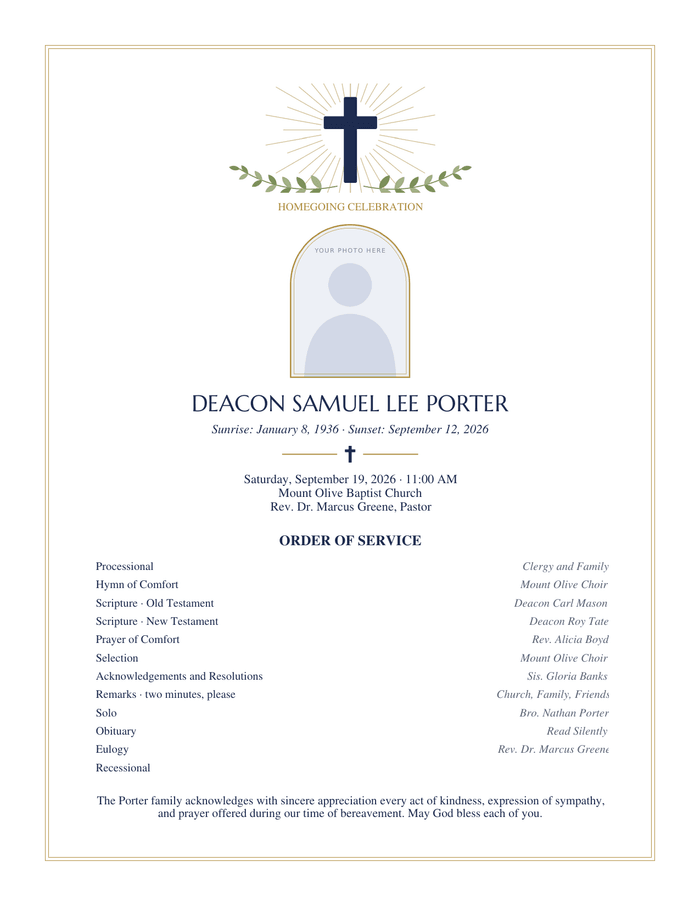
One-page funeral program with a navy cross with gold rays over two olive branches, an arched photo frame, and the heading Homegoing Celebration

Cross Funeral Program — One Page

A cross with olive branches. The sample wording is a Baptist homegoing service.

1 sheet, one side, no fold · US Letter
Short by design

What a one-page program includes and leaves out

The page carries a cover block at the top, an order of service of up to about twelve lines in the middle, and two lines of thanks at the foot. There is no obituary panel. If you want a few sentences about the person, replace the thank-you with them, or trim the order of service to its main parts.

Because it prints on one side, it is the only layout here that works on any printer without thinking about which way to flip the paper, and the only one a guest can read without opening anything.

Half sheets

Making half-page programs from one sheet

For a half-page handout, print the PDF two to a sheet: in the print dialog choose multiple pages per sheet, two, and cut down the middle. Each half is 5½ by 8½ inches. The type becomes small at that size, so shorten the order of service first.
Folded once
Bifold Funeral Programs
Adds an obituary and a back panel.
Open →
What to list
Funeral Order of Service
Including a short graveside order.
Open →
Everything
Funeral Program Templates
All 28 designs.
Open →

Questions families ask

Is a one-page program appropriate for a funeral?
Yes. A program is a courtesy to guests, not a requirement, and a single clear page does the job. Many graveside and cremation services use one.
Can I print on the back as well?
You can. Add a second page to the Word or Google Docs file for an obituary or a poem, then print two-sided. At that point a bifold may serve better, since it gives the same content a proper cover.
What paper is best for a single-sheet program?
A light cardstock, around 65 lb, keeps a single sheet from feeling flimsy and stands up to being held through a service outdoors.
Free funeral templates · Updated through October 2026 · by David Nelsen. Every name, date and place printed on these templates is invented sample wording; each file is opened in Microsoft Word and Google Docs before it is published.