Apollo's Templates
HomeCareers & LifeResume TemplatesSoftware EngineerGoogle Docs
Google Docs · All 12 developer designs · Copy to Drive

Software Engineer Resume Templates for Google Docs

All twelve software engineer templates, as native Google Docs — click Open in Google Docs on any card and a copy lands in your Drive, editable now and autosaving. Four designs, three colors each: Terminal (code-native stack sidebar), Scale (senior metrics band), Pixel (frontend portfolio header), and Origin (new-grad projects-first). Need Word? The .docx is the other button on every card.

All twelve, as Docs

Four developer layouts, three colors each — every one a Google Doc.

Terminal for full-stack, Scale for senior and staff, Pixel for frontend and UI engineers, Origin for new grads and bootcamp graduates. Pick the layout for your level, then the color.
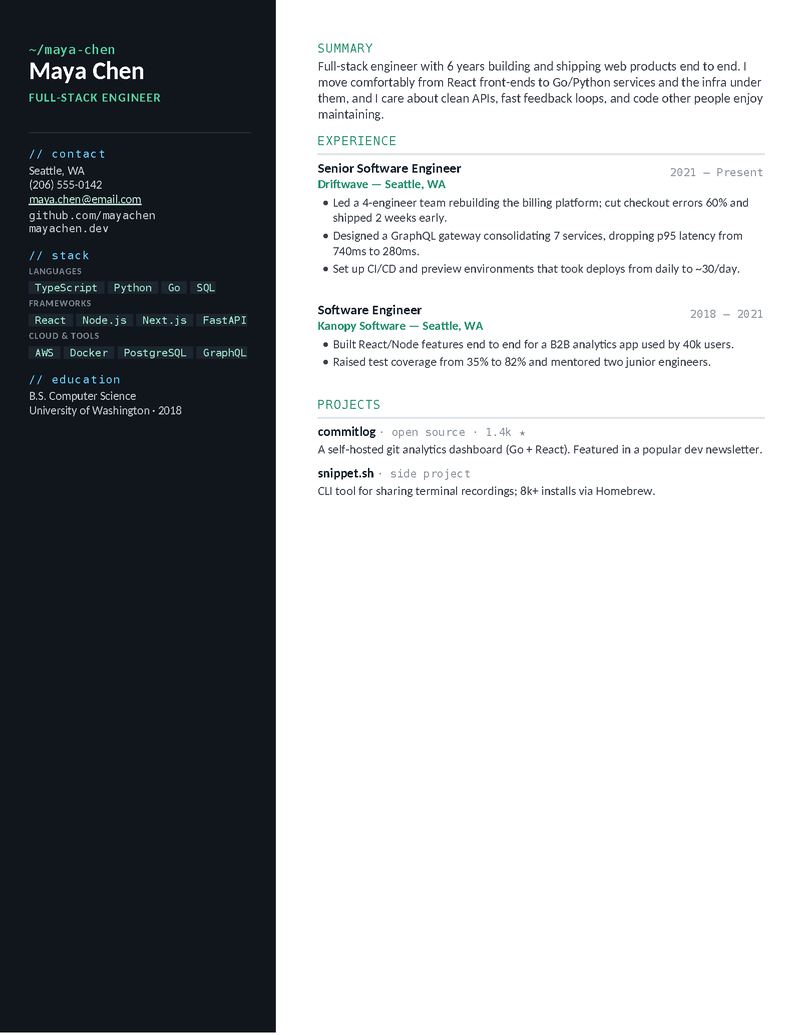
Terminal — Emerald

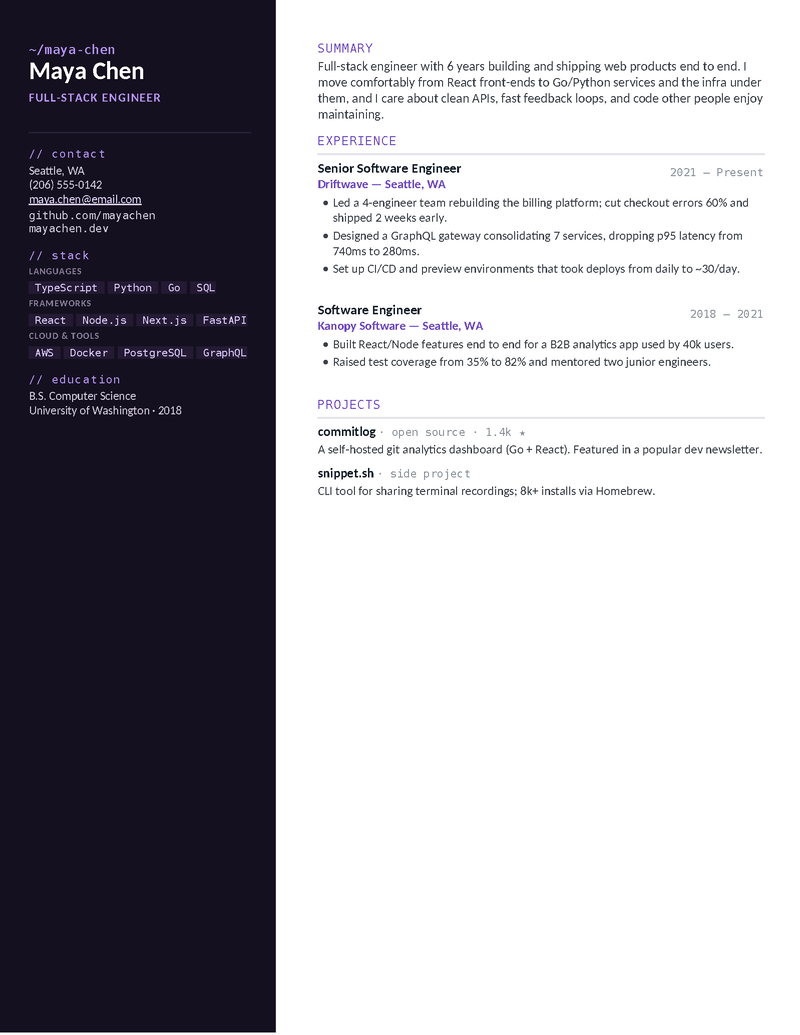
Dark, code-native sidebar with a grouped tech stack, GitHub/portfolio links, and monospace accents. For full-stack engineers. Emerald.

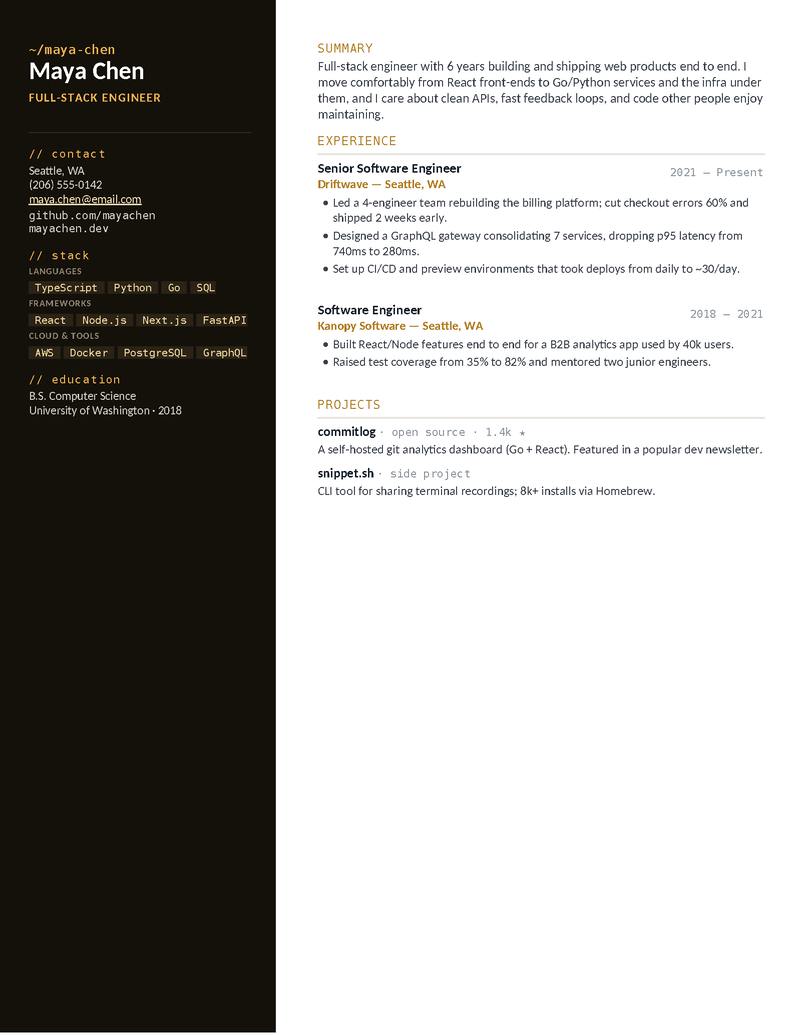
Terminal — Amber

The same terminal-inspired stack sidebar in a warm amber. Stack, projects, and quantified-impact bullets front and center.

Terminal — Violet

The dark dev-themed layout with a violet accent — a distinctive full-stack resume that still reads cleanly in any ATS.

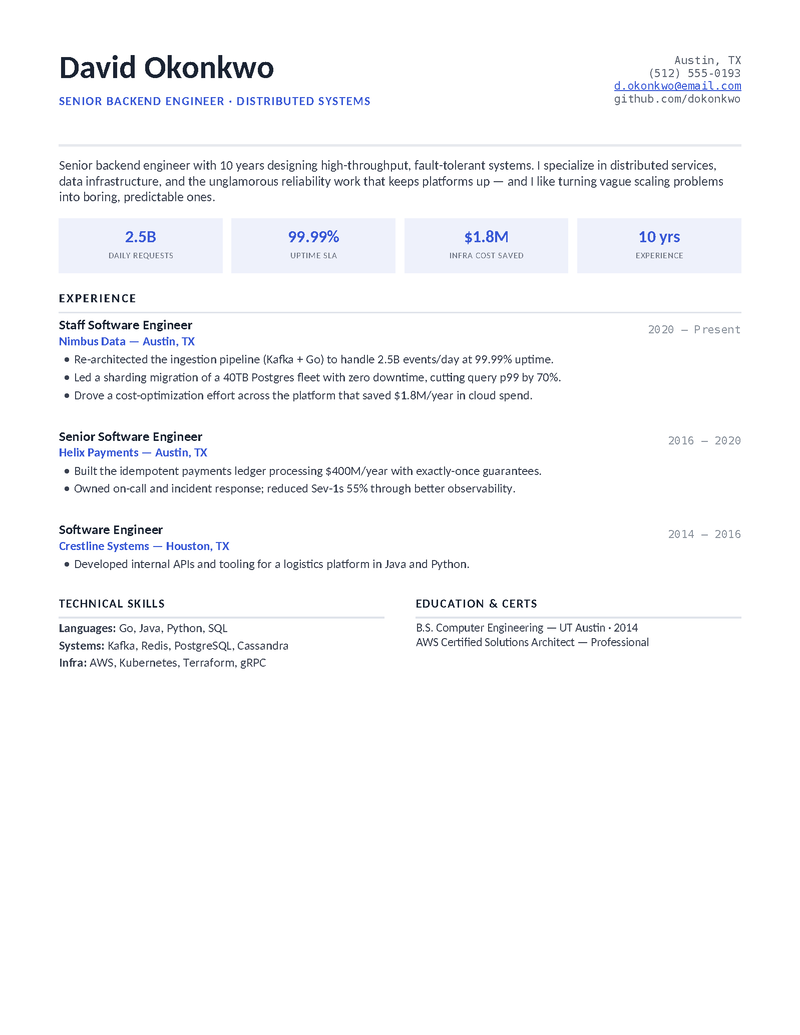
Scale — Indigo

A single-column senior/staff layout with an impact-metrics band (throughput, uptime, cost) and system-design framing. Indigo.

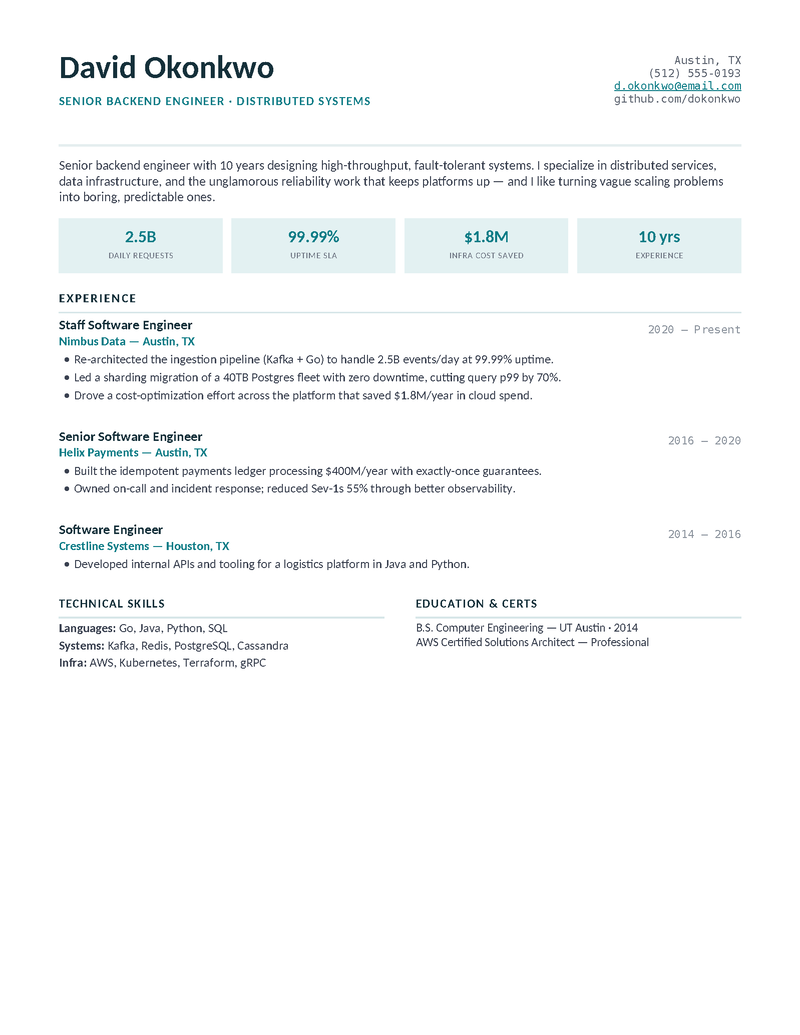
Scale — Teal

The metrics-forward senior backend design in a calm teal. Built to lead with scale, reliability, and quantified outcomes.

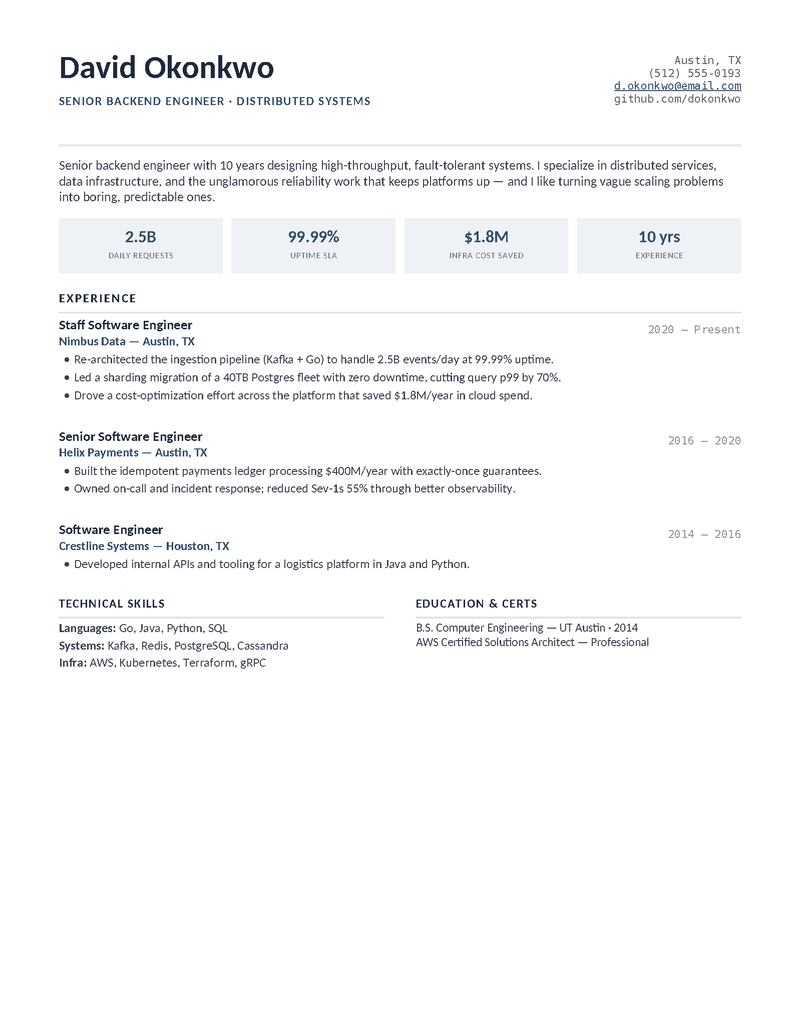
Scale — Slate

The same stat-band layout in an understated slate — a polished, ATS-clean choice for senior and staff engineers.

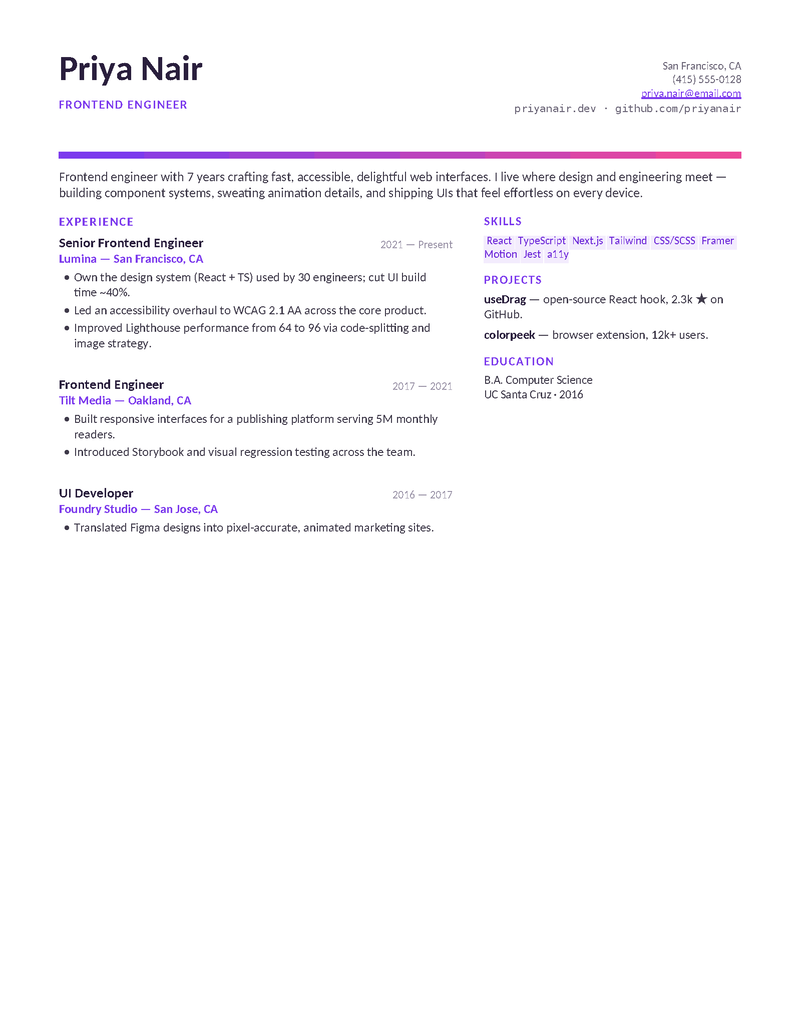
Pixel — Violet

A projects-forward frontend layout with a gradient accent, skill chips, and a portfolio header. Violet to pink.

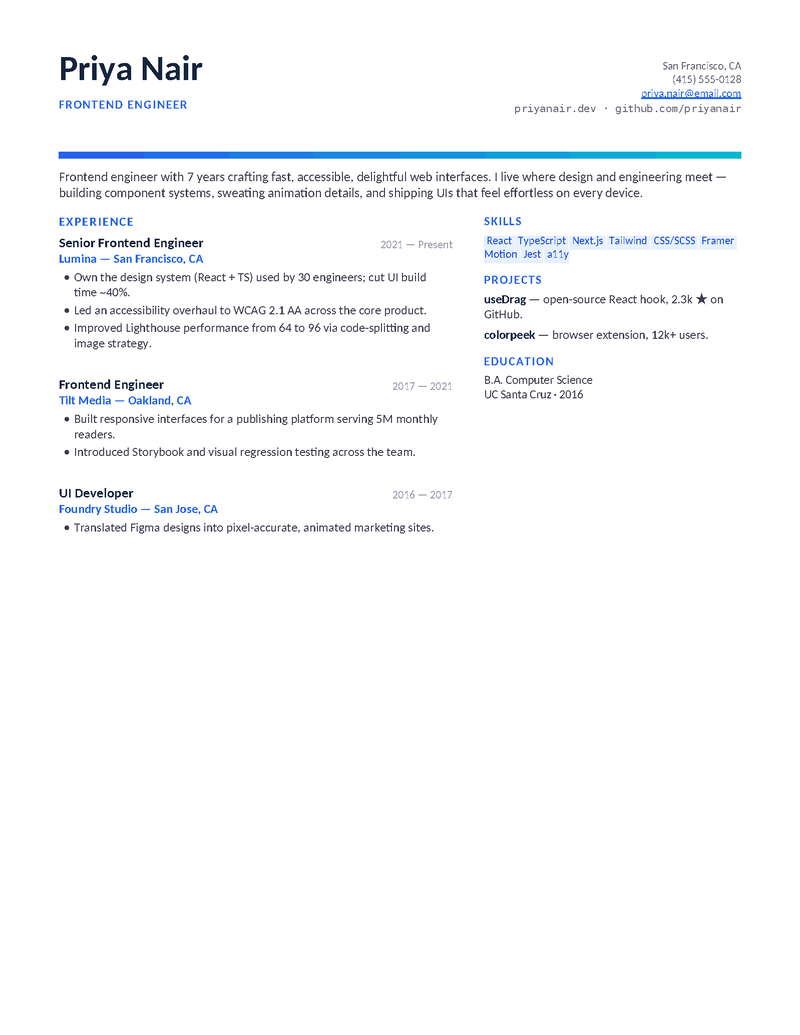
Pixel — Azure

The same modern frontend design in a cool azure-to-cyan gradient — for UI engineers who want a little polish.

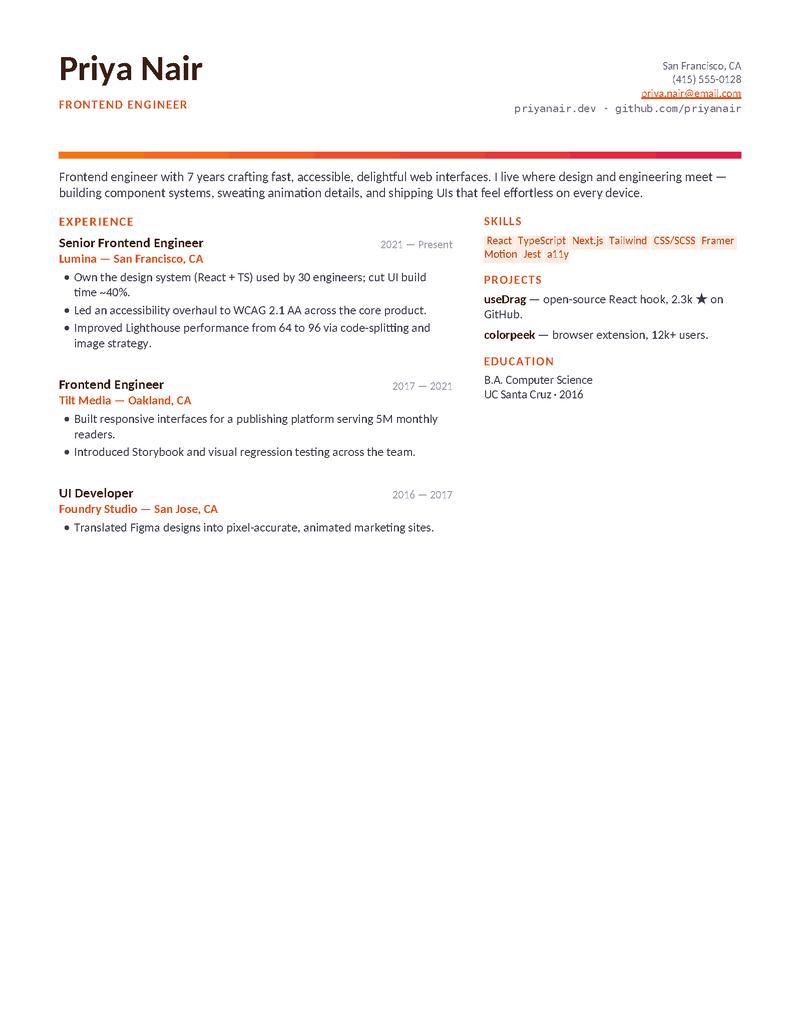
Pixel — Sunset

The frontend layout with a warm sunset gradient (orange to rose) — design-minded but still clean and parseable.

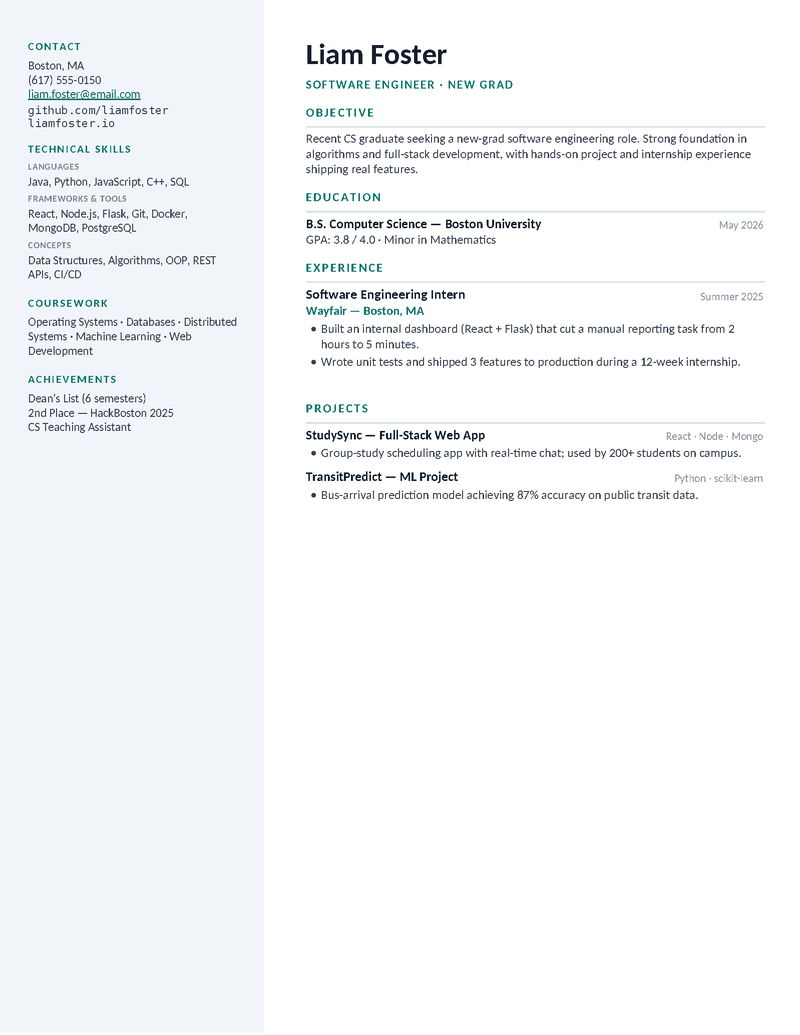
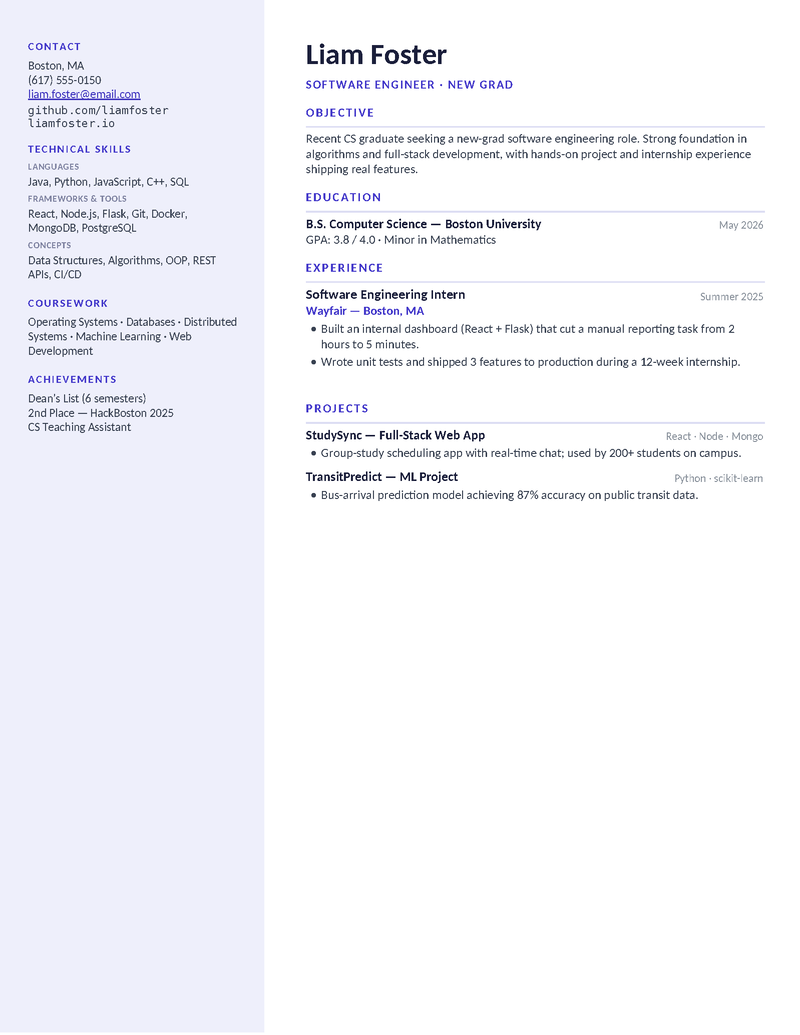
Origin — Teal

A new-grad / entry-level layout that leads with projects, coursework, and skills when work history is thin. Teal.

Origin — Indigo

The projects-and-skills-heavy new-grad design in indigo — perfect after a CS degree, bootcamp, or first internship.

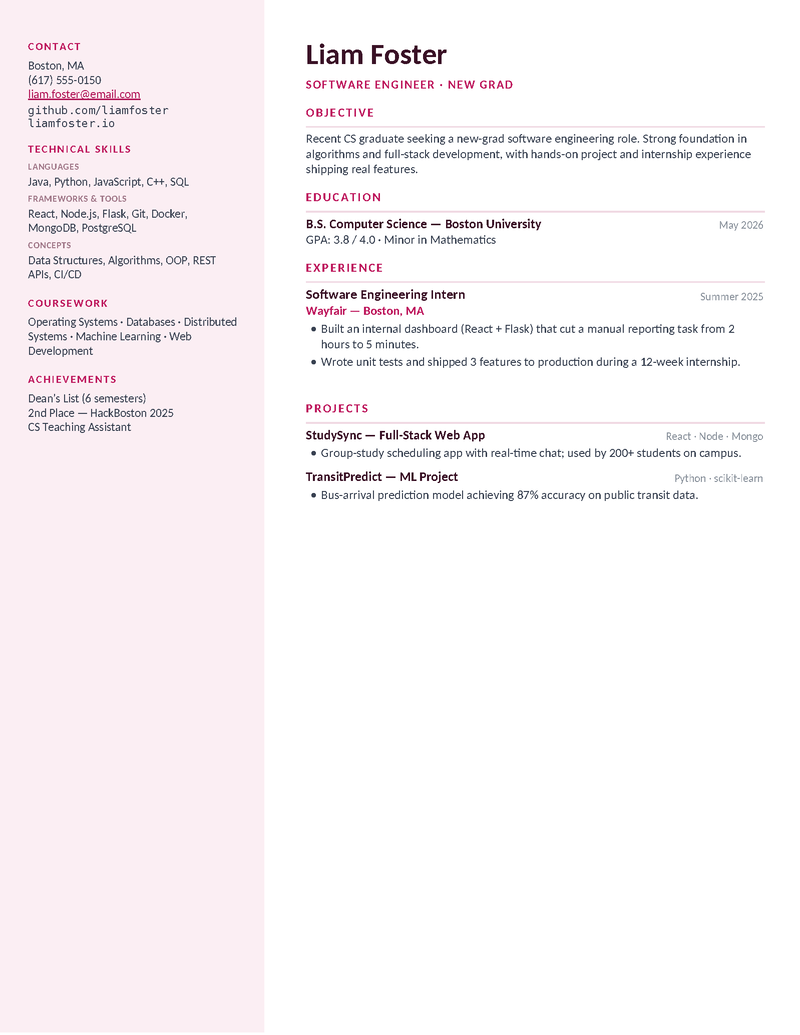
Origin — Rose

The entry-level layout with a friendly rose accent — show your projects, GitHub, and stack as proof you can ship.
Docs for developers

Why a Google Docs resume works for engineers.

Most engineers keep their resume in a Doc for the same reason they keep notes in one — it’s always current, always shareable, and exports to whatever the portal wants:

  • Version it like code. File → Version history lets you name a version per application (’Stripe backend, Sep 2026’) and diff them later.
  • Tailor without forking. Duplicate the Doc per role, swap the summary and the top three bullets, keep the rest. Ten tailored resumes, one source of truth.
  • Export what each portal wants. PDF for Greenhouse and Lever; .docx for the occasional Workday instance that insists. Both from File → Download.
  • Share for review. A view-only link to a mentor or a friend at the company beats emailing attachments back and forth.

Level-specific guidance lives on the entry-level and senior pages; the main software engineer page has the full write-up. Every other career’s templates are Google Docs too — see all Google Docs resumes.

Copy, tailor, ship

Three steps.

  1. Click Open in Google Docs on the layout for your level, then Make a copy.
  2. Fill the stack block and projects or metrics; duplicate the Doc per application to tailor.
  3. File → Download → PDF and upload. Keep the Doc — it’s your master copy.
Docs questions

Google Docs developer resume FAQ

Which software engineer resume template should I use in Google Docs?
Origin if you're a new grad or bootcamp graduate (projects first); Terminal for full-stack roles where the stack should be visible; Pixel for frontend and UI engineering with a portfolio; Scale for senior, staff, and lead roles where scope and metrics lead. Each has a page with a level-specific guide.
Do the code-style designs (Terminal, Pixel) render correctly in Google Docs?
Yes — every design was verified in Docs after import: the dark sidebar, monospace accents, and gradient header hold their shape. The layouts use Docs-safe tables and fonts, which is why they survive the copy.
Is a Google Docs resume ATS-friendly for tech applications?
Yes — the templates use real text and standard headings, so Greenhouse, Lever, Workday, and the rest pick up 'Kubernetes' or 'TypeScript' exactly. Export as PDF before uploading; don't paste the Doc into a form field.
Can I get these as Word files?
Yes — the Download Word button on every card gives the original .docx, or File → Download → Word from your Doc copy. Same layout.
How do I keep the Google Docs version to one page?
Trim before shrinking: cut the oldest role to two bullets, merge skills lines, drop coursework once you have two years of experience. Docs will let you go to 9pt; recruiters won't read it.
Are these really free, with no signup?
Yes — free with no account on our side; the Google sign-in is only so the copy has a Drive to land in.

Software Engineer Resume Templates for Google Docs · Updated September 2026

By level

More developer resumes.

Next door
Software Engineer Resumes
ATS-safe engineering layouts with stack sections and impact-first project bullets.
Open
Same path
Entry-Level Software Engineer Resumes
Projects, coursework, and GitHub first — for new grads, bootcamp graduates, and CS students.
Open
Career bridge
Senior Software Engineer Resumes
An impact-metrics band and system-design framing for senior, staff, and lead engineers.
Open
Also fits
Google Docs Resumes
Every template as a native Google Doc — one click copies it into your Drive.
Open
One step over
DevOps Resumes
Pipelines, cloud platforms, and uptime wins organized for infrastructure roles.
Open
The other half
Cover Letter Templates
Pair your resume with a free, one-page cover letter — by style, situation, and role.
Open