Apollo's Templates
HomeBusinessExpense Report TemplatesExamples
What finished looks like

16 Expense Report Examples

Every template in the library, filled in with realistic sample data — the same figures we use to verify each sheet's formulas. See how a standard form, a travel grid, a monthly summary, or a medical log reads when it's complete, then download the blank version in Excel, Google Sheets, Word, or PDF from the linked page.

Filled-in samples

Sixteen expense reports, completed.
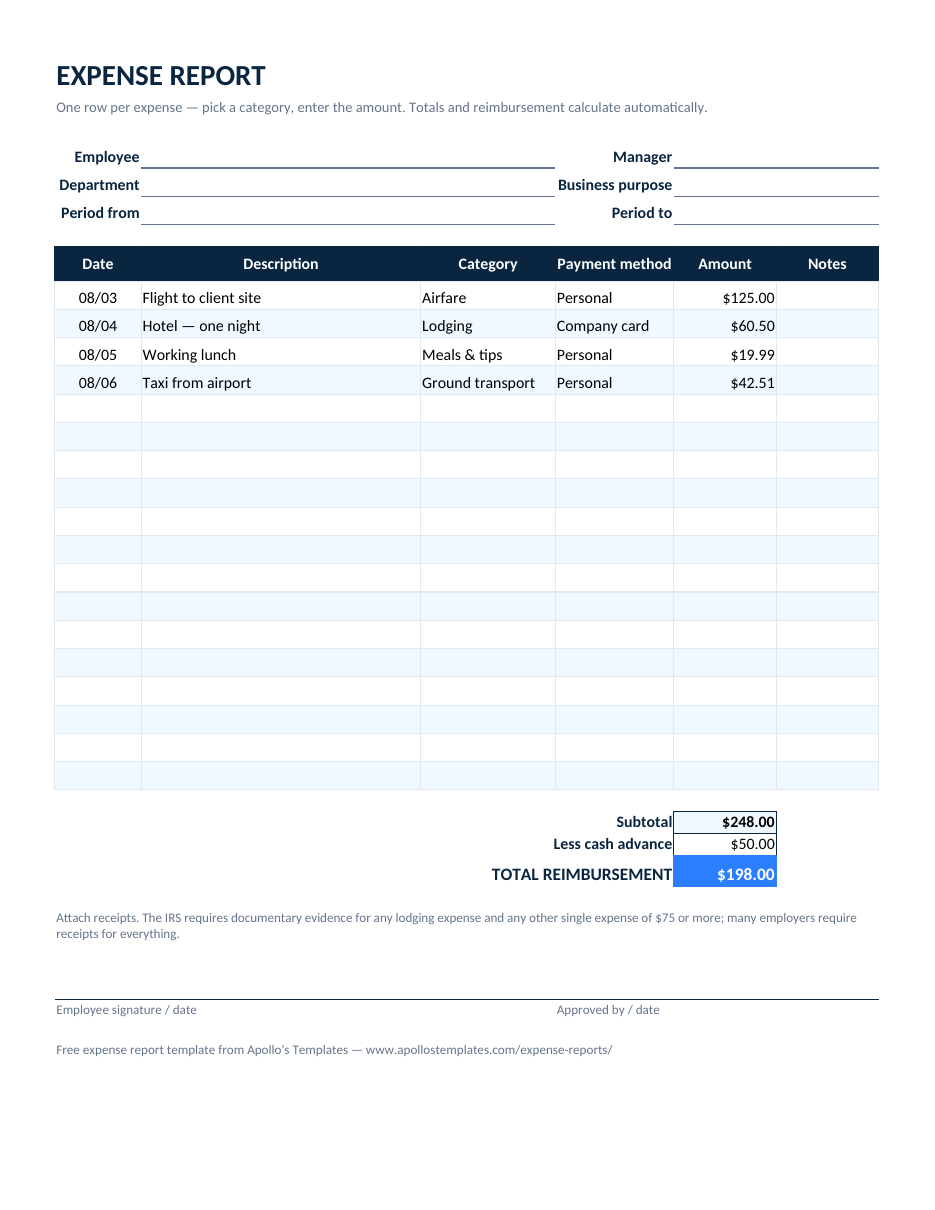
Filled-in standard expense report example with four itemized trip expenses, a subtotal of 248.00, a 50.00 cash advance, and a 198.00 reimbursement total
Standard expense report example
Four trip expenses — airfare, hotel, lunch, taxi — totaling $248.00 with a $50 cash advance, so the reimbursement line reads $198.00.
Get the blank template →
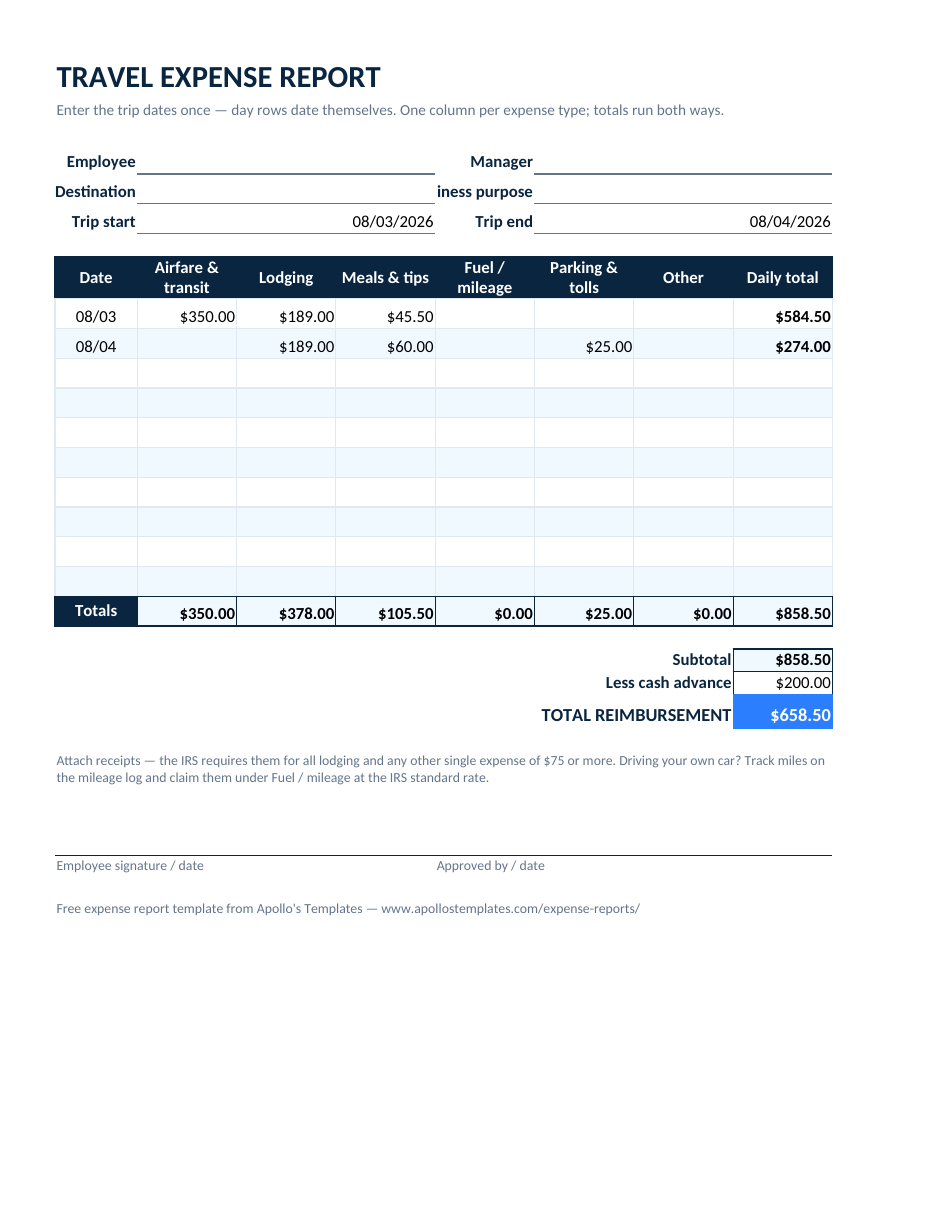
Filled-in travel expense report example with three day rows across airfare, lodging, meals, and mileage columns totaling 858.50 less a 200.00 advance
Travel expense report example
A three-day trip with airfare, lodging, meals, and mileage in the day-by-category grid — $858.50 less a $200 advance.
Get the blank template →
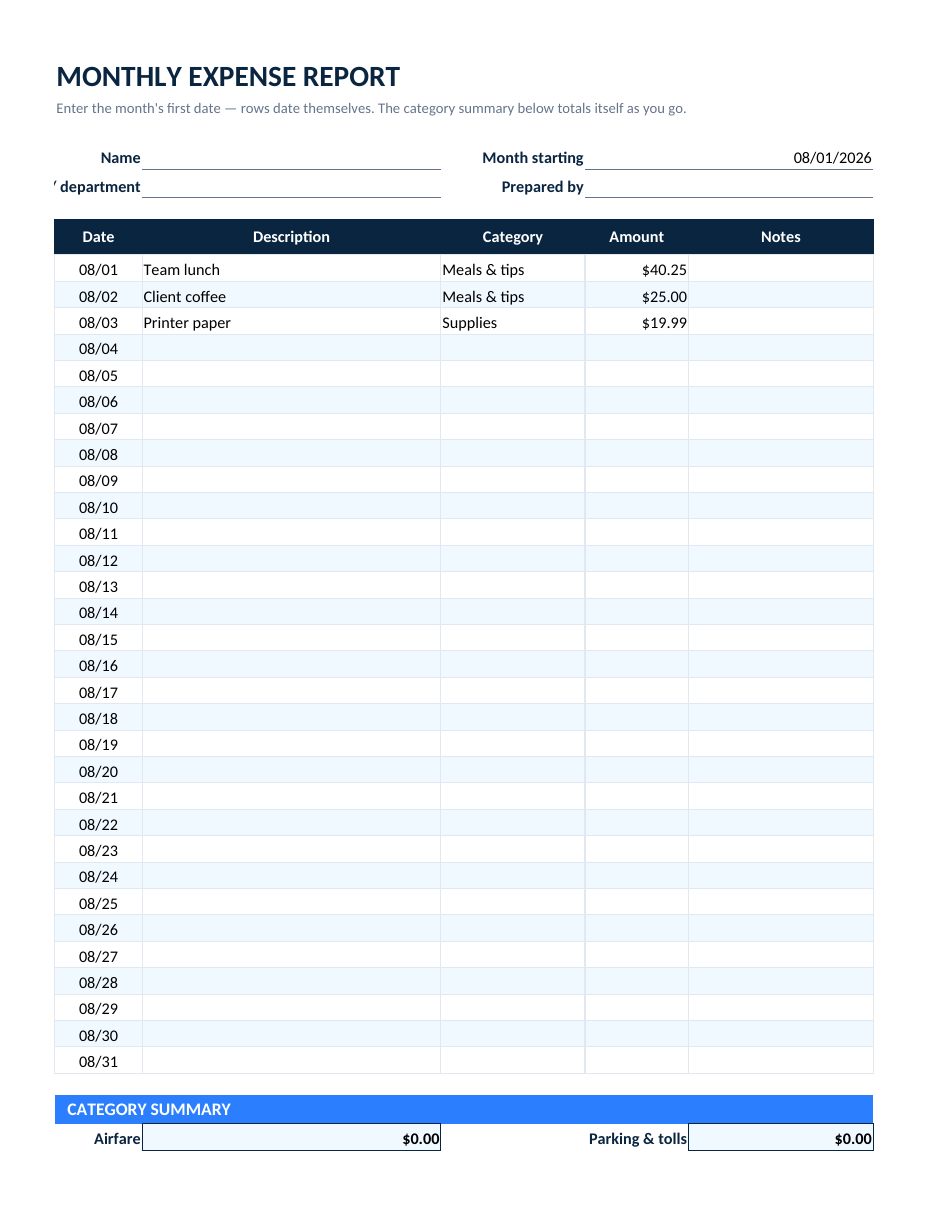
Filled-in monthly expense report example with dated rows and a category summary showing meals and supplies totals
Monthly expense report example
August’s rows with the SUMIF category summary computing Meals & tips $65.25 and Supplies $19.99 — a month total of $85.24.
Get the blank template →
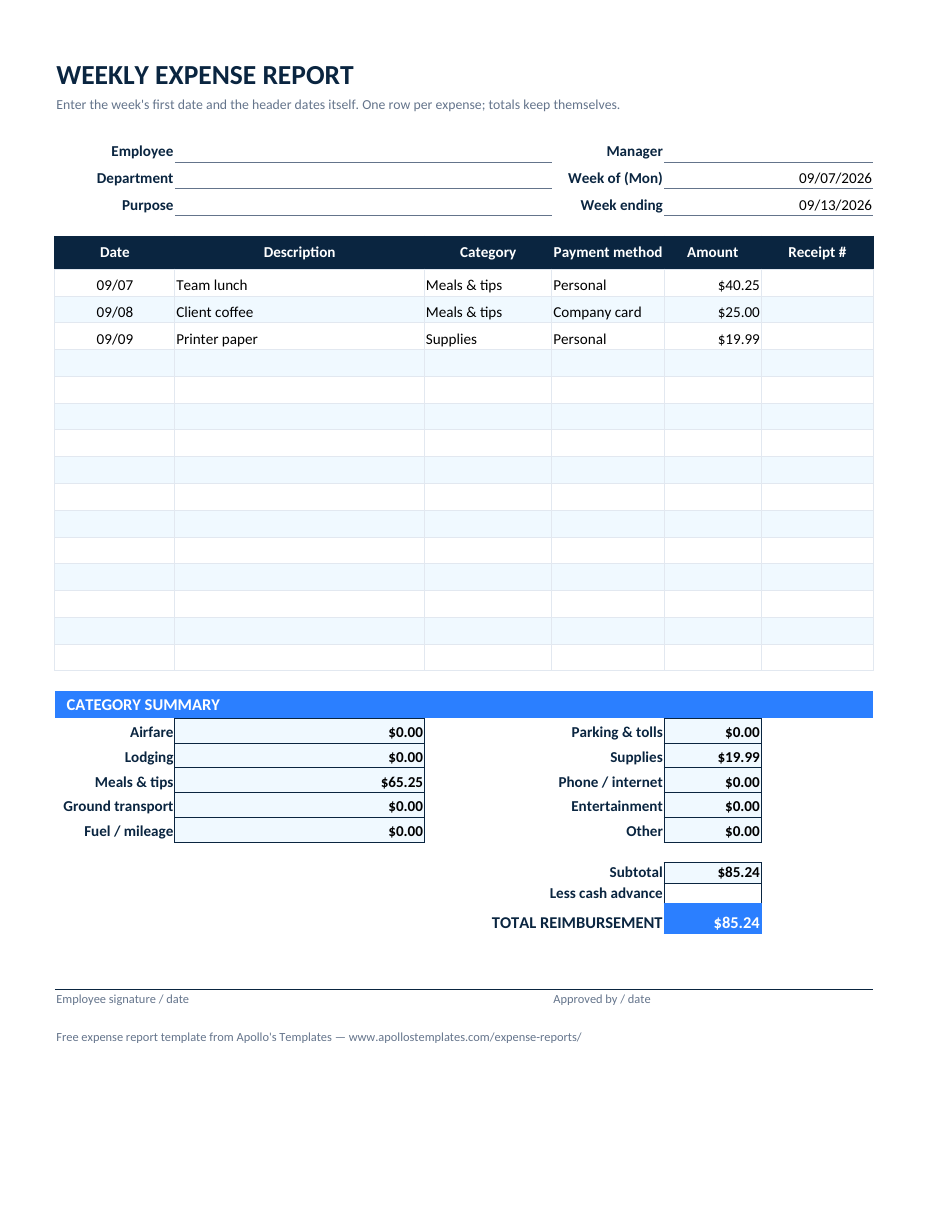
Filled-in weekly expense report example with three receipt rows, a category summary, and the reimbursement total
Weekly expense report example
A week of three receipts with the category summary and the $85.24 reimbursement total.
Get the blank template →
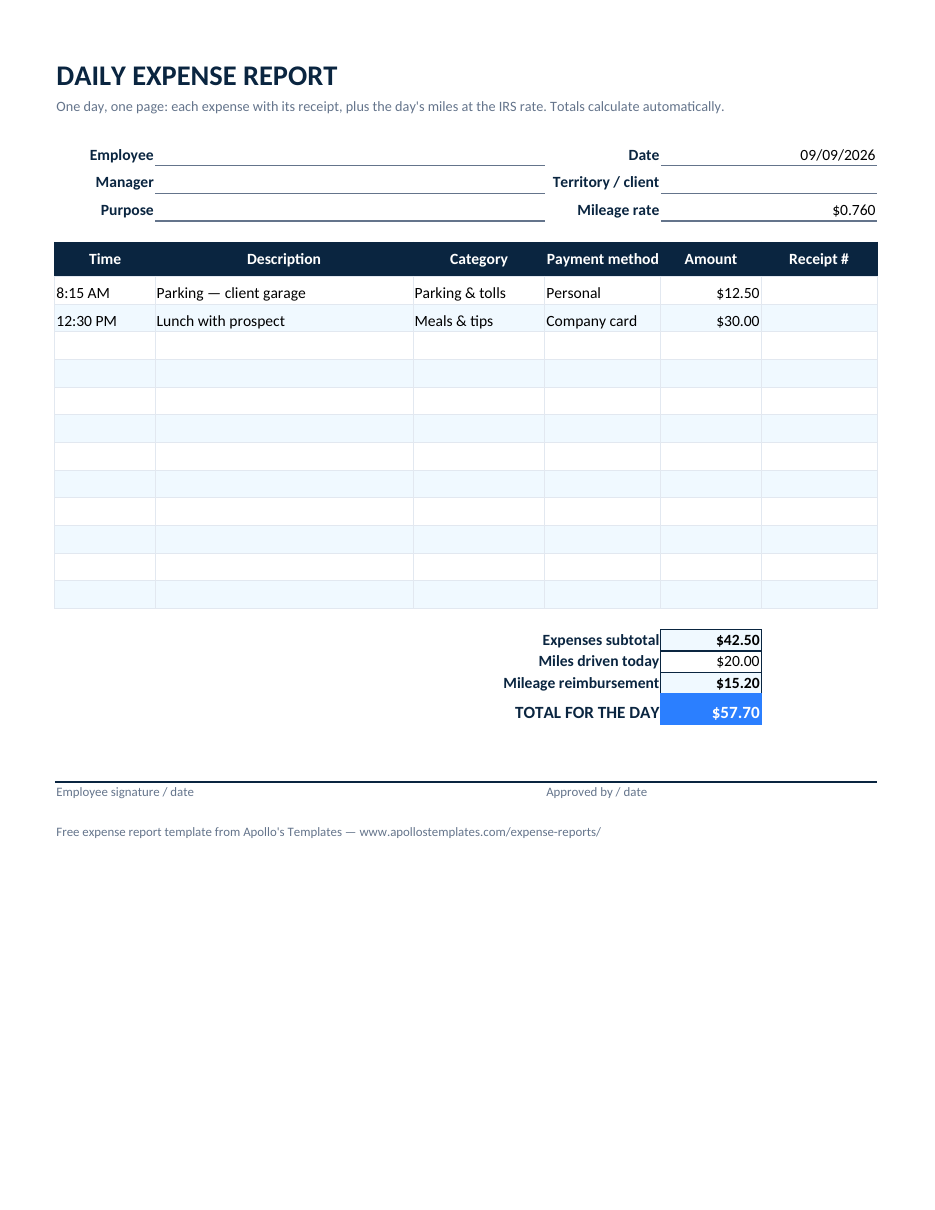
Filled-in daily expense report example with two time-stamped expenses, a 20-mile mileage line, and a 57.70 day total
Daily expense report example
One day: parking and a prospect lunch ($42.50) plus 20 miles at the IRS rate, for a $57.70 day.
Get the blank template →
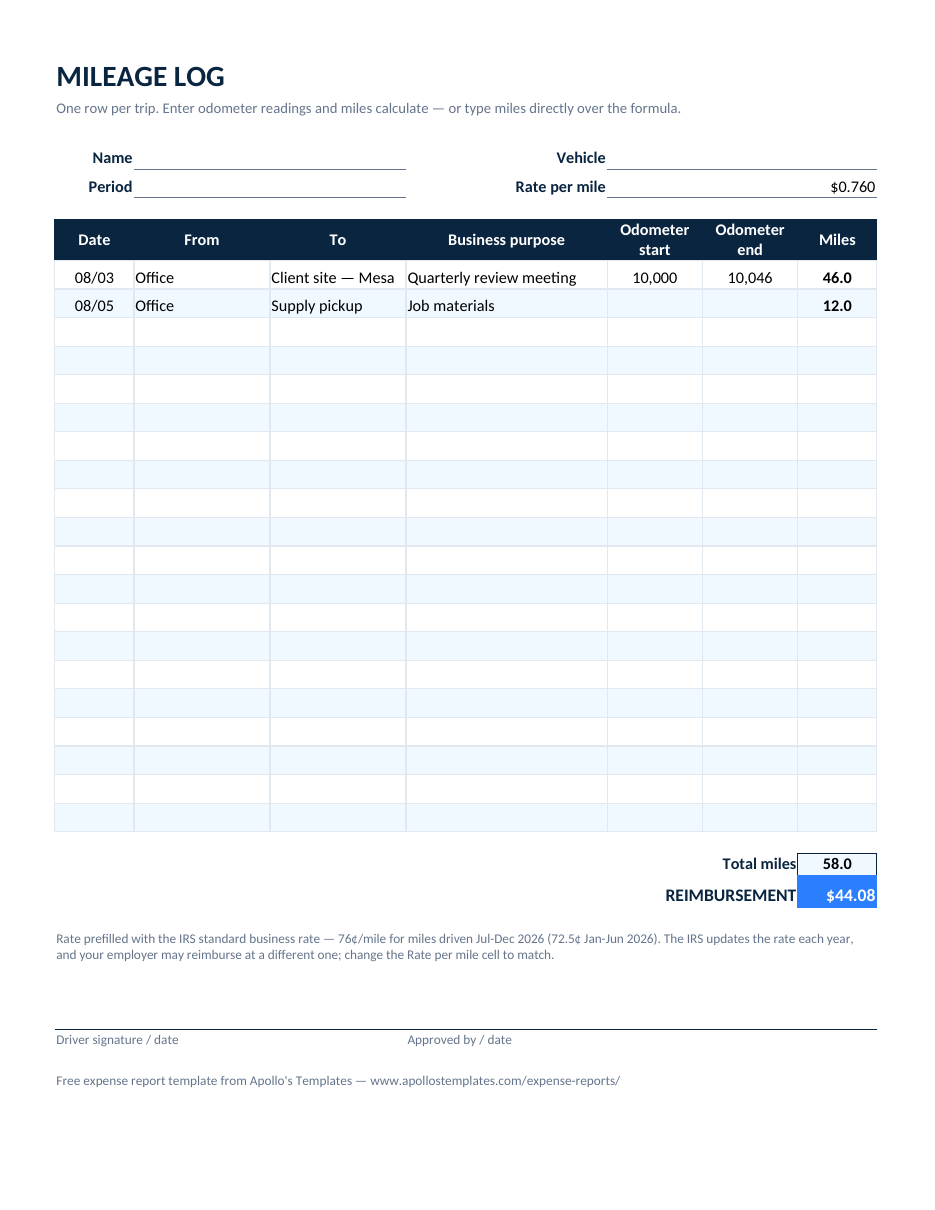
Filled-in mileage log example with odometer start and end readings, computed miles, and reimbursement at the IRS rate
Mileage log example
Odometer readings that become 58 miles, reimbursed at $0.76 for $44.08.
Get the blank template →
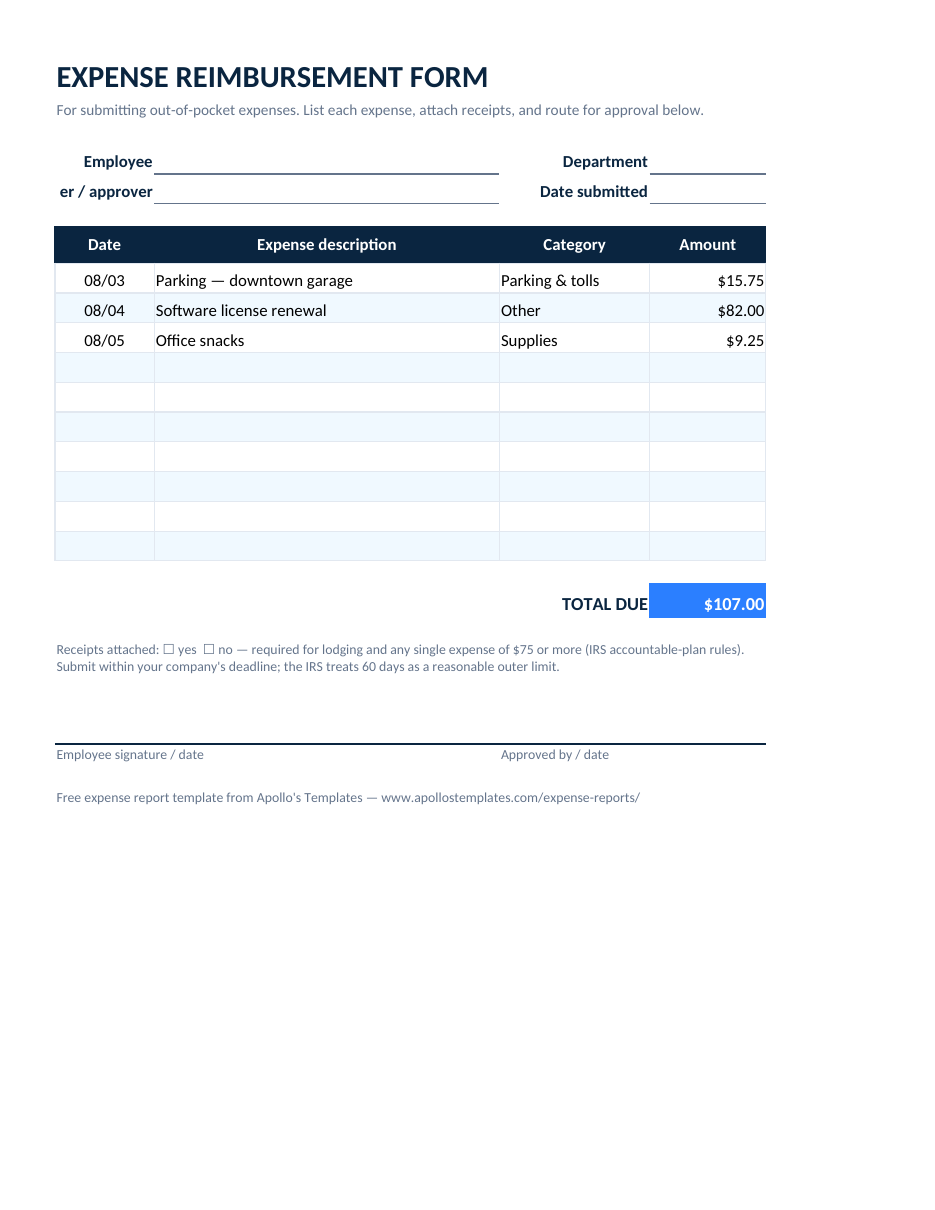
Filled-in expense reimbursement form example with itemized out-of-pocket purchases and a 107.00 total
Expense reimbursement form example
Out-of-pocket purchases listed with receipts checked, totaling $107.00 due back to the employee.
Get the blank template →
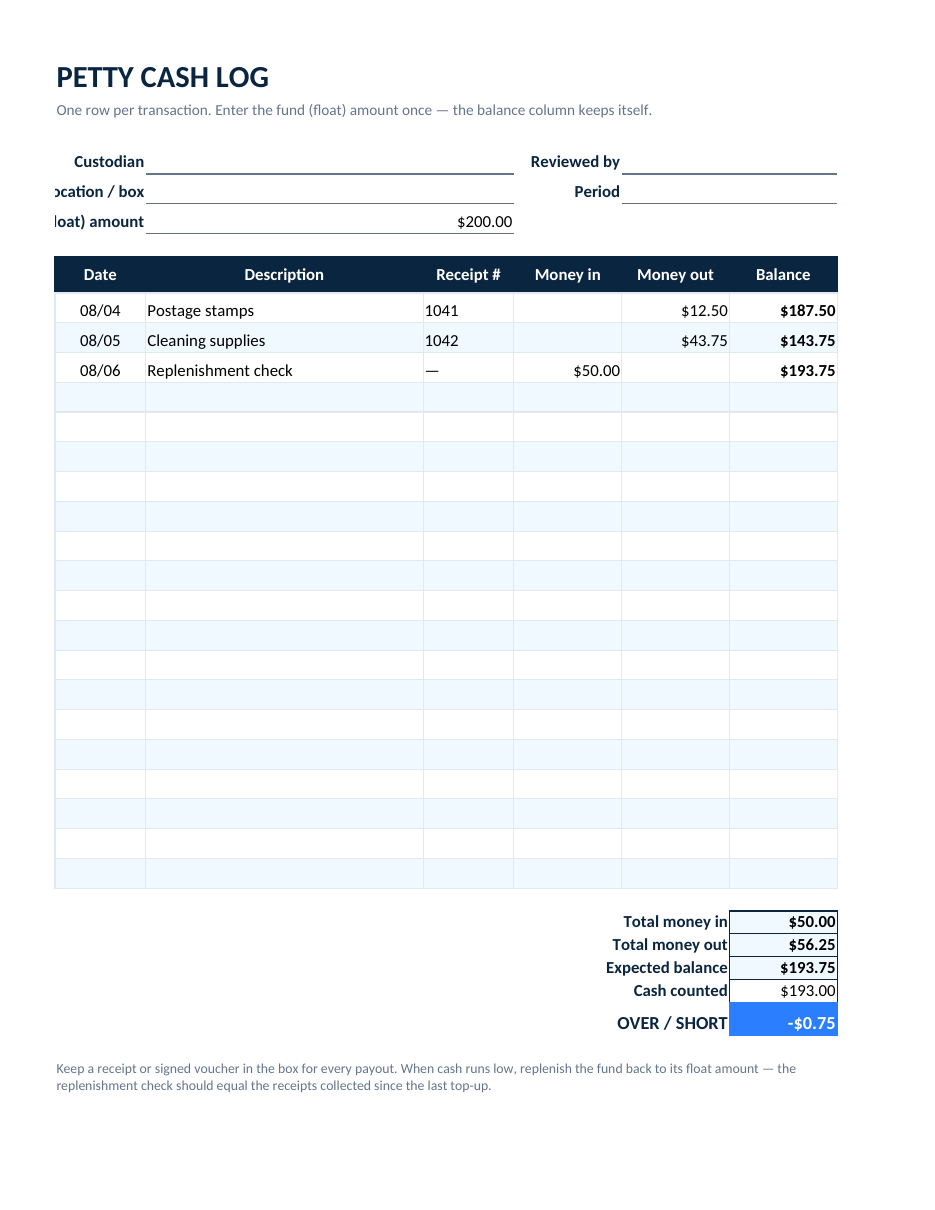
Filled-in petty cash log example with in and out entries, running balances, and an over-short reconciliation
Petty cash log example
Money in, money out, and a running balance that ends $0.75 short in the reconciliation block.
Get the blank template →
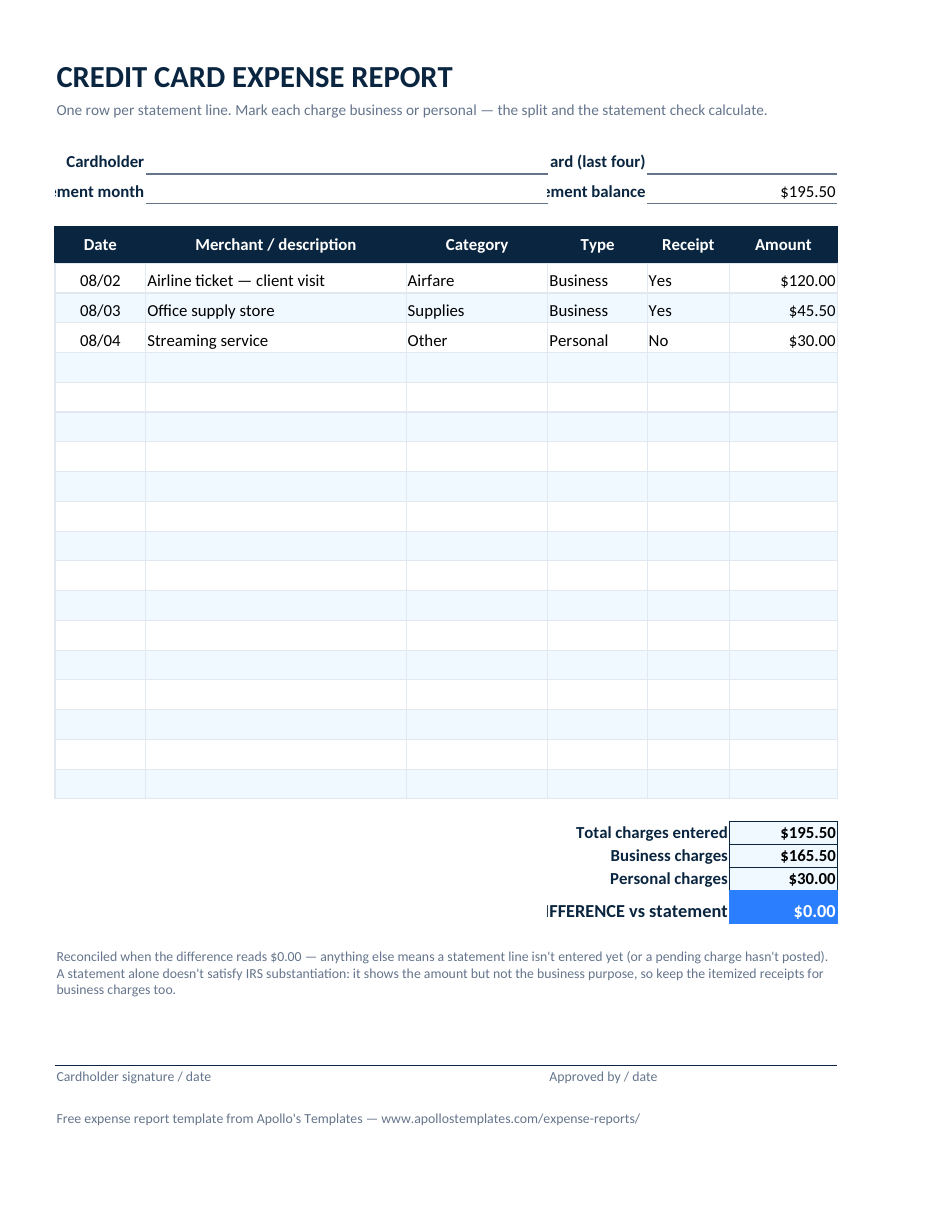
Filled-in credit card expense report example with statement lines split into business and personal columns reconciling to zero difference
Credit card expense report example
Statement lines split into $165.50 business and $30.00 personal, reconciling to the statement balance exactly.
Get the blank template →
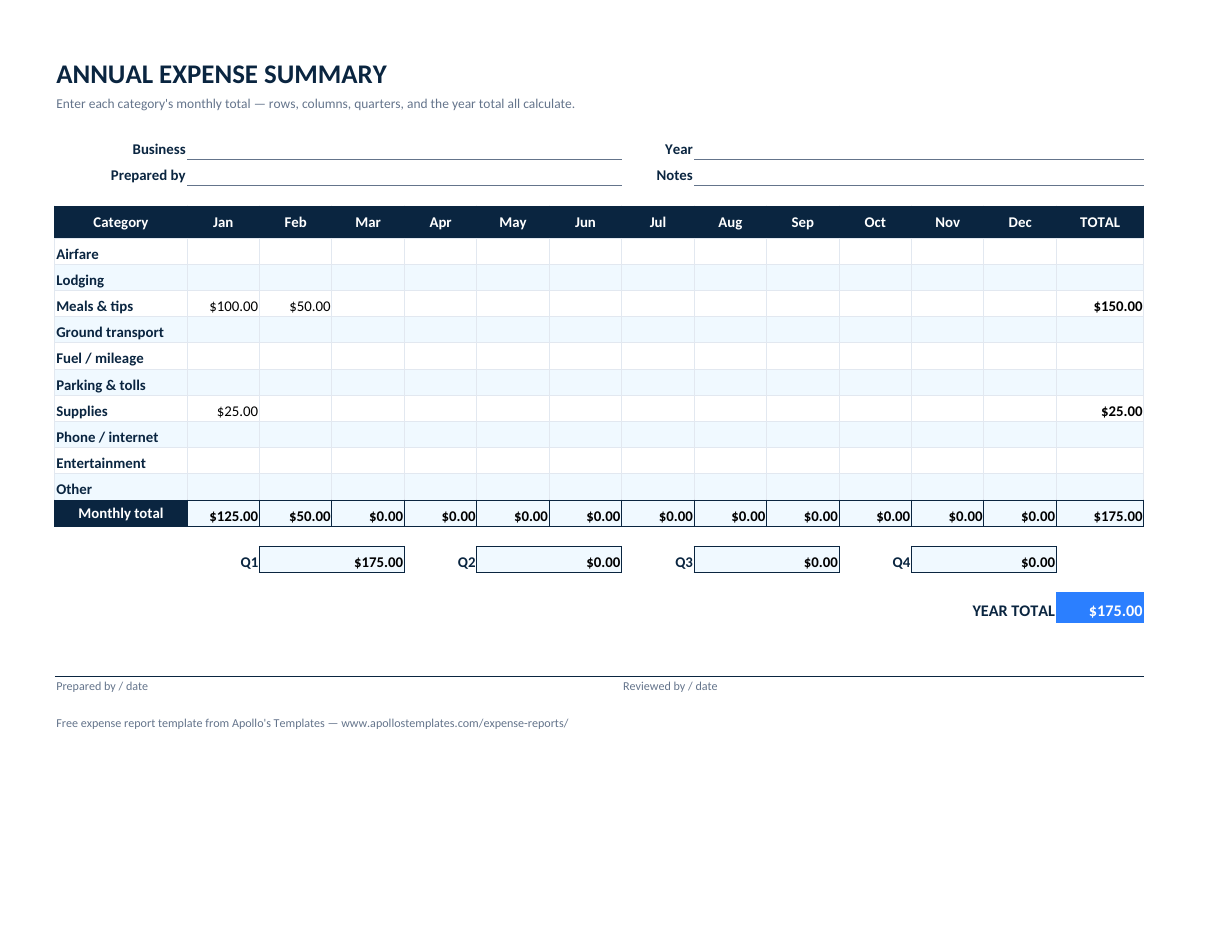
Filled-in annual expense summary example with month columns by category and quarter totals
Annual expense summary example
A first quarter of category totals rolling up to $175.00 in the twelve-month grid.
Get the blank template →
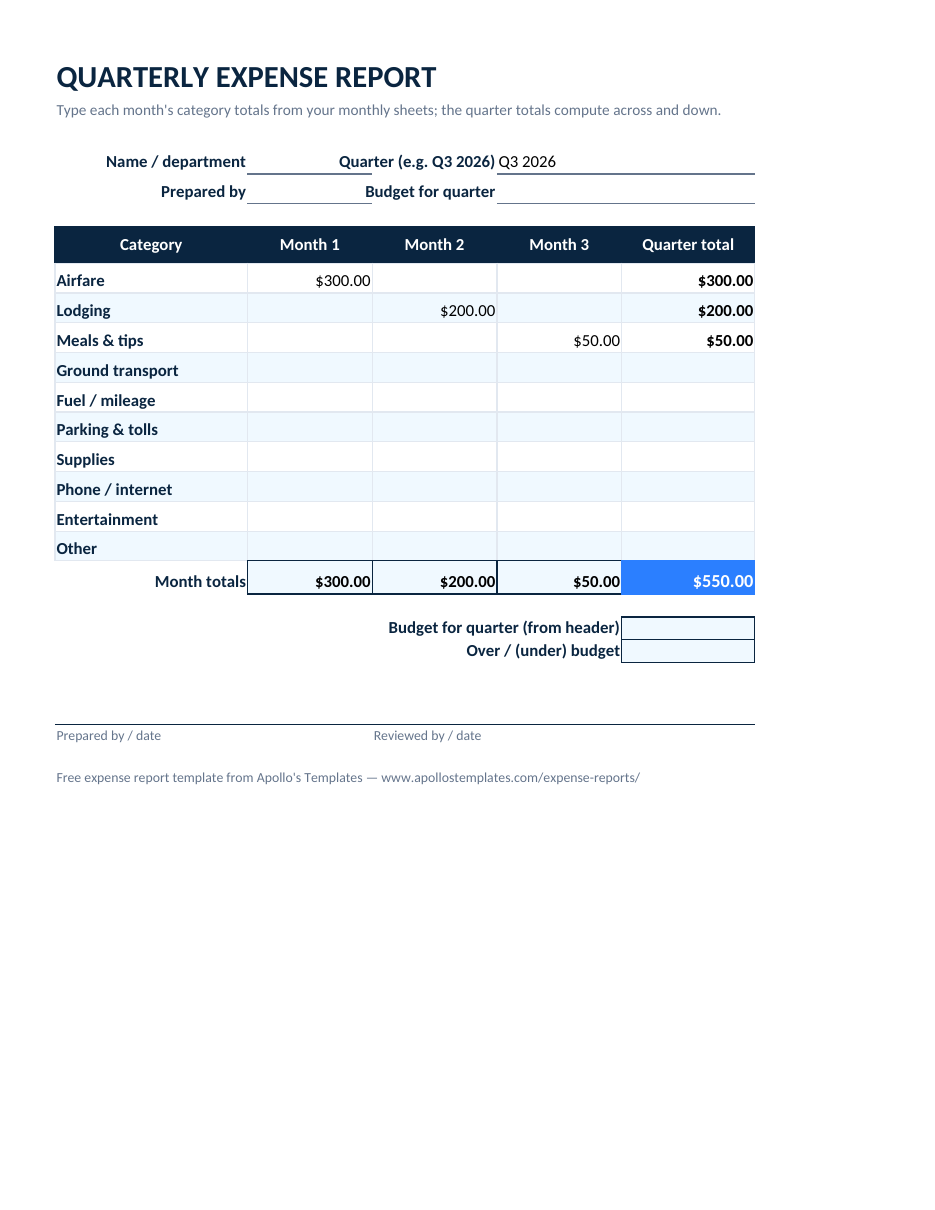
Filled-in quarterly expense report example with category rows, three month columns, and a 550.00 quarter total
Quarterly expense report example
Three months of category totals — airfare, lodging, meals — adding to a $550.00 quarter.
Get the blank template →
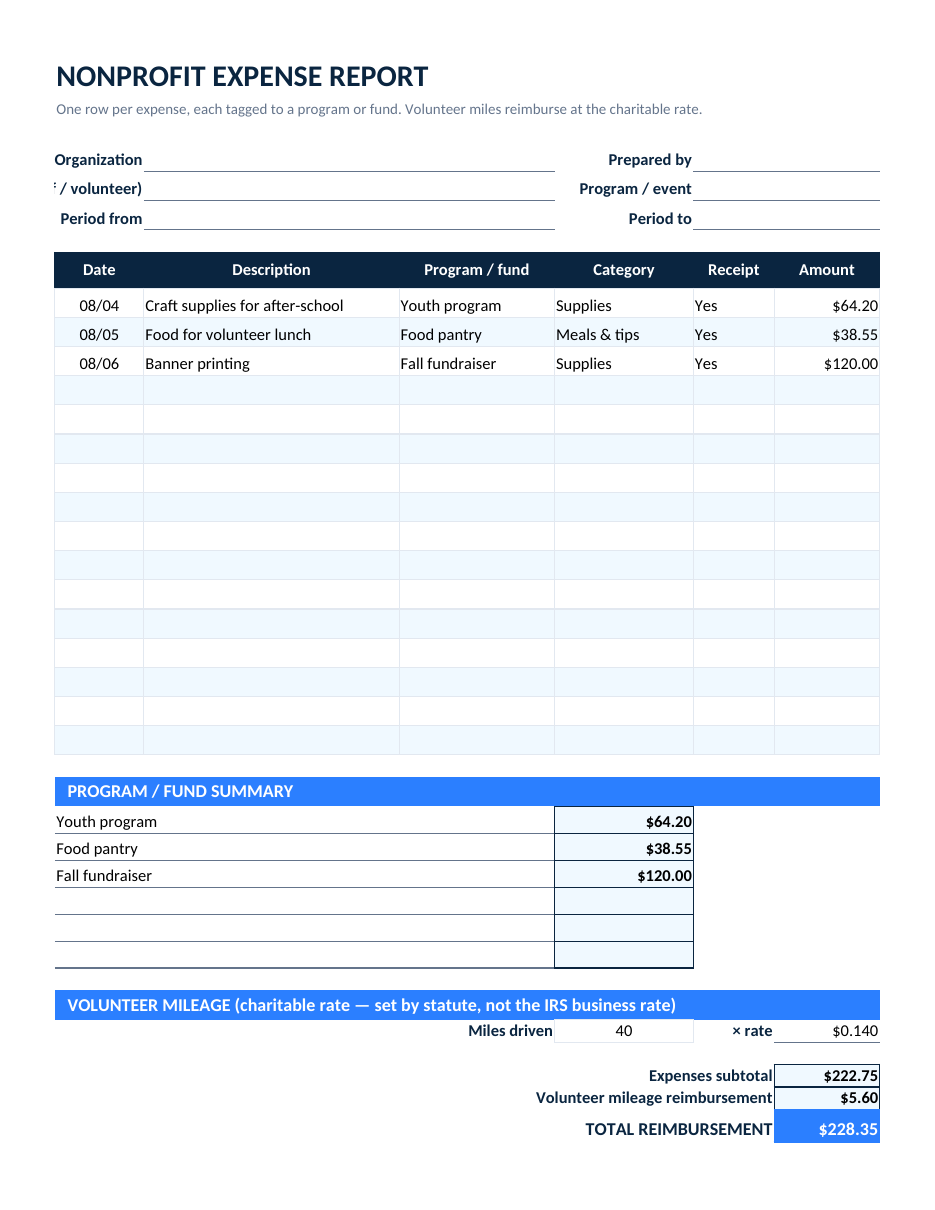
Filled-in nonprofit expense report example with program-tagged expenses and a by-program summary
Nonprofit expense report example
Expenses tagged to programs and funds with the by-program summary and volunteer mileage at the charitable rate.
Get the blank template →
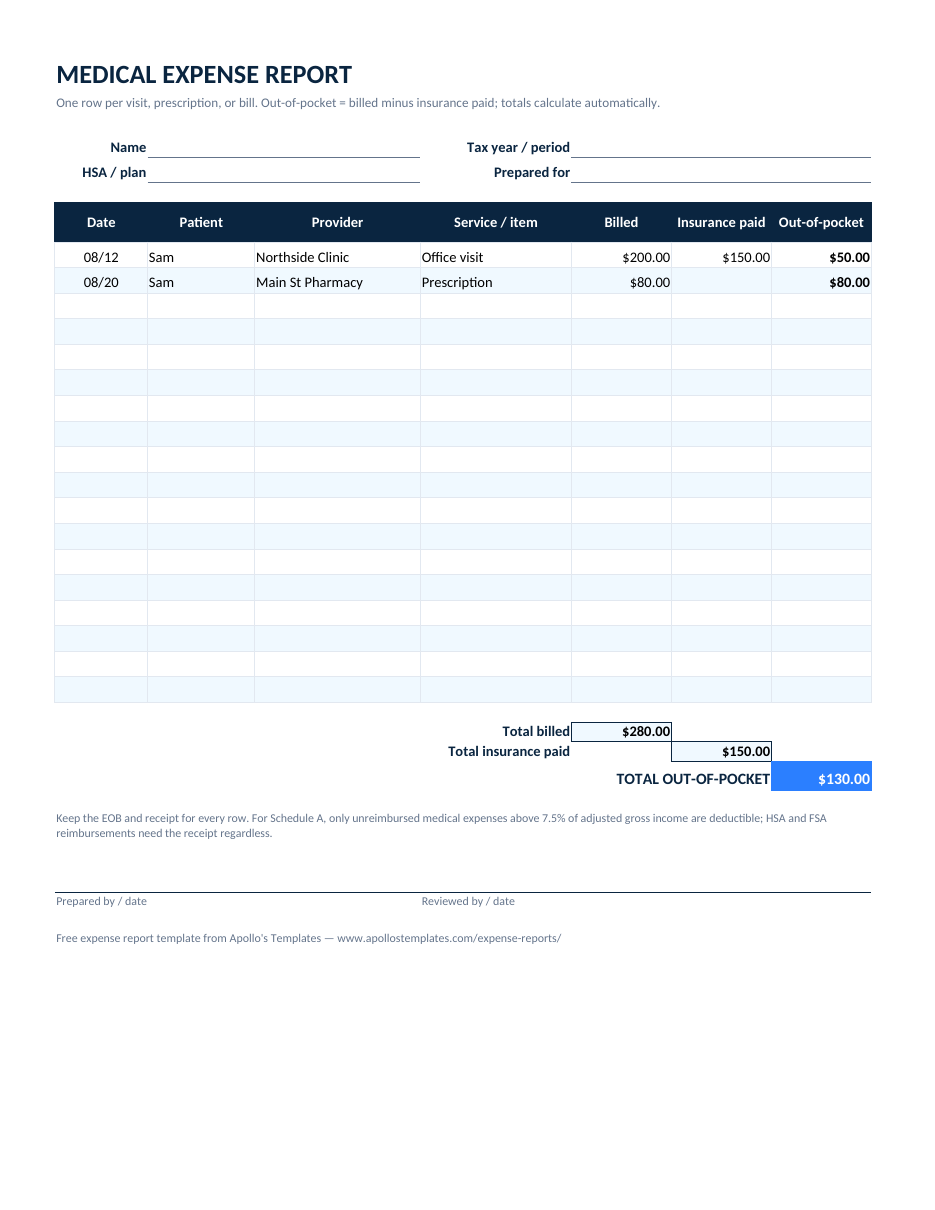
Filled-in medical expense report example with billed, insurance-paid, and out-of-pocket columns totaling 130.00 out of pocket
Medical expense report example
An office visit and a prescription: $280 billed, $150 covered, $130 out of pocket.
Get the blank template →
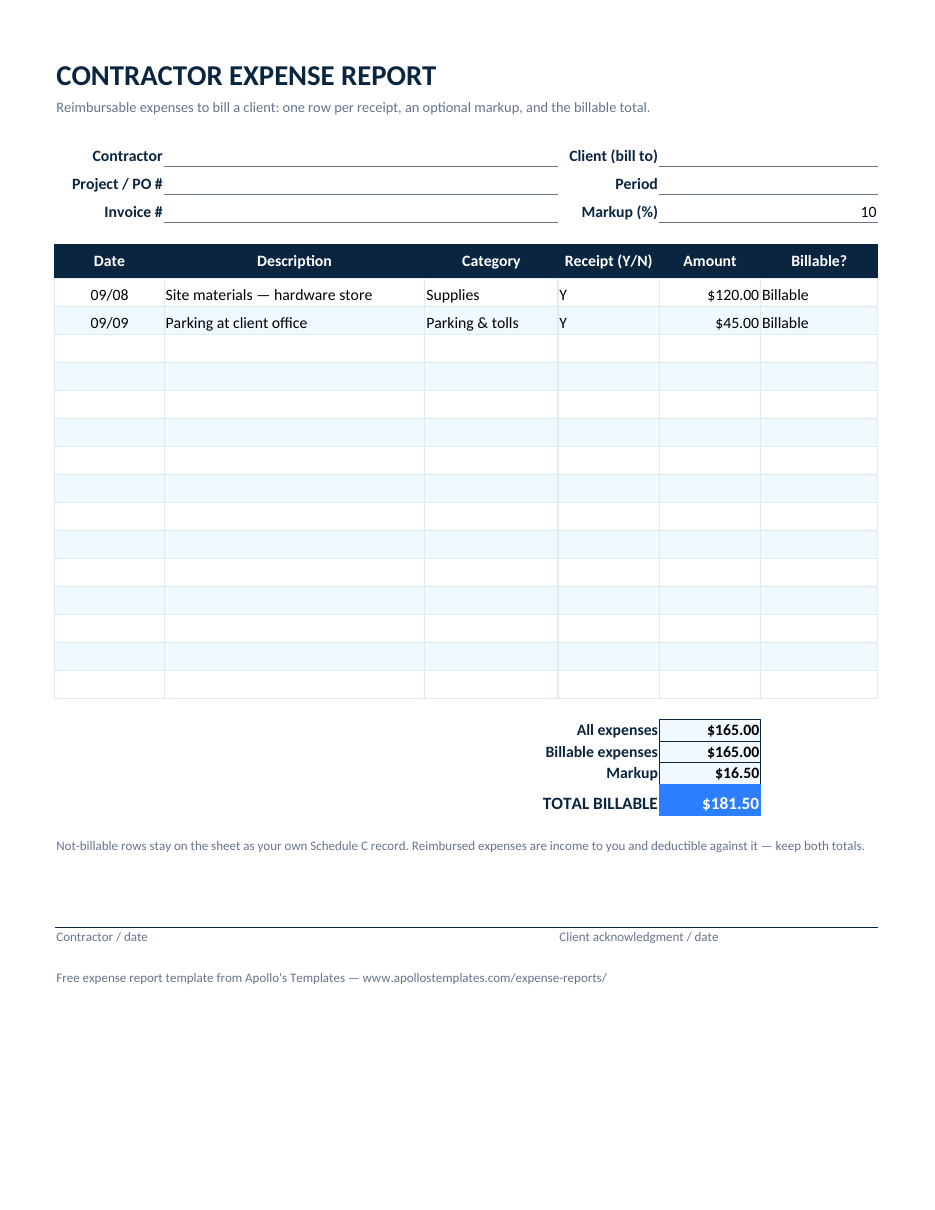
Filled-in contractor expense report example with billable receipts, a 10 percent markup, and a 181.50 billable total
Contractor expense report example
Two billable receipts ($165.00) with a 10% markup — $181.50 total billable to the client.
Get the blank template →
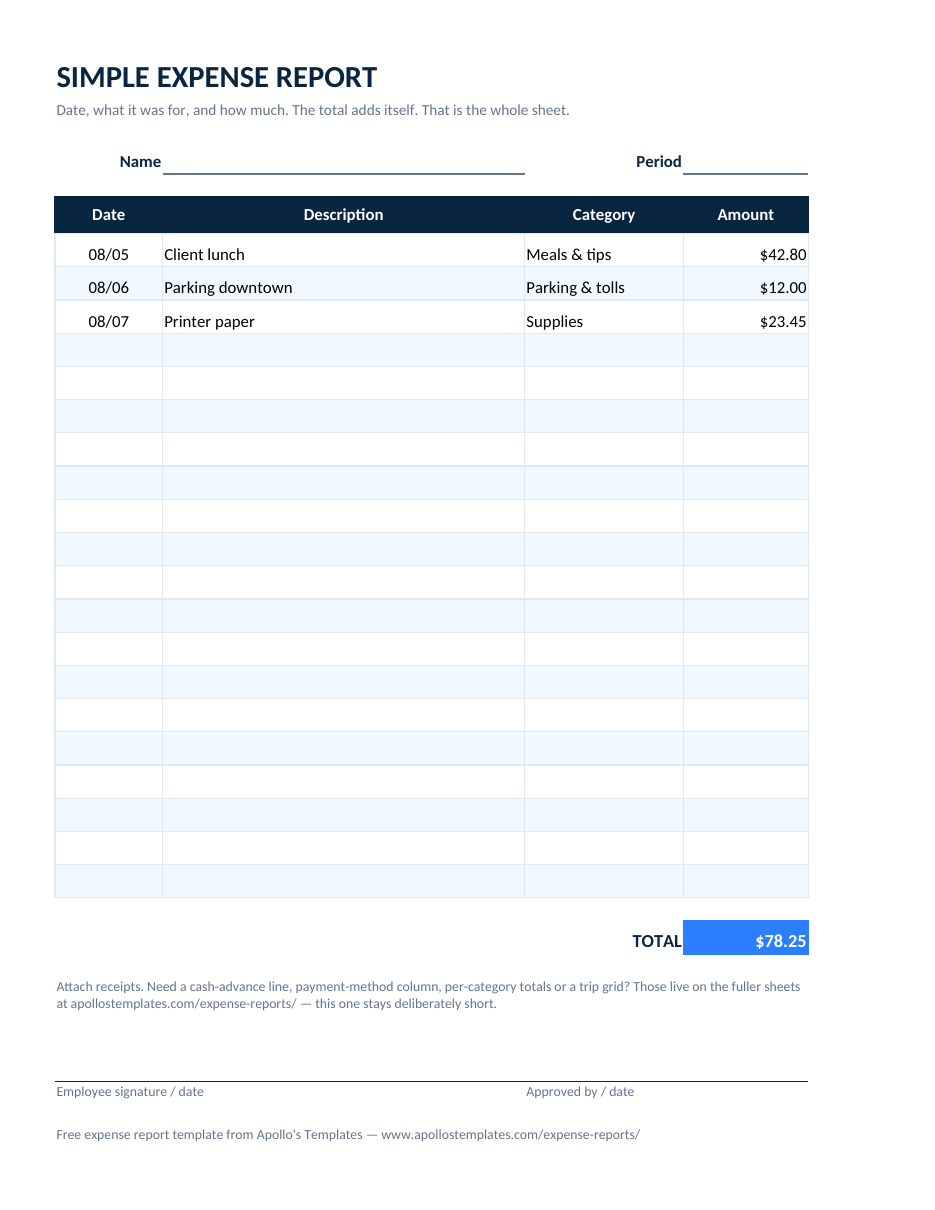
Filled-in simple expense report example with date, description, category, and amount rows and a single total
Simple expense report example
The four-column short form with a handful of rows and one total.
Get the blank template →
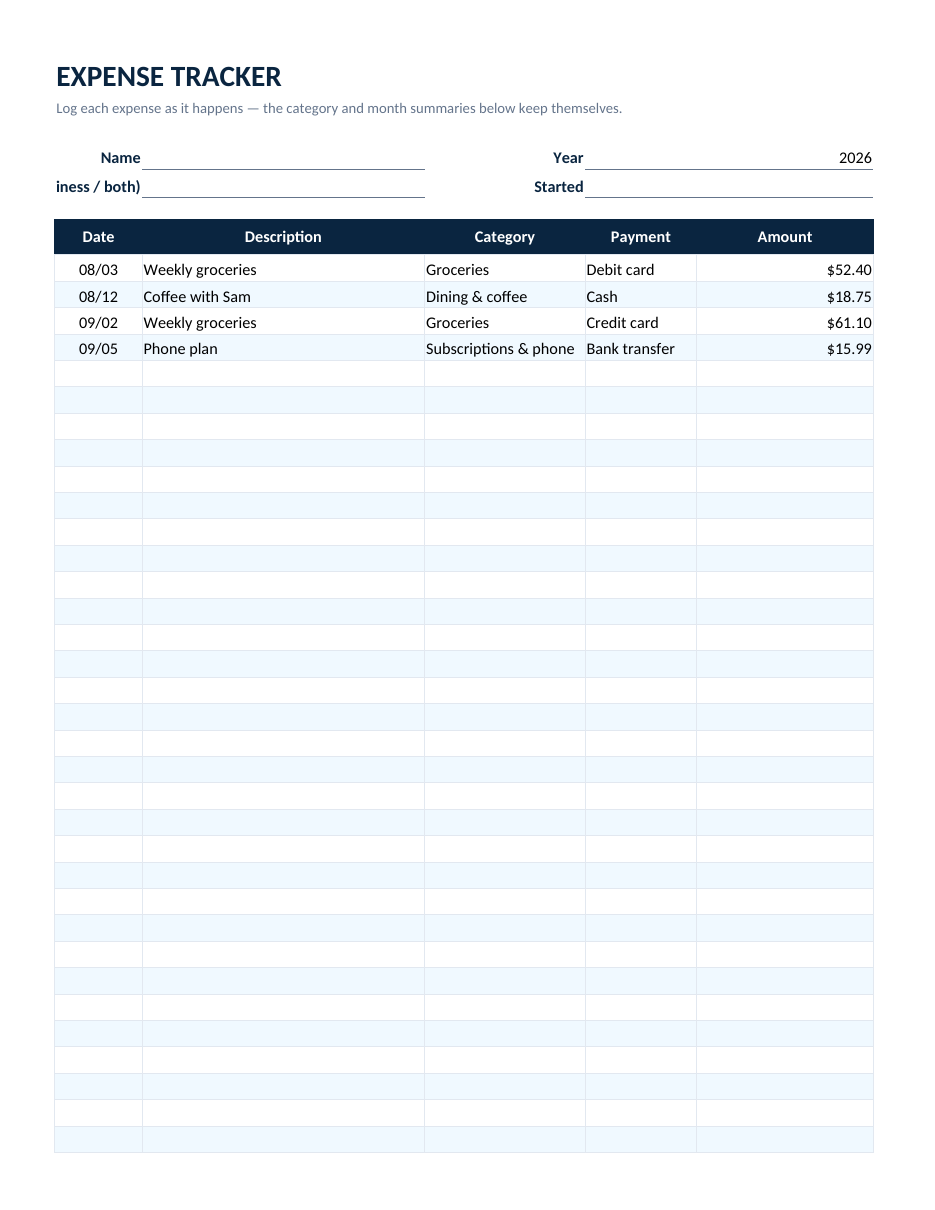
Filled-in expense tracker example with a running spending log and computed category and monthly summaries
Expense tracker example
Two months of spending in the running log with the category and monthly summaries computed — $148.24 tracked.
Get the blank template →
Reading the samples

What every good expense report has in common.

Look across the sixteen and the same skeleton repeats: who, for what purpose, over which period; then rows that each carry a date, a specific description, a category, and an amount; then arithmetic that ties out — subtotal, adjustments, total. The specialized sheets add columns (payment method, program fund, insurance paid), never subtract from that core, because the core is the IRS substantiation standard and the approver’s checklist at once.

The sample numbers are small on purpose. Each one is a hand-checked expectation we re-verify every time a template is rebuilt — in Excel and again after conversion to Google Sheets — so the totals you see in the pictures are the totals the formulas produce.

Start from the standard
Expense Report Form
The detailed general-purpose template most of these examples descend from.
Open
Skip the spreadsheet
Expense Report Generator
Type the rows in the browser and download a finished PDF.
Start
All sixteen, with formulas
Excel Expense Report Templates
The blank versions with totals that compute.
Browse

Frequently asked questions

What does a completed expense report look like?
Like the examples above: a header that says who spent the money, for what business purpose, and over what period; one row per expense with the date, a plain description, a category, how it was paid, and the amount; then a subtotal, any cash advance subtracted, and the total owed — signed by the employee and the approver. Every example here is one of our templates with realistic sample data filled in, so the layout you see is exactly what you download.
Are these real expense reports?
They're our own templates filled with sample figures we use to verify the formulas — the same numbers documented in each builder so anyone can check that the math is right. The names and amounts are illustrative; the structure, categories, and totals logic are what real reports look like in practice.
How detailed should the description column be?
One specific phrase: “Client dinner — Henderson account, 3 people,” not “dinner.” The IRS substantiation rule wants the business purpose; the approver wants to recognize the expense without asking. Look at the sample rows above — none is longer than a sentence, and none would need a follow-up email.
Can I copy an example and change the numbers?
Better: download the blank template each example links to, in Excel, Google Sheets, Word, or PDF. The Excel and Sheets versions compute the totals as you type, so you never have to redo the arithmetic the examples show. The pictures are here to show what finished looks like.
Updated through September 2026